


TL;DR
- OCR data extraction software is the layer that frees information trapped in scans and images and pushes it into your databases as structured data.
- For template-free structured extraction, Valitract, Docsumo, Nanonets, and Rossum lead. For hyperscaler scale, Google Document AI, Amazon Textract, and Azure AI Document Intelligence lead.
- Pricing ranges from free open-source (Tesseract) to roughly $1.50 per 1,000 pages for basic OCR and $10 to $50 per 1,000 pages for structured extraction.
- Choose on layout preservation, input and output formats, batch latency, and language coverage, then test on your own messy documents.
Businesses are drowning in information locked inside static image files and scanned paper. Storing those files is no longer a digital strategy, because the data inside them does nothing until it is freed and put to work.
Every invoice left as a PDF, every receipt sitting in a photo, and every form waiting in a shared drive is a small tax on speed, since someone eventually has to read it by hand. The right OCR data extraction software is the technology layer that connects raw incoming documents to your automated downstream databases, turning a pile of PDFs and photos into clean, queryable records.
This guide compares the 9 best OCR data extraction software options for 2026, explains how the technology works, and shows how to choose the right tool for your documents and volume.
What Is OCR Data Extraction?
OCR data extraction is the process of using optical character recognition software to convert text inside scanned images and PDFs into machine-readable, structured data that downstream systems can store, search, and act on automatically. It moves a document from a flat picture to usable fields.
The Core Architectural Layers of Modern OCR Software
Modern OCR data extraction runs through four layers, and knowing them helps you judge where one tool is stronger than another.
- Image pre-processing: the engine cleans background pixel noise, adjusts contrast, deskews angled lines, and rescales the image so recognition starts from a clean source.
- Layout analysis (zoning): it separates text blocks from graphics, maps tables, and identifies paragraphs and reading order.
- Character recognition grid: it compares isolated character shapes against static font libraries or, in newer tools, dynamic neural network dictionaries.
- Post-processing extraction: it applies language models to run spell-checks, verify strings against contextual dictionaries, and correct common recognition typos before output.
The gap between legacy and modern tools shows up in the last two layers. Older engines stop at characters, while AI-native tools add semantic understanding through intelligent document processing that maps values to fields.
The 9 Best OCR Data Extraction Software Solutions of 2026
The strongest tools read messy, unstructured documents on the first upload without a template. To compare them fairly, we focused on line-level extraction accuracy, processing speed, and the reliability of native APIs into your ledger, and we set aside tools that only pull headers. The list below spans three broad categories so you can find your fit quickly: AI-native platforms that return structured fields, hyperscaler services that bill per page, and open-source engines you host yourself. None is best for every team, so read each entry against your own document mix.
Before the detailed breakdowns, the table below gives a quick orientation across the field.
Table 1. Quick comparison of the 9 best OCR data extraction software options in 2026.
| Tool | Pricing model | Technical strength | Best for |
| Valitract | Free tier, then usage-based | Template-free extraction plus validation | Teams wanting clean JSON without template upkeep |
| Docsumo | Subscription + setup fee | Financial-document IDP with validation | Lending, insurance, and finance teams |
| ABBYY FineReader | License or enterprise quote | Multilingual and handwriting OCR | Multilingual and document-conversion work |
| Google Document AI | Pay-as-you-go per page | Scale and custom processors on GCP | Teams already on Google Cloud |
| Amazon Textract | Pay-as-you-go per page | Granular per-feature APIs on AWS | Teams already on AWS |
| Nanonets | Credit / block-based | Workflow automation on top of OCR | Ops teams building end-to-end flows |
| Rossum | Enterprise quote | Template-free AP automation | Mid-market and enterprise AP |
| Tesseract | Free, open source | Full control and self-hosting | Developers who want raw text, no vendor |
| Microsoft Azure AI | Pay-as-you-go per page | Prebuilt models and Azure integration | Microsoft-centric enterprises |
Source: vendor pricing and documentation pages, accessed June 2026. Confirm current rates before committing.
1. Valitract
Valitract is a template-free, AI-powered data extraction platform that reads invoices, receipts, bank statements, passports, and IDs, then returns structured JSON through a REST API or a no-code dashboard.
A new vendor layout works on the first upload, with no template to build, and a validation step checks the output before it reaches your systems. You can see the full platform at Valitract.
Key features: template-free visual extraction, line-level and key-value output, support for 95+ languages, document validation including ICAO 9303 checksums for IDs, and both an API and a dashboard for non-technical reviewers.
Pricing: a free tier to start, then usage-based pricing as volume grows.
Pros: accuracy of up to 99.8% on standard documents, no template maintenance, clean structured output, and a developer API alongside a no-code interface.
Cons: SOC 2 Type II and ISO 27001 are in progress rather than certified, and the platform focuses on capture, extraction, and validation rather than biometric identity matching.
2. Docsumo
Docsumo is an intelligent document processing platform aimed at financial documents such as invoices, bank statements, and tax returns. It extracts fields and tables without per-document templates and validates extracted values against master-data tables.
Key features: pre-trained and custom models, table extraction, classification, a review interface, and API plus webhook access.
Pricing: a free plan covers a small page allowance, a Growth tier adds API access at a few thousand pages per month, and enterprise pricing is custom, with setup fees on top.
Pros: strong on multi-page financial documents, transparent subscription model, and a developer-friendly API.
Cons: geared toward developer-led teams, and support response times draw occasional criticism.
3. ABBYY FineReader
ABBYY FineReader is a mature OCR and PDF tool, backed by ABBYY’s recognition engine and the Vantage IDP platform for programmatic and enterprise use. Its hallmark is breadth of language and script coverage plus strong handwriting recognition.
Key features: recognition across 200+ languages, intelligent character recognition for handwriting, document conversion, and an engine plus SDK for developers.
Pricing: FineReader PDF is sold by license from roughly $16 per month equivalent, while the engine and Vantage are enterprise quote-based.
Pros: excellent multilingual and handwriting accuracy, and a deep, proven feature set.
Cons: the desktop product is conversion-focused rather than API-first, and enterprise extraction carries heavier pricing and setup.
4. Google Document AI
Google Document AI is the document-processing layer of Google Cloud, offering general OCR plus prebuilt and custom processors. It fits teams already on Google Cloud who want native integration with services like BigQuery and Cloud Storage.
Key features: Enterprise Document OCR, prebuilt processors, custom extractors, and asynchronous batch processing.
Pricing: basic OCR runs about $1.50 per 1,000 pages and drops at very high volume, while Form Parser and Custom Extractor run about $30 per 1,000 pages. New customers get $300 in credit, and deployed processors carry an hourly hosting fee.
Pros: hyperscaler reliability, deep GCP integration, and low per-page cost for plain OCR.
Cons: structured extraction costs far more than raw OCR, and a production pipeline needs real engineering plus GCP setup.
5. Amazon Textract
Amazon Textract is the AWS extraction service, with separate APIs for raw text, forms, tables, expenses, and identity documents. Like Google’s offering, it suits teams inside its cloud, in this case AWS.
Key features: DetectDocumentText for OCR, AnalyzeDocument for forms and tables, AnalyzeExpense for invoices, AnalyzeID, and bounding boxes plus confidence scores on every element.
Pricing: basic OCR is about $1.50 per 1,000 pages, forms run about $50 per 1,000 pages, and tables add about $15 per 1,000 pages. A three-month free tier covers 1,000 OCR pages per month.
Pros: strong raw-text accuracy, granular per-feature APIs, and tight AWS integration.
Cons: feature-stacked pricing climbs quickly, and value is hard to justify outside AWS.
6. Nanonets
Nanonets pairs OCR with deep-learning models and workflow automation, converting invoices, purchase orders, receipts, and forms into structured data and routing it to systems like SAP, QuickBooks, and Xero.
Key features: pre-trained and custom models, zero-template extraction, classification, validation, and workflow blocks that post data downstream.
Pricing: a credit and block-based model where each workflow step counts as a run, with starting credit to process thousands of documents.
Pros: accurate on complex layouts, broad integration coverage, and a usable interface for non-developers.
Cons: block-based pricing can be hard to predict at scale, and custom models still need setup time.
7. Rossum
Rossum is a template-free, AI-native platform built for accounts payable and transactional documents. It captures data from any invoice layout from day one, then adds validation and approval routing, which makes it a strong fit for accounts payable invoice processing at scale.
Key features: template-free extraction, a self-learning model, validation against your ERP, approval workflows, and API plus SFTP integration.
Pricing: enterprise quote-based on volume and workflow complexity, with a minimum one-year contract.
Pros: up to 98% accuracy, a strong workflow layer, and certifications including ISO 27001 and SOC 2 Type II.
Cons: a higher price point that can be steep for small teams, and notable renewal increases reported by some users.
8. Tesseract
Tesseract is the leading open-source OCR engine, free under a permissive license. It is the right call when you want full control, self-hosting, and no vendor lock-in, and you have the engineering capacity to build around it. It remains the reference point for free OCR.
Key features: text recognition across 100+ languages, local or container deployment, and complete pipeline control.
Pricing: free.
Pros: no per-page cost, no data leaving your infrastructure, and total flexibility.
Cons: no official support, no structured output out of the box, and good results only after you add pre-processing and your own parsing layer.
9. Microsoft Azure AI Document Intelligence
Microsoft Azure AI Document Intelligence, formerly Form Recognizer, is the Azure document extraction service. It offers OCR, layout, and a dozen prebuilt models, and it fits Microsoft-centric organizations that want native integration with Logic Apps, Power Automate, and Dynamics 365.
Key features: Read OCR, Layout, 12+ prebuilt models for invoices, receipts, IDs, and tax forms, custom models, and container deployment.
Pricing: Read OCR is about $1.50 per 1,000 pages, prebuilt models about $10 per 1,000 pages, and custom extraction $30 to $50 per 1,000 pages. A free tier covers 500 pages per month, and commitment tiers cut cost at high volume.
Pros: 99%+ accuracy with prebuilt models, strong handwriting and table support, and deep Azure integration.
Cons: value drops outside the Microsoft ecosystem, and standing up a multi-resource Azure pipeline takes engineering time.
Key Evaluation Criteria: How to Choose the Right OCR Data Extraction Software
The right choice comes down to a few functional parameters you should test before you buy, not after. Weigh each against your real documents and infrastructure.
- Structural layout preservation: can the optical character recognition software keep columns, tables, and parent-child field relationships intact, rather than flattening everything into one unreadable block?
- Supported file ingestion and output formats: does it accept mixed inputs such as HEIC, TIFF, and PDF, and deliver structured exports like JSON, CSV, and XML natively?
- Processing end-to-end latency: how does the engine hold up under bulk stress, for example handling 10,000 multi-page documents concurrently without server drop-offs?
- Language and script diversity: can it parse regional tax fonts, handwriting through intelligent character recognition, and global character blocks across international supplier networks?
For teams that need a programmatic engine specifically, the criteria shift toward latency and payload quality, which we cover in our guide to the best OCR API for developers.
What Are the Benefits of OCR Data Extraction Software?
The payoff of OCR data extraction software shows up across speed, accuracy, compliance, and data quality, and the gains compound as volume grows. Five benefits stand out.
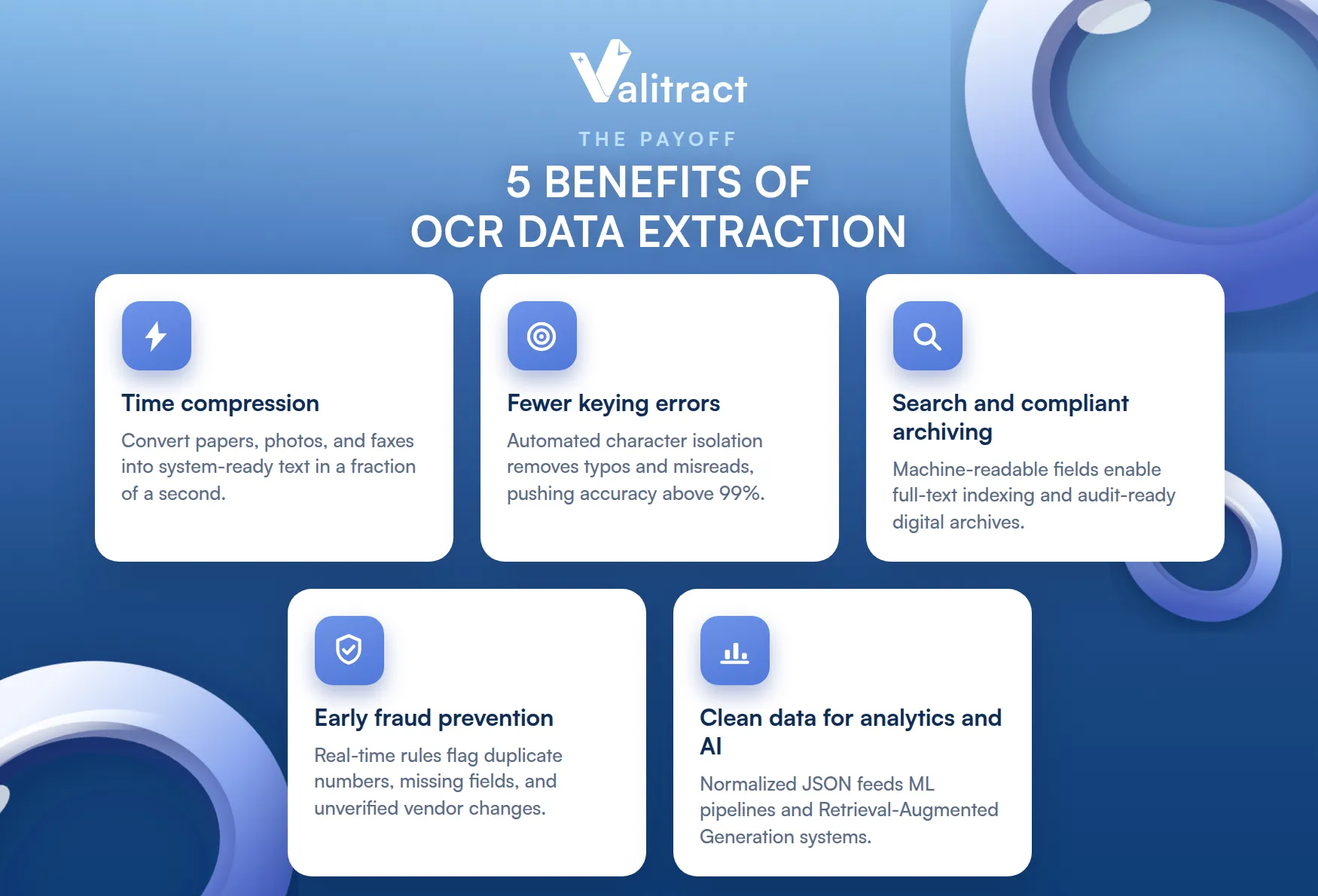
- Substantial time compression: modern engines convert papers, photos, and faxes into system-ready text in a fraction of a second, turning days of backlog into real-time flows.
- Drastic reduction in manual keying errors: automating character isolation removes typos, misread numbers, and skipped lines, pushing data accuracy above 99%.
- Searchability and compliant archiving: turning flat pixels into machine-readable fields enables full-text indexing and audit-ready, regulation-friendly digital archives.
- Early fraud prevention: enterprise systems run real-time validation rules that flag duplicate numbers, missing fields, and unverified vendor changes, which pairs naturally with dedicated invoice validation software.
- Clean data for analytics and AI: normalizing varied layouts into clean JSON feeds, machine learning pipelines, and Retrieval-Augmented Generation vector systems with high-quality data.
How Is OCR Data Extraction Used in Different Industries?
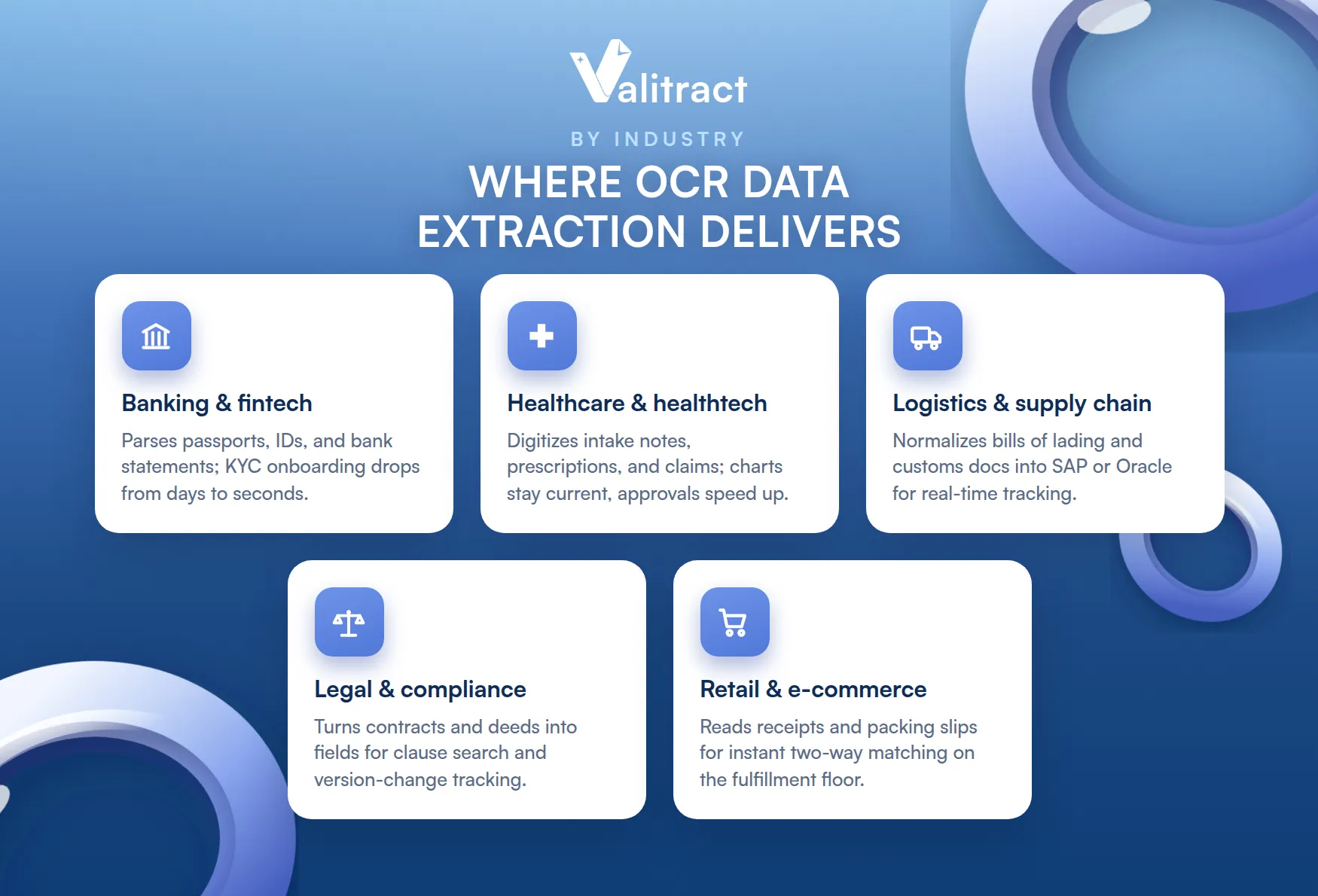
OCR data extraction delivers the most value wherever document volume and stakes are both high. Five sectors show the pattern.
Banking and Fintech
Banks and fintechs use OCR data extraction for the programmatic parsing of passports, national driver’s licenses, mortgage applications, and bank statements. Pulling document numbers, dates of birth, names, and itemized transaction rows automatically accelerates Know Your Customer onboarding from days to seconds, and it lets underwriting teams evaluate small-business loans without a manual background queue. The same extracted fields feed real-time fraud checks, so an altered or duplicated identity document gets flagged before a transaction clears rather than after the money has moved.
Healthcare and Healthtech
Healthcare providers digitize handwritten clinical intake notes, prescriptions, lab results, and external hospital billings, all of which arrive in inconsistent layouts that are slow and error-prone to type by hand. Converting them into structured fields keeps patient charts current across distributed hospital networks and removes the indexing backlog that delays care. On the claims side, high-speed mobile image uploads shorten insurance approval times, because a clean, validated claim can move straight into adjudication instead of waiting in a manual review pile.
Logistics and Global Supply Chain
Logistics firms extract dense tabular metrics from bills of lading, customs declarations, shipping labels, and packing slips, with each carrier using its own format. OCR data extraction normalizes those variable documents natively, so container IDs, gross weights, ports of loading, and SKU line items feed directly into systems like SAP or Oracle. That lets operations teams track inventory in real time and coordinate automated dock crossings, removing the data-entry bottleneck that once formed at shipping terminals every time a new carrier layout appeared.
Legal and Corporate Compliance
Legal and compliance teams convert dense, multi-page affidavits, court judgments, master service agreements, and property deeds into structured data rather than flat scans. With fields such as party names, termination clauses, monthly amounts, and expiration dates mapped out, teams can run automated version-change tracking, quickly isolate liability or termination thresholds, and perform structural keyword discovery across thousands of pages. What once consumed billable hours of manual reading becomes a search query, which both lowers review cost and reduces the risk of a missed clause.
Retail and E-Commerce
Retailers and fulfillment centers scan receipts, warehouse packing rosters, and supplier delivery vouchers at high volume. Extracting purchase-order references, shipped quantities, and SKUs on the spot automates two-way matching directly on the fulfillment floor, comparing received physical goods against digital orders. Missing or short-shipped items surface instantly instead of during a month-end audit, which speeds inventory availability and cuts the cost of manual reconciliation downstream.
Concluding Thought
The best OCR data extraction software is the one that fits your documents, your stack, and your volume, not the one with the longest feature list. If you need raw text at scale inside a hyperscaler, Google Document AI, Amazon Textract, or Azure AI Document Intelligence will serve you well, and Tesseract covers the free, self-hosted case.
If you need structured fields from varied layouts without maintaining templates, an AI-native platform such as Valitract, Docsumo, Nanonets, or Rossum will save far more time than the per-page rate suggests. A useful rule of thumb: the more your documents vary by sender and the more your downstream systems expect clean JSON, the further you should lean toward AI-native extraction over raw OCR.
Whichever you shortlist, test it on your own messy documents first, since a tool that shines on a vendor demo can still stumble on your real production traffic. To try template-free extraction with a free tier, explore Valitract’s AI-powered data extraction.
Frequently Asked Questions About OCR Data Extraction Software
What is OCR data extraction?
OCR data extraction is the process of converting text inside scanned images and PDFs into machine-readable, structured data using optical character recognition software. Modern tools go beyond plain text and return semantic fields, such as invoice number, date, and total, as structured JSON that databases and applications can use directly.
What is the main function of OCR data extraction software?
Its main function is to free information trapped in images and scans and deliver it to downstream systems as clean, structured data. In practice, that means reading a document, identifying the relevant fields and tables, validating the values, and exporting them to an ERP, CRM, or data lake without manual keying.
How do modern OCR data extraction solutions minimize character mistakes?
They combine several layers: image pre-processing to clean and deskew the source, neural-network recognition trained on large document sets, post-processing language models that spell-check and validate against context, and per-field confidence scores that route low-confidence values to a human reviewer. Together, these push field-level accuracy well above legacy engines.
Valitract – Next-gen AI-Powered Data Extraction Platform
- Email: contact@valitract.com
- LinkedIn: https://www.linkedin.com/company/valitract-api-platform
- X: https://x.com/valitract


