


Bank statement extraction software is transforming how finance teams handle high-volume transaction data. Instead of manually reviewing statements line by line, businesses can now automatically convert complex PDFs into structured, usable data within seconds.
Accounting teams spend countless hours reviewing bank statements at the end of every month. Staff members read long transaction tables and type individual line items into reconciliation spreadsheets.
That manual workflow creates severe operational bottlenecks. A financial analyst processing high-volume statements loses substantial productivity to repetitive typing tasks.
Bank statement extraction software eliminates this manual bottleneck entirely. These platforms read complex financial layouts, capture exact transaction rows, and route structured text directly to your database.
This guide breaks down the core technology behind modern financial extraction. We will compare the top platforms available and outline a framework for selecting the right tool for your engineering and finance teams.
TL;DR
Bank statement extraction software uses layout-aware models to capture complex transaction tables without rigid coordinate templates.
- Core technology: Machine learning identifies row boundaries and running balances dynamically.
- Table handling: Advanced tools preserve multi-page column structures intact.
- Supported inputs: PDF, JPEG, PNG, WebP, and HEIC files.
- Output formats: Excel, JSON, Markdown, and HTML.
- Language coverage: 200+ languages, auto-detected.
Understanding Bank Statement Extraction Software
What is bank statement extraction software?
Bank statement extraction software transforms static document images into structured database records. The system ingests a financial file, identifies the tabular data, and generates a queryable output.
That machine-readable output flows straight into an accounting system or ERP. You bypass the keyboard completely, moving data from a static PDF to a live ledger in seconds.
Core functions
The software relies on computer vision to analyze the spatial layout of the page. It locates header information before moving down into the dense transaction rows.
This layout analysis separates intelligent software from a generic text reader. The system understands that a number sitting in the far-right column represents a running balance.
How it differs from invoice OCR
Not all document extraction is created equal. Invoice OCR software typically focuses on identifying scattered key-value pairs such as total amount, vendor name, or due date.
Bank statements, however, present a more complex challenge.
They require continuous table extraction across multiple pages, with strict alignment between rows and columns. Even a small misalignment can break the entire dataset.
What data can be extracted from bank statements?
Financial documents contain a specific hierarchy of information. The extraction engine starts by capturing account holder details, bank names, and statement date ranges from the header.
The true value lies inside the transaction grid. The system pulls individual transaction dates, raw descriptions, debit amounts, credit amounts, and the running account balance.
Those grid elements demand precise spatial capture. If the model shifts a credit amount into the debit column, the entire downstream reconciliation fails.
Key Benefits of Bank Statement Extraction Software
Adopting bank statement extraction software fundamentally changes how financial data flows across your organization. From improving accuracy to enabling real-time visibility, the benefits extend across both finance and engineering workflows.
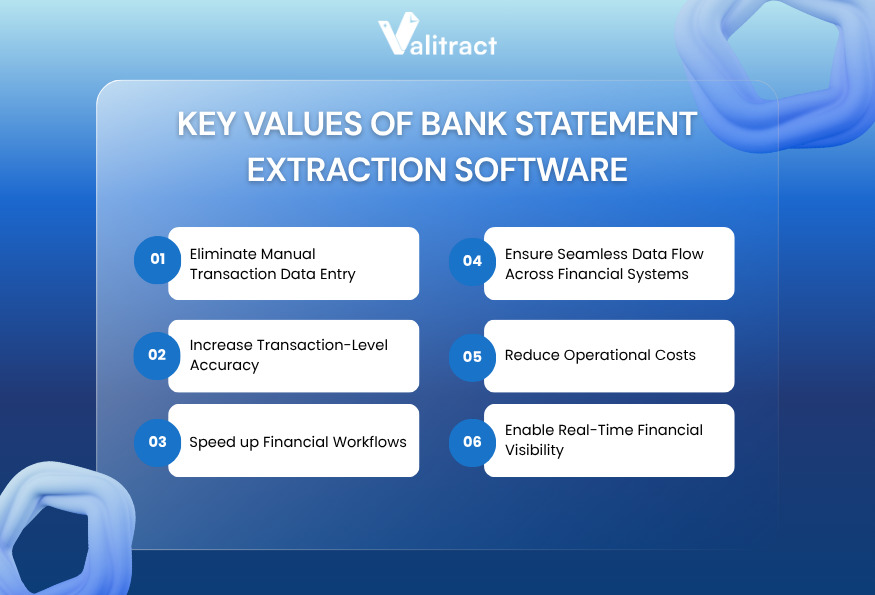
Eliminate manual transaction data entry
Human typists introduce errors during repetitive data entry tasks. A single transposed number on a high-value transaction creates massive reconciliation headaches.
Extraction software removes that manual typing phase from your workflow. Machine learning models maintain exact character matching across hundreds of dense pages.
Increase transaction-level accuracy
Generic OCR systems break down when a bank changes its document layout. If the transaction table shifts down two inches, a legacy template fails to read it.
Online bank statement extraction software adapts to layout shifts dynamically. The system reads the surrounding context to find the right column boundaries.
Speed up financial workflows
Typing line items by hand consumes hours of operational time. A finance clerk might spend thirty minutes transcribing a single multi-page statement.
Automated extraction tools reduce that time to seconds. The engine extracts the text, structures the layout, and routes the payload.
Ensure seamless data flow across financial systems
Extracted text requires a permanent destination. The software packages the final data into a clean, structured JSON format.
That structured payload drops directly into your ERP through an API connection. Engineering teams use this pipeline to sync data without intermediate spreadsheet cleanup.
Reduce operational costs
Processing statements by hand requires significant labor hours. Finance departments must hire temporary staff during tax season to clear the backlog.
Automated platforms handle volume spikes without requiring additional headcount. You keep operational expenses flat even as your client base grows.
Enable real-time financial visibility
Finance leaders need clear visibility into cash flow to make strategic decisions. Manual processing delays visibility, leaving reporting dashboards days behind.
Extraction software updates those dashboards faster than manual entry ever could. As soon as a statement arrives, the transaction data flows into the core ledger.
Top 9 Bank Statement Extraction Software 2026
Evaluating extraction tools requires examining the underlying technical architecture. Different platforms serve entirely different accounting environments.
Table comparison
| Software | Pricing | Extraction Approach | Table Handling | Validation | Integration Depth |
| Valitract | Free + Tiered (Pay-as-go / Sub) | Visual AI, Layout-preserving OCR | High accuracy | Confidence score, Analytics dashboard | REST API, Zapier, Make, N8N, Webhooks |
| Nanonets | Pay-as-you-go | Custom ML models | Custom rules | Confidence scores | Full REST API |
| Docsumo | Tiered volume | Pre-trained AI | Native grids | Smart anomaly check | Full REST API |
| Klippa | Monthly sub | Layout-aware | Mobile optimized | Basic flagging | Full REST API |
| Parsio | Tiered volume | Template & AI | Basic grids | Manual review | Zapier / Webhooks |
| ABBYY | Custom Enterprise | Cognitive OCR | Deep rules | Enterprise routing | Legacy systems |
| Hyperscience | Custom Enterprise | Human-in-the-loop | Complex tables | Operator routing | Full REST API |
| Tofu | Tiered monthly | Deep learning | Nested rows | Code-level | GraphQL API |
| Parseur | Usage-based | Template routing | Email tables | Basic | Zapier / Webhooks |
Source: Product documentation review (2026).
Top AI Bank Statement Extraction Software
1. Valitract
Valitract is an AI-powered OCR and data extraction platform built for teams who need to automate document processing without heavy IT involvement. The platform handles unformatted documents of any layout through layout-preserving AI extraction, eliminating the need for rigid templates.
- Key Features: Template-free extraction, AI-powered extraction with customizable fields and labels, structured output in JSON, XLS, and CSV, batch processing, and support for 95+ languages across PDFs, images, screenshots, and scans.
- Technical Strengths: Strong out-of-the-box accuracy for standard US and EU banks; confidence scoring and an analytics dashboard; integrations with Zapier, Make, N8N, Webhooks, and ERP systems, including NetSuite, QuickBooks, SAP, and Xero.
- Limitations: Lacks deep currency conversion tools for obscure markets.
- Best For: Mid-size finance departments avoiding heavy IT deployment.
2. Nanonets
Nanonets provides a powerful platform for technical teams. The system learns custom fields rapidly from a small set of historical bank statements.
That custom training capability solves edge cases that trip up pre-trained software. Developers leverage robust webhook documentation to route the data.
- Key Features: Custom model training, intelligent table parsing.
- Technical Strengths: High accuracy on unusual or regional bank layouts.
- Limitations: Training custom models requires upfront time investment.
- Best For: Technical teams dealing with non-standard financial documents.
3. Docsumo
Docsumo relies on machine learning models pre-trained specifically for financial documents. The system works immediately for bank statements out of the box.
Those pre-trained models solve the cold-start problem entirely. The platform flags mathematical anomalies automatically, ensuring ledgers remain balanced.
- Key Features: Pre-trained financial models, smart anomaly detection.
- Technical Strengths: Verifies running balances against individual line items.
- Limitations: Limited native reporting dashboards.
- Best For: Financial services processing standard monetary documents.
4. Klippa DocHorizon
Klippa DocHorizon specializes in high-volume processing for mobile-first workflows. The system excels at reading crumpled or photographed bank statements.
That mobile optimization makes it perfect for field teams. The layout-aware model parses complex European transaction tables accurately.
- Key Features: Mobile-optimized capture engine, strong European bank handling.
- Technical Strengths: Corrects skewed images and bad lighting before extraction.
- Limitations: The interface feels geared more toward developers than finance clerks.
- Best For: Operations requiring mobile document capture.
5. Parsio
Parsio delivers a lightweight solution focused on email attachments. The tool reads incoming PDFs and pushes the extracted text to downstream apps.
That simple routing works well for lean teams using basic webhooks. Users highlight the transaction table once, and the software handles future emails.
- Key Features: Email parsing, point-and-click template building.
- Technical Strengths: Excellent native integrations with Zapier and Make.
- Limitations: Less effective on dense, multi-page legacy documents.
- Best For: Small teams capturing data from automated bank emails.
6. ABBYY FlexiCapture
ABBYY FlexiCapture serves massive enterprise environments dealing with established legacy systems. The platform offers deep cognitive OCR capabilities refined over decades.
That deep capability handles strict corporate compliance requirements. The tool scales reliably to process millions of pages per month.
- Key Features: Massive scalability, advanced cognitive text capture.
- Technical Strengths: Unmatched volume handling and complex rule building.
- Limitations: Expensive deployment requires certified integration partners.
- Best For: Global corporations migrating immense volumes of physical paper.
7. Hyperscience
Hyperscience tackles the most complex unstructured documents in regulated industries. The platform uses a deliberate human-in-the-loop approach to maintain perfect accuracy.
That system routes uncertain text snippets to operators for verification. The machine learns from every human correction to improve future reads.
- Key Features: Human-in-the-loop routing, high-accuracy validation.
- Technical Strengths: Exceptionally strong at reading blurry or degraded scans.
- Limitations: Costly enterprise deployment process.
- Best For: Complex enterprise workflows handling messy inputs.
8. Tofu
Tofu targets high-volume operations requiring deep integration with custom software. The tool uses advanced deep learning models to parse complex tables.
Those deep learning models handle bank statements with varying column widths natively. Engineering teams appreciate the robust GraphQL API for data querying.
- Key Features: Deep learning engine, developer-first architecture.
- Technical Strengths: GraphQL API enables precise, minimal data payloads.
- Limitations: Steep learning curve for non-technical users.
- Best For: Enterprise operations teams with dedicated software developers.
9. Parseur
Parseur specializes in pulling structured text from incoming emails. The system reads the email body and maps distinct tabular values to database fields.
That focus makes Parseur a fast solution for lean accounting firms. You can build a bank statement extraction software free trial workflow in minutes.
- Key Features: Visual template building, automatic table detection.
- Technical Strengths: Sub-second processing speed for standard digital PDFs.
- Limitations: Limited bulk parallel processing for massive historical uploads.
- Best For: Small accounting practices routing daily banking emails.
Use Cases of Bank Statement Extraction Software
Beyond efficiency gains, bank statement extraction software plays a critical role across multiple financial workflows. From accounting operations to fintech product development, these tools help teams process large volumes of financial data faster, more accurately, and at scale.
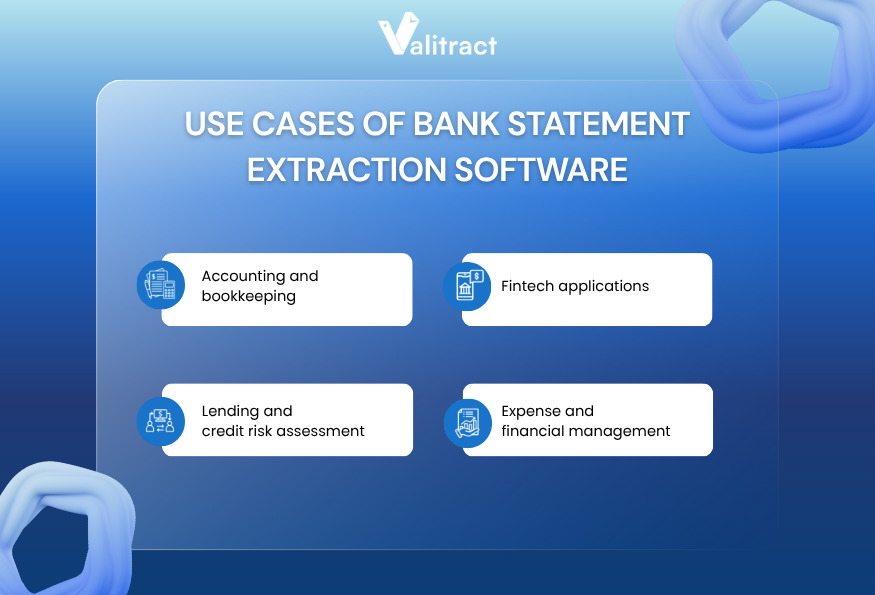
Accounting and bookkeeping
Accounting teams often handle large volumes of client bank statements every month, making manual data entry a major bottleneck.
With automated extraction, transaction tables can be captured and exported directly into accounting systems or spreadsheets.
Impact: Processing time is reduced from days to hours, while minimizing manual errors during reconciliation.
Lending and credit risk assessment
Financial institutions rely on bank statements to verify income and assess borrower risk.
Extraction tools enable teams to quickly parse transaction data and generate structured outputs for analysis.
Impact: Loan processing and decision-making cycles become significantly faster, improving both operational efficiency and customer experience.
Fintech applications
Fintech platforms often need to analyze user financial data without requiring direct bank integrations.
By integrating bank statement extraction software, applications can process uploaded statements and extract transaction data for downstream analysis.
Impact: Users gain access to accurate spending insights and financial dashboards without sharing live banking credentials.
Expense and financial management
Organizations managing multiple bank accounts—especially across regions—face challenges in tracking and consolidating financial data.
Extraction tools standardize transaction data across different formats and currencies.
Impact: Finance teams gain clearer, near real-time visibility into spending patterns and can make more informed budgeting decisions.
How to Choose the Right Bank Statement Extraction Software
Choosing the right bank statement extraction software goes beyond simply comparing features or pricing. The real challenge is understanding how well a solution performs in real-world conditions.
The following outlines a step-by-step approach to evaluating key factors such as data volume, extraction accuracy, and integration capabilities, as well as critical considerations that many buyers often overlook. Together, these insights will help businesses make more informed decisions and ensure long-term performance and ROI.
A step-by-step guide to choosing the right software
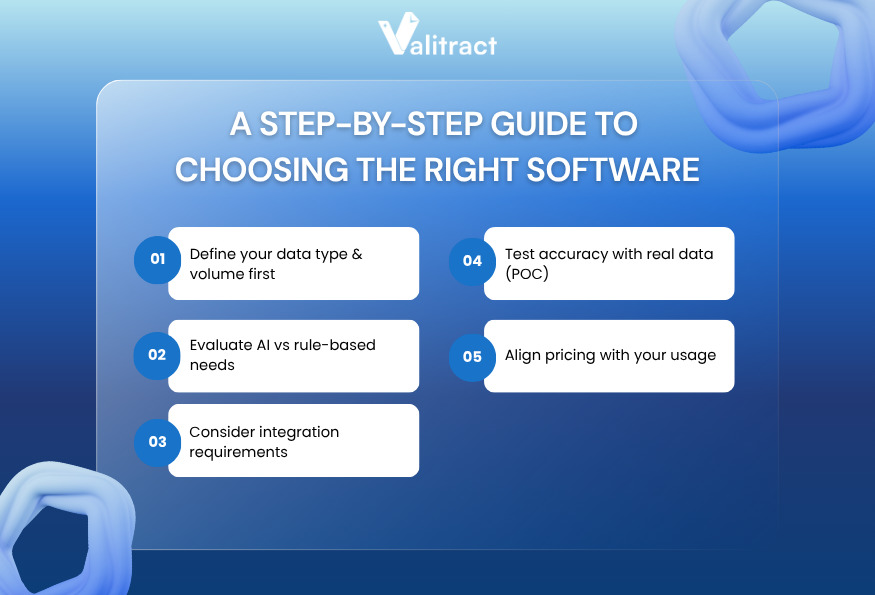
Define your data type & volume first
Defining your data type establishes your baseline requirements. You need exact numbers on your monthly volume and the split between digital files and scanned images.
Calculate your historical peak volume during reporting seasons. Understanding these metrics prevents you from selecting a pricing tier that penalizes volume spikes.
Evaluate AI vs rule-based needs
A local firm dealing with three regional banks can survive using simple rule-based templates. You configure the coordinates once and process the files.
An enterprise receiving statements from hundreds of global banks needs layout-aware AI. Machine learning handles varying visual layouts without demanding a new template setup for every bank.
Consider integration requirements
Extracted text serves no operational purpose if it stays trapped inside the extraction platform. The system must connect smoothly to your existing architecture.
Verify the developer documentation for REST APIs or webhooks. A well-documented endpoint ensures your engineers build reliable database connections fast.
Test accuracy with real data (POC)
Running a pilot test exposes platform limitations before you sign a binding contract. Never rely on vendor demonstrations using pristine digital files.
Test the extraction tool against your worst document samples. Blurry scans reveal exactly how the engine handles low-contrast text and dense rows.
Align pricing with your usage
Software pricing scales dynamically based on document volume. A tool charging per-page fees looks cheap at low volumes but becomes expensive at scale.
Match the pricing model to your business cycle. If your volume spikes heavily during tax season, look for tiered volume pricing rather than strict monthly limits.
What is overlooked by most buyers?
Handling messy real-world data
Buyers often forget that clients submit terrible documents. A smartphone photo of a crumpled statement breaks basic OCR tools instantly.
Look for platforms with strong preprocessing capabilities. The software must straighten skewed pages and fix bad lighting before attempting text extraction.
Hidden manual work
A high accuracy score means nothing if users still have to click approve on every document. True automation requires straight-through processing.
Track the automation rate closely during your trial. If your team still manually reviews eighty percent of incoming files, the software fails its primary mission.
Poor API documentation
Engineering teams waste weeks integrating software with bad documentation. Clear, updated API endpoints indicate a mature product built for serious technical teams.
Scaling issues
Processing speed matters when a massive batch of statements arrives on Friday afternoon. Test bulk uploads during your trial to verify server capacity.
Key Criteria to Evaluate the Performance of Bank Statement Extraction Software
After narrowing down your options, the next step is to evaluate how well each solution performs in practice. The criteria below focus on measurable factors that directly impact accuracy, scalability, and long-term efficiency when using bank data extraction software.
Extraction accuracy
Vendors routinely claim perfect extraction accuracy in their marketing materials. You must verify those numbers against your own operational data.
Look closely at how the software handles continuous tables spanning multiple pages. Apps like Valitract offer Table Extraction to pull rows and columns intact, without losing the grid structure.
Transaction-level accuracy
A bank statement is entirely unforgiving regarding row alignment. If a date aligns with the wrong transaction amount, the ledger breaks.
The software must preserve spatial relationships perfectly. It needs to detect empty cells accurately, rather than shifting subsequent text into the wrong column.
Processing speed
API-driven cloud platforms return structured data payloads in under two seconds per page. Test the batch processing speed using large multi-page PDF files.
Automation rate
Automation rate measures how many documents can be processed without human intervention. This metric determines your true return on investment.
Integration efficiency
Exporting to a JSON format allows teams to pipe data straight into custom databases. That direct pipe eliminates the need to clean up messy CSV files manually.
FAQs about Bank Statement Extraction Software
What is bank statement extraction software?
Bank statement extraction software converts static document images into structured database records. The technology uses optical character recognition and computer vision to read visual layouts. It extracts transaction tables and account balances without requiring any human typing.
How to extract data from a bank statement?
You extract data by uploading the document into a layout-aware AI platform. The software analyzes the spatial relationship between columns and rows. It then exports the captured text as a structured JSON payload or an Excel spreadsheet for immediate use.
Can ChatGPT analyse bank statements?
ChatGPT can analyze text if you paste it into the prompt window. It struggles significantly with raw PDF parsing and spatial table layouts. Dedicated extraction platforms use specific computer vision models to preserve strict column and row boundaries.
What data can be extracted from a bank statement?
Extraction software captures both header data and grid data. It pulls the account holder’s name, bank details, and statement dates. More importantly, it extracts individual transaction dates, descriptions, debit amounts, credit amounts, and running account balances.
What causes extraction errors in bank statements?
Extraction errors stem primarily from poor document quality. Low-resolution smartphone photos, skewed scans, and coffee stains confuse generic text readers. Rigid coordinate templates also fail when a bank adds a new column or shifts the table down the page.
Is bank statement extraction software secure?
Enterprise extraction platforms maintain strict security protocols to protect sensitive financial data. They use encryption for data at rest and in transit. Reputable vendors hold standard compliance certifications like SOC 2 Type II and GDPR to ensure data handling safety.
Move Beyond Manual Processing with Smarter Extraction
Upgrading to bank statement extraction software eliminates the manual typing bottlenecks choking financial operations. You remove repetitive data entry entirely, accelerating your monthly reconciliation pipelines.
Legacy coordinate templates break whenever a bank updates its layout. AI-driven platforms solve this limitation by reading document context dynamically, preserving complex table rows across multi-page files.
A reliable extraction platform should support diverse file formats, multiple languages, and seamless integration with downstream systems. Structured outputs like JSON or Excel enable finance and engineering teams to build automated data pipelines without additional manual processing.
If you’re evaluating the best bank statement extraction software for your team, feel free to contact our experts at Valitract. Our software facilitates the extraction of complex transaction tables with high accuracy, eliminating the need for rigid templates or extensive setup.
Valitract – Next-gen AI-Powered Data Extraction Platform
- Email: contact@valitract.com
- LinkedIn: https://www.linkedin.com/company/valitract-api-platform
- X: https://x.com/valitract