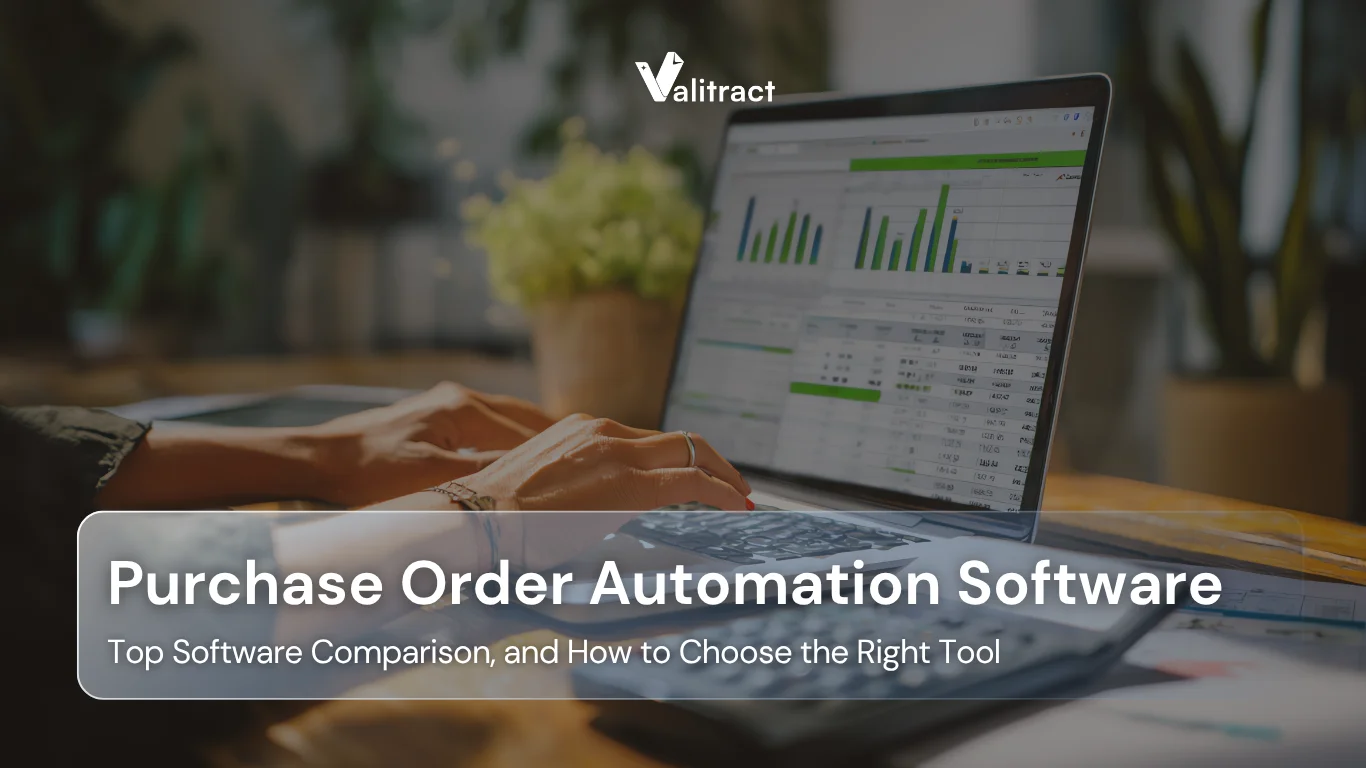


Manual purchase order processing is one of the most persistent drains on business efficiency. It costs companies more than most executives realize, and it introduces compliance risks that multiply as organizations grow. The good news is that modern purchase order automation software has made it genuinely feasible for teams of every size to eliminate these bottlenecks.
This guide reviews the 10 best purchase order automation software tools available in 2026. Whether you are a startup trying to establish spend control, a mid-market company scaling procurement, or an enterprise managing thousands of POs per month, you will find a clear comparison of features, pricing, and use cases to help you make the right choice.
What is Purchase Order Automation Software?
Purchase order automation software is a digital system that creates, routes, approves, tracks, and archives purchase orders without requiring manual intervention at each step. Unlike basic PO templates or spreadsheet-based tracking, modern purchase order software applies workflow rules, approval hierarchies, and real-time spend visibility to govern the entire procurement cycle.
Manual vs. Automated PO Processing
Manual PO processing relies on email chains, paper forms, and individual follow-up to move a purchase request through review and approval. Every handoff introduces delay, and every step is a potential source of error. Automated purchase order systems, by contrast, trigger the next action automatically, routing a PO to the right approver, sending supplier confirmations, flagging budget overruns, and logging every transaction for audit purposes.
The difference is not just speed. It is accountability, accuracy, and the ability to enforce policy at scale.
The Full Purchase Order Automation Lifecycle
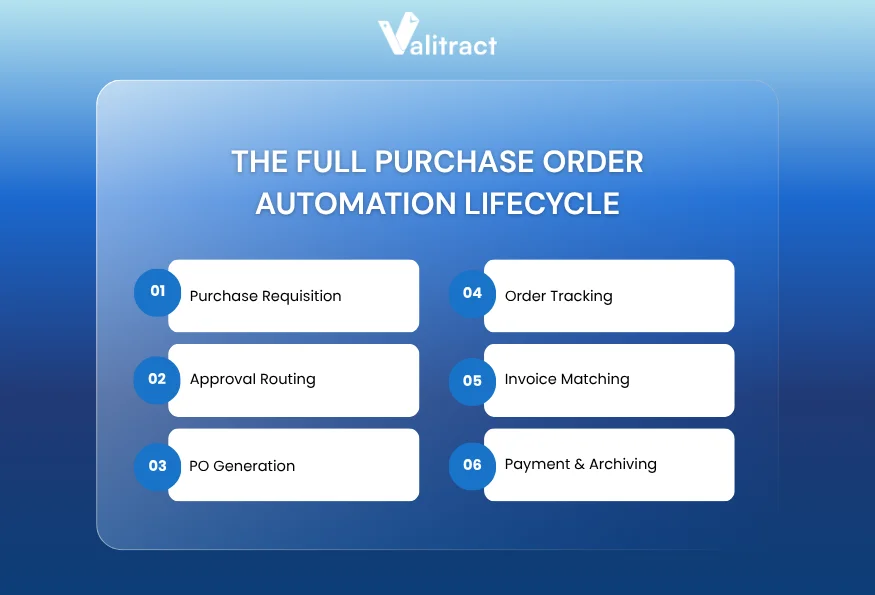
A complete automated purchase order system manages every stage of the procurement journey:
- Purchase Requisition: An employee submits a purchase request through the system, selecting from approved vendors and within defined budgets.
- Approval Routing: The request is automatically routed to the correct approvers based on amount, department, or vendor type.
- PO Generation: Once approved, a standardized PO is generated and dispatched to the supplier automatically.
- Order Tracking: The system monitors supplier acknowledgments, delivery status, and receipts.
- Invoice Matching: Incoming invoices are matched against POs and receipts (two-way or three-way match).
- Payment & Archiving: Approved invoices move to payment, and the complete audit trail is stored for compliance review.
What Can Companies Do with Purchase Order Automation Software?
Beyond replacing paper and email, PO management software enables organizations to:
- Enforce purchasing policies automatically and consistently
- Gain real-time visibility into committed spend vs. budget
- Reduce duplicate or unauthorized purchases
- Accelerate month-end close with clean, matched records
- Strengthen supplier relationships through timely, accurate orders
- Generate audit-ready documentation without manual effort
10 Best Purchase Order Automation Software
Quick Comparison Table
| Tool | Key Strength | Best For | Starting Price | Free Trial |
| ValiTract | AI document extraction + PO processing | SMBs to Mid-market | Free tier available | Yes. No credit required, free 100 pages/month |
| ProcureDesk | Full P2P automation | SMBs & growing teams | $518/month | Yes (demo) |
| Precoro | Budget control & multi-currency | Global SMBs | Custom | Yes |
| Procurify | Spend cards + approvals | Mid-market | ~$1,000/month | Yes (demo) |
| Coupa | Enterprise spend management | Large enterprises | Custom | No |
| Order.co | eCommerce-focused purchasing | Fast-growing teams | Not disclosed | Yes (demo) |
| Tradogram | Freemium PO creation | Startups & low-volume teams | Free / $225/month | Yes |
| Spendwise | Affordable spend management | Small & mid-sized teams | Custom | Yes |
| SAP Ariba | Enterprise S2P suite | Global enterprises | $50,000+/year | No |
| Kissflow Procurement Cloud | No-code workflow builder | Teams needing flexibility | Custom | Yes |
To build this list, our editorial team evaluated over 30 procurement platforms based on five core criteria: data extraction accuracy, workflow flexibility, integration depth with ERPs, pricing transparency, and user feedback on G2 and Capterra.
Top Purchase Order Automation Software
1. ValiTract
ValiTract is an AI-powered document processing platform purpose-built for finance and operations teams. Where most purchase order processing software assumes documents arrive in a predictable format, ValiTract’s template-free extraction engine reads and interprets PO documents regardless of layout, making it especially powerful for businesses that receive purchase orders from multiple suppliers in varying formats.
Rather than requiring IT-heavy configuration or rigid templates, ValiTract uses machine learning and natural language processing to identify vendor names, line items, quantities, prices, and delivery terms automatically. Extracted data flows directly into downstream systems via API, removing manual re-entry from the equation entirely.
ValiTract’s approach is particularly well-suited for procurement teams that also manage contracts, invoices, and financial documents, as the same extraction intelligence applies across document types. Its free tier makes it accessible to smaller teams, while volume-based pricing scales with enterprise needs.
Key Features
- Template-free AI data extraction from POs, invoices, and contracts
- No-code interface for non-technical users alongside full API access for developers
- Automated field identification: vendor, line items, quantities, pricing, delivery terms
- Real-time document validation and exception flagging
- Audit-ready records with full processing history
- Multi-format support: PDF, JPEG, PNG, scanned documents
Integrations
ValiTract connects with ERP systems, accounting platforms, and business workflows via API. It is compatible with tools across the finance stack, making it a strong complement to existing po management software or standalone procurement systems.
Pros
- Handles unstructured and variable-format documents without template setup
- Low barrier to entry with a free tier and no-code configuration
- High extraction accuracy suitable for compliance-sensitive environments
- Scales from small teams to enterprise document volumes
- Complements existing procurement suites as a document intelligence layer
Cons
- Since ValiTract operates primarily as a document intelligence layer, teams requiring end-to-end P2P workflow management will need to pair it with a dedicated procurement platform.
- Workflow automation features are more limited compared to full-suite tools like Coupa or SAP Ariba
Best for: SMBs and mid-market teams that process high volumes of PO documents and need accurate, template-free data extraction integrated into their procurement workflow.
Pricing: Free tier available; volume-based custom pricing for higher document loads.
Trial: Yes, a lifetime free plan includes 100 pages/month with no credit card required.
2. ProcureDesk
Best for: SMBs and growing teams that want a complete procure-to-pay system with strong approval workflows and AP automation.
ProcureDesk is a comprehensive P2P platform designed to connect procurement and accounts payable teams in a single workflow. It covers purchase requisitions, PO creation, vendor management, receipt tracking, invoice matching, and payment — making it one of the most complete purchase order management software options for teams under 500 employees.
Key Features
- Controlled purchasing flows with approved vendor catalogs
- Multi-level approval routing with mobile support
- Punchout purchasing (Amazon Business integration)
- Three-way matching for invoices, POs, and receipts
- Real-time spend reporting and budget tracking
- 5% OCR accuracy for invoice data capture
Integrations
QuickBooks, NetSuite, Sage, Xero, Microsoft Dynamics, Slack
Pros
- Fast onboarding with white-glove implementation support
- Intuitive enough that employees need no formal training
- Scales from small purchasing teams to mid-market operations
Cons
- Better suited for US-based companies; multi-currency support is more limited than some global alternatives
- Reporting customization is constrained in lower-tier plans
Best For: SMBs and mid-market companies in North America
Pricing: Purchasing Automation from $518/month; full P2P package at $850/month
Trial: Free demo available
3. Precoro
Best for: Global SMBs and mid-market companies that need multi-currency PO management and real-time budget control.
Precoro is consistently rated among the highest for customer satisfaction in the purchase order software category. Its interface is accessible, and its support team is highly responsive, making it a strong choice for teams that want fast adoption without a lengthy implementation.
Key Features
- Real-time budget tracking with automatic overrun alerts
- Multi-level approval workflows with over 120 custom fields
- Customizable reporting with 20+ filters
- Automated invoice capture and three-way matching
- Multi-currency and multi-entity support
Integrations
QuickBooks, Xero, NetSuite, Microsoft Dynamics 365, Oracle, SAP, Slack
Pros
- Outstanding customer satisfaction scores
- Highly configurable without requiring technical expertise
- Strong multi-currency support for global teams
Cons
- Pricing is not publicly disclosed; requires a demo to get a quote
- Some advanced analytics features require higher-tier plans
Best For: Global SMBs and mid-market procurement teams
Pricing: Custom (contact for quote)
Trial: Free trial available
4. Procurify
Best for: Mid-market organizations that want to spend control with the added capability of virtual purchasing cards.
Procurify stands out in the PO software category because it combines traditional purchase order management with virtual spend cards, giving finance teams a unified view of both structured PO spend and card-based purchasing. Its interface is frequently cited as one of the most intuitive in its class.
Key Features
- Virtual spend cards with configurable limits and policies
- Approval workflows for purchase requests and orders
- Vendor management and contract tracking
- Mobile app for on-the-go approvals
- AP automation and invoice management
Integrations
NetSuite, QuickBooks, Xero, Microsoft Dynamics, Sage, and more
Pros
- Best-in-class user interface; fast adoption across teams
- Spend cards differentiate it from most procurement-only tools
- Strong mobile experience for distributed teams
Cons
- Pricing (reportedly starting around $1,000/month) puts it out of reach for small businesses
- Some users find advanced reporting requires additional configuration
Best For: Mid-market teams that want PO + spend card management
Pricing: Starter reportedly ~$1,000/month
Trial: Demo available
5. Coupa
Best for: Large enterprises with complex, global procurement operations requiring advanced spend analytics and supplier collaboration.
Coupa is one of the most widely recognized platforms in enterprise spend management. Its Business Spend Management suite covers procurement, invoicing, expenses, contracts, and treasury, giving large organizations a unified platform for total spend visibility. It is a strong choice for any company that has outgrown mid-market tools and needs enterprise-grade compliance and analytics.
Key Features
- Unified spend management across procurement, AP, and expenses
- AI-powered anomaly detection and spend analytics
- Supplier portal for collaboration, acknowledgments, and delivery tracking
- Intelligent supplier scoring with risk indicators
- Smart contract analysis for compliance monitoring
- Configurable approval hierarchies and audit trails
Integrations
SAP, Oracle, Microsoft Dynamics, Workday, and major ERP platforms
Pros
- Comprehensive coverage of the full procurement lifecycle
- Strong compliance and audit capabilities
- Excellent supplier collaboration tools
Cons
- Enterprise-only pricing makes it inaccessible to smaller organizations
- Complex implementation typically requires dedicated resources
- Can be over-engineered for simpler procurement needs
Best For: Large and enterprise organizations
Pricing: Custom enterprise pricing
Trial: Not available
6. Order.co
Best for: Fast-growing companies that source heavily from eCommerce vendors and need centralized purchasing across multiple suppliers.
Order.co takes a different approach to software for purchase order management by focusing on the buying experience itself. It provides a centralized procurement hub where teams can shop from approved vendors across the web, including major eCommerce platforms, with all purchases routed through a single approval and tracking workflow.
Key Features
- Custom vendor catalogs with pre-approved items
- Centralized spend visibility across all online purchases
- Approval workflows and budget controls
- Supplier management and order tracking
- Invoice reconciliation
Integrations
Major accounting platforms and ERP systems (specific integrations via demo)
Pros
- Ideal for teams that purchase from multiple online sources
- Simple, consumer-like user experience
- Strong spend consolidation for scattered purchasing
Cons
- Pricing is not publicly disclosed
- Better suited for companies whose procurement is primarily eCommerce-driven
Best For: Fast-growing SMBs and mid-market teams with heavy online purchasing
Pricing: Not disclosed
Trial: Demo available
7. Tradogram
Best for: Startups and small teams with low purchasing volume that want a structured PO process without committing to a paid plan immediately.
Tradogram is one of the few PO management software options with a functional free tier, supporting one user and up to five transactions. For teams just beginning to formalize their procurement process, this makes it an accessible starting point. Paid plans begin at $225/month (billed annually), making it one of the more affordable options in the market.
Key Features
- Purchase order creation and approval workflows
- Supplier management and vendor catalog
- Budget tracking and spend reporting
- Multi-user support on paid plans
- Cloud-based with no installation required
Integrations
QuickBooks, NetSuite, Sage, Xero
Pros
- Free tier available for small teams
- Simple, straightforward interface with low learning curve
- Affordable entry-level pricing
Cons
- Supplier price lists cannot be updated automatically, which is a limitation for price-sensitive operations.
- May be limiting for larger or enterprise teams
- Fewer advanced analytics compared to mid-market tools
Best For: Startups, freelancers, and teams new to structured PO management
Pricing: Free (1 user, 5 transactions); paid from $225/month
Trial: Free plan available
8. Spendwise
Best for: Small and mid-sized businesses looking for affordable spend management with solid purchase order functionality.
Spendwise is a straightforward purchase order system software designed for smaller organizations that need spend visibility and basic procurement controls without the complexity of enterprise platforms. Its clean interface and competitive pricing make it a popular choice among teams transitioning away from spreadsheets.
Key Features
- Purchase order creation and tracking
- Approval workflows with email notifications
- Vendor management
- Budget monitoring
- Spend reporting
Integrations
Compatible with accounting platforms, including QuickBooks
Pros
- Affordable and straightforward pricing
- Easy to implement without IT support
- Good fit for teams managing modest purchasing volume
Cons
- Limited advanced features compared to mid-market alternatives
- Fewer integration options than larger platforms
- May not scale well to high-volume procurement environments
Best For: Small and mid-sized teams on a budget
Pricing: Contact for pricing
Trial: Free trial available
9. SAP Ariba
Best for: Global enterprises that need an end-to-end Source-to-Pay platform integrated with SAP’s broader ERP ecosystem.
SAP Ariba is one of the most powerful and widely deployed enterprise procurement platforms in the world. For organizations already operating in the SAP ecosystem, it offers the deepest integration and the broadest coverage of any tool in this list, spanning sourcing, supplier management, contract lifecycle, procurement, and invoicing.
Key Features
- AI-powered spend analytics and category management
- Supplier discovery, qualification, and risk assessment
- Complete Source-to-Pay workflow automation
- Global compliance and multi-entity support
- Advanced contract lifecycle management
- Deep integration with SAP S/4HANA and other ERP systems
Integrations
SAP S/4HANA, Oracle, Microsoft Dynamics, and major enterprise systems
Pros
- Unmatched depth for global enterprise procurement
- Strong supplier network via the Ariba Network
- Comprehensive AI-powered spend analytics
Cons
- Pricing typically starts at $50,000+ annually, prohibitive for most SMBs
- Complex, lengthy implementation often requiring specialized consultants
- Overkill for organizations with straightforward procurement needs
Best For: Global enterprises, especially SAP customers
Pricing: Custom; typically $50,000+/year
Trial: Not available
10. Kissflow Procurement Cloud
Best for: Organizations that need maximum workflow flexibility and want to build procurement processes on a no-code platform without relying on IT.
Kissflow Procurement Cloud is part of the broader Kissflow workflow automation platform. It supports purchase requests, approvals, POs, and invoice workflows, all of which are built on a no-code engine that lets business teams design processes to match their specific operations without developer involvement. This makes it particularly valuable for organizations whose procurement processes are non-standard.
Key Features
- No-code workflow builder for custom approval processes
- Purchase request management and PO generation
- Invoice workflow automation
- Real-time spend tracking
- Supplier collaboration tools
Integrations
QuickBooks, Xero, SAP, Google Workspace, Slack, and more via connectors and API
Pros
- Highly customizable without technical expertise
- Fast deployment compared to enterprise alternatives
- Flexible enough to support non-standard procurement workflows
Cons
- Advanced features like deep reporting and analytics may require add-ons
- Inventory and ERP integrations can incur additional costs
- Less specialized for complex procurement environments than dedicated P2P suites
Best For: Teams needing custom workflow design without developer dependency
Pricing: Custom (contact for quote)
Trial: Available
Pro Tip: Who Should Use Purchase Order Software?
Not every tool in this list is the right fit for every business. Here is a quick reference to help you match your organization type and pain points to the most suitable platforms:
| Business Type | Common Pain Points | Suitable Tools |
| Startups & SMBs | No formal PO process, overspending, spreadsheet chaos | Tradogram, Spendwise, ValiTract, Kissflow |
| Mid-Market | Approval bottlenecks, budget overruns, and multi-team purchasing | Precoro, Procurify, ProcureDesk, Order.co |
| Enterprise | Global compliance, supplier risk, full S2P visibility | Coupa, SAP Ariba |
| Document-Heavy Teams | Variable-format POs, manual data entry, and extraction errors | ValiTract |
The Challenges of Manual Purchase Order Processing
Despite the availability of purchase order automation tools, many organizations still rely on email, spreadsheets, and paper, and pay a steep price for it.
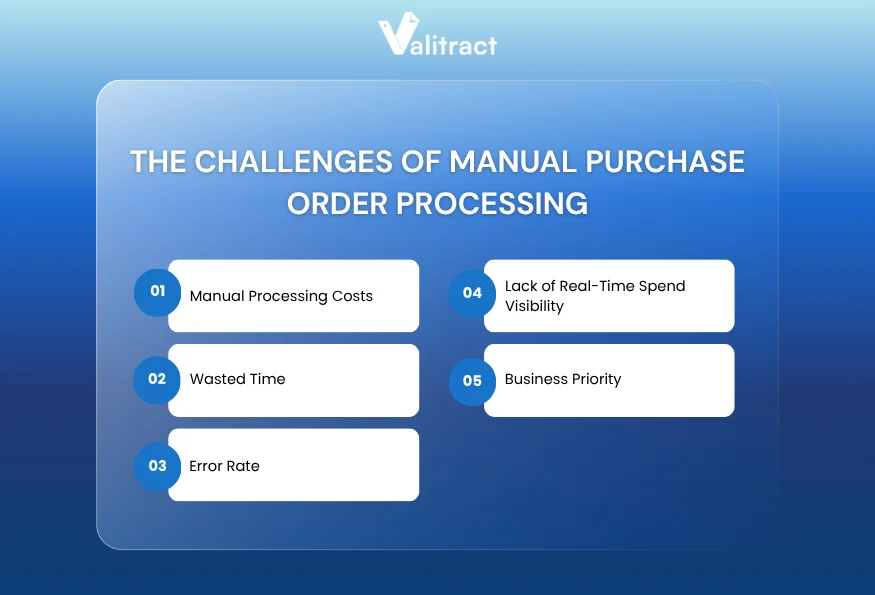
Manual Processing Costs
According to benchmark data from APQC, processing a purchase order manually can cost organizations anywhere from $50 to over $150 per order due to labor, routing delays, and errors. In contrast, fully automated procurement systems crush these operational friction points, bringing the cost down to $15–$30 per order, representing an average savings of 70-80% at scale.
Wasted Time
Manual PO processing takes 46% longer than automated alternatives. Approval chains conducted over email introduce delays at every handoff, and tracking down the status of an order often requires direct intervention from procurement managers.
Error Rate
More than 30% of PO incidents originate from manual data entry mistakes or inconsistent processing, including duplicate orders, incorrect quantities, and price discrepancies. These errors do not just create rework; they damage supplier relationships and create compliance exposure.
Lack of Real-Time Spend Visibility
Finance leaders cannot make informed decisions without knowing what has been committed. Manual systems offer no real-time view of open POs, pending approvals, or spend against budget. By the time data is consolidated, the month is often already closed.
Business Priority
The urgency of this shift is reflected in market data. According to Ardent Partners, nearly 50% of procurement teams are planning to implement digital transformation initiatives this year, making purchase order automation software one of the highest-priority investments in modern finance operations.
Benefits of Purchase Order Software
Implementing the right PO software delivers measurable impact across every dimension of procurement:
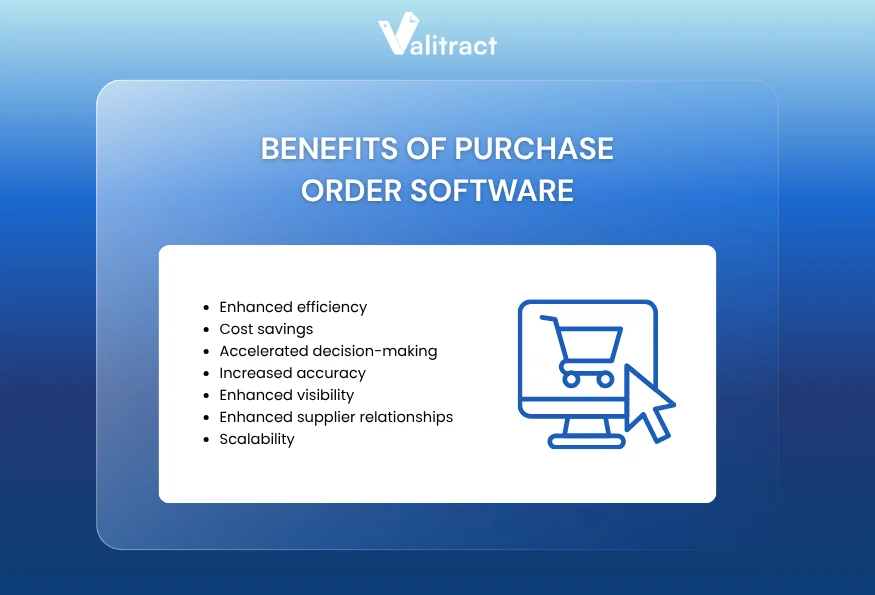
- Enhanced efficiency: Automated workflows eliminate manual handoffs and routing delays. Teams that once processed POs over days can complete the same cycle in hours.
- Cost savings: Automation reduces per-PO processing costs, minimizes duplicate purchases, and surfaces cost-saving opportunities through spend visibility.
- Improved compliance: Built-in policy enforcement ensures every purchase follows company rules, no exceptions and no workarounds. Audit trails are generated automatically.
- Accelerated decision-making: Real-time dashboards give finance and procurement leaders the data they need to act quickly, whether it is approving an urgent purchase or renegotiating a vendor contract.
- Increased accuracy: AI-powered data extraction and automated matching eliminate the transcription errors that plague manual processing. Leading platforms report extraction accuracy rates above 99%.
- Enhanced visibility: Centralized purchase order system dashboards show the status of every PO, from requisition through receipt, without requiring manual status checks.
- Enhanced supplier relationships: Accurate, timely orders with digital confirmations build trust with vendors and reduce the disputes that arise from manual errors.
- Scalability: A well-implemented automated purchase order system can handle 10 POs per month or 10,000 without adding headcount or degrading process quality.
How to Choose the Right Purchase Order Automation Software
With a crowded market of top purchase order automation software options, the right framework for evaluation matters as much as the comparison itself.
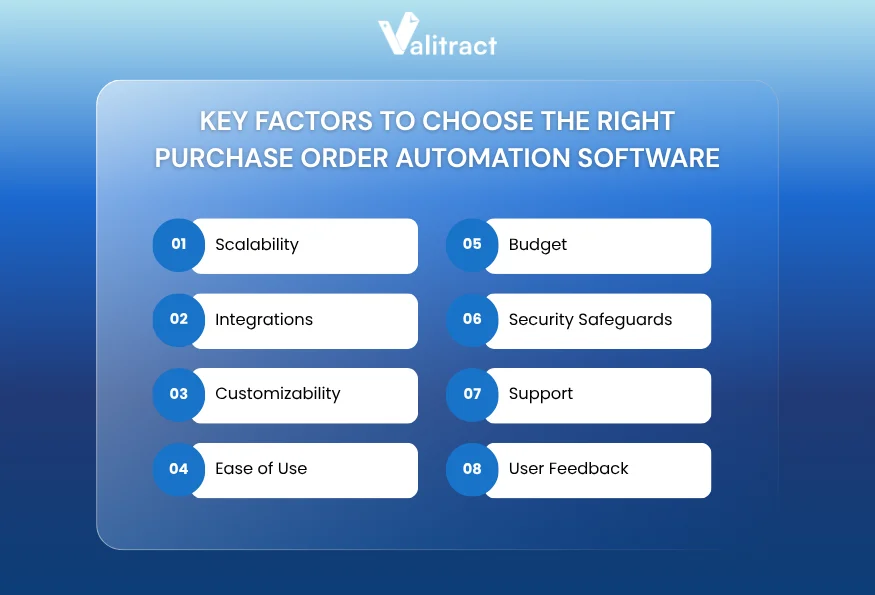
- Scalability: Will the software accommodate your expected growth in purchasing volume, users, and entities? Choose a platform that can grow with you rather than requiring migration in two years.
- Integrations: Does it connect natively with your ERP, accounting platform, and other finance tools? Integration depth is often the deciding factor in real-world deployment success.
- Customizability: Can you configure approval workflows, budget rules, and document templates to match your specific processes? Rigid systems require you to adapt to the software rather than the other way around.
- Ease of Use: Procurement software only works if people use it. Prioritize platforms with intuitive interfaces and short learning curves, especially for organizations without dedicated procurement staff.
- Budget: Total cost of ownership includes not just licensing but also implementation, training, and integration costs. Freemium and modular tools often offer better value for smaller teams.
- Security Safeguards: Does the platform meet your compliance and data security requirements? Look for SOC 2 certification, role-based access controls, and audit logging as baseline requirements.
- Support: Evaluate the quality of onboarding assistance, documentation, and ongoing customer support. Poor support is consistently cited as the primary reason organizations switch platforms.
- User Feedback: Check verified reviews on platforms like G2, Capterra, and Software Advice. Pay particular attention to comments about implementation experience and long-term reliability.
FAQs about Purchase Order Automation Software
What is purchase order automation software?
Purchase order automation software is a digital system that manages the creation, approval, tracking, and archiving of purchase orders without manual intervention at each step. It applies workflow rules, approval hierarchies, and AI-powered document processing to govern the full procurement lifecycle, from purchase requisition through invoice matching and payment.
How accurate is a PO software solution in extracting data from purchase orders?
Accuracy varies by platform and document type. Leading AI-powered tools, including ValiTract, achieve extraction accuracy rates above 99% on standard printed documents. Platforms using template-free machine learning tend to outperform rule-based or template-dependent systems on variable-format documents from multiple suppliers.
Can purchase order software integrate with my existing accounting system?
Yes. Most modern PO software integrates with major accounting platforms, including QuickBooks, Xero, NetSuite, Sage, and Microsoft Dynamics. Enterprise tools like SAP Ariba and Coupa offer deeper ERP integration, while mid-market platforms typically provide pre-built connectors and API access.
How can purchase order software help with approval workflows?
Purchase order software eliminates the need for manual, email-based approvals by automatically routing requests based on configurable rules, such as purchase amount, department, vendor type, or budget category. Approvers receive instant notifications and can review and approve requests from any device, including mobile. The system also records every approval action with a timestamp for audit purposes.
Concluding Thought
For most businesses, the question in 2026 will not be whether to invest in purchase order automation software, but which tool best fits their current scale and future ambitions.
For startups formalizing procurement for the first time, tools like Tradogram or Kissflow offer a low-commitment entry point. Mid-market teams with growing complexity will find the most value in ProcureDesk, Precoro, or Procurify. Enterprise organizations with global supply chains and compliance requirements are best served by Coupa or SAP Ariba.
And for any organization processing significant volumes of purchase order documents in varying formats or managing procurement alongside invoices, contracts, and financial data, ValiTract’s AI-powered extraction layer provides a uniquely accurate and flexible foundation. Its template-free approach to purchase order processing software makes it especially valuable in environments where document variability is a constant challenge.
The best purchase order automation software is the one your team will actually use consistently, accurately, and at scale.
Are you considering how AI-powered document processing could fit into your procurement workflow? Contact us to find out how ValiTract could help you to run a more efficient procurement operation.
Valitract – Next-gen AI-Powered Data Extraction Platform
- Email: contact@valitract.com
- LinkedIn: https://www.linkedin.com/company/valitract-api-platform
- X: https://x.com/valitract