


The volume keeps growing. Mid-size companies process between 500 and 5,000 financial documents per month, and compliance requirements demand full audit trails for each data point. Manual entry cannot keep up without increasing headcount or accepting higher error rates.
This guide compares 8 financial data extraction tools side by side. You will find a quick comparison table, detailed breakdowns of each tool’s features and pricing, a decision framework for choosing the right fit, and a list of key features to evaluate before committing.
TL;DR
- Financial data extraction software uses AI and OCR to pull structured fields from invoices, bank statements, tax forms, and other financial documents, replacing manual data entry.
- The 8 tools compared in this guide range from free tiers (Valitract, 100 pages/month) to enterprise-only pricing (Klippa DocHorizon, custom quotes). Accuracy claims span from 95% to 99.8% on standard printed documents, and most platforms now offer template-free extraction, API access, and direct integrations with accounting software like QuickBooks, Xero, and SAP.
What Is Financial Data Extraction Software?
Financial data extraction software reads unstructured financial documents and converts the content into labeled, structured data that flows directly into your existing systems.
The core technology combines optical character recognition (OCR) with AI and machine learning. OCR converts image pixels into machine-readable text characters. AI then identifies what each piece of text represents, whether it is a vendor name, invoice total, payment due date, or tax amount, and maps it to the correct data field.
This distinction matters. Basic OCR gives you raw text. Financial data extraction software gives you organized, labeled output that your accounting team can act on immediately.
Here are the types of data these tools typically extract:
- Invoice numbers, line items, and totals
- Contract terms, dates, and obligations
- Bank statement transactions, balances, and account details
- Tax form figures (1099s, W-2s, VAT returns)
- Purchase order quantities and amounts
- Payslip earnings, deductions, and net pay
The output formats vary by tool but commonly include JSON, CSV, Excel, XML, and direct push to ERPs like QuickBooks, SAP, Xero, and NetSuite.
Pro tip: When evaluating any extraction tool, test it with your most complex documents first, not the cleanest ones. A tool that handles a messy multi-page bank statement with merged cells will handle clean invoices easily. The reverse is not always true.
8 Best Financial Data Extraction Software
The right extraction tool depends on your document types, monthly volume, integration needs, and budget. Not every tool fits every workflow.
Some platforms are built for API-first developers. Others target accounting teams who need drag-and-drop simplicity. A few specialize in specific document types like bank statements, while others handle the full range of financial paperwork.
The table below compares all 8 tools across accuracy, pricing model, document focus, API access, and free tier availability. Use it to shortlist 2 to 3 tools that match your team’s technical capacity and document volume.
Quick Comparison Table
| Tool | Core Technology | Accuracy Claim | Pricing Model | Free Tier | API Access | Best For |
| Valitract | Template-free visual AI | 99.8% | Usage-based, tiered | Yes (100 pages/mo) | Full REST API | Mid-size teams needing multi-document extraction |
| Heron | AI + enrichment pipeline | 99%+ | Custom | Demo only | Full REST API | MCA funders and lending teams |
| Veryfi | Pre-trained OCR models | 95%+ | Per-document | Trial only | Full REST API | Expense receipt and invoice capture |
| DocuClipper | Specialized financial OCR | 99.6% | Per-page, tiered | 14-day trial (200 pages) | Yes | Bank statement conversion for accountants |
| Nanonets | Trainable ML models | 95%+ | Usage-based | Trial only | Full REST API | Teams with custom document layouts |
| Docsumo | Deep learning + HITL | 95%+ STP | Tiered volume | 14-day trial | Full REST API | SMBs in finance, lending, and insurance |
| Klippa DocHorizon | IDP platform (OCR + AI) | Up to 99% | Custom quote | No | Flexible API | Enterprises needing fraud detection + IDP |
| Lido | AI vision models | 99.9% (claimed) | Flat subscription | 50 free pages | API on Scale plan | Finance teams extracting PDFs to Excel |
Sources: Vendor product pages and documentation, accessed May 2026. Accuracy claims represent vendor-stated figures for standard printed documents.
Valitract
Valitract is an AI-powered extraction platform that processes financial documents across any layout, format, and language without requiring predefined templates. Its visual AI models identify and extract data points dynamically, which means new vendor formats and document layouts do not require manual reconfiguration.
- Key Features: Valitract lets you define exactly which data points to pull from each document. Set your fields once, and every future upload returns structured data in those fields automatically. The platform supports field extraction, table extraction with preserved row and column relationships, list extraction, and layout-preserving extraction. Batch processing handles high-volume uploads, and a confidence score flags low-certainty fields for human review.
- Output formats include JSON, CSV, and Excel. Integrations connect to QuickBooks, SAP, Xero, Sage, Dynamics 365, NetSuite, Google Drive, Zapier, Make.com, N8N, and webhooks.
- Pricing: Free tier includes 100 pages per month with 1 user. Growth plans support up to 6,000 pages per month and 5 users. Pro plans scale to 100,000 pages per month and 20 users, with fraud detection and unlimited models included. Enterprise plans offer custom SLAs, unlimited users, and human-in-the-loop review.
- Pros: Template-free extraction works across diverse financial document types. No-code platform requires no developer setup. Free tier available with no credit card required. GDPR and HIPAA compliant, with customer data never used for model training.
- Cons: Accuracy drops on complex handwritten notes and cursive text. Newer brand with a smaller user base compared to legacy players.
Heron
Heron is built specifically for MCA funders, brokers, and lending teams that handle heavy file volumes every day. The platform reads business bank statements, financial statements, tax returns, ISO applications, and full deal packages, then returns clean, structured data fields.
- Key Features: Heron goes beyond extraction by adding business enrichment layers, including KYB checks, Secretary of State data, web presence analysis, and instant court research. Smart data checks flag missing months, duplicate pages, and suspicious activity. Structured output syncs directly into CRMs and loan origination systems like Salesforce, Zoho, and Northteq.
- Pricing: Heron uses custom pricing based on volume and use case. Demo available on request.
- Pros: Purpose-built for lending workflows with fraud detection and enrichment features included. Used by 130+ financial teams. SOC 2, GDPR, and CCA compliant.
- Cons: Narrowly focused on lending and financial services use cases. Not designed for general-purpose document extraction. Custom pricing means you cannot evaluate cost without a sales conversation.
Veryfi
Veryfi extracts data from receipts, invoices, bills, and other expense documents. Users upload files through mobile, web, or API, and the system pulls totals, dates, vendor names, and line items within seconds.
- Key Features: The platform supports photos, scans, and low-quality images, which makes it practical for field teams capturing receipts on mobile devices. Structured exports flow into Excel, CSV, or accounting tools. Real-time processing via API returns results in under 5 seconds for most documents.
- Pricing: Veryfi uses per-document pricing through its API, with trial credits available for new accounts.
- Pros: Fast mobile and API upload make it ideal for expense management workflows. Strong real-time receipt extraction. Developer-friendly API documentation.
- Cons: Focused primarily on receipts and invoices, not on complex financial statements or multi-page documents. Limited no-code options for non-technical users.
DocuClipper
DocuClipper specializes in converting PDF bank statements, invoices, and receipts into structured data. The platform claims 99.6% accuracy on financial document extraction and exports directly to QuickBooks, Xero, Excel, and CSV formats.
- Key Features: Transaction categorization, transfer detection, multi-account recognition, and flow-of-funds analysis are built in. Reconciliation features match extracted data against existing records. All plans include unlimited users.
- Pricing: Starter plan: $39/month for 200 pages. Professional plan: $74/month for 500 pages. Business plan: $159/month for 2,000 pages. Annual billing saves approximately 30%. A 14-day free trial includes 200 pages.
- Pros: High reported accuracy on bank statements. Unlimited users on every plan keep per-seat costs predictable. Direct accounting software integrations reduce manual import steps.
- Cons: Accuracy may drop on smaller bank formats not in its database. Per-page pricing can become expensive at high volumes compared to flat-rate alternatives. Limited document type coverage outside financial paperwork.
Nanonets
Nanonets uses trainable machine learning models for document extraction. Teams can build custom deep learning models with minimal code, tailored to their specific document layouts and formats.
- Key Features: Custom model training means you can fine-tune extraction for vendor-specific invoice formats, unusual financial statement layouts, or industry-specific documents. The platform supports drag-and-drop upload and API integration. Output formats include JSON and CSV.
- Pricing: Paid plans start at approximately $499 per month. Custom pricing is available for higher volumes. A limited trial is available for new users.
- Pros: Highly customizable for teams with unique or complex document formats. Once trained, models achieve strong accuracy on consistent document types. ERP and accounting tool integrations.
- Cons: The training phase requires labeling hundreds of example documents before the model performs reliably. The starting price of $499/month puts it out of reach for smaller teams. Less effective for teams processing highly varied document layouts from many different sources.
Docsumo
Docsumo applies deep learning models to extract structured data from invoices, bank statements, tax forms, and insurance documents. A human cross-verification feature adds a validation layer for high-stakes documents.
- Key Features: Pre-trained templates speed up deployment for common document types. Custom rules adapt outputs to specific business needs. Real-time extraction and document classification are included. API connections support integration with ERPs and accounting systems.
- Pricing: Paid plans start at approximately $299 to $500 per month for the Starter tier, with Growth and Business tiers available at higher price points. A 14-day free trial is available.
- Pros: Human-in-the-loop validation catches extraction errors before data enters downstream systems. Handles diverse financial document types. Pre-trained APIs reduce initial setup time.
- Cons: Pricing is higher than several alternatives, especially for small businesses. Initial configuration and rule setup can take time. Smaller community and fewer third-party reviews compared to more established tools.
Klippa DocHorizon
Klippa DocHorizon is a full Intelligent Document Processing (IDP) platform that combines OCR, AI extraction, document classification, verification, and fraud detection in one system.
- Key Features: The platform processes over 100 document types, including invoices, receipts, bank statements, passports, and ID documents. Built-in fraud detection identifies altered statements and suspicious patterns. Mobile SDK support allows document capture directly from mobile apps. Flexible API integration and a drag-and-drop interface serve both technical and non-technical users.
- Pricing: Klippa DocHorizon uses custom pricing based on volume and features. A quote requires filling out a request form. No self-serve free tier is publicly available.
- Pros: Comprehensive IDP platform covers extraction, classification, and verification in one tool. Strong fraud detection for financial and identity documents. SOC 2 compliance and enterprise-grade security.
- Cons: No publicly available pricing makes budget planning difficult without a sales conversation. Maybe more platform than needed for teams with simple extraction requirements. Onboarding may require support for non-technical users.
Lido
Lido is an AI-powered document extraction platform that converts PDFs, scans, and images into structured Excel or CSV data. The platform uses vision models that understand document layout and context without requiring templates.
- Key Features: Upload a document, describe what fields you need, and Lido returns organized data in a spreadsheet. Batch processing handles multiple documents in one session. Workflow automation triggers downstream actions like validation, file splitting, or ERP upload. SOC 2 Type II certified and HIPAA compliant.
- Pricing: 50 free pages with no credit card required. Standard plan: $29/month for 100 pages. Scale plan: $7,000/year for 42,000 pages and up to 10 users. Enterprise plans start at $30,000/year with custom volumes and ERP integrations.
- Pros: Low entry price at $29/month. Template-free extraction works across hundreds of vendor formats. Strong Excel and CSV output focus suits finance teams directly.
- Cons: No mobile support. Limited native integrations with accounting platforms like Xero or QuickBooks, requiring manual export and import. Scale plan pricing jumps significantly from the Standard tier.
How to Choose the Right Financial Document Extraction Software
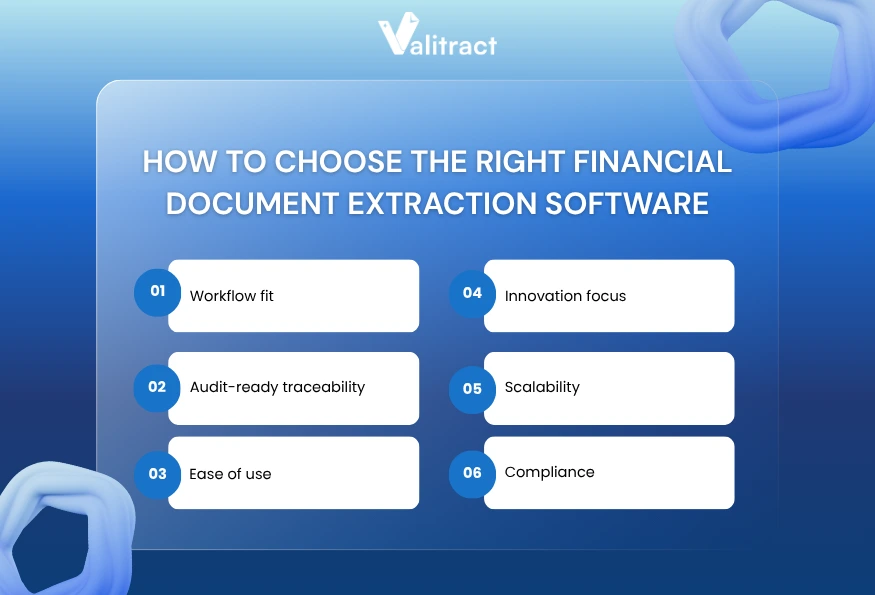
Choosing the right financial data extraction software requires matching the tool’s strengths to your team’s actual workflow, not just its feature list.
Workflow fit
Start with how documents enter your process today. If your team receives files via email and processes them in spreadsheets, a no-code platform with Excel export (like Valitract or Lido) reduces friction. If extraction feeds directly into a loan origination system, a lending-specific tool like Heron eliminates middleware. If you build document processing into a product, API-first tools with strong developer documentation are essential.
Audit-ready traceability
For finance and compliance teams, extraction is only useful if every data point links back to its source document. Look for tools that provide visual grounding, confidence scores, and page-level references. Without traceability, extracted data cannot survive an audit.
Ease of use
Template-free extraction saves weeks of configuration time. If a tool requires you to build and maintain templates for every vendor invoice format, and those templates break when a vendor changes their layout, the maintenance cost adds up fast. Prioritize platforms that adapt to new document layouts automatically.
Innovation focus
Check whether the vendor actively ships new features. Look for a public changelog, recent blog updates, and a product roadmap. A tool that has not shipped a meaningful update in 12 months may not keep pace with your growing extraction needs.
Scalability
Your document volume today is not your volume in 12 months. Choose a pricing model that scales without surprise costs. Per-page pricing works at low volumes but becomes expensive fast. Tiered or flat-rate subscriptions offer more predictable budgets at scale.
Compliance
Financial data extraction handles sensitive information. At minimum, confirm GDPR and HIPAA compliance, SOC 2 certification, data encryption in transit and at rest, automatic data purge policies, and a written commitment that customer documents are not used for model training.
Pro tip: Request a proof-of-concept trial with your actual documents, not the vendor’s demo files. Upload your messiest bank statement, your most complex multi-page invoice, and a low-quality scan. The results on your real data will tell you more than any feature comparison table.
Key Features of Financial Data Extraction Software
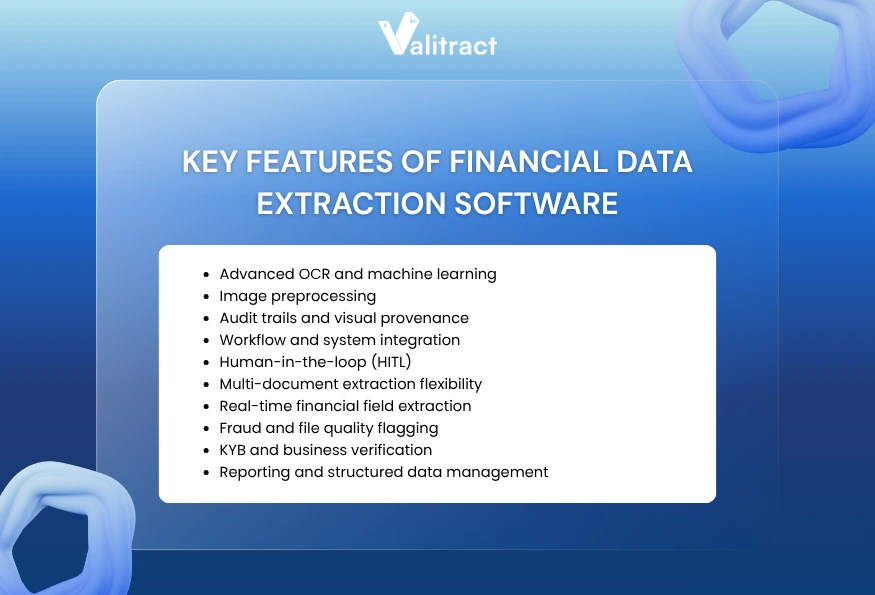
The features below separate basic OCR tools from platforms built for finance workflows. Evaluate each feature against your specific document types and compliance requirements.
Advanced OCR and machine learning
Modern extraction uses AI models that understand document structure, not just character shapes. Template-free models adapt to new layouts without manual reconfiguration. This is the difference between a tool that breaks when a vendor changes their invoice format and one that keeps working.
Image preprocessing
Scanned documents, photos from mobile devices, and faxes often arrive with skew, noise, or low resolution. Preprocessing corrects these issues before extraction, improving accuracy on real-world documents rather than only on clean digital PDFs.
Audit trails and visual provenance
Every extracted data point should link back to its exact location in the source document. This visual grounding allows auditors to verify extracted values without re-reading entire documents. Without it, finance teams cannot trust automated extraction for compliance-sensitive workflows.
Workflow and system integration
Extraction is one step in a larger process. The tool must connect to your accounting software, ERP, CRM, or data warehouse. Look for native integrations with QuickBooks, Xero, SAP, and NetSuite, plus automation connectors like Zapier, Make.com, and webhooks for custom workflows.
Human-in-the-loop (HITL)
No AI achieves 100% accuracy on every document. HITL workflows route low-confidence extractions to a human reviewer before the data enters downstream systems. This validation layer catches errors that would otherwise propagate through your financial records.
Multi-document extraction flexibility
Finance teams process invoices, receipts, bank statements, tax forms, contracts, and payslips. A tool that handles only one document type forces you to maintain multiple systems. Prioritize platforms that cover your full document mix.
Real-time financial field extraction
For time-sensitive workflows like daily bank reconciliation or same-day invoice processing, extraction speed matters. Look for tools that return structured data within seconds per page, not minutes.
Fraud and file quality flagging
Advanced platforms detect altered documents, missing pages, duplicate submissions, and suspicious patterns. For lending teams and auditors, this layer prevents fraudulent documents from entering the review pipeline.
KYB and business verification
Some platforms add enrichment layers that verify business identity, check Secretary of State records, and cross-reference web presence alongside document extraction. This is especially relevant for lending and onboarding workflows.
Reporting and structured data management
Extraction generates data. Reporting tools help you monitor extraction volume, accuracy rates, processing time, and error patterns across your team. Analytics dashboards turn raw extraction metrics into operational insights.
What Are the Benefits of Financial Data Extraction Software?
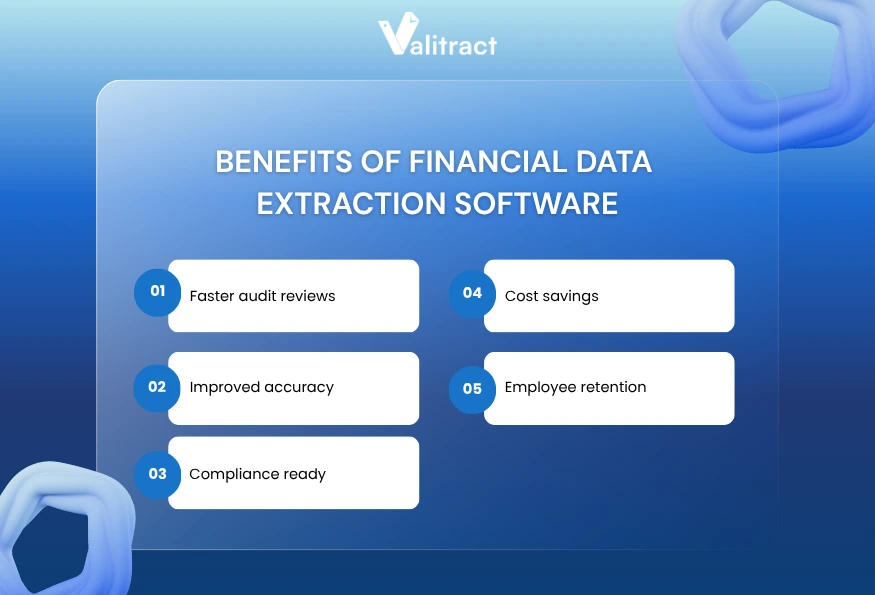
Financial data extraction software delivers measurable improvements across five areas that matter most to finance and operations teams.
Faster audit reviews
Extraction tools pull hundreds of data points from source documents in minutes. A finance team processing 500 invoices at month-end cuts days of manual data entry down to hours. According to Accounting Today, junior auditors save over 8 hours per engagement when extraction tools handle document preparation.
Improved accuracy
AI models maintain consistent accuracy across thousands of pages. Manual data entry error rates range from 1 to 4% per field, and fatigue during high-volume processing pushes those rates higher. Top extraction tools achieve 95 to 99.8% accuracy on standard printed documents. For a team processing 2,000 invoices per month, that difference can eliminate hundreds of errors per cycle.
Compliance ready
Every extracted data point links back to the source document with page and field-level references. This audit trail satisfies compliance requirements for financial reporting, tax filings, and regulatory audits. Teams no longer need to manually cross-reference extracted values against original documents.
Cost savings
Automated extraction replaces hours of manual data entry labor. Companies that hire temporary staff during month-end or quarter-end reporting spikes can reduce or eliminate that need. Extraction software scales to handle volume spikes without additional headcount.
Employee retention
Repetitive data entry is one of the top drivers of burnout and turnover in finance roles. Removing this task lets team members focus on analysis, forecasting, vendor negotiation, and other work that uses their expertise. Teams that automate extraction report higher job satisfaction and lower attrition in data-heavy roles.
Key takeaway: The combined effect of these benefits is not just efficiency. It is a structural change in how finance teams allocate their time, away from typing numbers and toward interpreting them.
FAQs about Financial Data Extraction Software
What Is Financial Data Extraction Software?
Financial data extraction software uses OCR and AI to read invoices, bank statements, tax forms, and other financial documents, then converts the unstructured text into labeled, structured data fields like totals, dates, vendor names, and line items. The output feeds directly into spreadsheets, ERPs, or accounting platforms. This replaces manual data entry for repetitive document processing tasks. Most modern tools work across PDF, scanned images, and photo uploads without requiring template configuration for each document layout.
How Accurate Is AI Extraction Compared to Manual Data Entry?
Top AI-powered extraction tools achieve 95 to 99.8% accuracy on standard printed financial documents. By comparison, manual data entry error rates range from 1 to 4% per field, and fatigue during high-volume processing increases those rates further. Accuracy drops on damaged, handwritten, or low-quality scans, typically falling to 85 to 92%. Template-free AI models generally handle layout variations better than template-based tools, which can break when a vendor changes their document format.
What Types of Financial Data Can Extraction Software Handle?
Most financial data extraction tools process invoices, receipts, bank statements, balance sheets, tax forms, purchase orders, payslips, and contracts. Advanced platforms also handle delivery notes, insurance claims, ID documents for KYC verification, and multi-page audit reports. The specific document types supported vary by vendor. Before committing to a tool, test it with the exact document types your team processes most frequently to confirm compatibility and accuracy.
Is Document Extraction Secure for Financial Data?
Reputable extraction platforms encrypt data in transit and at rest, comply with GDPR and HIPAA, and offer automatic data purge policies. Look for SOC 2 Type II certification, role-based access controls, and a clear statement that customer documents are never used to train the vendor’s AI models. Some platforms also offer on-premise or private cloud deployment for organizations with strict data residency requirements. Always review the vendor’s security documentation and request a security audit report before processing sensitive financial data.
Conclusion
Financial data extraction software has moved from a nice-to-have efficiency tool to a core part of how finance teams operate. The 8 tools in this guide cover a wide range of use cases, from lending-specific platforms like Heron to general-purpose extraction engines like Valitract and Lido.
The right choice depends on three questions:
- What documents do you process most often?
- How does the extracted data need to flow into your existing systems?
- And what is your monthly document volume today and in 12 months?
Use the comparison table and decision framework above to shortlist 2 to 3 tools. Then run a proof-of-concept test with your actual documents. The tool that handles your real-world files accurately and fits your workflow is the right one, regardless of which one tops a feature comparison list.
Ready to Stop Typing and Start Extracting?
Valitract’s template-free AI extraction handles financial documents across any layout, format, and language. Upload a PDF, scan, or photo, and get structured data in JSON, CSV, or Excel within seconds. No templates to configure, no developer setup required.
99.8% extraction accuracy on standard printed documents. GDPR and HIPAA compliant. Your data is never used for model training. Free tier available, no credit card required.
Try Valitract free, extract your first financial documents
Valitract – Next-gen AI-Powered Data Extraction Platform
- Email: contact@valitract.com
- LinkedIn: https://www.linkedin.com/company/valitract-api-platform
- X: https://x.com/valitract