


Receipt OCR software removes one of the most time-consuming tasks in expense management: manually entering data from paper receipts.
Field teams collect paper receipts every day. Those crumpled slips of paper eventually land on an accountant’s desk for reconciliation.
The moment that paper pile arrives, the clock starts on manual data entry. Typing vendor names and tax totals into an expense system burns valuable hours.
Receipt OCR software changes this dynamic. By combining computer vision and AI, these platforms can read receipt layouts, extract key data points, and convert them into structured formats ready for downstream processing.
This guide breaks down the top extraction platforms available today. We will explore how the technology works, compare the best software options, and show you how to choose the right receipt OCR API for your team.
TL;DR
AI-driven receipt OCR software replaces manual data entry by extracting transaction details from photos and scans without human keystrokes.
- Input support: JPEG, PNG, WebP, HEIC, and multi-page PDFs.
- Core technology: Layout-aware models read messy, crumpled, or faded receipts.
- Data capture: The software extracts totals, tax amounts, dates, and vendor names automatically.
- Output formats: Excel, JSON, Markdown, and HTML.
- Language coverage: Top tools detect 200+ languages in a single pass.
What is receipt OCR software?
Receipt OCR software converts photos of physical receipts into structured digital text. The system maps unstructured visual elements to strict database fields.
Rather than treating a receipt as plain text, the system analyses its visual layout, identifying elements such as vendor name, transaction date, line items, tax, and total amount, and mapping them into predefined data fields.
This structured output can then be automatically transferred into expense management systems, accounting platforms, or internal databases via API integration, thus eliminating the need for manual data entry.
Key Takeaway: Receipt OCR transforms flat image files into queryable database records without requiring human keystrokes.
Key Benefits of Receipt OCR Software
Adopting receipt OCR software directly improves how expense data is captured, processed, and utilized across the organization. From reducing errors to enabling real-time financial visibility, these tools deliver measurable impact across both finance and operations.
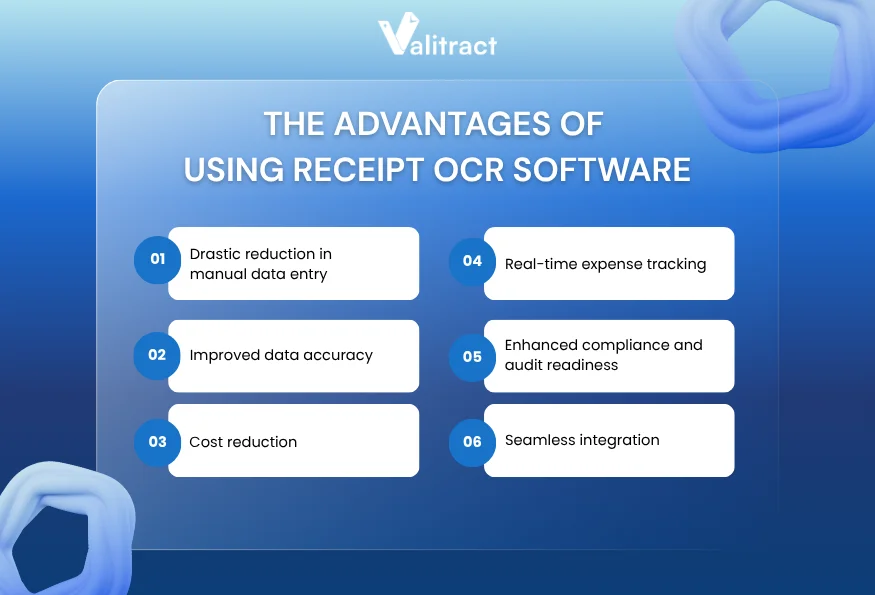
Drastic reduction in manual data entry
Manual extraction requires human eyes on every single receipt. A staff member reads a faded date and types it into a spreadsheet.
Automated software eliminates this repetitive typing phase. Machine learning models maintain precise character matching across hundreds of receipts.
Improved data accuracy
Human fatigue introduces typos during long data entry shifts. A misplaced decimal point on a travel expense creates massive reconciliation issues.
Layout-aware extraction models never lose focus. They read complex line items and return exact character matches without fatigue.
Cost reduction
Typing data consumes hours that finance professionals should spend on variance analysis. Automatic extraction cuts document intake time down to seconds per receipt.
Companies flatten their operational expenses by eliminating the need for temporary data entry staff. The software scales up during heavy travel seasons without demanding additional headcount.
Real-time expense tracking
Delayed data entry leaves reporting dashboards days behind actual spending. Finance leaders need clear visibility into outstanding employee reimbursements.
Receipt OCR software updates those dashboards the moment an employee uploads a file. The extracted data flows into the ledger, providing a real-time view of cash requirements.
Enhanced compliance and audit readiness
Manual tracking often misses duplicate expense submissions across different billing cycles. Extraction tools log transaction dates and totals the moment a document arrives.
That immediate data capture flags exact matches early in the pipeline. You stop duplicate reimbursements before the cash leaves your corporate account.
Seamless integration
Extracted text needs a permanent destination to provide value. Receipt OCR API endpoints let developers pipe the output into core accounting systems.
Exporting to a JSON format makes that system integration seamless for engineering teams. The data drops into your database without intermediate CSV cleanup steps.
Key Takeaway: Automated receipt capture trades slow manual workflows for speed, high accuracy, and real-time visibility into company spending.
Top 10 Receipt OCR Software
Evaluating the best receipt OCR software requires looking at the core extraction engine. Different platforms serve entirely different accounting environments and user personas.
Quick Comparison Table
| Software | Pricing Model | Best For | Core Technology | Integration |
| Valitract | Free + Tiered (Pay-as-go / Sub) | Mid-size finance | Template-free AI | Google Drive, Zapier, Make.com, N8N, Webhooks, API, Automation Expert |
| Klippa | Monthly sub | Field operations | Mobile layout AI | WhatsApp, Telegram, Slack, Google (Drive/Gmail), Dropbox, Docker, Outlook, OpenAI, odoo… |
| Lido | Monthly sub | Small business | Spreadsheet AI | Custom ERP Integrations |
| TurboDoc | Volume tiers | Lean teams | Email parsing | Zoho, Sage, Stripe, SAP, Xero, Wave, Oracle NetSuite,… |
| Nanonets | Pay-as-you-go | Technical teams | Custom ML | Outlook, Google Drive, Dropbox, SharePoint, Gmail, Notion, Airtable, Zapier, FTP,… |
| Xero | Included | Xero users | Basic OCR | Hundoc, Stripe, Deputy, Shopify,… |
| Google Cloud | Pay-as-you-go | Product builds | Cloud vision | Google Cloud Ecosystem, Google Workspace, n8n, Zapier/ Make |
| Dext | Monthly sub | Accounting firms | Rule-based ML | Accounting Software (Xero, Sage, Zoho, Zapier,…) |
| Expensify | Per-user fee | Global teams | AP Workflow AI | QuickBooks, NetSuite, Sage Intacct, Xero, Workday, Gusto,… |
| ABBYY | Custom Enterprise | Legacy systems | Cognitive OCR | On-premise option, UiPath, Automation Anywhere, Blue Prism, SAP,… |
Source: Market analysis of extraction vendor specifications (2026).
1. Valitract
Valitract is an AI-powered OCR and data extraction platform designed for teams that need to process documents at scale, without the complexity of template setup or heavy IT involvement.
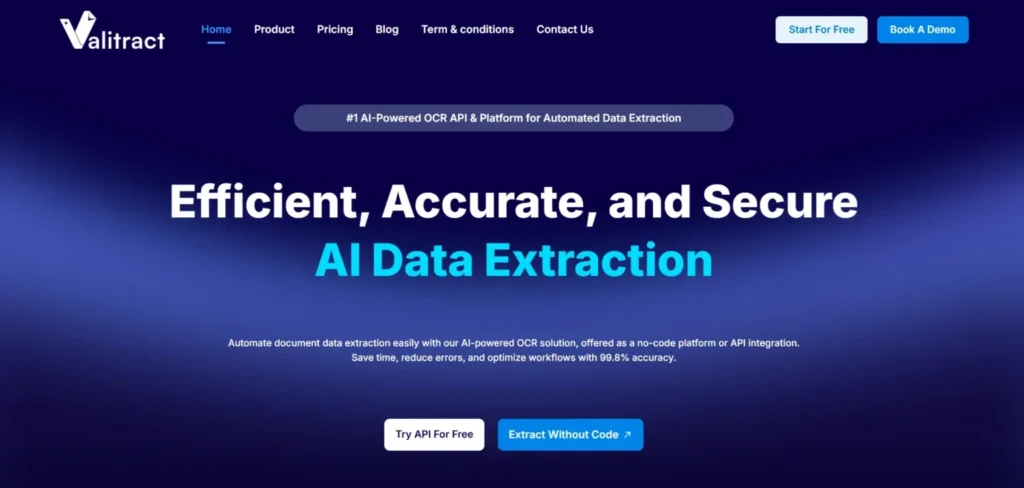
Unlike traditional tools that rely on fixed coordinates, Valitract uses visual AI and layout-aware extraction to understand receipt structures dynamically. This allows it to accurately capture key data from a wide range of vendor formats, even when layouts vary significantly.
The platform is built for both business users and technical teams. Non-technical users can validate extracted data through an intuitive, side-by-side interface, while developers can integrate the system seamlessly via a robust receipt OCR API.
- Key Features: Template-free extraction, visual validation interface.
- Pros: Fast implementation timeline, intuitive screen layout.
- Cons: Struggles with blurry cursive handwriting.
- Pricing: Usage-based billing.
- Best For: Mid-size finance departments avoiding heavy IT deployments.
2. Klippa
Klippa DocHorizon specializes in high-volume receipt processing for mobile-first workflows. The system excels at reading crumpled receipts photographed in bad lighting.
That mobile optimization makes it perfect for field service teams tracking daily expenses. The layout-aware model parses complex European VAT tables accurately.
- Key Features: Mobile-optimized capture engine, strong European tax handling.
- Pros: Great smartphone image handling, strong GDPR compliance.
- Cons: Interface feels geared more toward developers than finance clerks.
- Pricing: Tiered monthly subscription.
- Best For: Field-heavy operations requiring mobile document capture.
3. Lido
Lido targets spreadsheet workflows by embedding extraction directly into a grid interface. Users connect their email inbox and extract receipt data straight into rows.
This approach keeps financial data highly visible during the extraction process. Teams build custom approval formulas right next to the extracted text.
- Key Features: Spreadsheet-native extraction, automated email fetching.
- Pros: Extremely gentle learning curve, flexible formula-based routing.
- Cons: Lacks developer API endpoints for custom software.
- Pricing: Flat monthly subscription.
- Best For: Small business operations running heavily on spreadsheet logic.
4. TurboDoc
TurboDoc delivers a lightweight solution focused on email attachments. The tool reads incoming PDFs and pushes the extracted text to downstream apps.
That simple routing works well for lean teams using basic webhooks. Users highlight the receipt fields once, and the software handles future emails.
- Key Features: Email parsing, point-and-click template building.
- Pros: Excellent native integrations with workflow tools.
- Cons: Less effective on dense, multi-page legacy documents.
- Pricing: Tiered volume pricing.
- Best For: Small teams capturing data from automated email receipts.
5. Nanonets
Nanonets provides a powerful platform for teams that want to train specific data models. The system learns custom fields fast from a small set of historical receipts.
That custom training capability solves edge cases that trip up pre-trained software. Developers leverage robust webhook documentation to route the final data.
- Key Features: Custom model training, intelligent table extraction.
- Pros: High accuracy on unusual layouts, excellent developer resources.
- Cons: Training custom models requires upfront time investment.
- Pricing: Pay-as-you-go per document.
- Best For: Technical teams dealing with highly non-standard billing documents.
6. Xero
Xero integrates basic receipt capture directly into its broader cloud accounting ecosystem. Users snap photos using the mobile app to sync with their core ledger.
That tight integration reduces the monthly bank reconciliation process significantly. The software handles basic header data well for accurate ledger coding.
- Key Features: Native cloud accounting integration, mobile app upload.
- Pros: Seamless sync for existing Xero platform users.
- Cons: Basic extraction features compared to standalone API tools.
- Pricing: Included in standard Xero subscriptions.
- Best For: Small businesses already operating inside the Xero ecosystem.
7. Google Cloud Vision API
Google Cloud Vision delivers a pure developer experience for text recognition. The service offers API endpoints for immediate document parsing within the Google ecosystem.
That API-first approach lets engineering teams build extraction features into their own applications. The engine scales limitlessly based on server demand.
- Key Features: Highly scalable cloud infrastructure, robust basic OCR.
- Pros: Limitless scaling, fast processing speed.
- Cons: Requires heavy developer effort to structure the raw text output.
- Pricing: Pay-as-you-go per API call.
- Best For: Software product teams building custom cloud applications.
8. Dext
Dext caters heavily to accounting firms managing multiple client portfolios. The platform standardizes receipt capture across dozens of different business entities.
That standardization speeds up the monthly reconciliation process for bookkeepers. The mobile application allows clients to submit physical receipts on the go.
- Key Features: Accounting firm dashboard, mobile receipt capture tools.
- Pros: Seamless integrations with major accounting software.
- Cons: Limited custom metadata fields for complex workflows.
- Pricing: Monthly subscription based on user count.
- Best For: Independent bookkeepers and client-facing accounting firms.
9. Expensify
Expensify combines receipt extraction with actual payment execution inside a single platform. The system reads the incoming receipt and routes it through an approval chain.
That integrated workflow eliminates the gap between data capture and cash disbursement. Users manage the entire reimbursement lifecycle inside one unified interface.
- Key Features: End-to-end payment workflow, smart scan technology.
- Pros: Strong compliance routing, broad external integration network.
- Cons: Complex pricing structure scales poorly for massive teams.
- Pricing: Per-user monthly fee.
- Best For: Companies needing complete, out-of-the-box expense management.
10. ABBYY
ABBYY FlexiCapture serves massive enterprise environments dealing with established legacy systems. The platform offers deep cognitive OCR capabilities refined over decades.
That deep capability handles strict corporate compliance requirements. The tool scales reliably to process millions of receipt images per month.
- Key Features: Massive enterprise scalability, advanced cognitive text capture.
- Pros: Handles high-complexity documents, massive global partner network.
- Cons: Very expensive deployment requires certified integration partners.
- Pricing: Custom enterprise licensing.
- Best For: Global corporations migrating immense volumes of physical receipts.
Key Takeaway: The ideal tool depends entirely on your architecture. Choose API-first platforms for custom builds, or end-to-end platforms for strict expense management.
How Does the Receipt OCR Software Work?
Understanding how receipt OCR software works helps teams evaluate which solution can handle real-world document complexity. While most tools follow a similar pipeline, the difference lies in how accurately and efficiently each step is executed.
Below is a step-by-step breakdown of how modern OCR systems process receipt data, from image capture to structured output via a receipt OCR API.
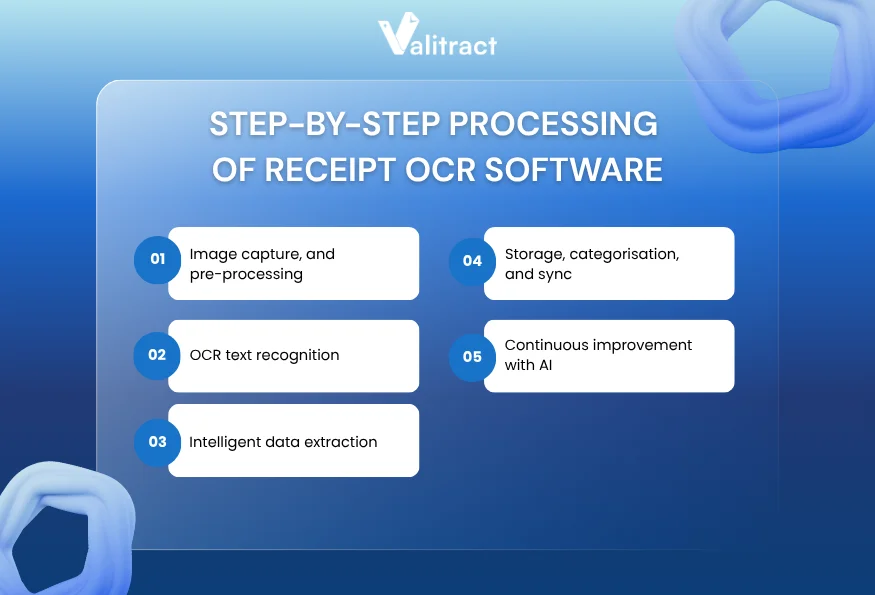
Step 1: Image capture and pre-processing
The process begins the moment a user photographs a receipt. The platform ingests the image file, whether it is a JPEG, PNG, or HEIC format.
That ingestion phase normalizes the image resolution. The system straightens skewed pages and adjusts bad lighting before attempting any text extraction.
Step 2: OCR text recognition
After capturing the image, the software reads the raw pixels on the page. It identifies individual letters and numbers across the entire document.
This text recognition step converts visual shapes into basic machine-readable text strings. The raw text remains unstructured at this stage.
Step 3: Intelligent data extraction
Once the software maps the raw text, layout analysis takes over. The system looks for spatial relationships between the words and numbers.
It understands that a number sitting next to the word “Tax” represents a specific financial value. This semantic understanding pulls the exact transaction details you need.
Step 4: Storage, categorisation, and sync
Extracted text needs a permanent destination. The software packages the final data into a clean JSON format or an Excel file.
That structured payload drops directly into your ERP through an API connection. The system categorizes the expense based on the extracted vendor name.
Step 5: Continuous improvement with AI
Modern extraction engines track their own performance. If a user corrects a misread total on the review screen, the model registers that feedback.
That continuous feedback loop improves baseline accuracy over time. The machine learns from every human correction to improve future reads.
Key Takeaway: Receipt OCR connects an unstructured photo to a structured database through a series of automated layout checks.
Traditional OCR vs AI-Powered Receipt OCR Software
Not all OCR solutions are built the same. Understanding the difference between traditional OCR and AI-powered approaches is essential when choosing the right receipt OCR software for your workflow.
Limitations of Traditional OCR
Traditional OCR relies heavily on fixed coordinate templates. The system requires key data points, such as totals or tax amounts, to be positioned consistently throughout all documents.
This approach is effective for highly standardized formats, but it is not suitable for real-world scenarios where flexibility is required. Even minor alterations, such as variations in receipt size or layout, can result in the system misreading or completely missing critical data.
As a result, teams often need to manually adjust templates or reprocess documents, reducing efficiency and scalability.
How AI-Powered Receipt OCR Software Solves This
AI-powered solutions take a fundamentally different approach.
Instead of relying on fixed positions, they use layout-aware models to understand the visual structure of each receipt. By analyzing the surrounding context, the system can correctly identify fields like total amount, tax, and vendor, even when layouts vary significantly.
This makes AI-based tools far more reliable for processing unstructured and diverse receipt formats.
If you’re exploring similar AI-driven solutions, this guide on AI data extraction tools provides a broader comparison of how different platforms handle unstructured data across use cases:
Key Takeaway: AI-powered extraction replaces brittle, coordinate-based templates with dynamic models that understand financial context.
Essential Features of Receipt OCR Tools
To handle real-world expense workflows effectively, the solution must combine accurate data extraction with automation, integration, and reporting capabilities. The features below highlight what truly matters when evaluating a modern receipt OCR software.
Automated data extraction
The core engine must capture the merchant name, date, tax, and total amount without user intervention. Good extraction methods highlight low-confidence fields for fast human review.
Handwriting recognition
Restaurant servers often write the final tip amount by hand. Your chosen software needs computer vision models trained specifically to read cursive ink strokes.
Automated categorization
Extracting the data represents only half the battle. The tool must map a “Delta Airlines” receipt directly to the “Travel” expense category in your ledger.
Comprehensive expense reporting
Finance teams need clear visibility into spending trends across departments. Look for software that generates aggregated expense reports from the extracted receipt data.
Cloud-based centralized storage
Physical paper receipts fade fast. A digital archive provides a permanent, searchable cloud database for future audit inquiries and compliance checks.
Multi-format compatibility
Employees submit receipts in wildly varied file formats. The best receipt OCR software supports JPEG, PNG, WebP, HEIC, and multi-page PDFs natively.
Key Takeaway: Prioritize software that handles modern image formats natively to prevent bottlenecks when employees upload smartphone photos.
What to Pay Attention to When Choosing a Receipt OCR Software
The considerations below highlight critical factors that often determine whether an OCR solution delivers real value at scale.
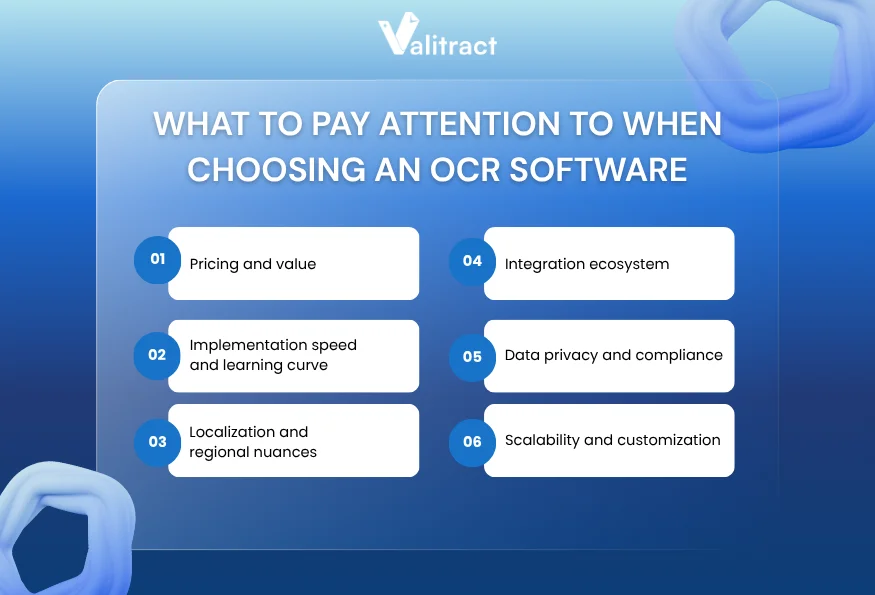
Pricing and value
Software pricing scales based on document volume. A tool charging per-receipt fees looks cheap initially, but becomes expensive at scale.
Calculate your historical peak volume before signing a vendor contract. Match the pricing model to your business cycle to avoid massive overage charges.
Implementation speedand learning curve
A powerful computer vision model fails if your accounting team cannot operate the user interface. Non-technical teams require a clean, intuitive review screen.
Localizationandregional nuances
Global vendors send receipts with varied currency symbols and date formats. Apps like Doc.AI support 200+ languages, handling international character sets without manual configuration.
Integration ecosystem
Extracted data serves no operational purpose if it stays trapped inside the OCR platform. Review the developer documentation for clear REST API endpoints.
Data privacy and compliance
Financial documents contain sensitive corporate pricing data. Verify the vendor holds standard compliance certifications like SOC 2 Type II for your operating region.
Scalability and customization
Enterprise growth means processing more receipts during busy travel seasons. Ensure the extraction engine processes massive batch uploads without timing out your cloud servers.
Key Takeaway: Define your integration endpoints clearly so you know exactly where the resulting JSON data needs to land.
FAQs about Receipt OCR Software
How does the accuracy of receipt OCR software compare to manual entry?
AI models handle massive document batches with extreme consistency, often surpassing human accuracy. Human typists suffer from fatigue, which steadily increases error rates during long shifts. Machine learning models maintain precise character matching across thousands of receipts.
Can OCR software read wrinkled, faded, or blurry receipts?
Yes. Modern extraction tools include preprocessing engines that enhance image quality. They adjust contrast and sharpen text before extraction. Advanced layout models read crumpled documents accurately by understanding the surrounding semantic context.
What’s the pricing for receipt OCR software?
Pricing models vary based on the vendor and document volume. Developer APIs typically charge a fraction of a cent per API call. Enterprise platforms charge flat monthly subscription fees that include user licenses and complex workflow routing features.
What is the difference between traditional OCR and AI-powered receipt OCR software?
Traditional OCR simply converts dark pixels into plain text strings based on strict spatial coordinates. AI-powered extraction understands the actual meaning of that text. The AI knows a specific number is a tax total based on its position near the bottom of the receipt.
Does the software support multiple currencies and languages?
Top extraction platforms support international formats natively. They read varying currency symbols and regional date formats right out of the box. Advanced tools auto-detect hundreds of languages in a single pass without any manual user configuration.
How can I test the accuracy of receipt OCR software
You must run your own messy receipts through the software during a pilot phase. Never rely on vendor demonstrations using pristine digital files. Testing blurry smartphone photos reveals exactly how the engine handles low-contrast text in real-world conditions.
Final Thoughts: Pick Your Best Receipt OCR Scanner
Receipt OCR software is a critical component of modern expense management. By eliminating manual data entry, businesses can streamline reimbursement workflows, reduce errors, and process receipt data at scale.
Traditional OCR systems often rely on rigid templates that break when receipt formats change. In contrast, AI-powered solutions adapt dynamically by understanding document context, ensuring consistent accuracy across varied layouts and formats.
A robust platform should support multiple file types, global languages, and flexible output formats. Solutions like Valitract enable teams to export structured data into formats such as JSON or Excel, making it easy to integrate with accounting systems, ERPs, or internal databases.
If your team processes high volumes of complex receipts, matching the right layout-aware mode saves countless hours.
To find out more about how to automate the extraction of expenses from your pipeline with reliable, developer-friendly extraction models, get in touch with Valitract today.
Valitract – Next-gen AI-Powered Data Extraction Platform
- Email: contact@valitract.com
- LinkedIn: https://www.linkedin.com/company/valitract-api-platform
- X: https://x.com/valitract