



AI Data Extraction Tools are rapidly becoming essential for enterprises dealing with large volumes of unstructured data. From contracts and vendor invoices to compliance reports, critical business information is often trapped inside static documents and images.
Traditional manual processes cannot keep up with this scale. When teams rely on manual data entry, they create bottlenecks that slow down operations and increase the risk of errors before the data even reaches core systems.
Modern AI-powered data extraction tools fundamentally change this process. Instead of simply converting images into raw text, these platforms understand document structures, extract relevant fields, and transform unstructured content into usable, structured data. This shift enables faster, more accurate workflows across finance, operations, and compliance.
As AI data extraction software continues to evolve, businesses now have access to tools that can handle complex layouts, multiple file formats, and dynamic document variations without constant manual configuration.
In this guide, we compare the best AI data extraction tools and provide a practical framework to help you choose the right solution for your business needs.
Understanding AI Data Extraction Tools
What are AI data extraction tools?
AI data extraction software turns static document images into queryable database records. The system ingests a file, identifies specific text fields, and generates a structured output.
That extraction engine relies on three core technologies working together.
- Optical Character Recognition (OCR): Converts visual text into machine-readable characters
- Computer Vision: Understands document layout, structure, and positioning
- Natural Language Processing (NLP): Interprets meaning and context behind the extracted data
This combination allows the software to understand financial tables just like a human reader would. The model knows a specific number represents a tax total based on its position near the bottom of a column.
Traditional vs. AI-based data extraction tools
The difference between legacy tools and modern AI-based data extraction tools lies in how they interpret document structure.
Traditional OCR relies on strict coordinate templates. The software looks for data in exact pixel locations.
If a supplier adds a new logo and shifts their invoice down two inches, a traditional template breaks completely. The system reads blank space instead of the intended total.
AI-based data extraction tools solve this layout problem. They adapt to visual shifts by reading the surrounding context to locate the correct data point.
Tools like Valitract use this layout awareness to maintain original table relationships. Table Extraction mode pulls rows and columns intact, without requiring users to draw custom bounding boxes for every vendor.
Key Takeaway: Modern AI extraction replaces brittle, coordinate-based templates with dynamic, layout-aware machine learning models.
Why AI Data Extraction Tools Matter for Modern Businesses
As the volume of documents continues to grow, businesses can no longer rely on manual processing if they want to maintain speed and accuracy. From finance to legal and healthcare, organisations require faster methods of converting unstructured data into actionable insights.
This is where AI data extraction tools deliver measurable value, by automating data capture, improving accuracy, and enabling teams to scale operations without increasing headcount.
The value of AI data extraction tools
Human typists suffer from focus fatigue during long processing shifts. That fatigue introduces typographical errors into critical corporate databases.
Deep learning models maintain precise character matching across thousands of pages. They process massive document batches without any drop in accuracy.
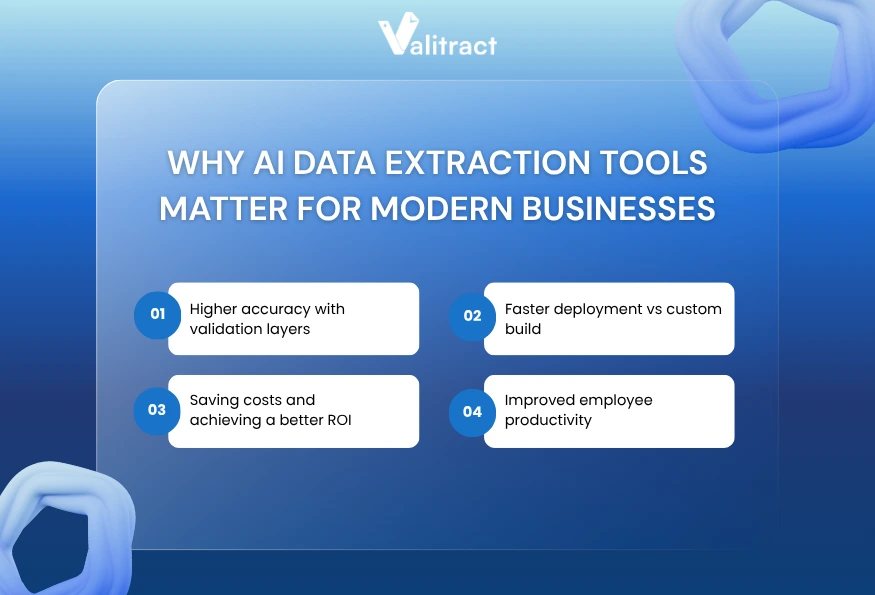
Higher accuracy with validation layers
Machine learning models grade their own extraction confidence on every document. Good extraction methods highlight low-confidence text fields on a visual review screen.
That validation layer keeps bad data out of your accounting software. Human operators review only the flagged fields, correcting errors before the final database export.
Faster deployment vs custom build
Building an in-house document extraction engine requires massive data engineering resources. Training a custom computer vision model takes months of dedicated developer time.
Off-the-shelf AI data extraction software deploys in a fraction of that time. Enterprise teams connect to a vendor API and start routing documents on day one.
Saving costs and achieving a better ROI
Manual document processing carries high operational labor costs. Companies often hire temporary staff during end-of-month reporting spikes to clear data entry backlogs.
Automated data capture flattens those operational expenses. The extraction software scales up to handle volume spikes without requiring additional headcount.
Improved employee productivity
Typing data consumes hours that professionals should spend on actual analysis. An AI data scraper cuts document intake time down to seconds per page.
Staff members reclaim that time immediately. They shift their focus toward strategic tasks like vendor negotiation and budget forecasting.
Use cases of AI-powered data extraction across industries
Financial data extraction
Investment analysts extract tables from complex quarterly earnings reports. The AI pulls the grid data into Excel, allowing the analyst to model financial projections without retyping numbers.
Invoice & document processing
Manual invoice processing is one of the most time-consuming tasks for accounting teams. By adopting invoice data extraction software, businesses can eliminate repetitive data entry and significantly reduce errors.
For example, a mid-sized accounting firm processing 1,200 monthly supplier invoices transitioned from manual re-keying to AI-powered extraction with JSON output. As a result, invoice intake time dropped from three days per cycle to under two hours.
Legal & compliance document parsing
Legal teams often have to deal with large volumes of contracts and compliance documents during complex corporate mergers. Advanced tools can convert multi-page PDFs into editable Markdown files via full document extraction, while preserving the original order of critical elements such as signature blocks.
Healthcare records extraction
Hospital compliance teams digitize patient intake forms for central archival. Extraction models read the scanned forms and push patient details straight into the electronic health record system.
Key Takeaway: AI extraction software reduces operational costs while eliminating the errors caused by human data entry fatigue.
Best AI Data Extraction Tools in 2026
Evaluating the best AI data extraction tools requires looking past marketing pages. Different platforms serve entirely different technical architectures and end-user personas.
| Software | Pricing Model | Free tier | Line Items | No-code | Output Formats | API Access |
| Valitract | Usage-based | Yes | Full | Yes | JSON, CSV, XLS | Full REST |
| Rossum | Custom Enterprise | No | Full | Partial | JSON, XML | Full REST |
| ABBYY | Custom Enterprise | No | Full | No | XML, Custom | Full REST |
| Amazon Textract | Pay-as-you-go | Trial Only | Basic | No | JSON | AWS SDK |
| UiPath | Platform License | No | Full | Partial | ERP Native | Full System |
| Nanonets | Usage-based | Trial Only | Full | Partial | JSON, CSV | Full REST |
| Docsumo | Tiered Volume | Trial Only | Full | Partial | JSON, CSV | Full REST |
| Hyperscience | Custom Enterprise | No | Full | No | JSON, XML | Full REST |
Top AI Data Extraction Tools
1. Valitract
Valitract is an AI-powered data extraction platform designed to handle unstructured documents across any layout, format, and language, without requiring predefined templates. Unlike traditional OCR tools, it uses visual AI models to identify and extract key data points dynamically.
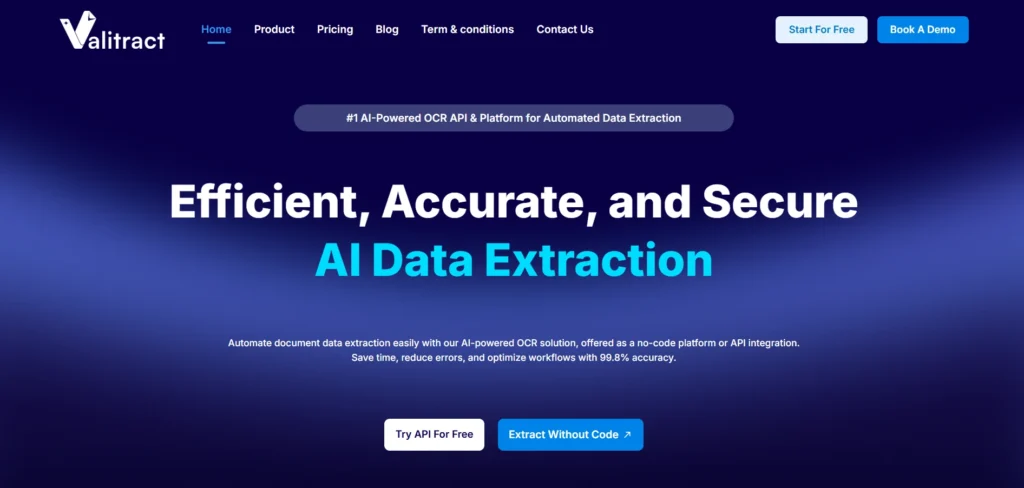
This template-free approach allows businesses to start processing documents immediately, even when formats vary significantly. Combined with a clean, no-code interface and API integration, Valitract makes it easy to scale document workflows without heavy technical setup.
- Strength: Template-free extraction engine and intuitive user interface.
- Weakness: Struggles with complex handwritten notes and cursive.
- Best For: Mid-size departments moving away from manual entry.
2. Rossum
Rossum provides a heavy enterprise solution focused on transactional documents. The software learns specific vendor layouts through continuous feedback loops.
Continuous learning reduces the need for manual corrections over time. The platform integrates deeply into major enterprise resource planning systems.
- Strength: Enterprise-ready architecture with native SAP and ERP integrations.
- Weakness: Expensive licensing model and narrow focus on invoice processing.
- Best For: Enterprise operations managing massive invoice volumes.
3. ABBYY FlexiCapture
ABBYY delivers legacy cognitive OCR capabilities refined over decades of market presence. The software targets massive global organizations managing strict compliance requirements.
Those strict compliance rules dictate how data flows through corporate networks. The ABBYY engine handles extreme edge cases and hundreds of localized languages.
- Strength: Strong multilingual OCR and enterprise-grade compliance tracking.
- Weakness: The complex setup phase requires certified integration partners.
- Best For: OCR-heavy, compliance-driven industries migrating from physical paper.
4. Amazon Textract
Amazon Textract delivers a pure developer experience inside the Amazon Web Services environment. The service offers API endpoints for immediate document parsing.
That API-first approach lets engineering teams build extraction features into their own applications. The engine scales limitlessly based on server demand.
- Strength: Highly scalable cloud infrastructure within the AWS ecosystem.
- Weakness: Requires dedicated engineering effort to build the user interface.
- Best For: Software product teams building scalable cloud applications.
5. UiPath
UiPath functions as a broader robotic process automation platform rather than a standalone extraction software. The system reads a document and executes complex downstream mouse clicks.
That robotic capability pushes extracted data into legacy software lacking modern APIs. Users build these workflows using a visual drag-and-drop designer.
- Strength: Combines extraction with powerful robotic workflow automation.
- Weakness: Heavy platform architecture proves overkill for simple extraction needs.
- Best For: End-to-end corporate automation bridging modern and legacy systems.
6. Nanonets
Nanonets gives technical teams the power to train highly specific computer vision models. The platform learns custom fields rapidly from a small batch of historical documents.
That custom training solves obscure edge cases that pre-trained software misses. Developers leverage the robust webhook documentation to route the final data.
- Strength: Easy custom model training across multiple obscure document formats.
- Weakness: Limited internal workflow automation requires external routing tools.
- Best For: Technical teams extracting data from highly non-standard formats.
7. Docsumo
Docsumo relies on machine learning models pre-trained specifically for the financial sector. The system works immediately for bank statements, tax forms, and lending documents.
Those pre-trained models solve the cold-start problem entirely. The platform flags mismatched subtotals automatically, ensuring ledgers remain balanced.
- Strength: Excellent accuracy on financial documents and lending workflows.
- Weakness: Expensive pricing tiers are restricted mostly to financial use cases.
- Best For: Financial services companies processing standard monetary documents.
8. Hyperscience
Hyperscience tackles the most complex unstructured documents in regulated industries. The platform uses a deliberate human-in-the-loop approach to maintain perfect accuracy.
That human-in-the-loop system routes uncertain text snippets to operators for verification. The machine learns from every human correction to improve future reads.
- Strength: High accuracy for regulated industries via human validation routing.
- Weakness: Costly enterprise deployment process.
- Best For: Complex, high-accuracy enterprise workflows handling messy inputs.
Key Takeaway: Choose developer-focused APIs for internal software builds, or end-to-end platforms if you require strict workflow routing.
Best Practices When Choosing AI Data Extraction Tools
Selecting the right AI data extraction tool can significantly impact your automation success. From document complexity to system integration, businesses need a clear evaluation framework to avoid costly mistakes and ensure long-term scalability.
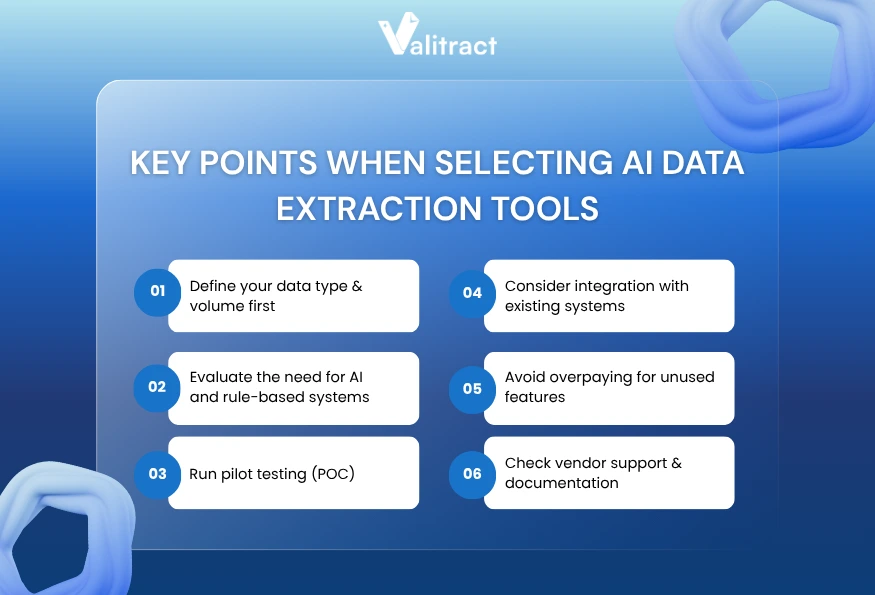
Define your data type & volume first
Before evaluating any AI data extraction software, start by auditing your document landscape thoroughly. You need exact numbers on your monthly volume and the split between digital files and scanned images.
Calculate your historical peak volume during reporting seasons. Understanding these metrics prevents you from selecting a pricing tier that penalizes volume spikes.
Evaluate AI vs rule-based needs
Not all document processing needs require advanced AI. Businesses with consistent, structured formats may benefit from rule-based extraction using fixed templates.
However, organizations handling documents from multiple vendors or varying layouts should prioritize AI-powered solutions. Layout-aware AI models can adapt to different formats without requiring manual template configuration for each variation.
Run pilot testing (POC)
Test the AI data scraper against your worst document samples during the trial phase. Never rely on vendor demonstrations using pristine digital files.
Running your own blurry scans reveals how the engine handles low-contrast text. This pilot phase exposes platform limitations before you sign a binding contract.
Consider integration with existing systems
Extracted data serves no operational purpose if it stays trapped inside the extraction platform. The system must connect smoothly to your existing architecture.
Verify the developer documentation for REST APIs or webhooks. A well-documented endpoint ensures your engineers can build reliable database connections fast.
Avoid overpaying for unused features
Many enterprise platforms bundle extraction with complex payment routing and inventory matching. If you only need raw text data, those features waste your budget.
Match the software capabilities strictly to your operational goals. Buy a standalone extraction API if your internal software already handles the downstream routing logic.
Check vendor support & documentation
Complex integrations require robust technical support. Check the vendor service level agreements to understand their response times during critical outages.
Read the API documentation yourself before purchasing. Clear, updated documentation indicates a mature product built for serious engineering teams.
Key Takeaway: Define your required output format early, as strict destination requirements disqualify many basic extraction platforms immediately.
Key Features to Evaluate AI Data Extraction Software
Choosing the right AI data extraction software requires more than comparing pricing or surface-level features. Businesses should focus on core capabilities such as accuracy, scalability, and integration to ensure long-term efficiency and automation success.
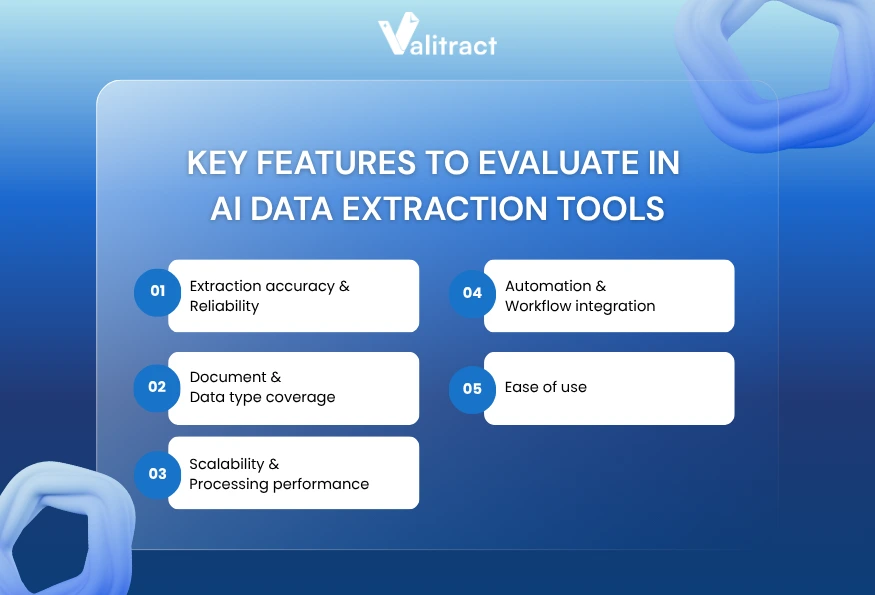
Extraction accuracy & Reliability
Vendors routinely claim extraction accuracy above 95% in their marketing materials. You must verify those numbers against your own operational data.
Look closely at how the software handles variations over time. The best models employ continuous learning, meaning the engine improves its baseline accuracy as your team processes more files.
Document & Data type coverage
Your solution must handle the full range of file formats used in your workflows. Modern document processing goes beyond PDFs to include images captured from mobile devices.
Tools like Valitract handle JPEG, PNG, GIF, WebP, and HEIC/HEIF files natively. That native image support stops process bottlenecks when a contractor uploads an uncompressed iPhone photo from the field.
The tool must also manage both structured tables and unstructured paragraphs. A capable extraction engine identifies a nested financial table just as easily as a legal clause.
Scalability & Processing performance
Processing speed matters immensely when a massive document batch arrives on Friday afternoon. Slow extraction engines create a digital traffic jam.
API-driven cloud platforms return structured data payloads in under two seconds per page. Test the batch processing speed using large multi-page PDF files to verify server capacity.
Automation & Workflow integration
Developers need a reliable way to query the extracted results programmatically. Robust API availability separates enterprise software from basic consumer tools.
Exporting to a JSON format allows teams to pipe data straight into cloud databases or custom CRM builds. That direct pipe eliminates the need to clean up messy CSV files manually.
Ease of use
A powerful computer vision model holds zero value if your operations team cannot operate the user interface. Non-technical teams require a clean, intuitive review screen.
Those review screens place the original document image right next to the parsed data fields. Users verify the highlighted text without tabbing between different software windows.
Setup time also dictates overall usability. A true no-code interface lets business users define new extraction fields in days rather than waiting months for IT support.
Key Takeaway: Prioritize software that handles complex table structures natively. Extracting a grand total holds little value if you lose the row-level details.
FAQs about AI Data Extraction Tools
What are AI data extraction tools?
AI data extraction tools are software platforms that convert static document images into structured database records. They use optical character recognition and computer vision to read visual layouts and extract specific fields without human typing.
How is AI data extraction different from web scraping?
Web scraping extracts data from the HTML of a live website. AI data extraction targets static visual files like PDFs and JPEGs. The AI must interpret the pixels and spatial layout to understand the text, whereas web scrapers read explicit code tags.
What is the best AI data extraction tool?
The best tool depends entirely on your specific workflow and technical capability. Developer teams prefer API-first platforms like Amazon Textract or Valitract for custom builds. Accounting firms prefer end-to-end platforms that push data directly into existing ERP systems.
Can AI extract data from images and PDFs?
Yes. Modern extraction software handles native digital PDFs and flat-scanned images effortlessly. Advanced layout models process smartphone photos, reading formats like HEIC and WebP while straightening skewed pages automatically before extraction.
Are AI data extraction tools accurate?
AI models handle massive document volumes with extreme consistency, often surpassing human accuracy. They maintain precise character matching across thousands of pages. Most platforms include a confidence scoring system to flag uncertain text for human review.
How much do AI data extraction tools cost?
Pricing models vary by vendor and document volume. Developer APIs typically charge a fraction of a cent per page processed. Enterprise platforms charge flat monthly subscription fees that include user licenses and strict service level agreements.
Which industries benefit most from AI data extraction?
Any industry managing high volumes of unstructured documents benefits immediately. Finance teams use it for invoice processing and receipt tracking. Legal teams use it for contract digitization, and healthcare organizations use it to process patient intake forms.
Conclusion
AI-powered data extraction tools are transforming how businesses handle document processing. By eliminating manual data entry, organizations can accelerate workflows, reduce errors, and scale operations more efficiently.
Unlike traditional template-based systems that break when document formats change, modern AI data extraction software adapts dynamically to different layouts, languages, and file types. This flexibility enables businesses to process complex documents, such as invoices, contracts, and reports, without the need for constant reconfiguration.
A robust data extraction platform should support multiple formats, deliver high accuracy, and integrate seamlessly into your existing systems through APIs or structured outputs like JSON. These capabilities ensure that extracted data can be used immediately across your workflows.
Before choosing a solution, evaluate your document volume, test real-world use cases, and ensure smooth integration with your tech stack.
For businesses seeking a flexible, scalable, and high-accuracy solution, platforms like Valitract are a strong choice for modern data-driven operations thanks to their AI-powered extraction, multi-language support, and seamless automation.
Get started with Valitract and transform your document processing with AI-powered automation.
Valitract – Next-gen AI-Powered Data Extraction Platform
- Email: contact@valitract.com
- LinkedIn: https://www.linkedin.com/company/valitract-api-platform
- X: https://x.com/valitract