

According to the American Productivity and Quality Center (APQC), manual invoice processing costs between $12 and $15 per invoice. Automated processing brings that cost below $3. For a team handling 2,000 invoices per month, that difference is $18,000 to $24,000 in recoverable spend, every single month.
This guide covers the 10 best invoice processing software solutions available in 2026, how each one works, and a decision framework to help you choose the right fit for your team’s volume, tech stack, and budget.
TL;DR
Manual invoice processing costs finance teams $12–$15 per invoice and takes 10–15 days per cycle. The 10 best invoice processing software solutions for 2026, including ValiTract, Rossum, Stampli, and Tipalti, cut that cost to under $3 and compress the cycle to under 24 hours. The right choice depends on document volume, ERP stack, and whether your team needs a no-code platform, an API, or both.
What Is Invoice Processing Software?
Invoice processing software is a technology platform that automates the complete lifecycle of an accounts payable invoice, from intake and data extraction through validation, approval routing, and ERP ledger entry.
The category has evolved through three distinct generations.
First-generation tools digitized paper invoices into image files but still required manual data entry. Second-generation OCR platforms extracted text by matching fields to pre-configured templates, which broke whenever a vendor used a new layout. The current generation uses AI-powered semantic processing: the engine reads the document’s context to locate VAT IDs, line items, net totals, and vendor details without needing a template for each supplier.
The practical difference is significant. A template-based system requires setup time for every new vendor format and fails silently when a vendor changes their invoice design. An AI-powered system handles unfamiliar layouts on the first upload without any configuration.
Top 10 Invoice Processing Software Solutions in 2026
These 10 platforms represent the strongest options across different use cases, team sizes, and budget ranges. The comparison below is based on publicly available vendor documentation and product pages as of 2026.
Before reviewing each tool, use the quick comparison table to shortlist 2–3 candidates that match your team’s document volume and technical requirements.
Quick Comparison Table
| Tool | Core Extraction Tech | Best For | Pricing Model |
| ValiTract | AI/LLM-powered OCR + semantic extraction | SMBs to enterprise needing accurate extraction with no-code or API access | Free tier + tiered plans |
| Rossum | Cognitive data capture (neural network) | Mid-market AP teams processing diverse invoice formats | Per-document or custom |
| Rho | AI-powered AP automation | SMBs wanting AP + corporate card management in one platform | Custom / contact sales |
| Salesforce Revenue Lifecycle Management | Salesforce-native AI | Enterprises already on the Salesforce stack | Salesforce licensing |
| Yooz | Cloud AP automation | Mid-market teams needing ERP integrations with fast deployment | Subscription, contact sales |
| BILL (formerly Bill.com) | AI-powered data capture | SMBs needing AP + AR in one platform | Per-user/month |
| Stampli | AI assistant (Billy the Bot) | AP teams wanting collaboration tools alongside automation | Custom / contact sales |
| Coupa | BSM platform with AI | Enterprises needing spend management beyond AP | Enterprise licensing |
| Tipalti | AI-powered global AP | Companies managing high-volume international supplier payments | Percentage-based + flat fee |
| Basware | AI + network-based matching | Large enterprises running complex procurement workflows | Enterprise / contact sales |
Source: Vendor product pages and publicly available documentation, 2026.
ValiTract
ValiTract is an AI-powered OCR and data extraction platform that converts invoices and other financial documents into structured, usable data.
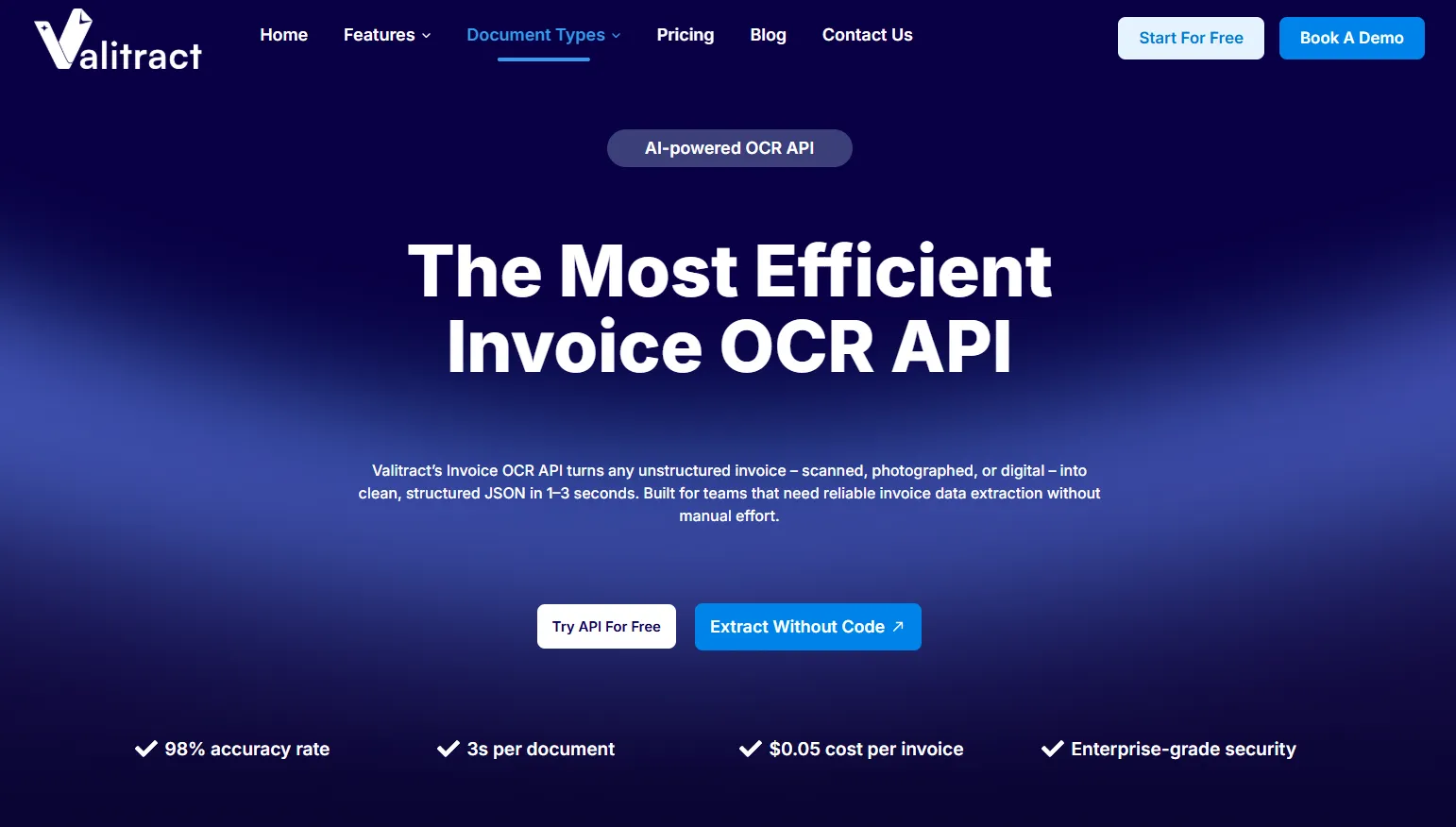
It supports both a no-code drag-and-drop interface and a full RESTful API, making it accessible to finance teams with no technical resources and to developers building automated invoice processing into their own systems.
Key features:
- Template-free AI extraction that handles unfamiliar vendor layouts on the first upload
- Line-item extraction with SKU-level detail, not just summary totals
- Fraud detection and duplicate invoice flagging on the Pro tier and above
- Integrations with QuickBooks, SAP, Xero, Sage, Dynamics 365, NetSuite, Zapier, Make.com, and N8N
- Output in JSON, CSV, XLS, and more
Pros:
- 8% extraction accuracy on standard printed documents (Valitract product page, 2026)
- Supports 95+ languages, making it practical for global supplier bases
- GDPR and HIPAA compliant with automatic data purge and no model training on your data
- Free tier available, no credit card required
Cons:
- Newer brand with a smaller community and fewer third-party reviews than legacy platforms
- Accuracy on heavily damaged scans or handwritten documents is lower than on standard printed invoices
Pricing:
| Tier | Volume | Users | Key Features |
| Free | 100 pages/month | 1 | Core extraction |
| Growth | Up to 6,000 pages/month | Up to 5 | API, Zapier/Make/N8N |
| Pro | Up to 100,000 pages/month | Up to 20 | Fraud detection, unlimited models |
| Enterprise | 100,000+ pages/month | Unlimited | Custom SLAs, human-in-the-loop |
Source: Valitract pricing page, 2026.
API access and system integration: ValiTract’s RESTful API accepts POST requests with PDF, JPEG, PNG, TIFF, and 15+ other file formats. Developers can configure custom extraction fields, receive structured JSON output, and trigger webhooks on completion. Full API documentation is available at app.valitract.com.
Rossum
Rossum uses cognitive data capture, a neural network approach that learns from human corrections over time, to extract data from complex, multi-layout invoice files. It is positioned primarily at mid-market AP teams that receive invoices from a large number of different suppliers.
- Key features: Multi-page invoice support, ERP integrations including SAP and Oracle, built-in validation workflows, and a human-in-the-loop review queue.
- Pros: Strong accuracy on diverse formats; active learning improves extraction over time; good documentation for enterprise integration.
- Cons: Per-document pricing can become expensive at high volumes; initial setup and training require AP team involvement.
- Pricing: Per-document pricing or custom enterprise contracts. Contact Rossum for current rates.
- API access: Available. Rossum provides a REST API with webhook support.
Rho
Rho combines AI-powered invoice processing with corporate card management and expense tracking in a single platform. It targets SMBs that want to consolidate AP automation and spend management without maintaining multiple tools.
- Key features: Automatic invoice capture from email, AI-assisted coding suggestions, three-way matching, approval workflows, and real-time spend visibility across cards and AP.
- Pros: Unified AP and spend management reduces the number of tools in the stack; strong user experience for non-technical finance teams.
- Cons: Less suited for high-volume enterprise AP; international supplier payment support is more limited than dedicated global AP platforms like Tipalti.
- Pricing: Contact Rho for current pricing.
- API access: Available for enterprise integrations.
Salesforce Revenue Lifecycle Management
Salesforce Revenue Lifecycle Management (formerly Salesforce Billing) is an enterprise-grade AP and revenue management suite built natively on the Salesforce platform. It is designed for large organizations that already run their CRM, CPQ, and ERP workflows inside Salesforce.
- Key features: Native Salesforce integration, AI-assisted invoice matching via Einstein AI, automated approval workflows, real-time reporting on the Salesforce dashboard.
- Pros: Zero integration overhead for existing Salesforce customers; strong audit trail and compliance features; scalable to very high volumes.
- Cons: Only practical if you are already on the Salesforce stack; licensing costs are significant; overkill for teams without a Salesforce investment.
- Pricing: Bundled within Salesforce licensing. Contact Salesforce for current rates.
- API access: Full Salesforce API ecosystem.
Yooz
Yooz is a cloud-native AP automation platform built for mid-market companies that need fast deployment and broad ERP compatibility. It offers automated invoice capture, AI-powered extraction, and pre-built connectors to over 250 ERP and accounting systems.
- Key features: AI-powered PO matching, automated approval workflows, electronic payment execution, and a vendor portal for supplier self-service.
- Pros: One of the widest ERP integration libraries in the category; fast deployment timeline; strong customer support ratings.
- Cons: Some users report limited configurability in approval workflow design; pricing is not publicly listed.
- Pricing: Subscription-based. Contact Yooz for current rates.
- API access: Available.
BILL (formerly Bill.com)
BILL is a financial operations platform that combines accounts receivable and payment execution for SMBs. Its AI captures invoice data from email, extracts key fields, and routes for approval before executing ACH, check, or international wire payments.
- Key features: AI-powered invoice capture, two-way and four-way sync with QuickBooks and Xero, approval workflows, payment execution, and basic spend analytics.
- Pros: Strong AP + AR combination for SMBs; trusted brand with large user base; good QuickBooks and Xero sync.
- Cons: Less suited for complex line-item extraction or multi-entity enterprise AP; customer support has received mixed reviews at volume.
- Pricing: Per-user per-month pricing. Plans start at approximately $45/user/month as of 2026. Verify current rates at bill.com.
- API access: Available on higher tiers.
Stampli
Stampli centers its AP automation around a collaboration layer called Billy the Bot, an AI assistant that learns from an organization’s historical invoice data and sits on top of the invoice image during the approval process. This makes it popular with AP teams where multiple stakeholders need to discuss or annotate invoices before approval.
- Key features: AI-assisted coding, Billy the Bot communication layer, approval workflows with inline commenting, ERP sync to SAP, Oracle, QuickBooks, NetSuite, and more.
- Pros: Excellent for organizations with complex approval chains; strong ERP integration depth; users adapt quickly because the workflow centers on the invoice image.
- Cons: Pricing is not publicly listed and is typically higher than simpler tools; less suited for fully automated, touchless processing.
- Pricing: Custom. Contact Stampli for current rates.
- API access: Available for enterprise integrations.
Coupa
Coupa is a Business Spend Management (BSM) platform that includes AP automation as one component of a larger procurement, expense, and supply chain suite. It targets large enterprises that want a single platform for managing all external spend.
- Key features: AI-powered invoice matching, supplier network, procurement integration, real-time spend visibility, and compliance controls across AP, expenses, and procurement.
- Pros: The most comprehensive spend management capability in the category; strong compliance and audit functionality; well-suited for Fortune 500 procurement complexity.
- Cons: Significant implementation time and licensing cost; excessive for teams whose primary need is invoice processing only.
- Pricing: Enterprise licensing. Contact Coupa for current rates.
- API access: Full enterprise API.
Tipalti
Tipalti specializes in global supplier payment automation for high-volume AP teams. It handles the entire payment lifecycle, including supplier onboarding, tax compliance (W-9, W-8, VAT), invoice processing, and multi-currency payment execution across 196 countries.
- Key features: Global payment execution in 196 countries and 120+ currencies, supplier self-service portal, automated tax form collection and validation, three-way matching, and ERP integration.
- Pros: The strongest option for companies managing large international supplier bases; automated tax compliance significantly reduces regulatory risk; strong fraud detection built in.
- Cons: Pricing model (percentage-based plus flat fee) becomes expensive at very high payment volumes; more than needed for companies with domestic-only supplier bases.
- Pricing: Percentage-based transaction fee plus a monthly platform fee. Contact Tipalti for current rates.
- API access: Available.
Basware
Basware operates one of the largest e-invoicing networks globally, connecting over 1 million companies for direct electronic invoice exchange. It combines this network with AI-powered AP automation and analytics for large enterprises running complex, multi-entity procurement environments.
- Key features: E-invoicing network, AI-powered matching, purchase order management, spend analytics, and compliance controls for global regulatory requirements.
- Pros: Network-based matching reduces validation errors significantly; strong compliance tools for regulated industries; well-suited for multi-entity enterprise AP.
- Cons: Implementation complexity and cost are high; requires significant IT involvement; not suitable for SMBs.
- Pricing: Enterprise licensing. Contact Basware for current rates.
- API access: Full enterprise API.
Core Benefits of Modern Invoice Processing Software
Modern invoice processing software does more than replace data entry. It changes what an AP team is actually doing.
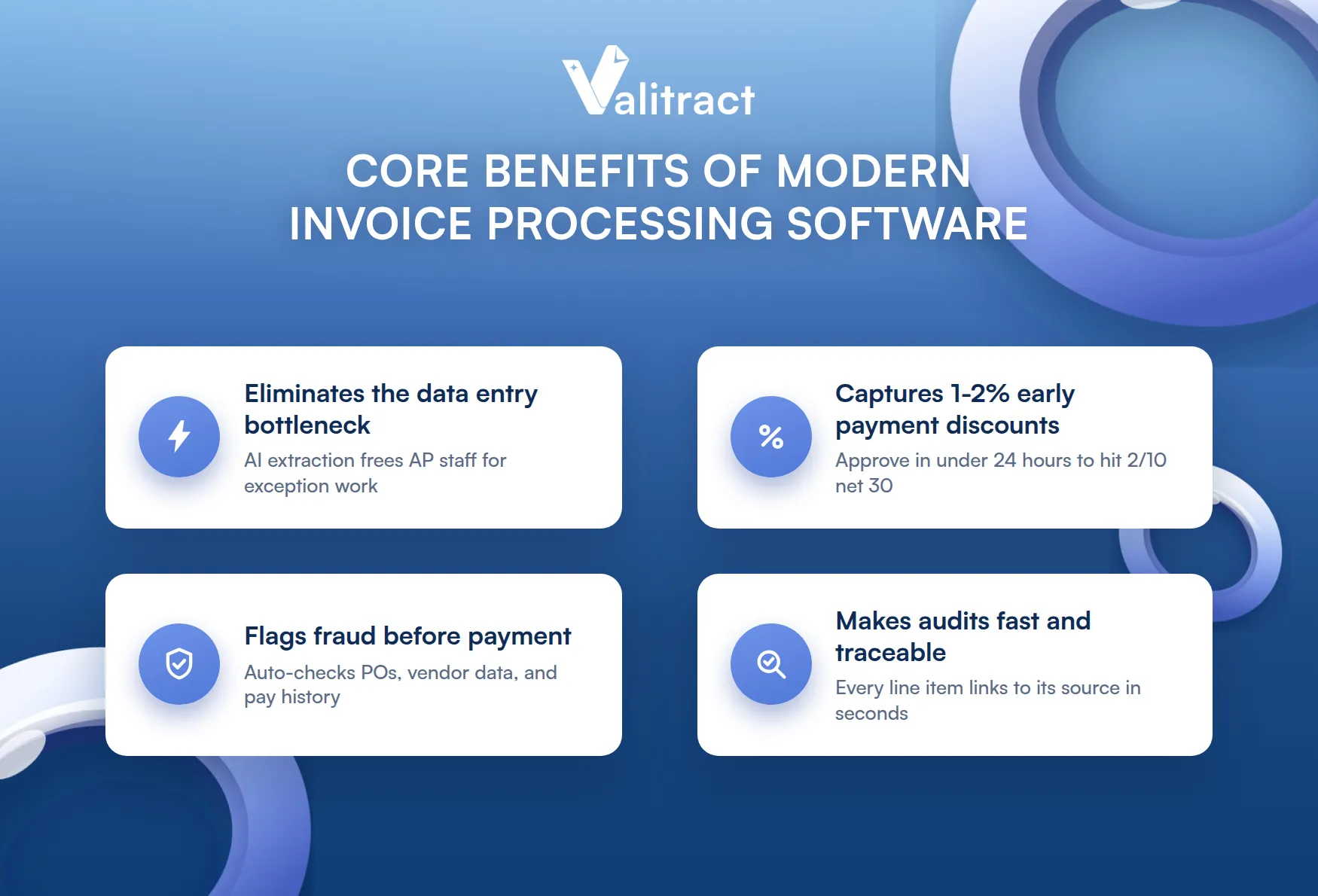
The most immediate benefit is the elimination of the data entry bottleneck. When invoices arrive by email, a manual AP process requires a person to open each attachment, read it, key in the fields, and check the totals. AI extraction handles that step automatically, shifting AP staff from data entry clerks to exception managers and financial analysts.
Beyond labor savings, automation creates financial margin that manual processing leaves on the table. Many enterprise vendors offer early payment discounts of 1–2% for invoices settled within 10 days (known as 2/10 net 30 terms). A finance team processing invoices manually at a 10–15 day cycle cannot capture these discounts consistently. An automated system that processes and approves invoices in under 24 hours can.
Fraud prevention is a third benefit that is often underestimated. Automated validation matrices cross-check each invoice against purchase orders, vendor master data, and historical payment records. Duplicate invoices, altered banking details, and phantom vendor entries are flagged before payment execution. Manual review catches these irregularities inconsistently.
Finally, automation simplifies audits. Every invoice runs through a documented digital workflow with timestamps, extraction logs, approval records, and ERP posting confirmations. At tax season or during an external audit, every line item traces back to its source document in seconds, not hours.
Manual vs. Automated Invoice Processing: The Cost of Friction
Automating invoice processing is not primarily about technology. It is about removing the financial and operational friction that manual workflows create at scale.
The velocity gap is significant. Manual invoice routing through email, approval chains, and manual ERP entry averages 10–15 days per invoice cycle, according to the Institute of Finance and Management (IOFM). AI-powered automation compresses that cycle to under 24 hours. For a company with 30-day payment terms, that difference is the gap between capturing early payment discounts and consistently paying at the last possible moment.
The financial burden compounds with volume. Manual processing, including labor for sorting, keying, checking, and exception handling, costs $12–$15 per invoice (APQC, 2026). Automation reduces this to under $3 per invoice. A team processing 1,000 invoices per month recovers $9,000 to $12,000 per month in labor and error costs.
The accuracy factor matters beyond the numbers. Manual data entry carries an inherent 1–3% human error rate, according to IOFM data, leading to duplicate payments, incorrect GL coding, and reconciliation work at period close. AI extraction tools maintain above 95% accuracy on standard printed documents from day one, with accuracy improving as the model learns from corrections.
The table below summarizes the operational difference across five metrics.
Manual vs. Automated Invoice Processing: Comparison Matrix
| Operational Metric | Manual Processing | Automated Processing |
| Average cost per invoice | $12–$15 | Under $3 |
| Processing lifecycle | 10–15 days | Under 24 hours |
| Data entry method | Human keying | AI extraction |
| Error rate | 1–3% | Under 1% (post-validation) |
| 3-way matching | Manual cross-check | Automated, real-time |
Sources: APQC 2026 benchmarks; Institute of Finance and Management (IOFM); vendor product documentation.
For more insight into invoice processing costs, check out our blog below.
Pro tip: Before calculating ROI on an automation investment, pull three months of actual invoice data from your AP system. Count total invoice volume, average days to payment, and any duplicate or overpayment adjustments. Those three numbers give you a baseline to measure against after implementation.
How Invoice Processing Automation Works: Step-by-Step
Invoice processing automation moves an invoice from arrival to ERP posting through four sequential stages. Each stage replaces a manual task with a system action.
Not every platform handles all four stages equally well. Some specialize in extraction accuracy; others focus on approval workflow depth or payment execution. Use the steps below to assess which stages matter most for your specific bottleneck.
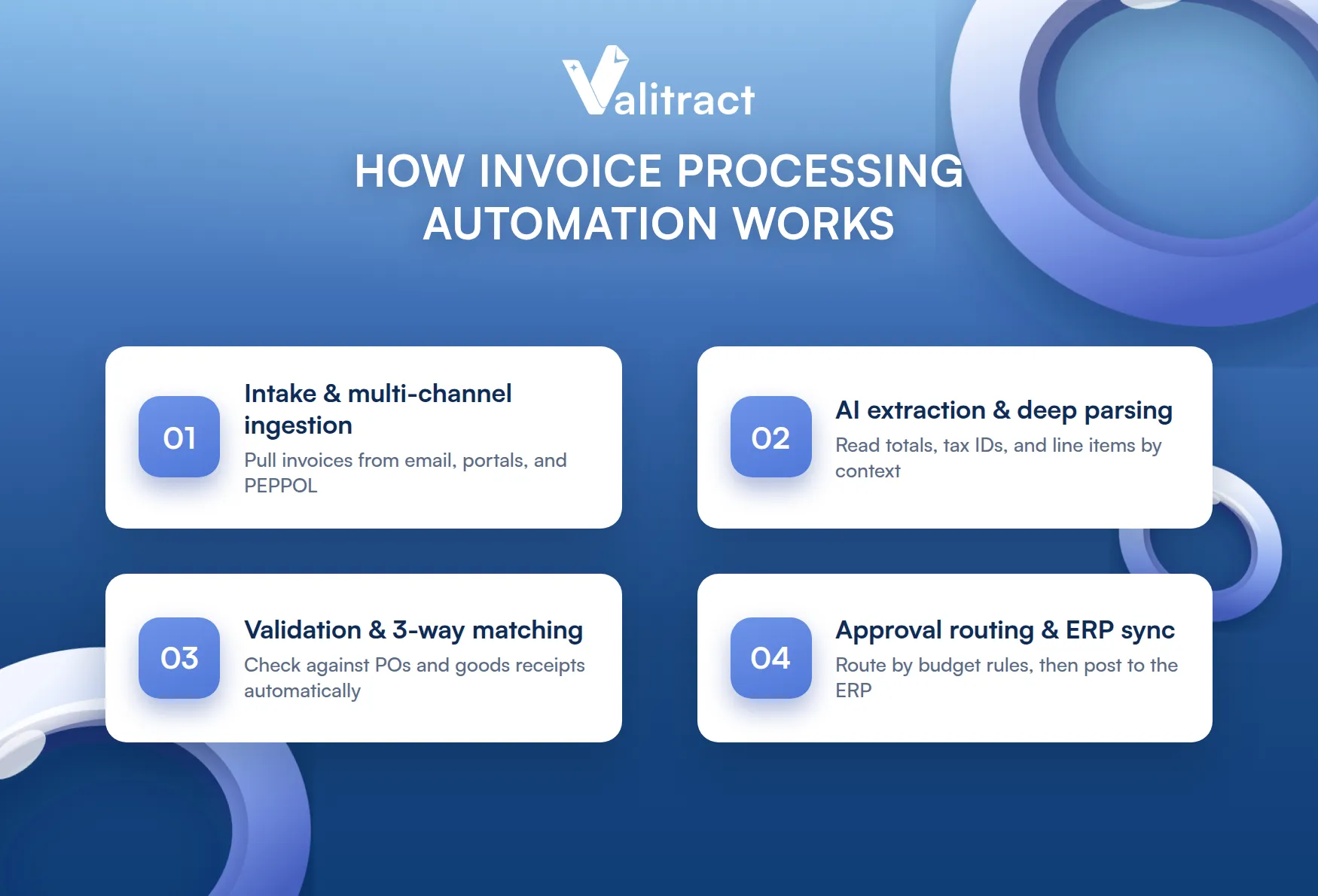
Step 1: Intake and multi-channel ingestion
The system collects incoming invoices from all source channels simultaneously. This includes email attachment monitoring, vendor portal submissions, EDI feeds, and electronic invoicing networks like PEPPOL. The system accepts PDF, JPEG, TIFF, PNG, and XML formats, normalizing them into a single processing queue regardless of source.
Step 2: AI-powered extraction and deep parsing
An AI extraction engine analyzes each document to locate and structure financial fields. Instead of matching pixels to a pre-configured template, the engine reads document context to find vendor name, invoice number, issue date, due date, VAT or tax ID, line items with SKU-level detail, subtotals, tax amounts, and net total. ValiTract handles this with template-free AI extraction: upload an invoice in any layout and the system maps all fields into structured JSON without requiring a vendor-specific template.
Step 3: Automated validation and 3-way matching
The extracted data runs through a validation matrix. The system checks the invoice total against the corresponding purchase order (PO) and goods received note (GRN). Any variance above a set tolerance threshold triggers an exception flag for human review. Duplicate invoice detection runs simultaneously, checking the invoice number, amount, and vendor ID against the AP ledger.
Step 4: Approval routing and ERP synchronization
Validated invoices route through a digital approval workflow based on the organization’s rules, such as cost center, invoice amount threshold, or vendor type. Once approved, the system posts the reconciled invoice data to the ERP via API, creating the ledger entry without manual input. A full audit trail records every action, timestamp, and approver decision against the original document.
Key Factors to Evaluate When Buying an Invoice Automation Solution
Choosing invoice processing software on features alone misses the criteria that predict long-term performance.
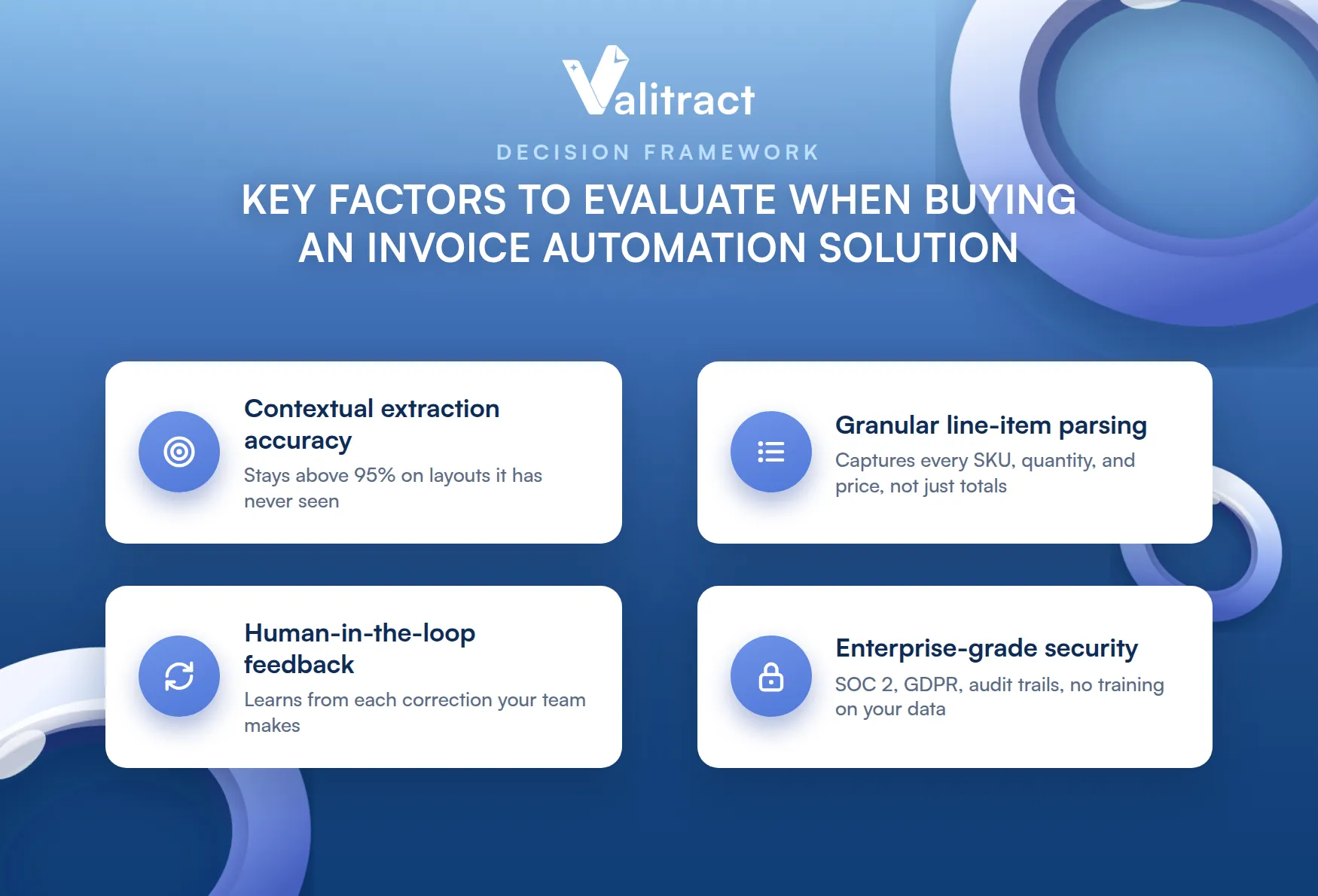
These four factors separate tools that deliver consistent ROI from tools that require ongoing manual intervention.
- Contextual extraction accuracy: Ask each vendor for accuracy data on documents outside their test set, not on a curated benchmark. Can the engine maintain above 95% accuracy on invoices it has never seen, in layouts it was not trained on? The answer determines how much setup work your team does for every new supplier.
- Granular line-item parsing: Many tools extract the invoice total correctly but fail on individual line items, especially when an invoice contains 50 or more SKUs with separate unit prices, quantities, and tax codes. Confirm whether the tool extracts full line-item detail or only summary data. For companies running 3-way matching at the line level, this is non-negotiable.
- Human-in-the-loop feedback: The best AI systems improve from corrections. When an AP reviewer fixes an extraction error, does the system learn from that correction and apply it to future invoices from the same vendor? Platforms with active learning reduce exception rates over time; platforms without it stay flat.
- Enterprise-grade security: Verify SOC 2 Type II certification, GDPR compliance, data residency options, and automatic data purge policies. For healthcare and financial services, HIPAA compliance is required. Confirm that your data is not used to train the vendor’s shared model.
FAQs about Invoice Processing Software
What is invoice processing software?
Invoice processing software is a platform that automates the lifecycle of an accounts payable invoice from capture and data extraction through validation, approval routing, and ERP posting. It replaces manual data entry with AI-powered extraction that reads vendor name, invoice number, line items, tax amounts, and payment totals directly from the document. Modern systems handle email intake, PDF parsing, 3-way matching against purchase orders, and direct ERP synchronization without human intervention on standard invoices.
What is the best invoice processing software?
The best invoice processing software depends on your team’s size, document volume, and existing ERP. ValiTract and Rossum are strong choices for mid-market teams prioritizing extraction accuracy and API flexibility. Stampli and BILL work well for SMBs that want AP automation with integrated payment execution. Tipalti is the leading option for teams managing large volumes of international supplier payments. Coupa and Basware serve large enterprises needing full spend management beyond AP. The right tool is the one that handles your highest-volume invoice layouts accurately on the first upload.
What software can automate invoice processing?
AI-powered platforms including ValiTract, Rossum, Yooz, Stampli, BILL, Tipalti, and Basware all automate invoice processing end-to-end. The key distinction is between template-based tools (which require configuration per vendor layout) and AI-powered tools (which adapt to new layouts automatically). For finance teams receiving invoices from many different suppliers, AI-powered extraction reduces setup time and ongoing maintenance significantly compared to template-based systems.
Can AI automate invoice processing entirely?
AI can automate the majority of invoice processing without human involvement. Extraction, validation, 3-way matching, approval routing for invoices within defined tolerances, and ERP posting can all run without manual input on standard invoices. Exceptions, such as invoices with quantities that do not match the PO, new vendors not yet in the system, or damaged scans, still require a human review step. Most enterprise AP teams target a touchless processing rate of 70–85%, with the remaining 15–30% handled by exception management. Platforms with active learning improve that touchless rate over time as the system learns from corrections.
Concluding Thought
The invoice processing software market in 2026 has split into two groups. The first group uses template-based OCR that requires configuration for each vendor layout and breaks when suppliers change their formats. The second group uses AI-powered extraction that reads document context and adapts to new layouts without setup.
For most finance teams, the decision is not whether to automate. At $12–$15 per manual invoice, the cost of not automating is a budget line that grows with every new supplier added to the AP system. The decision is which platform fits the team’s volume, ERP stack, and accuracy requirements.
Stop Paying $12 Per Invoice to Enter Data Manually
ValiTract extracts invoice data with 99.8% accuracy across 95+ languages, with no template configuration required for new vendor layouts. Connect it to QuickBooks, SAP, Xero, or any system via API or no-code integration. GDPR and HIPAA compliant. Your data is never used to train shared models.
99.8% extraction accuracy. GDPR and HIPAA compliant. Free tier available, no credit card required.
Valitract – Next-gen AI-Powered Data Extraction Platform
- Email: contact@valitract.com
- LinkedIn: https://www.linkedin.com/company/valitract-api-platform
- X: https://x.com/valitract