


Automated invoice processing is no longer a luxury.
For finance and accounts payable teams overwhelmed by paper trails, manual data entry, and month-end chaos, it has become a vital survival tool. Every day without it costs money: duplicate payments, missed early-payment discounts, strained vendor relationships, and audit risks that quietly accumulate.
If your AP team is still keying invoice data by hand, chasing approvals over email, or reconciling mismatches at the end of every quarter, this guide is for you. We’ll break down exactly what automated invoice processing is, how modern AI-powered systems work, the measurable benefits it delivers, and how to choose and implement the right solution for your business in 2026.
Whether you’re an AP manager evaluating your first automation tool or a CFO benchmarking vendors, this is the comprehensive resource you need to make a confident, data-backed decision.
What Is Automated Invoice Processing?
Definition of Invoice Automation
Automated invoice processing is the technology-driven process that uses AI, OCR, and workflow automation to capture, validate, match, and approve invoices without manual data entry, integrating seamlessly with existing accounting and ERP systems.
At its core, automated invoice processing is an evolution of the traditional accounts payable invoice processing workflow. In its manual form, this involves a person reading each invoice, entering data into a system, matching purchase orders, and waiting for manager sign-offs before a payment can be logged.
Modern AI invoice processing replaces those failure points with intelligent automation. Optical Character Recognition (OCR) reads structured and unstructured invoice documents – PDFs, scanned images, emails- and extracts fields like vendor name, invoice number, line items, and totals.
Machine learning models then validate this data against your existing records, flag anomalies, and route for approval, all without a human touching the keyboard. The result is a faster, more accurate, and fully auditable invoice automation pipeline.
For organizations looking to improve their document workflows beyond invoices, understanding what data entry automation is can provide additional context on how AI-powered extraction and workflow automation can reduce manual processing across business operations.
Manual vs. Automated Invoice Processing: A Direct Comparison
Before committing to any invoice automation solution, it helps to see the concrete difference between where most teams are and where they could be. Similar to the broader debate around Manual vs. Automated Data Entry, invoice processing presents a clear tradeoff between labor-intensive workflows and scalable automation.
| Criteria | Manual Processing | Automated Processing | Improvement |
| Processing Time | 5–10 days | 24–48 hours | ~80% faster |
| Error Rate | 3–5% | <1% | Up to 5x fewer errors |
| Cost per Invoice | $15–$40+ | $2–$5 | Up to 80% cost reduction |
| Visibility / Tracking | Limited (email/paper trail) | Real-time dashboards | Full audit trail |
| Scalability | Needs more headcount | Scales automatically | No linear cost increase |
| Fraud Detection | Manual review only | AI anomaly detection | Proactive alerts |
The data is clear: automated invoicing software doesn’t just speed things up, it fundamentally changes the cost structure and risk profile of your AP function. Organizations processing 500+ invoices per month see the most dramatic ROI, though even smaller teams benefit significantly from eliminating manual errors and approval bottlenecks.
Core Features of a Modern Automated Invoice Processing System
Not all invoice automation tools are equal. An enterprise-grade automated invoice processing system should include:
- AI & LLM-Powered Data Capture: Combines advanced OCR with Generative AI (Large Language Models) to extract structured data from any invoice format with contextual understanding, achieving near-perfect accuracy without needing template setup.
- 3-Way Matching: Automatically reconciles the invoice against the corresponding purchase order (PO) and goods receipt to validate that what was ordered, received, and billed all align.
- Automated Approval Workflows: Routes invoices to the right approvers based on vendor, amount, department, or GL code, with escalation rules for exceptions.
- ERP & Accounting Integration: Syncs bi-directionally with your ERP, accounting software, or payment platform so data flows without re-entry.
- Exception Handling & Fraud Detection: Flags duplicate invoices, mismatched amounts, suspicious vendors, or unusual payment patterns for human review.
- Real-Time Tracking & Audit Trail: Every invoice action is logged with timestamp and user, providing a complete audit trail for compliance and dispute resolution.
- Vendor Self-Service Portal: Allows suppliers to submit invoices, check payment status, and resolve disputes without calling your AP team.
How Does Automated Invoice Processing Work?
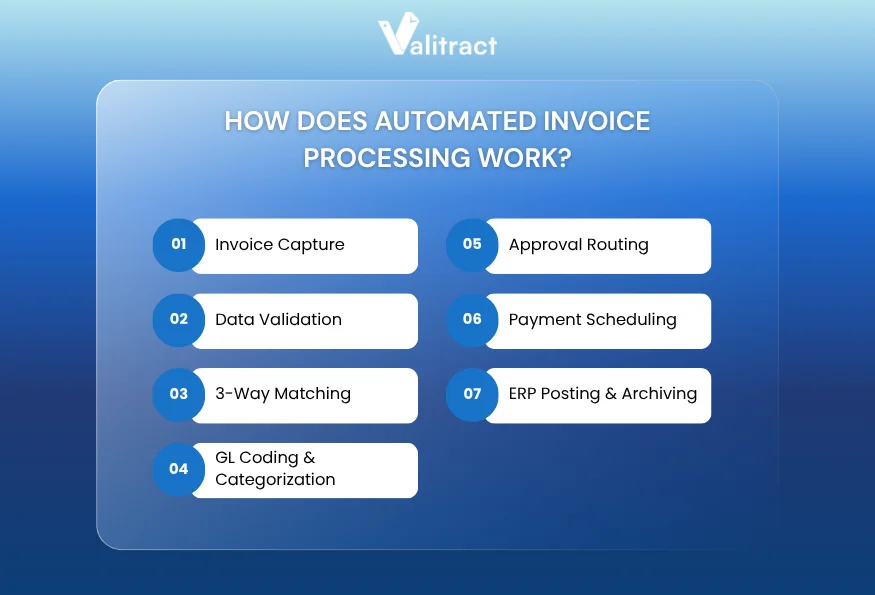
Understanding how automated invoice processing works helps you evaluate tools more intelligently and set realistic expectations for your team. Here’s the typical end-to-end flow:
- Invoice Capture: The system ingests invoices from any source – email attachments, supplier portals, EDI feeds, or scanned documents. OCR technology reads the document and extracts key fields: vendor name, invoice number, date, line items, tax, and total amount.
- Data Validation: Extracted data is checked for completeness and accuracy. The system flags missing fields, illegible data, or values that fall outside expected ranges (e.g., an invoice total 3× higher than the historical average from that vendor).
- 3-Way Matching: The invoice is automatically matched against the purchase order and goods receipt record in your ERP. Discrepancies in quantity, price, or vendor details are flagged as exceptions rather than silently passed through.
- GL Coding & Categorization: Machine learning models suggest the appropriate general ledger code based on vendor history, line-item descriptions, and department mappings, eliminating one of the most time-consuming manual steps.
- Approval Routing: Compliant invoices are automatically routed through your approval hierarchy. Approvers receive a notification with the invoice, matched PO, and any supporting documents, accessible on mobile or desktop.
- Payment Scheduling: Approved invoices are queued for payment according to your configured terms, with early-payment discount opportunities surfaced automatically.
- ERP Posting & Archiving: The system posts the approved invoice to your accounting system and archives the original document with a full audit trail, accessible for reporting or compliance review.
This end-to-end invoice processing automation typically reduces the time from invoice receipt to payment approval from days to hours, and eliminates most of the manual touchpoints that introduce errors and delays.
Key Benefits of Automated Invoice Processing
The benefits of automated invoice processing are well-documented across industries. Here’s what the data shows:
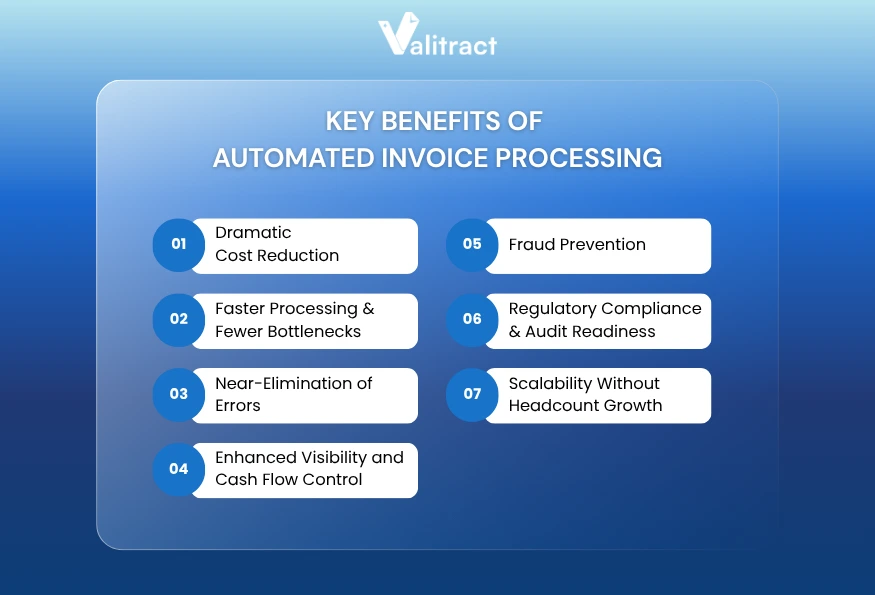
1. Dramatic Cost Reduction
Manual invoice processing costs between $15 and $40 per invoice when you factor in labor, error correction, and overhead. Automated systems bring that figure down to $2–$5. For an organization processing 1,000 invoices per month, that’s a potential saving of $10,000–$35,000 monthly, or $120,000–$420,000 annually.
2. Faster Processing & Fewer Bottlenecks
Manual AP cycles typically take 5–10 business days. Automated invoice processing software reduces this to 24–48 hours or less. Faster processing means you can capture early-payment discounts (typically 1–2% for paying within 10 days), which can amount to significant savings at scale.
3. Near-Elimination of Errors
Manual data entry carries an error rate of 3–5%. AI-powered invoice processing automation reduces this to under 1%. Fewer errors mean fewer duplicate payments, fewer vendor disputes, and fewer write-offs, all of which directly impact your bottom line.
4. Enhanced Visibility and Cash Flow Control
With real-time dashboards and automated accruals, finance teams gain accurate, up-to-the-minute visibility into liabilities. This dramatically improves cash flow forecasting and removes the end-of-month scramble to close the books.
5. Fraud Prevention
AI-powered systems detect anomalous patterns that human reviewers miss: duplicate invoices from the same vendor with different reference numbers, invoices from newly registered vendors with similar bank accounts to known vendors, or sudden spikes in invoice frequency. These controls are built-in, not bolted on.
6. Regulatory Compliance & Audit Readiness
Every action in an automated system is timestamped and attributed to a specific user or rule. When auditors request documentation, you can export a complete audit trail in minutes rather than days. This is especially valuable in regulated industries like financial services, healthcare, and government contracting.
7. Scalability Without Headcount Growth
Manual AP scales linearly with volume, more invoices means more staff. Automated invoice processing systems scale horizontally without proportional cost increases. A team of five AP specialists can comfortably manage 10× their previous invoice volume once automation is in place.
| Real-World Impact According to industry benchmarks, companies that fully automate their AP processes reduce invoice processing costs by up to 80%, achieve straight-through processing rates of 70–85% (no human touch required), and close their financial books up to 25% faster. |
How to Implement Automated Invoice Processing in Your Business
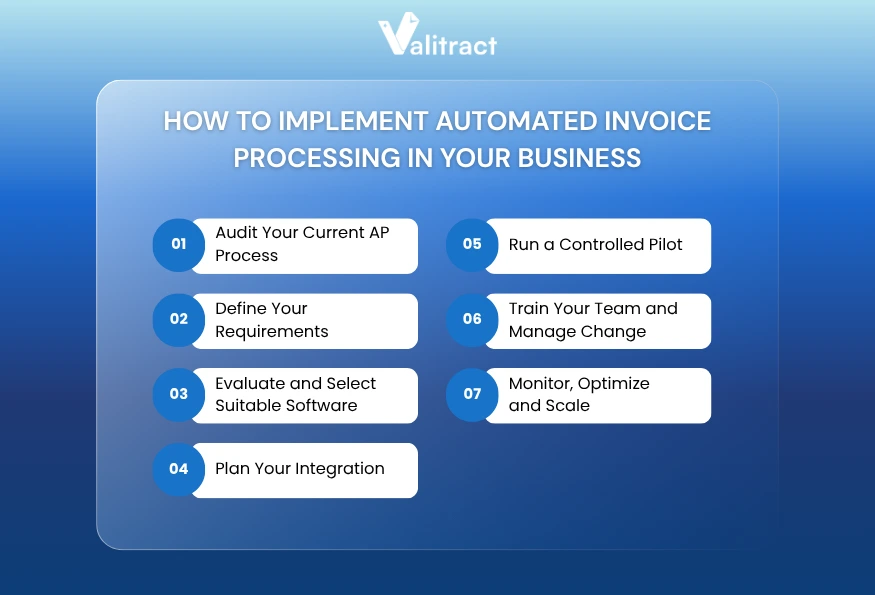
Knowing how to implement automated invoice processing correctly is as important as choosing the right software. A rushed or poorly scoped implementation is the most common reason automation projects underdeliver. Follow this actionable framework:
Step 1: Audit Your Current AP Process
Before selecting any tool, map your existing workflow end-to-end. Identify: How many invoices do you process monthly? What formats do they arrive in? Where do invoices get stuck (approval, matching, coding)? What is your current error rate and average processing time? This baseline will define your ROI target and your must-have feature list.
Step 2: Define Your Requirements
Separate your requirements into non-negotiable (e.g., ERP integration, multi-currency support, approval hierarchy configuration) and nice-to-have (e.g., vendor portal, mobile app, AI coding suggestions). This prevents scope creep and keeps vendor evaluations objective.
Step 3: Evaluate and Select Your Automated Invoice Processing Software
Use the criteria in the next section to shortlist 2–3 vendors. Request demonstrations using your actual invoice samples, rather than examples provided by the vendors. Pay particular attention to how each automated invoice processing system handles your most problematic invoice types (handwritten, multilingual, non-standard layouts).
You may also want to review our guide on the best invoice OCR software and the best invoice data extraction software to understand the underlying technologies before evaluating full-suite platforms.
Step 4: Plan Your Integration
Integration with your ERP or accounting system is the technical backbone of the project. Confirm that the vendor supports your specific ERP version (not just the platform). Allocate adequate time, typically 2–6 weeks, for integration setup, field mapping, and testing.
Step 5: Run a Controlled Pilot
Don’t go live company-wide on day one. Select a single vendor, invoice category, or department for your pilot. Process 100–200 real invoices and measure your actual accuracy rate, processing time, and exception volume before expanding.
Step 6: Train Your Team and Manage Change
Although automation changes the AP role, it doesn’t eliminate it. Your team needs to shift from data entry to exception management and vendor relationship oversight. Invest in training and communicate clearly about how roles will evolve. Resistance to change is the #1 implementation killer.
Step 7: Monitor, Optimize, and Scale
After go-live, monitor straight-through processing rates weekly for the first 90 days. Every exception that requires human review is a training opportunity for the AI. Work with your vendor to improve extraction rules and approval logic. Once your pilot is stable, expand to additional vendors and invoice categories.
Top 5 Automated Invoice Processing Software Solutions in 2026
Choosing the right automated invoice processing software depends on your company size, ERP ecosystem, invoice volume, and budget. Here’s how the leading platforms compare:
| Software | Core Strengths | Best For | Integrations | Pricing | Trial |
| Valitract | AI-native OCR + smart extraction | SMB to Enterprise | 300+ ERPs / APIs | Custom | Free trial |
| NetSuite | Full ERP with AP automation built-in | Mid-market to Enterprise | Oracle ecosystem | $$$ (module) | Demo only |
| Rossum | AI document understanding | Enterprise AP teams | SAP, Oracle, NetSuite | Contact sales | Free trial |
| QuickBooks | Basic invoice matching & approval | SMB / Freelancers | QuickBooks ecosystem | From $30/mo | 30-day trial |
| FreshBooks | Client invoicing + basic AP | Small business / Self-employed | Limited integrations | From $17/mo | 30-day trial |
Valitract: Best Automated Invoice Processing System for Accuracy-First Teams
Valitract is an AI-native document intelligence platform built specifically for high-accuracy invoice data capture and extraction. Unlike legacy RPA-based tools, Valitract uses adaptive machine learning that continuously improves on your specific vendor formats and document types.
Key Features:
- AI-Powered OCR: Industry-leading extraction accuracy across PDFs, scans, images, and handwritten invoices.
- Smart Field Mapping: Automatically maps extracted data to your ERP fields without manual rules configuration.
- 300+ Integration Connectors: Connects natively to major ERPs, accounting platforms, and payment systems.
- Real-Time Validation Engine: Flags errors and anomalies before data enters your system of record.
- Full Audit Trail: Every extraction, match, and approval action is logged and exportable for compliance.
Best For: Finance teams that process high volumes of varied invoice formats and need maximum extraction accuracy with minimal exceptions.
Pricing: Flexible plans based on volume. Visit Valitract Pricing for current details.
Trial: Free trial available, no credit card required.
How to Choose the Right Invoice Automation Software
Use this framework to score each vendor objectively before making your final decision:
1. Extraction Accuracy on YOUR Documents
Vendor demos use clean, well-formatted invoices. Ask for a proof-of-concept with 50–100 of your own invoice samples. Measure actual field-level accuracy, not just document-level recognition rates.
2. ERP Integration Depth
Confirm bi-directional integration with your specific ERP version. Shallow integrations (export CSV, import manually) add manual steps that defeat the purpose of automation. Ask specifically about field mapping flexibility and real-time vs. batch sync.
3. Exception Management Workflow
No system achieves 100% straight-through processing. Evaluate how the tool handles exceptions: Is the exception queue intuitive? Can approvers resolve exceptions from mobile? How are exception learnings fed back into the AI model?
4. Scalability and Pricing Model
Understand the pricing structure: per-invoice, per-user, or flat subscription. Per-invoice pricing aligns vendor incentives with your success, but can get expensive at scale. Flat subscriptions are more predictable. Model your projected volume growth for 12 and 36 months.
5. Security and Compliance Certifications
Invoice data is sensitive financial information. Verify: SOC 2 Type II certification, data encryption at rest and in transit, role-based access controls, and geographic data residency if relevant to your regulatory environment.
6. Implementation Timeline and Support
Ask for a realistic implementation timeline based on your ERP and invoice volume, not the vendor’s best-case scenario. Confirm what onboarding support is included and what costs extra. Poor implementation support is the single biggest source of customer dissatisfaction in this category.
| Pro Tip Always negotiate a pilot clause: pay for a 60-day pilot at reduced cost before committing to an annual contract. Any reputable automated invoice processing software vendor will agree to this. |
FAQs about Automated Invoice Processing
What is the difference between invoice automation and automated invoice processing?
Invoice automation is the broader category that includes automating any part of the invoicing lifecycle, including generation, delivery, reminders, and payment. Automated invoice processing, more specifically, refers to the accounts payable side: capturing, validating, matching, approving, and posting inbound invoices from suppliers. The terms are often used interchangeably, but AP-focused tools focus almost exclusively on the processing and approval workflow.
Can AI invoice processing handle unstructured PDF invoices?
Yes, modern AI invoice processing tools use a combination of OCR, layout analysis, and natural language understanding to extract data from unstructured documents, including scanned PDFs, image-based invoices, and even handwritten forms. Accuracy varies by vendor and document quality; always test with your actual invoice samples before committing.
How does automated invoice processing prevent fraud?
Leading invoice processing automation platforms include built-in fraud detection that flags: duplicate invoice numbers from the same vendor, invoices from vendors not in the approved vendor master, sudden changes in bank account details, invoice amounts that deviate significantly from historical norms, and invoices submitted outside normal business hours or from unusual IP addresses. These controls run automatically on every invoice.
What is invoice automation software?
Invoice automation software is a category of financial technology that replaces manual accounts payable tasks with AI-driven workflows. It typically includes OCR data capture, PO matching, approval routing, ERP integration, and payment scheduling, consolidating what was previously a multi-system, multi-person process into a single, auditable pipeline.
How does automated invoice processing work?
At a high level: invoices are captured from any source (email, portal, EDI), data is extracted via OCR and AI, the system validates and matches against POs and receipts, GL codes are suggested, the invoice is routed for approval, and upon approval, it is posted to the ERP and queued for payment, all automatically. See the How Does Automated Invoice Processing Work? section above for the full step-by-step breakdown.
How to implement automated invoice processing?
The seven-step implementation framework above covers this in full. The short version: audit your current process → define requirements → select software → plan ERP integration → run a pilot → train your team → monitor and scale. The most important step is the pilot: never go live company-wide without first validating accuracy on a representative sample of your real invoices. Refer also to our in-depth guide on invoice data extraction software for the technical context on the capture layer.
Concluding Thought
Automated invoice processing is not a future capability; it is the operational standard for finance teams that want to remain competitive in 2026. The question is no longer whether to automate, but how quickly you can get there and which platform will deliver the best results for your specific environment.
The tools covered in this guide, particularly purpose-built platforms like Valitract, represent the current state of the art in AI invoice processing. They combine OCR accuracy, intelligent matching, and configurable workflows in ways that genuinely transform the AP function from a cost center into a strategic asset.
Start with your baseline: how many invoices, how many errors, and how long does approval take? Then map that to the features and pricing of the right invoice automation solution for your scale. The ROI case almost always writes itself.
Valitract – Next-gen AI-Powered Data Extraction Platform
- Email: contact@valitract.com
- LinkedIn: https://www.linkedin.com/company/valitract-api-platform
- X: https://x.com/valitract