


TL;DR
- The best OCR API is the one that returns clean, structured JSON your pipeline can use without custom parsing, not just the cheapest per-page rate.
- For raw text at hyperscaler scale, Google Document AI, Amazon Textract, and open-source Tesseract lead. For structured field extraction with no per-vendor templates, Valitract, Mindee, Docsumo, Nanonets, and Rossum lead.
- Cloud OCR pricing ranges from free open-source (Tesseract) to roughly $1.50 per 1,000 pages for basic OCR, up to $30 to $50 per 1,000 pages for structured forms and tables.
- Always test on your own messy production documents, read confidence scores, and check data-retention policies before you commit.
Choosing the best OCR API is now a core architecture decision, not an afterthought. Modern applications cannot absorb the processing latency of manual text extraction or the maintenance burden of fragile custom parsing scripts. A fast, high-accuracy optical character recognition API feeds clean JSON straight into production pipelines, so your team ships features instead of babysitting regex.
This guide compares the 10 best OCR API options in 2026 across accuracy, pricing, latency, and developer experience, so you can match the right engine to your stack and your document volume.
What Is an OCR API?
An OCR API is a cloud endpoint that converts text inside images, scanned paper, and PDFs into machine-readable characters, returning the result as structured data your code can consume directly. You send a document, and the service returns text, key-value fields, and often line items as JSON.
The distinction that matters in 2026 is what comes back. A basic engine returns a flat string of recognized characters. An AI-native engine returns semantic fields, so an invoice arrives as invoice_number, total_amount, and due_date rather than one long block of text you still have to parse.
Why Developers Are Moving from Traditional OCR Software to AI-Native APIs
Legacy desktop OCR software was built to digitize clean, predictable pages. It struggles the moment a document is rotated, poorly lit, photographed at an angle, or laid out as a dense multi-column table. Each new vendor format often meant a new template or a new set of zonal rules to maintain.
Cloud-based AI OCR software endpoints take a different approach. They combine neural networks and computer vision to read a document contextually, then map the result into semantic fields instead of a chaotic string dump. The result for a developer is fewer edge-case failures, no template library to maintain, and a JSON payload that drops straight into a database or an ERP.
The 10 Best OCR API Platforms of 2026
The best OCR API for your project depends on whether you need raw text, structured fields, or a full no-code workflow on top. The table below gives a quick orientation, and the detailed breakdowns follow.
Table 1. Quick comparison of the 10 best OCR API platforms in 2026.
| Tool | Pricing model | Stands out for | Best for | No-code UI |
| Valitract | Free tier, then usage-based | Template-free structured extraction, REST API + dashboard | Teams wanting clean JSON without template upkeep | Yes |
| Docsumo | Subscription + setup fee | Financial-document IDP with validation | Lending, insurance, and finance teams | Yes |
| Nanonets | Credit / block-based | Workflow automation on top of extraction | AP and ops teams building end-to-end flows | Yes |
| ABBYY | Enterprise quote | Multilingual and handwriting recognition | Large enterprises with global document mix | Partial |
| Google Document AI | Pay-as-you-go per page | Hyperscaler scale and GCP integration | Teams already on Google Cloud | No |
| Amazon Textract | Pay-as-you-go per page | Hyperscaler scale and AWS integration | Teams already on AWS | No |
| Tesseract OCR | Free, open source | Full control, self-hosting | Developers who want raw text and no vendor | No |
| Rossum | Enterprise quote | Template-free AP automation with workflow | Mid-market and enterprise AP | Yes |
| Docparser | From $39 per month | Rule-based parsing at low cost | Low volume with stable vendor layouts | Yes |
| Mindee | Free tier, then per page | Developer-first APIs with EU and US hosting | Engineering teams embedding extraction | Partial |
Source: vendor pricing and documentation pages, accessed June 2026. Confirm current rates with each provider before committing.
1. Valitract
Valitract is a template-free, AI-native data extraction platform that exposes its OCR through a REST API and a no-code dashboard. It reads invoices, receipts, bank statements, passports, and IDs, and returns structured JSON fields rather than a raw text dump, so a brand-new vendor layout works on the first upload with no template built in advance.
Key features: template-free visual extraction, line-level and key-value output, support for 95+ languages, a no-code dashboard alongside the API, and document validation including MRZ and visual-zone reading with ICAO 9303 checksum checks for identity documents.
Pricing: a free tier to start, then usage-based pricing as volume grows. The invoice product includes a free monthly allowance for testing before you pay.
Pros: high extraction accuracy of up to 99.8% on standard documents, no per-vendor template maintenance, clean structured output, and both a developer API and a dashboard for non-technical reviewers.
Cons: SOC 2 Type II and ISO 27001 are in progress rather than already certified, and the platform focuses on document capture, extraction, and validation rather than biometric identity matching.
2. Docsumo
Docsumo is an intelligent document processing platform aimed at financial documents such as invoices, bank statements, and tax returns. It uses machine learning to extract fields and tables without per-document templates, and it adds a validation layer that maps extracted values against master-data tables.
Key features: pre-trained and custom models, table extraction, document classification, a review interface, API and webhook access, and validation rules.
Pricing: a free plan covers a small page allowance, a Growth tier adds API access and webhooks at a few thousand pages per month, and enterprise pricing is custom. Setup fees apply on top of the subscription.
Pros: strong on multi-page financial documents, transparent subscription model, and developer-friendly API and staging environment.
Cons: geared toward developer-led teams, so non-technical configuration can be involved, and support response times draw occasional criticism.
3. Nanonets
Nanonets is an AI document processing platform that pairs OCR with deep-learning models and workflow automation. It converts invoices, purchase orders, receipts, and forms into structured data, then routes that data to systems of record such as SAP, QuickBooks, and Xero.
Key features: pre-trained and custom models, zero-template extraction, classification, validation, and workflow blocks that post data to downstream tools.
Pricing: a credit and block-based model where each workflow step counts as a run. Every account starts with credit to process thousands of documents, and a typical invoice runs several blocks end-to-end.
Pros: accurate on complex layouts, broad integration coverage, and a usable interface for non-developers.
Cons: block-based pricing can be hard to predict at scale, and complex custom models still require technical setup time.
4. ABBYY
ABBYY is a long-standing OCR and intelligent document processing vendor whose stack spans the FineReader engine, the Vantage IDP platform, and cloud OCR services. Its strength is breadth: very wide language coverage and mature handwriting recognition.
Key features: recognition across 200+ languages, intelligent character recognition for handwriting, classification, and enterprise deployment options.
Pricing: enterprise quote-based, typically arranged through sales rather than self-serve.
Pros: excellent multilingual and handwriting accuracy, and a deep enterprise feature set.
Cons: no easy self-serve trial for the enterprise products, and pricing and onboarding are heavier than developer-first APIs.
5. Google Document AI
Google Document AI is the document-processing layer of Google Cloud, offering general-purpose OCR plus specialized processors for invoices, receipts, and identity documents. It fits teams that already run on Google Cloud and want native integration with services like BigQuery and Cloud Storage.
Key features: Enterprise Document OCR, prebuilt processors, custom extractors, and asynchronous batch processing for high volume.
Pricing: basic Enterprise OCR runs about $1.50 per 1,000 pages and drops to roughly $0.60 per 1,000 pages above five million pages per month, while Form Parser and Custom Extractor run about $30 per 1,000 pages. New customers get $300 in free credit, and deployed custom processors carry an hourly hosting fee.
Pros: hyperscaler reliability, deep GCP integration, and low per-page cost for plain OCR.
Cons: structured extraction costs far more than raw OCR, and standing up a production pipeline takes real engineering time plus GCP setup.
6. Amazon Textract
Amazon Textract is the AWS document extraction service, with separate APIs for raw text, forms, tables, expenses, and identity documents. Like Google’s offering, it suits teams already inside its cloud, in this case AWS.
Key features: DetectDocumentText for OCR, AnalyzeDocument for forms and tables, AnalyzeExpense for invoices and receipts, AnalyzeID for identity documents, and bounding boxes plus confidence scores on every element.
Pricing: basic OCR is about $1.50 per 1,000 pages, forms run about $50 per 1,000 pages, tables add about $15 per 1,000 pages, and the purpose-built expense API runs roughly $8 to $10 per 1,000 pages. A three-month free tier covers 1,000 basic-OCR pages per month.
Pros: strong raw-text accuracy, granular per-feature APIs, and tight AWS integration.
Cons: feature-stacked pricing adds up quickly, and value is hard to justify outside the AWS ecosystem.
7. Tesseract OCR
Tesseract is the leading open-source OCR engine, free under a permissive license and maintained as a community project. It is the right call when you want full control, self-hosting, and zero vendor lock-in, and you have the engineering capacity to build around it.
Key features: text recognition across 100+ languages, local or container deployment, and complete control over the pipeline.
Pricing: free.
Pros: no per-page cost, no data leaving your infrastructure, and total flexibility.
Cons: no official support, no structured field output out of the box, and noticeably better results only after you add image pre-processing and your own parsing layer.
8. Rossum
Rossum is a template-free, AI-native platform built specifically for accounts payable and transactional documents. It captures data from any invoice layout from day one, then layers validation and approval routing on top.
Key features: template-free extraction, a self-learning model, validation against your ERP, approval workflows, and API plus SFTP integration with systems like SAP and Coupa.
Pricing: enterprise quote-based on volume and workflow complexity, with a minimum one-year contract.
Pros: up to 98% accuracy, fast deployment, a strong workflow layer, and certifications including ISO 27001 and SOC 2 Type II.
Cons: a higher price point that can be steep for small teams, and some users report meaningful cost increases at renewal.
9. Docparser
Docparser is a rule-based document parser that uses zonal OCR and pattern matching to pull data from PDFs, Word files, and images. It is reliable and inexpensive for teams that receive a stable set of vendor layouts.
Key features: template builder with field rules, a SmartAI Parser mode that drafts rules from a sample, and exports to Sheets, CSV, JSON, and connected apps.
Pricing: from $39 per month for 100 documents, with a 14-day trial and a limited free plan.
Pros: high accuracy on consistent layouts, very cost-effective at low volume, and broad integration support.
Cons: each new vendor format needs a new template, so maintenance becomes the bottleneck once you process hundreds of varied layouts.
10. Mindee
Mindee is a developer-first document processing platform whose docTI technology combines deep learning, computer vision, and large language models to read documents without a training phase. It targets engineering teams embedding extraction directly into a product.
Key features: template-free extraction, pre-built and custom models, confidence scores, SDKs across Python, Node.js, Java, and more, and a choice of EU or US data hosting.
Pricing: a free tier covers 250 pages per month, after which per-page pricing starts around $0.10 and decreases with volume. Higher tiers add advanced features.
Pros: clean JSON output, fast synchronous responses, SOC 2 Type II with regional data zones, and strong international coverage.
Cons: described by some reviewers as technical to set up and maintain, and pricing in euros adds a conversion step for USD budgeting.
How to Evaluate the Best OCR API Software
The right evaluation focuses on production reality, not a polished demo. Before you shortlist anyone, weigh these seven factors against your own documents and your own stack.
- Data extraction accuracy: look for accuracy above 99% on distorted scans, camera-angled photos, and faint-ink characters, not just on clean samples.
- Volume and pricing models: analyze the cost structure for your scale, whether it is billed per page, per API request, or as a flat subscription with volume discounts.
- API response latency: high-throughput systems need fast execution, ideally under two seconds per page, to keep background job queues from backing up.
- JSON payload quality: the best engines return nested object trees that map line items and key-value relationships out of the box, so you write less glue code.
- SDK and language support: native libraries across Node.js, Python, Go, and Java shorten prototype-to-production time.
- Security and compliance: confirm the provider meets the standards you need, such as GDPR, HIPAA, and SOC 2 Type II, to protect sensitive data and personally identifiable information.
- Developer versus no-code integration: decide whether you want a pure API for engineers or a no-code interface so non-technical teams can build and review workflows.
Understanding the AI OCR Data Pipeline Architecture
Every OCR API request moves through the same four-stage lifecycle before clean data lands in your database. Knowing the stages helps you debug where a payload goes wrong.
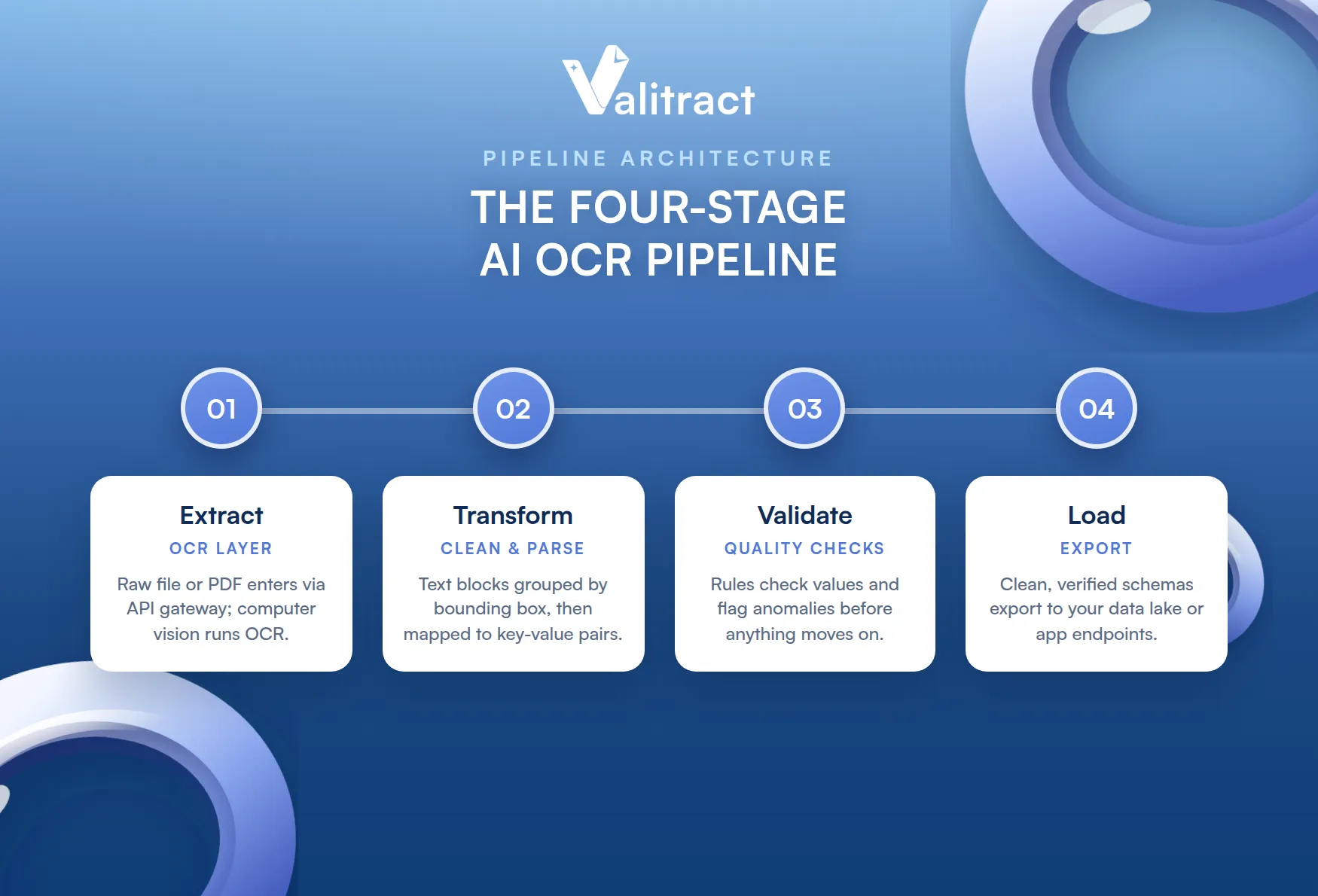
- Extract (OCR layer): the raw file or multi-page PDF is ingested through an API gateway, and computer vision isolates boundaries and runs character recognition.
- Transform (clean and parse): the engine groups text blocks by bounding-box coordinates and uses model post-processing to map strings into key-value pairs.
- Validate (quality checks): data-quality rules evaluate values, for example confirming totals are numeric or that text fields match lookup tables, and flag anomalies.
- Load: clean, verified schemas are exported to a data lake or straight to your application endpoints.
Common Mistakes When Integrating an OCR API
Most OCR integration failures trace back to four avoidable mistakes. Watch for each one during your pilot.
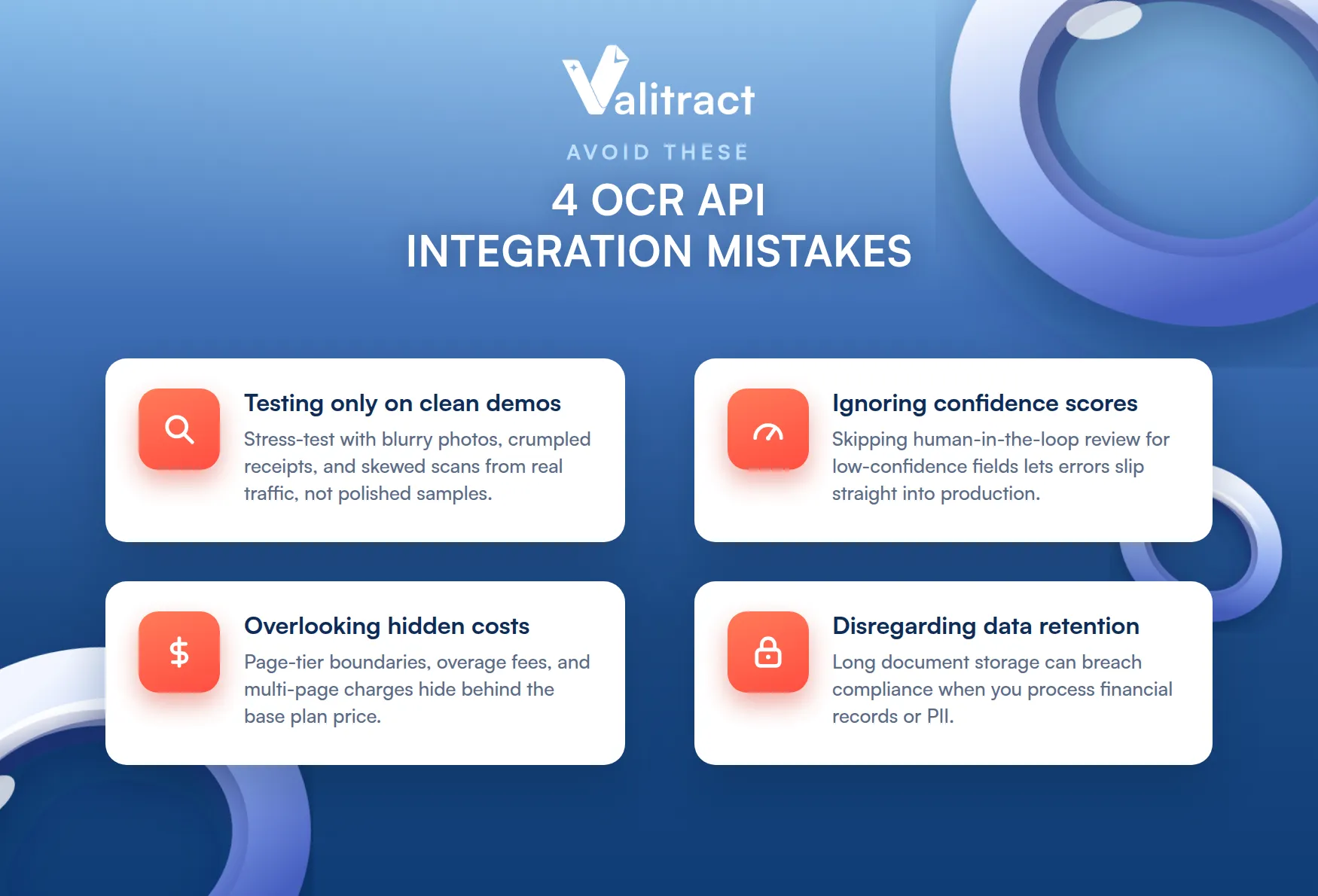
- Testing only on standardized demos: evaluating an API on clean, high-resolution samples instead of stress-testing it with blurry photos, crumpled receipts, and skewed scans from real production traffic.
- Ignoring OCR confidence scores: skipping a human-in-the-loop review workflow for low-confidence fields, which lets unverified errors slip directly into production systems.
- Overlooking hidden infrastructure costs: focusing only on the base plan while missing page-tier boundaries, overage fees, and premium charges for multi-page documents.
- Disregarding data-retention policies: neglecting how long a provider stores your documents, which can create compliance violations when you process sensitive financial records or personally identifiable information.
5 Enterprise OCR API Industry-Wise Use Cases
OCR APIs deliver the most value wherever document volume and stakes are both high. These five sectors show the pattern.
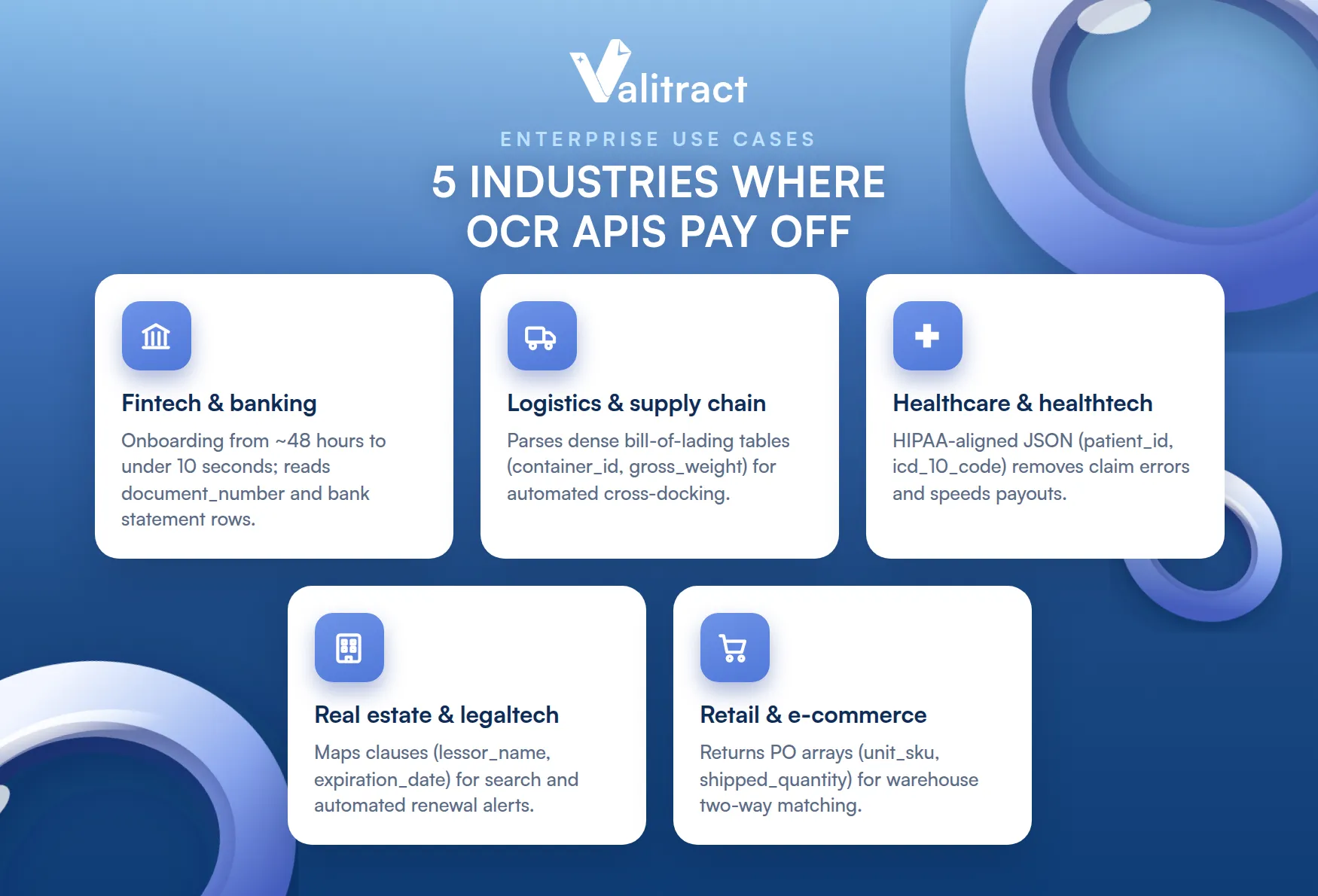
1. Fintech and Banking (Automated KYC and Loan Processing)
- The ingestion challenge: manual review of identity documents, passports, and bank statements slows onboarding and introduces compliance risk.
- The API payload solution: developers send scanned PDFs and smartphone photos to an AI OCR software endpoint that isolates fields like document_number, date_of_birth, full_name, and itemized monthly transaction rows. For account-opening and credit decisions, a PDF to Excel bank statement converter turns raw statements into analyzable rows, and dedicated bank statement extraction software keeps the data clean enough for compliance.
- Operational impact: cuts KYC onboarding and credit-risk assessment from around 48 hours to under 10 seconds, removing manual review queues.
2. Logistics and Supply Chain (Global Bill of Lading Parsing)
- The ingestion challenge: logistics firms receive hundreds of multi-page bills of lading, customs declarations, and freight manifests a day from carriers that all use different layouts.
- The API payload solution: an advanced OCR model parses the unstructured document and extracts dense table grids, including container_id, gross_weight, port_of_loading, and individual SKU line items.
- Operational impact: powers automated cross-docking and inventory auditing, removing data-entry backlogs at shipping terminals.
3. Healthcare and Healthtech (Medical Claims Extraction)
- The ingestion challenge: medical bills, lab intake forms, and insurance claims carry sensitive patient data in varying layouts that are error-prone to type by hand.
- The API payload solution: a HIPAA-aligned optical character recognition software API structures incoming claims into clean JSON containing patient_id, icd_10_diagnosis_code, provider_tax_id, and total_treatment_cost.
- Operational impact: removes claim-processing errors and accelerates payouts, freeing administrative teams from manual indexing.
4. Real Estate and LegalTech (Smart Contract and Deed Analytics)
- The ingestion challenge: legal and property teams lose billable hours reading 100-page lease contracts, titles, and mortgage deeds to verify specific clauses.
- The API payload solution: an NLP-powered API evaluates long-form documents contextually and maps structural fields such as lessor_name, termination_clause_index, monthly_rent_amount, and expiration_date.
- Operational impact: gives legal teams searchability and automated renewal alerts, reducing compliance liability and review overhead.
5. Retail and E-Commerce (Supplier Packing List Reconciliation)
- The ingestion challenge: fulfillment centers receive physical shipments with paper packing lists that must be checked against digital purchase records.
- The API payload solution: a worker photographs the packing sheet at the dock, and a high-speed endpoint returns arrays of purchase_order_reference, shipped_quantity, unit_sku, and vendor_signature_presence.
- Operational impact: enables automated two-way matching on the warehouse floor, flagging missing stock instantly and speeding inventory availability.
Concluding Thought
The best OCR API is the one that matches your real job, not the one with the biggest feature list.
If you need raw text at scale and already live in a hyperscaler, Google Document AI, Amazon Textract, or self-hosted Tesseract will serve you well. If you need structured fields from varied layouts without maintaining a template library, an AI-native platform such as Valitract, Mindee, Docsumo, Nanonets, or Rossum will save your team far more engineering time than the per-page rate suggests. For low volume on stable vendor formats, Docparser stays cheap and reliable, and for global multilingual and handwriting work, ABBYY is hard to beat.
Whichever you shortlist, test on your own messy documents, read the confidence scores, and check the data-retention terms before you sign. If you want template-free structured extraction with a free tier to test on real files, start with Valitract.
Frequently Asked Questions About OCR APIs
What is an OCR API?
An OCR API is a cloud endpoint that converts text inside images, scans, and PDFs into machine-readable characters and returns the result as structured data, usually JSON, that your application can use directly. AI-native OCR APIs go further by returning semantic fields such as invoice number and total amount instead of a flat text string.
What makes an API the best OCR API for developers?
For developers, the best OCR API combines high accuracy on real-world documents, low latency of around two seconds per page or faster, clean nested JSON output, native SDKs for languages like Python and Node.js, and clear security and data-retention terms. Predictable pricing and a free tier for testing matter as much as raw accuracy.
How do you evaluate the best OCR API software?
Evaluate on seven factors: extraction accuracy on distorted and angled documents, pricing model fit for your volume, response latency, JSON payload quality, SDK and language support, security and compliance certifications, and whether you need a developer API or a no-code interface. Always stress-test each candidate on your own production documents rather than vendor samples.
Valitract – Next-gen AI-Powered Data Extraction Platform
- Email: contact@valitract.com
- LinkedIn: https://www.linkedin.com/company/valitract-api-platform
- X: https://x.com/valitract


