


- Manual vs. automated purchase order processing is not an all-or-nothing choice; the right level depends on your volume, industry, and stage.
- Manual works at low volume and for one-off, custom buys; it breaks down as orders scale.
- Automation saves time and cuts errors, but it comes with software, integration, and change-management costs.
- The lowest-risk start is automating the data capture layer first, then adding matching and approvals when ready.
Manual vs. automated purchase order processing is a question most finance and operations leaders eventually ask: do we really need to automate our POs, or is our spreadsheet still fine?
This guide does not argue that automation always wins. It helps you decide the right level of automation for your own volume, industry, and stage.
Some businesses are right to stay manual for now. Others are quietly losing money every month they wait. The goal here is to help you tell which one you are.
The honest answer is rarely at the extremes. Most teams land somewhere between pure manual and full automation.
We will define both approaches, compare them head to head, show where manual still makes sense, list the signals that it is time to change, and give you a decision framework to match an approach to your business.
The aim is a clear decision, not a sales pitch. By the end you should know which approach fits you, and how far to take it.
What Do We Mean by “Manual” and “Automated” PO Processing?
Before comparing them, it helps to define each clearly. The gap between them is wider than it first looks.
The words also get used loosely. Being precise about each avoids comparing a caricature of one against the other.
The Manual PO Process, Step by Step
A manual process runs on human effort at every step. A PO arrives by email, fax, or paper, someone reads it, keys the data into a spreadsheet or ERP, and files it.
Each step depends on a person being available and accurate. Nothing moves unless someone moves it.
That dependence is the hidden cost. When someone is out or busy, the whole queue slows down.
The Automated PO Process, Step by Step
An automated process shifts the effort to software. A document is uploaded or received, AI reads and extracts the data, a person reviews anything uncertain, and the clean data flows into the ERP.
The difference is where the work sits. People check and decide, while software does the reading and typing. To understand the mechanics in depth, see our full guide to purchase order automation.
The human role does not vanish. It moves up the value chain, from transcribing data to judging exceptions.
The Middle Ground: Hybrid and Partial Automation
Here is what most comparisons miss: automation is not binary. Many businesses automate only the data capture layer while keeping approvals and matching manual or semi-manual.
That hybrid is often the smartest first move. It removes the most painful, error-prone task, data entry, without the cost and disruption of replacing your whole process.
Think of it as a dial, not a switch. You choose how far to turn it, and you can turn it further later.
For most small and mid-sized teams, this is the realistic starting point. You get the biggest accuracy gain for the least change.
It also de-risks the decision. You prove the value on the hardest task before committing to a wider rollout.
Head-to-Head Comparison: Manual vs. Automated PO Processing
The clearest way to weigh the two is dimension by dimension. Here is how they compare on what matters.
No single row decides it. Weigh the dimensions that matter most to your business, not every one equally.
Table 1. Manual versus automated PO processing at a glance.
| Dimension | Manual | Automated |
| Time per PO | Minutes of reading and typing | Seconds, plus a quick review |
| Cost per PO | Higher, labor-driven | Lower at volume, after setup |
| Error rate | Higher, from re-keying | Lower, with validation |
| Visibility | Scattered across inboxes | Real-time status and spend |
| Audit trail | Manual, easy to lose | Logged and timestamped |
| Scalability | Add hours or hires | Rises without new headcount |
Time and Speed per PO
Manual entry is slow by nature. Reading a PO and keying its fields commonly takes several minutes each, and more when a document is messy.
Those minutes are also interruptible. A phone call mid-entry is where a transposed number slips in.
Automation collapses that to seconds of extraction plus a brief review. The time saved per PO is small on its own but large across a month.
The review is the point. A person confirms the few uncertain fields instead of typing every one.
Cost per Purchase Order
Cost is where the gap surprises people. APQC benchmarking puts the cost to process a single PO at anywhere from about $14 to more than $54, and some fully loaded estimates that include rework run higher still for complex orders.
Automation has its own costs to weigh. These include software subscriptions, implementation and change management, and ERP integration, so the honest comparison is total cost at your real volume, not a sticker price.
The break-even depends on volume. At low volume the manual cost is bearable, while at high volume the automated cost is easily justified.
Run the numbers for your own volume. A quick estimate of hours times rate against the tool’s cost usually settles the debate.
Error Rates and Data Accuracy
Manual re-keying produces predictable mistakes: wrong quantities, missing SKUs, and mistyped prices. Those errors do not stay put; they surface later at the invoice-matching stage as exceptions.
The cost lands far from the mistake. A slip at entry becomes a payment held up weeks later.
Automation reduces them at the source. AI extraction with validation catches the errors before they flow downstream.
Catching an error early is far cheaper than fixing it late. A wrong number found at intake never becomes a payment dispute.
Visibility, Compliance, and Audit Trail
A manual process hides its status. PO information lives in inboxes and folders, so no one has a single, current view.
Automation makes status and spend visible in real time, and it logs every action. That timestamped trail is exactly what an audit needs.
Visibility also aids control. You cannot manage spend you cannot see until the month closes.
Scalability as Order Volume Grows
This is the dimension that forces the decision. A manual flow holds up at 50 POs a month and buckles at 500, and the only way to process more is more hours or more hires.
Automated throughput rises without adding headcount. The same pipeline that handles today’s volume handles a multiple of it.
That changes how you plan for growth. Scaling orders no longer means scaling the team that keys them.
Supplier and Vendor Experience
The effect on suppliers is easy to overlook. Clear, accurate POs and faster, cleaner matching mean fewer disputes and more on-time payments.
A supplier who is paid reliably is a better partner. The relationship benefits, and often the terms do too.
This side of the ledger is easy to forget. Yet supplier goodwill has real value at your next negotiation.
Where Manual Processing Still Makes Sense
Automation is not always the right call. In a few situations, staying manual is a reasonable, even sensible, choice.
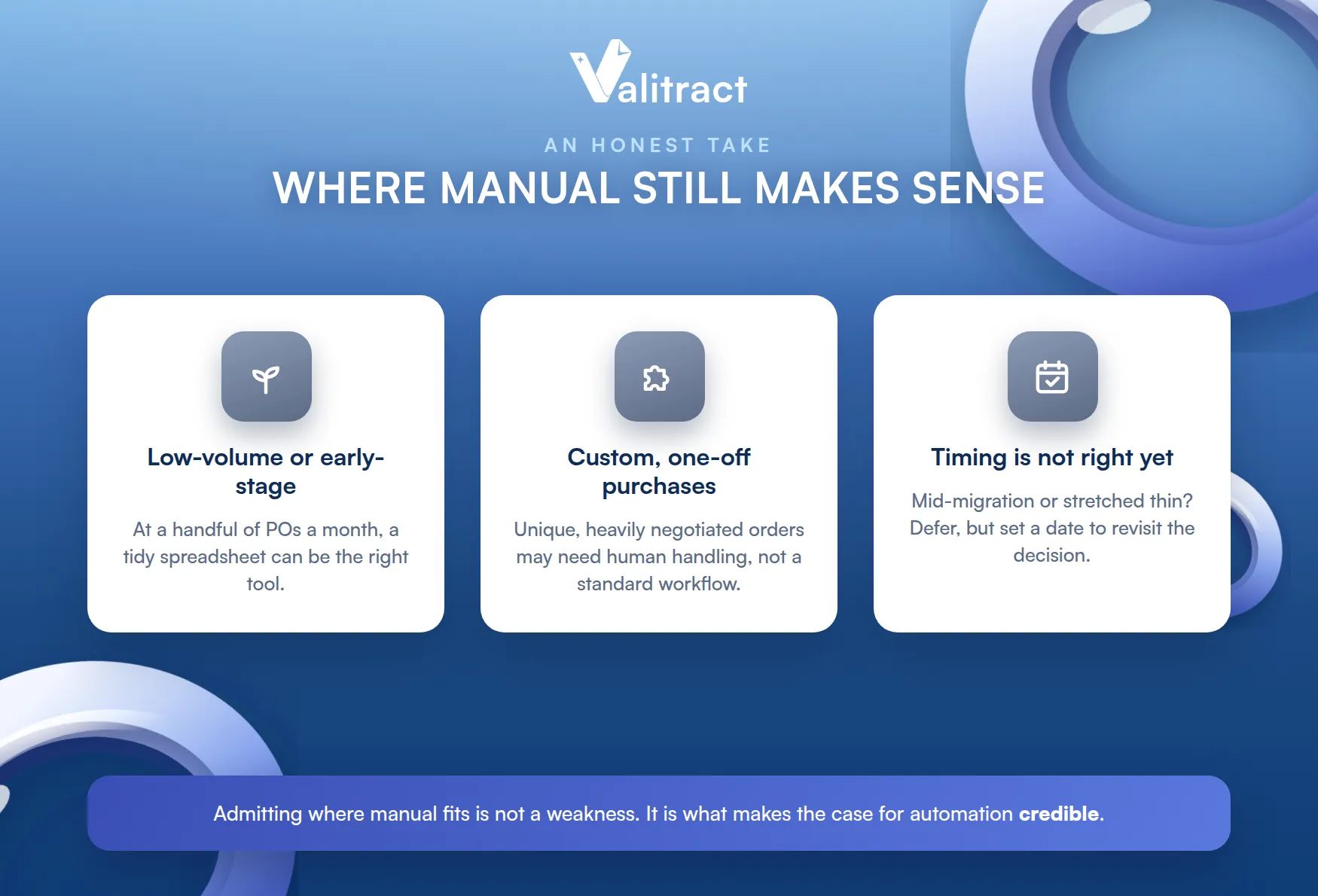
Admitting this is not a weakness of the case for automation. It is what makes the rest of the case credible.
Low-Volume or Early-Stage Businesses
At a handful of POs a month, the math does not favor automation yet. The time saved is small, and the setup effort may outweigh it.
There is no shame in staying manual here. The right tool for ten POs a month may simply be a tidy spreadsheet.
Early-stage teams also change fast. Locking in a process before you know your needs can cost more than it saves.
Flexibility has value early on. A lightweight process is easier to reshape than a rigid one.
Highly Custom, One-Off Purchases
Some purchases are unique by nature. A one-off, heavily negotiated order may need human handling that a standard workflow would only get in the way of.
Automation shines on repetition. Where there is none, its advantage shrinks.
That said, even custom buys generate standard documents. The receipts and invoices behind them still benefit from capture.
When ERP or Tech Change Is Not a Priority Right Now
Timing matters. If your team is mid-migration or stretched thin, adding a new tool may be the wrong project this quarter.
That is a scheduling call, not a permanent one. The need may still be real, just not urgent today.
Revisit it on a set date. Deferring is fine, as long as the decision does not quietly disappear.
Signals It Is Time to Move Beyond Manual PO Processing
If manual is fine for some, how do you know when it stops being fine for you? These signals are the clearest tells.
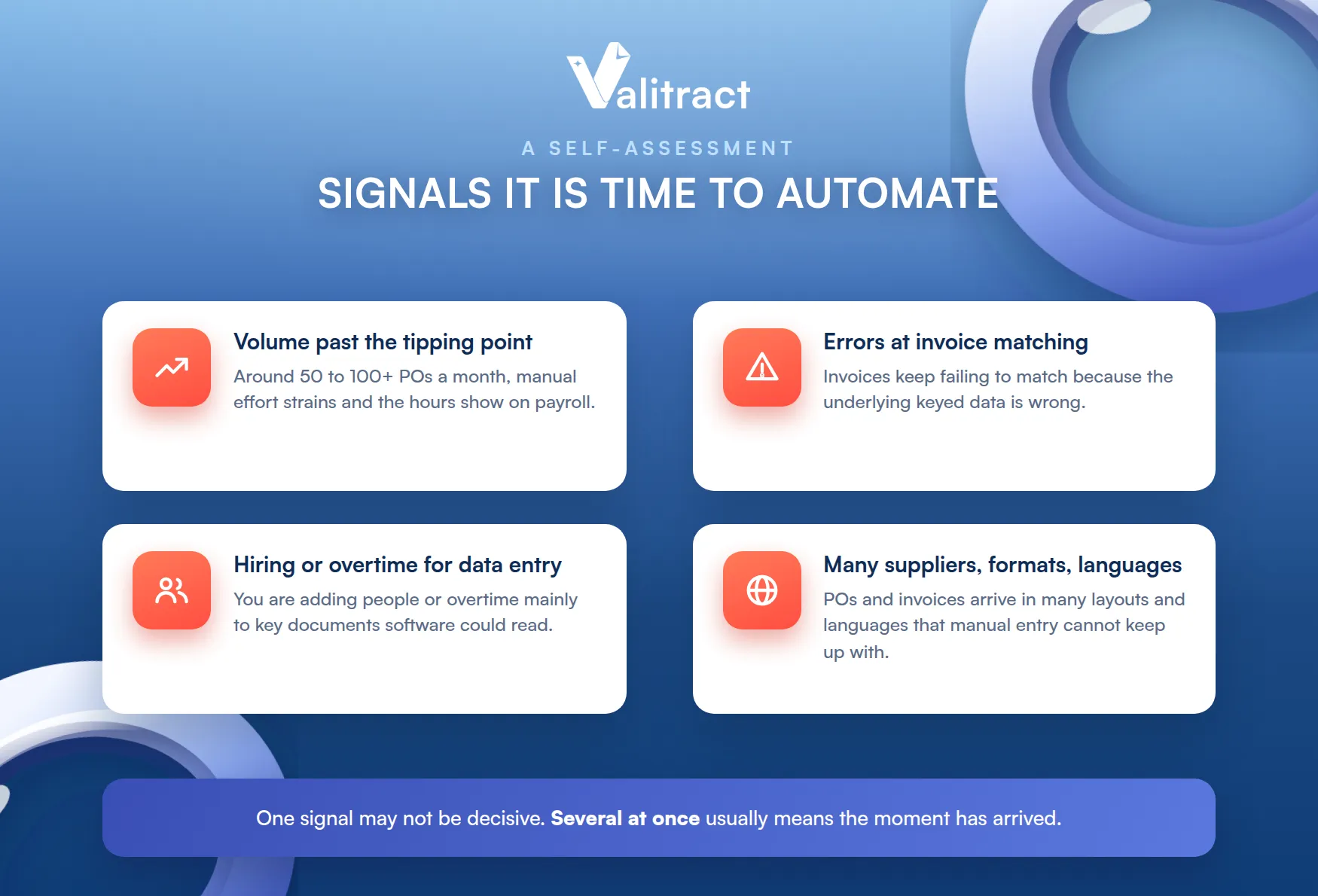
One signal alone may not be decisive. Several at once usually means the moment has arrived.
Your PO Volume Has Crossed a Tipping Point
Volume is the first signal. Once you are processing roughly 50 to 100 or more POs a month, manual effort starts to strain.
At that point the hours add up fast. The cost of not automating becomes visible on the payroll.
Volume rarely falls back. Once you cross the line, the pressure tends to keep building.
Errors Keep Surfacing at the Invoice-Matching Stage
Watch your exceptions. If invoices keep failing to match because the underlying data is wrong, manual entry is the likely culprit.
Each exception is manual rework. A rising exception rate is a direct signal.
Exceptions also erode trust in the numbers. When matching keeps failing, people stop believing the data.
You Are Hiring or Working Overtime Just to Keep Up With Data Entry
Look at where the hours go. If you are adding people or overtime mainly to key documents, you are paying a premium for a task software can do.
That is the clearest financial signal of all. The labor cost now exceeds the tool’s cost.
You Are Dealing With Multiple Suppliers, Formats, and Languages
Variety breaks manual processes. When POs and invoices arrive in many layouts and languages, manual entry gets slow and error-prone.
This is where accurate extraction earns its place. If this is you, it is worth comparing purchase order automation software to see what fits.
Variety is only growing for most teams. More suppliers and more geographies mean more formats to handle.
Decision Framework: Which Approach Fits Your Business?
There is no universal answer, so match the approach to your profile. The table below is a starting point.
Treat it as a guide, not a verdict. Your specifics may move you a row up or down.
Table 2. Matching an approach to your business profile.
| Profile | Recommended approach | Why |
| Small business, low volume | Manual, or automate data capture only | Low volume rarely justifies a full suite; capture removes the worst pain |
| Mid-market, growing volume | Automate capture, add matching and approvals | Volume and errors now justify more, staged to limit disruption |
| Enterprise, high volume | Full automation with ERP integration | Scale and compliance needs demand it, with accurate data underneath |
By Company Size
Size shapes the sensible starting point. A small business may need only a data capture layer, while an enterprise needs deep ERP integration and full workflow automation.
The rule holds across sizes: everyone benefits from accurate extraction. What differs is how much workflow you build on top of it.
Start with the layer everyone shares. Accurate data is the common foundation, whatever your size.
By Order Volume and Document Complexity
Volume and complexity set the urgency. High volume or messy, varied documents push you toward automation sooner.
Low volume and simple, standard documents let you wait. The two factors together tell you how soon to act.
Plot yourself on both axes. High on either one moves the decision forward.
By Industry
Industry matters through document variety. If your suppliers send standardized documents, manual holds up longer, while multi-format, multi-language suppliers make automation valuable much earlier.
Match the tool to the messiness. The harder your documents, the more accurate extraction pays off.
Clean, uniform documents forgive a manual process. Messy, varied ones punish it quickly.
How to Automate Without Overhauling Your Entire Process
The fear of a long, disruptive rollout keeps many teams manual. It does not have to be that way.
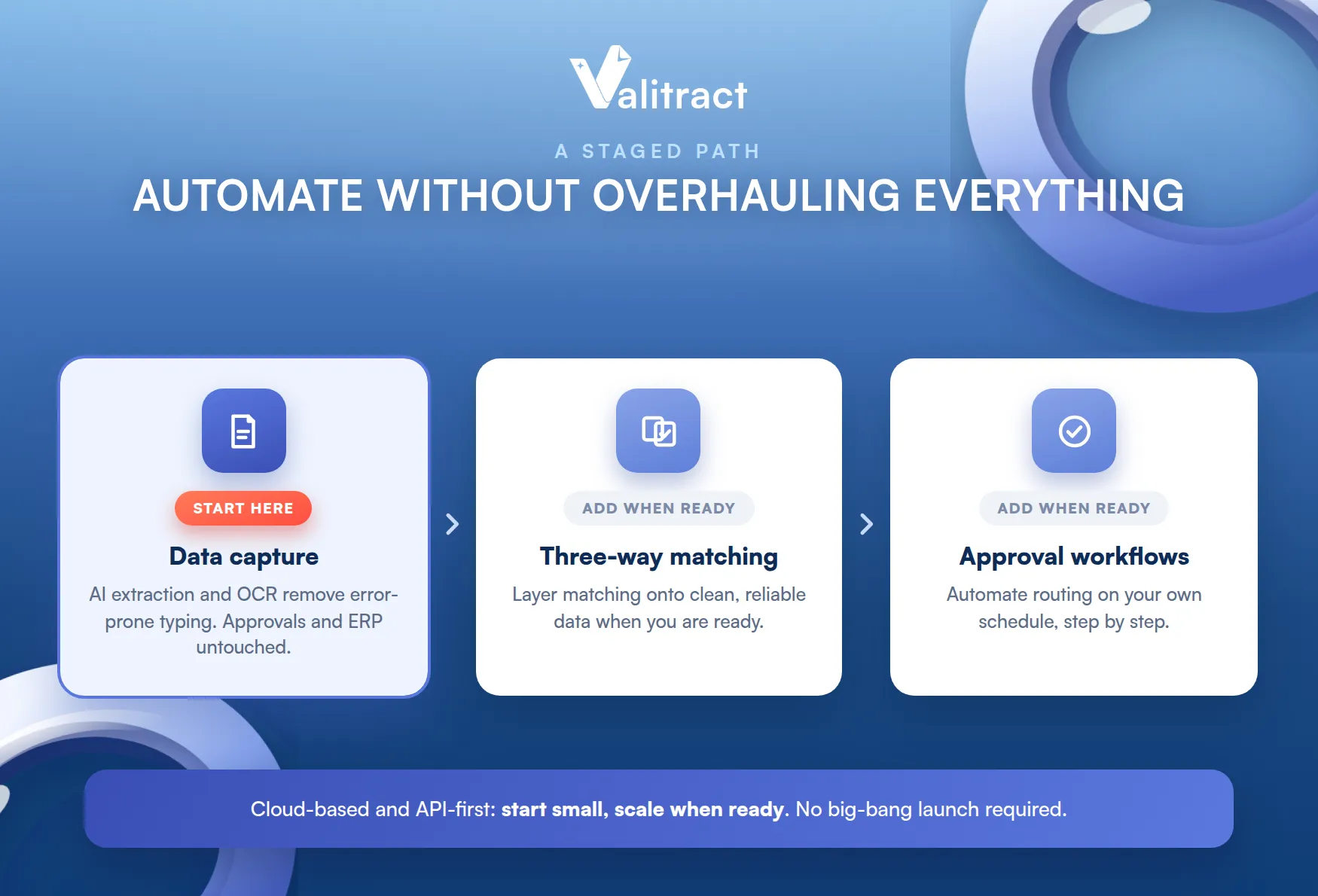
The all-or-nothing framing is the real trap. In practice you can automate one layer and leave the rest untouched.
Start With the Data Capture Layer
Begin where the pain is worst. Automating data capture with AI data extraction and an OCR API removes the error-prone typing without touching your approvals or ERP.
This is the low-risk first step. You get cleaner data immediately, with almost no change to how your team works.
Your approvals stay exactly as they are. Only the data feeding them gets more reliable.
Layer in Three-Way Matching and Approval Workflows When You Are Ready
Add the rest on your own schedule. Once capture is reliable, you can layer in three-way matching and approval routing, as covered in our purchase order automation guide.
Each layer is a separate decision. You are never locked into the next step before you are ready for it.
There is no need to do it all at once. Each layer builds on the clean data beneath it.
Cloud-Based, API-First Tools Make the Transition Easier
Modern tools lower the barrier. Cloud-based, API-first extraction needs no lengthy installation and no months-long rollout.
You can start small and scale. That flexibility is what makes a staged transition realistic.
No big-bang launch is required. You add capability as your needs and confidence grow.

How Valitract Fits: Wherever You Are in Your Automation Journey
Valitract is built for exactly this staged approach. It is the AI-OCR data extraction layer, not an ERP or AP suite, so it fits whether you are just starting or already running a full procurement stack.
For a team taking its first step, Valitract automates data capture alone. It reads POs, invoices, and receipts in any format, across 95+ languages, at up to 99.8% accuracy, with a no-code platform or an API.
That covers the hardest part first. Clean extraction is what every later step relies on.
For a team with an AP suite already, Valitract supplies the accurate data that suite needs to make matching actually work. Either way, it improves the input, which is where most automation quietly fails.
It is additive, not disruptive. You keep the tools you have and make them more accurate.
See our flexible plans to find the fit for your volume, or book a demo with the Valitract team to see it on your own documents.
Frequently Asked Questions About Manual vs. Automated Purchase Order Processing
Which purchase order automation is the best?
There is no single best tool; it depends on your size, volume, and stack. For a detailed side-by-side, see our roundup of the best purchase order automation software.
Is manual PO processing ever still the right choice?
Yes. For very low volume, highly custom one-off purchases, or teams that cannot take on a tech change right now, manual can be the reasonable choice, at least for the moment.
How much does manual purchase order processing actually cost?
APQC benchmarks put the cost of processing a single PO at about $14 to more than $54, and fully loaded estimates including rework can run higher for complex orders. The true cost depends on your approvals, volume, and error rate.
What is the easiest way to start automating without replacing our ERP?
Automate the data capture layer first. An AI extraction tool reads your documents and feeds clean data into your existing ERP, with no rip-and-replace.
Does automation replace approvals and three-way matching, or just data entry?
That depends on the tool. A data extraction layer like Valitract automates the data entry and feeds accurate data into your workflow, while approvals and matching can be automated separately, when you are ready.
Best purchase order automation software 2026: what is new?
The clearest shift is toward AI-powered extraction that reads any format without templates, plus early moves toward agentic AI that resolves exceptions. Accurate data extraction remains the foundation all of it depends on.
Conclusion
Manual vs. automated purchase order processing has no single right answer, only the right answer for your business at its current stage. Manual can be fine at low volume, and automation earns its place as volume, errors, and document variety grow.
The safest path is rarely a full overhaul. Start by automating the data capture layer, prove the accuracy gain, and add matching and approvals when the time is right.
Wherever you are on that path, Valitract provides the accurate-data foundation the rest depends on. To find your lowest-risk starting point, book a demo with the Valitract team.
Valitract – Next-gen AI-Powered Data Extraction Platform
- Email: contact@valitract.com
- LinkedIn: https://www.linkedin.com/company/valitract-api-platform
- X: https://x.com/valitract


