


Data entry automation software is rapidly becoming a core component of modern business operations, especially as companies deal with increasing volumes of documents and transactional data.
Every manual keystroke slows down your daily operations. A finance clerk typing invoice totals into a ledger creates a massive workflow bottleneck.
That typing phase introduces persistent formatting errors. An operations team managing high volumes of paper documents loses substantial time to repetitive data capture.
Data entry automation software solves this underlying problem. These platforms ingest flat files, locate the required text, and push structured data directly into your core systems.
This guide explores the best data entry automation software available today. We will compare top platforms, break down different extraction types, and outline best practices for implementation.
TL;DR
Data entry automation software replaces manual typing by using AI to capture, structure, and route text into databases or spreadsheets.
- Top benefit: Eliminates typing bottlenecks while reducing formatting errors.
- Core capability: Layout-aware models extract tables and text without strict templates.
- Supported inputs: Multi-page PDFs, JPEG, PNG, WebP, and HEIC files.
- Output formats: Excel, JSON, Markdown, and HTML.
- Language coverage: 200+ languages, auto-detected.
What is Data Entry Automation Software
Data entry automation software extracts information from static documents and transfers it into business applications. The technology captures text from PDFs or emails without requiring human keystrokes.
At a broader level, this is part of a major shift toward Intelligent Document Processing (IDP). Businesses adopting these technologies move beyond simple scanning. They evaluate AI data extraction tools based on how effectively they handle complex, non-standardized layouts.
Modern automation relies on a combination of computer vision, layout analysis, and Natural Language Processing (NLP). This allows the software to understand the context behind the text.
The engine knows a specific number represents a shipping weight based on its spatial position in a table. Once the system identifies the target data, it structures the output.
Those structured outputs flow straight into your CRM or ERP via a webhook. This OCR data entry automation removes the typing phase completely.
Key Takeaway: Automated data capture replaces human keystrokes with machine learning models that read visual layouts and route data via API.
Types of Data Entry Automation Software
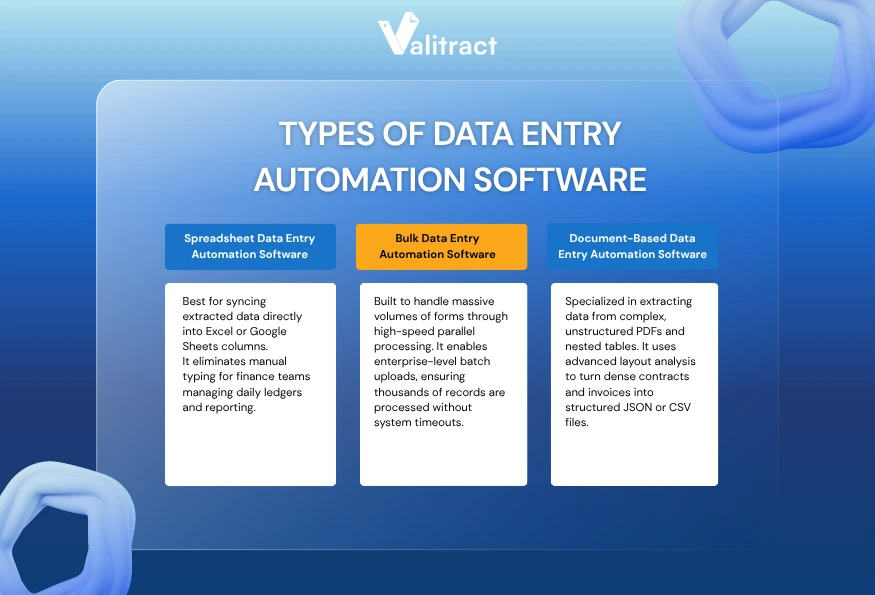
Not all data entry automation software is built the same. Different tools are designed to handle specific workflows, from spreadsheet-based operations to high-volume batch processing and complex document extraction.
Understanding these categories helps businesses choose the right solution based on their data structure, volume, and integration requirements.
Spreadsheet Data Entry Automation Software
Many finance teams live entirely inside grid layouts. Spreadsheet data entry automation software targets these exact workflows by mapping extracted text directly to specific columns.
That mapping capability means the AI extracts the data and auto-fills the spreadsheet. Analysts use this workflow to import scraped data into their ledgers or push invoice totals into Google Sheets.
Three key features define this category:
- Configure native API integrations: Tools must connect to Google Sheets or Excel without external middleware.
- Maintain real-time updates: The software should sync captured text the moment a file arrives.
- Apply data formatting rules: The engine must validate dates and currencies before pushing them to the grid.
Operations teams and analysts benefit most from this setup. Small enterprises managing data manually use spreadsheet automation to scale their daily workloads.
Bulk Data Entry Automation Software
Enterprise organizations often receive thousands of forms in a single afternoon. Bulk data entry automation software handles these massive influxes through parallel server processing.
That parallel processing allows users to batch upload thousands of records at once. The AI parses those massive batches and outputs a single structured dataset.
Business process outsourcing firms use this capacity to process daily invoices or migrate legacy data into new systems. To manage that heavy load, look for specific features:
- Require high throughput processing: The cloud servers must handle thousands of pages without timing out.
- Implement queue management: Users need central dashboards to monitor the progress of large batches.
- Build error-handling guardrails: The system must isolate failed documents without stopping the entire batch run.
Data-heavy organizations require this level of technical infrastructure. It prevents server bottlenecks during intense end-of-month reporting cycles.
Document-Based Data Entry Automation Software
Legal and finance teams deal heavily with unstructured paragraphs and nested tables. Document-based data entry automation software targets these complex PDF files and static images.
The software applies AI layout analysis to pull the text and export structured JSON or CSV files. Finance teams rely on this for accounts payable workflows, while legal teams extract contract terms.
If your workflow involves dense files, you need precise layout understanding. Look for software that preserves the spatial relationship between headers and text blocks.
Tools like Valitract use Table Extraction to capture nested rows and columns. That structure exports directly to Excel, keeping the exact format of the original document.
Key Takeaway: Choose your tool based on your destination system. Spreadsheets require native integrations, while massive database migrations require bulk processing power.
Best Data Entry Automation Software in 2026
Comparing automated data processing tools requires looking at the core engine. Some tools handle API routing, while others focus on pure extraction.
Comparison Table
| Tool Name | AI Capabilities | Supported Formats | API Integration | Pricing Model | Best Use Case |
| Valitract | Layout-aware AI (template-free extraction) | PDF, Images, JSON, XLS, or CSV | Full REST | Usage-based | Mid-size finance |
| Rossum | Learning OCR | PDF, XML | Full API | Custom | Enterprise AP |
| UiPath | RPA hybrid | All standard | Deep platform | Platform fee | Legacy software |
| Zapier | Data routing | Web hooks | 5000+ apps | Tiered monthly | Cloud routing |
| Power Automate | Workflow logic | Office native | Microsoft | Subscription | Windows shops |
| Parseur | Template AI | Emails, PDFs | Standard | Volume-based | Email extraction |
| Automation Anywhere | RPA AI | Enterprise docs | Full API | Custom | Large BPOs |
Source: Market analysis of automation vendor specifications.
Valitract
Valitract focuses on extracting text without demanding rigid coordinate templates. Instead of fixed coordinates, the platform uses layout-aware visual AI to understand document structures and extract data from unstructured files with high accuracy.
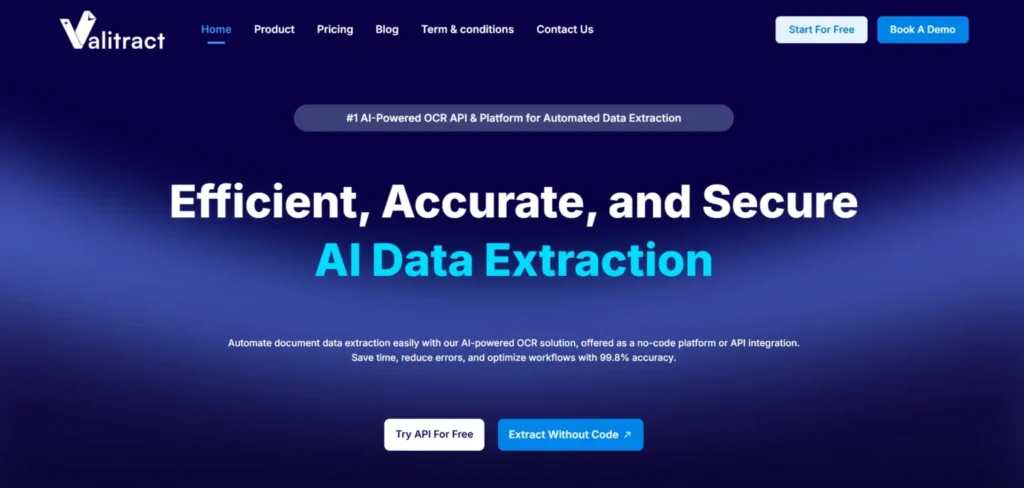
This approach enables true AI data entry automation software capabilities, allowing to process varying document formats instantly, without requiring manual configuration or template setup. As a result, teams can deploy faster and scale document processing without ongoing maintenance.
ValiTract also provides a clean, side-by-side validation interface, where users can quickly review extracted data against the original document.
- Key features: Template-free extraction, visual validation interface, bulk upload & batch processing, API integration.
- Pros: Fast implementation, high accuracy across varied layouts, minimal setup, strong automation capabilities.
- Cons: Struggles with blurry cursive, lacks deep currency conversion.
- Best for: Mid-size finance departments avoiding heavy IT deployments.
Rossum
Rossum targets enterprise teams managing heavy transactional volume. The platform learns specific vendor layouts through continuous feedback loops.
Continuous learning reduces the need for manual corrections over time. The platform integrates deeply into major enterprise resource planning software.
- Key features: Cognitive data capture, native SAP integrations, and advanced queue management.
- Pros: Enterprise-ready architecture, high accuracy on complex tables.
- Cons: Expensive licensing, narrow focus on invoice processing.
- Best for: Enterprise operations managing massive daily document volumes.
UiPath
UiPath functions as a broader robotic process automation platform rather than a standalone extraction software. The system reads a document and executes complex downstream mouse clicks.
Those robotic mouse clicks push extracted data into older software lacking modern APIs. Users build these automated workflows using a visual drag-and-drop designer.
- Key features: Robotic screen scraping, visual workflow builder, legacy software bridges.
- Pros: Connects isolated legacy systems, massive enterprise scale.
- Cons: Heavy platform architecture, steep learning curve.
- Best for: End-to-end corporate automation bridging modern and legacy systems.
Zapier
Zapier serves as the ultimate data router rather than an extraction engine. It moves text between thousands of cloud applications.
You connect an extraction endpoint to Zapier, and it routes the JSON payload to your CRM. It excels at sales data entry automation software workflows.
- Key features: 5000+ app connectors, conditional routing logic, and multi-step workflows.
- Pros: Unmatched integration network, zero coding required.
- Cons: Triggers become expensive at high volumes, limited internal text extraction.
- Best for: Lean operations teams moving text between cloud apps.
Microsoft Power Automate
Microsoft Power Automate embeds workflow logic directly into the Office ecosystem. The tool moves captured text seamlessly into SharePoint or Excel.
That native connection makes it ideal for companies living inside Microsoft server environments. The desktop version handles local file automation.
- Key features: Deep Office 365 integration, desktop flow recording, native AI builder.
- Pros: Included in many enterprise Windows licenses, strong security governance.
- Cons: Clunky web interface, complex error handling logs.
- Best for: Enterprise teams standardized on the Microsoft technology stack.
Parseur
Parseur specializes in pulling structured text from incoming emails and basic attachments. The system reads the email body and maps distinct values to database fields.
That focus makes Parseur a lightweight solution for real estate or job board leads. Teams searching for data entry automation software spreadsheets can use Parseur to pull tabular data.
- Key features: Point-and-click template building, email parsing, and automatic table detection.
- Pros: Excellent email handling, affordable entry tiers.
- Cons: Less effective on dense legal documents, limited bulk parallel processing.
- Best for: Small teams capturing lead data from web forms and emails.
Automation Anywhere
Automation Anywhere delivers heavy robotic process automation for global outsourcing firms. The platform uses AI to mimic human data entry across diverse application windows.
That mimicry scales across hundreds of virtual machines. The platform handles data entry automation with API integration for secure banking environments.
- Key features: Cloud-native RPA, advanced security protocols, virtual workforce management.
- Pros: Immense scaling capability, bank-grade security standards.
- Cons: Resource-heavy deployment, requires dedicated development staff.
- Best for: Business process outsourcing firms managing global operations.
Key Takeaway: Pick your software based on your infrastructure. Cloud-native teams should use API-first extraction tools, while legacy systems require RPA platforms.
Key Benefits of Using Data Entry Automation Software
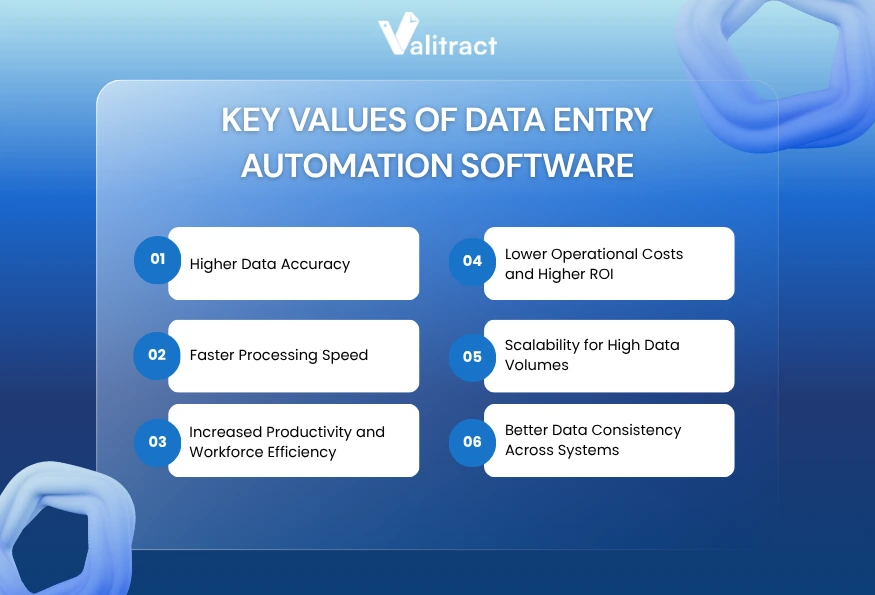
As organizations handle increasing volumes of structured and unstructured data, manual entry is no longer sustainable. Data entry automation software enables businesses to improve accuracy, speed, and scalability while reducing operational costs.
Below are the key benefits that make automated data entry software a critical component of modern data workflows.
Significant Reduction in Human Errors & Higher Data Accuracy
Human typists suffer from focus fatigue during long shifts. That fatigue introduces typographical errors into critical corporate databases.
Machine learning models maintain precise character matching across thousands of pages. AI data capture software achieves high accuracy on standard document layouts.
This accuracy eliminates transposed numbers and duplicate entries. It also resolves formatting inconsistencies before the data reaches your ledger.
Faster Processing Speed
Typing line items by hand consumes hours of operational time. A finance clerk might spend five minutes transcribing a single complex invoice.
Automated data entry software processes that same document in two seconds. The engine extracts the text, structures the layout, and routes the payload.
That speed accelerates the entire business cycle. Sales teams get their CRM records updated faster, and procurement teams pay their vendors on time.
Increased Productivity & Workforce Efficiency
Manual typing creates a hard ceiling on team productivity. If document volume doubles, you must hire more clerks to handle the load.
By automating repetitive data entry tasks, employees focus on higher-value work. They shift from typing numbers to analyzing variances and negotiating supplier contracts.
Consider a mid-sized accounting firm processing 1,200 monthly supplier invoices. Moving from manual re-keying to layout-aware AI reduced their invoice intake time from three days to under two hours.
Lower Operational Costs and Higher ROI
Hiring temporary staff to clear end-of-month reporting backlogs destroys operational budgets. Manual document processing carries a high cost per page.
Automation flattens those operational expenses. A software license costs a fraction of a full-time typing team, driving a fast return on investment.
You keep costs stable even as your corporate document volume grows. The automated data entry software scales up without demanding additional salary overhead.
Scalability for High Data Volumes
Enterprise growth means processing more contracts, receipts, and compliance forms. Manual processes break down under sudden volume spikes.
Bulk data entry automation software spreadsheets export massive batches directly into tabular formats. The system spins up additional servers to process thousands of files simultaneously.
This scalability ensures your data pipeline never stalls. The engine processes a massive data migration just as efficiently as a single daily invoice.
Better Data Consistency Across Systems
Human operators often format data differently depending on their mood. One clerk types a date as MM/DD, while another uses DD/MM.
AI data entry automation software applies strict formatting rules to every captured field. The engine normalizes dates, currencies, and text casing before exporting the payload.
That consistency keeps your database clean. Clean data prevents downstream errors when you run annual financial or operational reports.
Key Takeaway: AI extraction tools eliminate the hidden costs of manual typos while scaling your processing volume limitlessly.
Best Practices When Choosing Data Entry Automation Software
Selecting the right data entry automation software requires more than comparing feature lists. To ensure long-term success, businesses need to evaluate real-world performance, integration capabilities, and scalability under actual workloads.
Below are the key factors to consider when choosing the best AI data entry automation software for your operations.
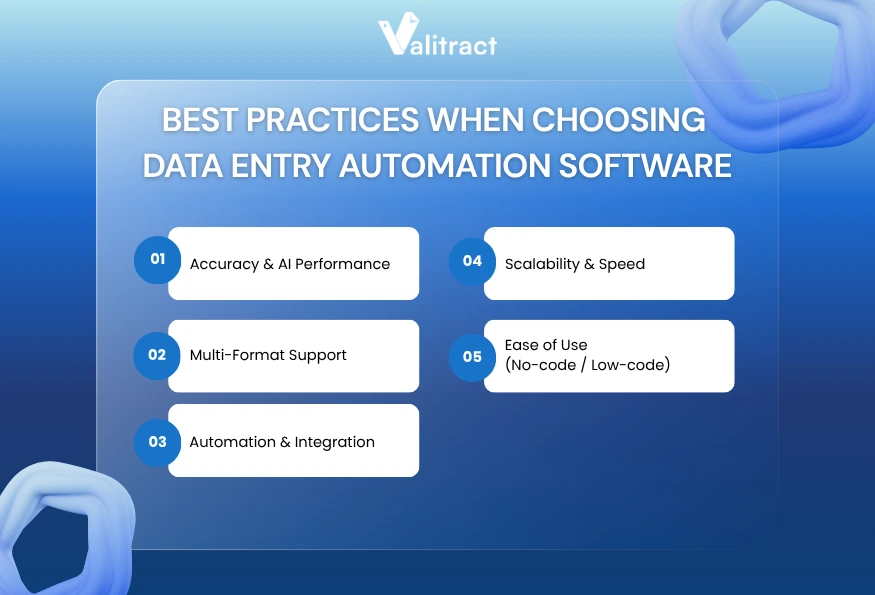
Accuracy & AI Performance
Vendor marketing pages always claim near-perfect accuracy. You must test those claims against your own messy documents during a pilot phase.
Compare the AI output against your historical manual accuracy. The software should generate confidence scores, highlighting uncertain text fields for immediate human review.
Multi-Format Support
Your operations team receives files in every format imaginable. Contractors send smartphone photos, while enterprise partners send layered digital PDFs.
Your extraction tool must handle these variations. Tools like Doc.AI read JPEG, PNG, GIF, WebP, and HEIC files natively.
That native support prevents workflow blockages when someone uploads an uncompressed iPhone photo. The tool exports that text to Markdown or JSON formats cleanly.
Automation & Integration
Captured text serves no purpose if it stays trapped inside the OCR platform. The system must connect seamlessly to your existing financial architecture.
Review the developer documentation for clear endpoints. A well-documented REST API ensures your engineering team connects the tool to your CRM or ERP fast.
Scalability & Speed
Processing speed matters when a massive batch of files arrives on a Friday afternoon. Slow extraction engines create a digital bottleneck.
Test the bulk data entry automation software using large multi-page PDF files. Verify that the cloud servers process the batch without timing out.
Ease of Use (No-code / Low-code)
A powerful computer vision model fails if your accounting team cannot operate the user interface. Non-technical teams require a clean review screen.
Those screens place the original document image right next to the parsed fields. A true no-code interface lets business users define new extraction fields in days.
Key Takeaway: Run your worst-quality documents through the software pilot to expose platform limitations before signing a contract.
FAQs about Data Entry Automation Software
What is data entry automation software?
Data entry automation software converts static document images into structured database records. The technology uses optical character recognition and computer vision to read visual layouts. It extracts specific fields like names and totals without requiring any human typing.
How does AI automate data entry?
AI automates data entry by analyzing the spatial relationship between text blocks on a page. The machine learning model understands the context of the document. It knows a number is a tax total based on its position, allowing it to capture data without rigid templates.
What is the best data entry automation software?
The best software depends on your operational needs. Developer teams prefer API-first platforms for custom internal software builds. Accounting and operations teams prefer platforms with strong user interfaces and native connections to cloud spreadsheets or ERP systems.
Can data entry automation work with spreadsheets?
Yes. Modern extraction platforms map captured text directly to specific spreadsheet columns. Users configure the tool to push invoice totals or scraped web data straight into Google Sheets or Excel. This workflow keeps tabular data organized without manual copy-pasting.
Is there free data entry automation software?
Several enterprise extraction platforms offer a free data entry automation software tier for low-volume users. These free tiers usually cap usage at a few hundred pages per month. Open-source OCR libraries exist, but they require significant coding knowledge to deploy.
How accurate is AI data entry automation?
The accuracy of AI data entry automation software typically ranges from 90% to 99%+, depending on document quality, layout complexity, and the underlying AI models.
Modern AI data capture software combines OCR, computer vision, and machine learning to understand both text and document structure. This allows it to achieve high accuracy on standard documents such as invoices, forms, and structured reports, especially when using OCR data entry automation with layout-aware models.
Conclusion: Choosing the Right Data Entry Automation Software for Scalable Growth
Data entry automation software is transforming how modern teams handle high-volume data workflows by eliminating repetitive manual tasks and accelerating reporting across the organization.
Traditional OCR templates often fail when document layouts change. In contrast, modern AI data entry automation software adapts dynamically by understanding document context, enabling accurate extraction even from complex and evolving formats.
A robust data entry automation software comparison shows that the best platforms support multiple file formats and varied languages. The right tool adapts to your workflow, whether you need JSON payloads for a database or structured Excel files.
Audit your document volume, define your integration endpoints, and test the software with real files. For teams dealing with complex layouts, apps like Valitract offer precise Full Document Extraction to capture dense paragraphs and tables intact.
Ready to automate your data workflows? Try ValiTract and experience how AI-powered data extraction can streamline your operations from day one.
Valitract – Next-gen AI-Powered Data Extraction Platform
- Email: contact@valitract.com
- LinkedIn: https://www.linkedin.com/company/valitract-api-platform
- X: https://x.com/valitract