


TL;DR
- OCR reads the characters on a document. IDP understands the document.
- OCR turns an image into text, while Intelligent Document Processing adds AI to classify, extract, validate, and route that data into your workflow.
- Use OCR for simple, low-volume digitization with fixed layouts. Use IDP for invoices and financial documents at scale, where you need validation, matching, and ERP integration.
IDP vs OCR are often used as if they mean the same thing. They do not. OCR, or optical character recognition, reads the characters on a page and turns them into text. IDP, or intelligent document processing, understands what that text means.
Put simply, OCR digitizes a document, and IDP processes it. OCR can tell you a page says “$4,200.00.” IDP can tell you that the figure is the total on invoice 4471 from a known vendor, that it matches the purchase order, and that it is ready to approve.
This guide breaks down the difference, shows where each one fits, and helps you choose the right tool for your team.
Quick Answer: OCR vs IDP At A Glance
OCR is a single technology that extracts text from images. IDP is a full pipeline that uses OCR as one layer, then adds AI to understand, validate, and act on the data. The rest of this section defines each one and compares them directly.
What is OCR (Optical Character Recognition)?
OCR is a technology that converts text inside an image or scanned document into machine-readable characters. It scans the image, recognizes the shapes as letters and numbers, and outputs plain text or basic structured data.
Its limit is simple: OCR sees text, but it does not understand it. It can read the words on an invoice without knowing which number is the total, which is the tax, or whether the document is even an invoice.
What is Intelligent Document Processing (IDP)?
Intelligent document processing combines OCR with AI, machine learning, and natural language processing to read, classify, extract, validate, and route document data automatically. It understands a document the way a person would, then acts on it.
A typical IDP pipeline has five parts: an OCR layer for text, NLP for entity extraction, machine-learning classification to identify the document type, validation rules to check the data, and workflow integration to send it onward. For a deeper definition, see our explainer on Intelligent Document Processing.
IDP vs OCR: Side-By-Side Comparison
The table below shows what each technology does and does not handle. The pattern is clear: OCR extracts, IDP understands.
Table 1. OCR vs IDP feature comparison
| Feature | OCR | IDP |
| Text extraction | Yes | Yes |
| Table and structure recognition | Limited | Yes |
| Context understanding (NLP) | No | Yes |
| Auto-classification | No | Yes |
| Validation and error-checking | No | Yes |
| ERP and workflow integration | No, standalone | Yes |
| Handles varied formats | No, template-bound | Yes |
| Learns and improves over time | No | Yes |
The Core Difference: Reading Text vs Understanding Documents
The real gap between OCR and IDP is comprehension. One produces text, the other produces decisions. Understanding this difference is what stops teams from buying a tool that solves only half their problem.
OCR is The Foundation, Not The Solution
OCR solves digitization. It turns paper and PDFs into searchable text, which is genuinely useful for archiving and simple data entry.
What OCR cannot answer is everything that follows. It does not know which invoice number it just read, which vendor sent it, or whether it has been approved. A useful analogy: OCR is the scanner, while IDP is the accountant who reads the scanned invoice and acts on it.
How IDP Builds On Top of OCR
IDP does not replace OCR. It wraps OCR inside a larger pipeline, adding a layer of intelligence at each step.
The five layers work in sequence. Layer one is OCR for text recognition. Layer two is NLP for entity extraction, pulling out the vendor name, amount, date, and line items. Layer three is machine-learning classification, deciding whether the document is an invoice, a purchase order, or a receipt. Layer four is validation, running three-way matching and duplicate detection. Layer five is workflow routing, sending the document to an approver and posting it to the ERP.
The “Last Mile” Problem of OCR-Only Solutions
OCR gets you a text file, but a person still has to finish the job. Someone has to read the output, decide what each field means, check it, and key it into the accounting system.
That manual last mile is where the real cost sits. The expense is not the OCR license, which is often cheap or free. It is the labor of manual invoice data entry that OCR leaves behind, and the accounts payable bottlenecks that build up when people are the bridge between text and ledger.
When OCR is Enough, and When It’s Not
OCR and IDP are not competitors so much as tools for different jobs.
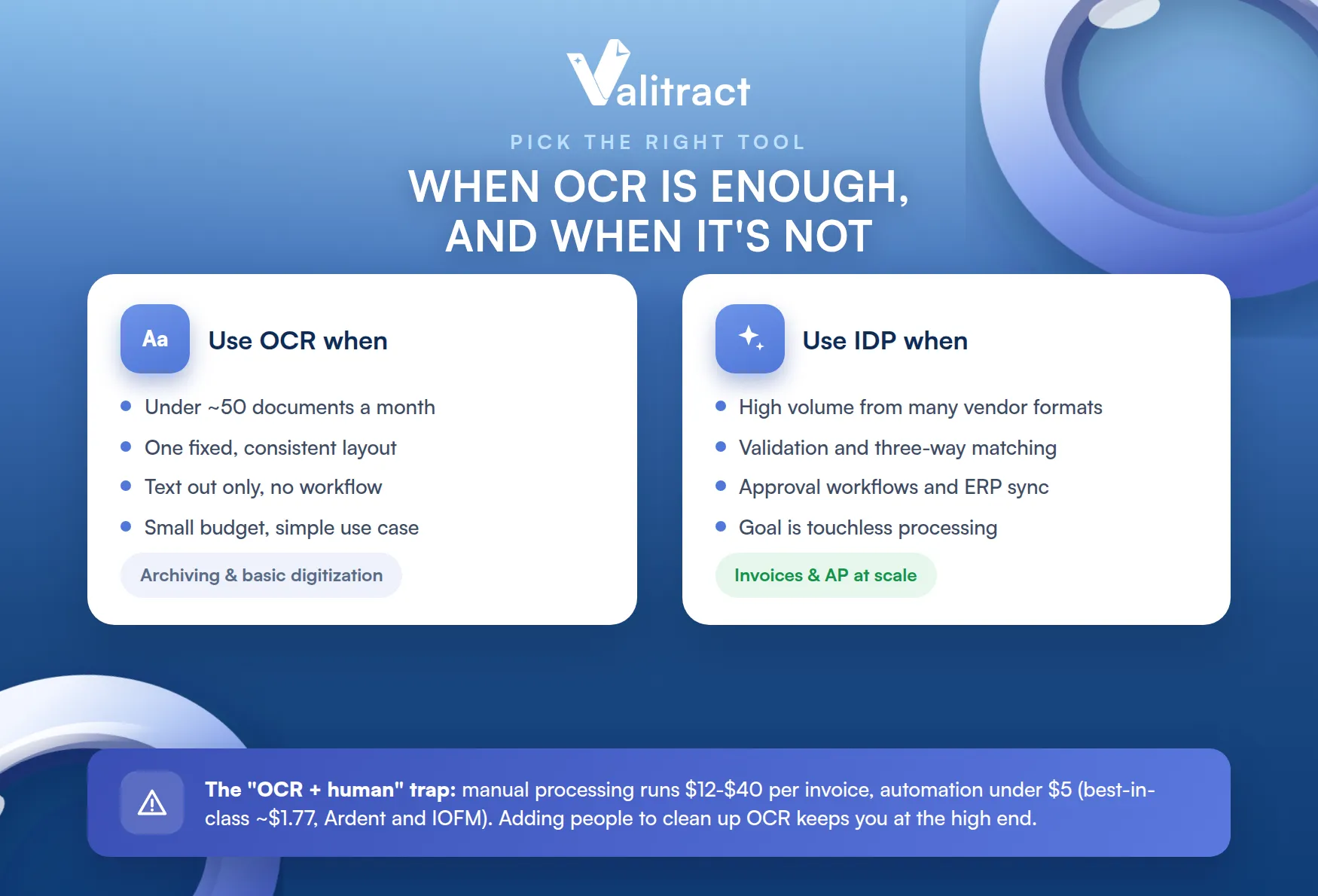
The right choice depends on volume, format consistency, and whether you need a workflow.
When To Use OCR
OCR is the right call for simple, contained jobs. It fits when you process a low volume, roughly under 50 documents a month, and the format is completely consistent with a fixed layout.
It also fits when you only need text out, with no validation or workflow, and the budget and use case are both small. Archive scanning and basic digitization projects are good examples.
When To Use IDP
IDP earns its place when documents and stakes both scale up. Choose it when you process invoices, purchase orders, and financial documents in volume, from many vendors in many different formats.
It is also the answer when you need validation, three-way matching, and approval workflows, or integration with an ERP such as SAP, Oracle, NetSuite, QuickBooks, or Xero. The goal that defines IDP is touchless, straight-through processing, which an automated invoice processing flow and a clean AP automation workflow are built to deliver.
The “OCR + human” Trap That Costs Companies More
Many teams buy an OCR tool, then quietly assign one or two people to clean up and process its output. On paper they automated. In practice they just moved the manual work downstream.
The true cost shows up per invoice. Processing an invoice by hand costs between $12 and $40 depending on complexity and source, while automation brings it under $5, and best-in-class teams reach about $1.77 (Ardent Partners and IOFM benchmarks). An OCR-plus-human setup keeps you near the high end of that range, because the human is still doing the expensive part.
IDP in Accounts Payable: Why This Matters For Invoice Processing
Accounts payable is where the OCR-versus-IDP choice has the clearest financial impact. Invoices arrive in endless formats, and every manual touch adds cost and risk, which is exactly the problem IDP was built to solve.
What Touchless Invoice Processing Actually Looks Like
Touchless processing means an invoice travels from receipt to approved ERP entry without a person keying or checking it. The clean ones flow straight through, and only exceptions reach a human.
IDP makes this possible by doing the work end to end. It auto-extracts the header and line items, matches them to the purchase order, routes the invoice to the right approver through a digital workflow, and posts it to the ERP. Line-item extraction and three-way matching are the steps that let it run without hands.
IDP vs OCR For Invoice Data Extraction: A Practical Example
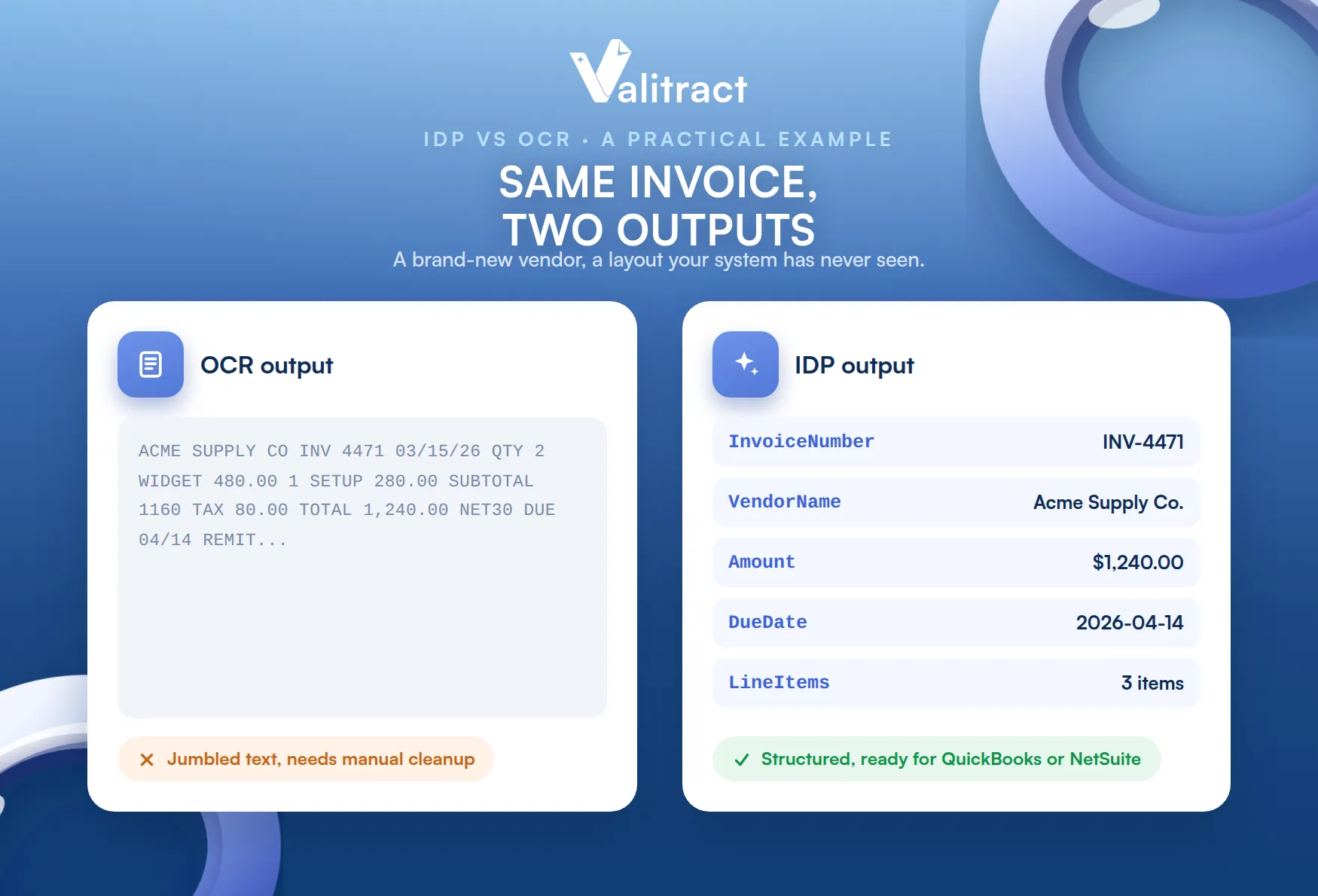
Picture an invoice from a brand-new vendor, with a layout your system has never seen. This is where the two approaches split sharply.
OCR returns a raw text dump. The numbers and labels are all there, but jumbled, with no sense of which value is the total or the due date, so a person has to clean it up. IDP returns structured fields instead: InvoiceNumber, VendorName, Amount, LineItems, and DueDate, ready to push into QuickBooks or NetSuite. Capable invoice OCR software that includes an IDP layer handles the new format on the first upload, with no template built in advance.
Common AP Pain Points IDP Solves That OCR Cannot
IDP catches problems that pure OCR cannot even see, because catching them requires understanding, not just reading.
Three pain points stand out. A duplicate invoice gets validated and flagged by IDP, while OCR has no idea it is a repeat. An invoice that does not match its purchase order gets caught by IDP, while OCR only reads the numbers off the page. Multi-language invoices from international vendors are handled by IDP, while basic OCR struggles with them. Each of these maps directly to invoice processing errors, a higher cost per invoice, and the late-payment penalties that follow slow, manual review.
Choosing Between IDP vs OCR: A Decision Framework
The choice comes down to a handful of honest questions about your own operation. Answer these, and the right tool usually becomes obvious.
5 Questions to Ask Before Choosing
Work through these in order. Each one pushes you toward OCR or IDP.
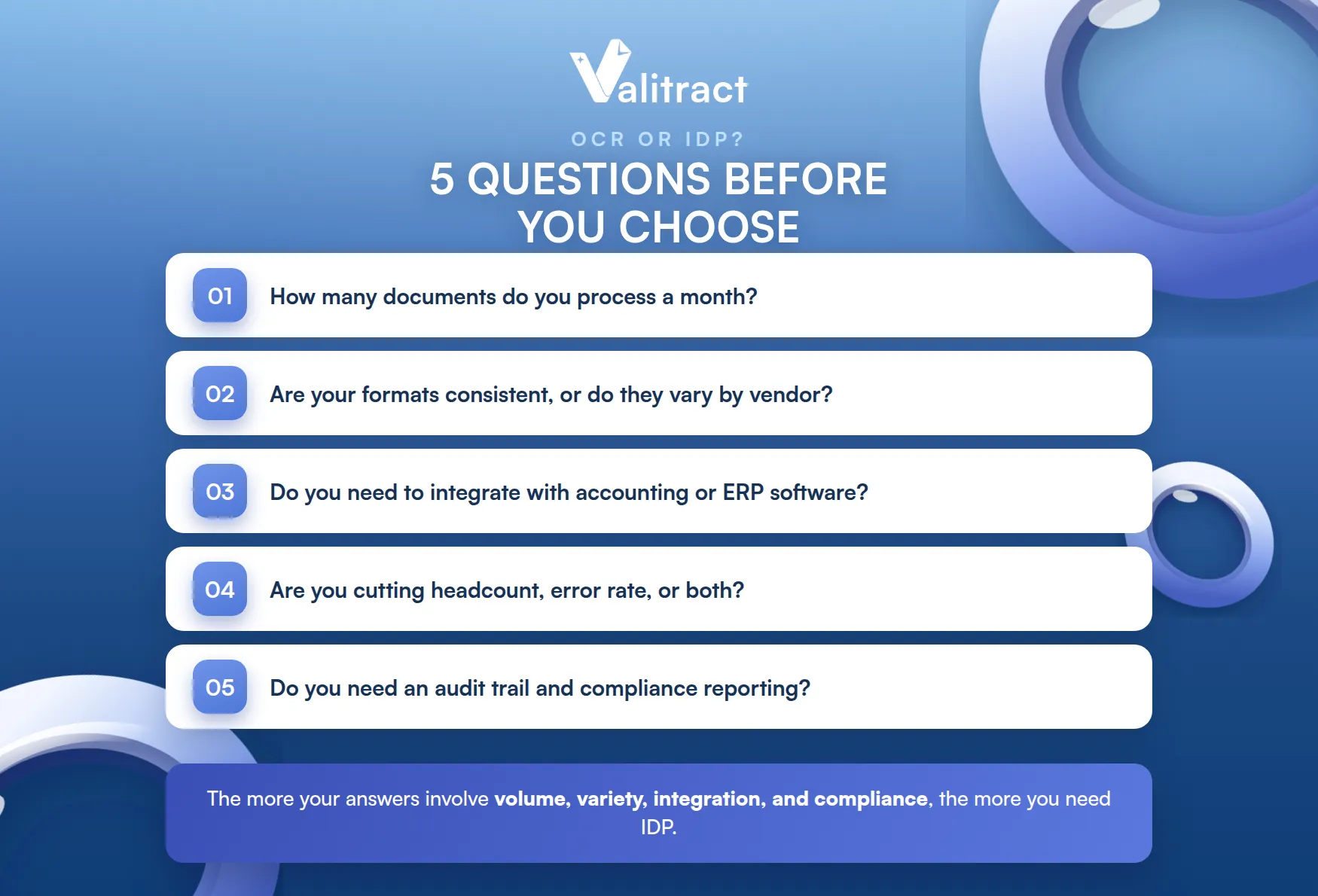
First, how many documents do you process a month? Second, are your document formats consistent, or do they vary by vendor? Third, do you need to integrate with accounting or ERP software?
Fourth, are you trying to cut headcount, cut error rate, or both? Fifth, do you need an audit trail and compliance reporting? The more your answers involve volume, variety, integration, and compliance, the more you need IDP.
Small Business vs Enterprise Considerations
Size changes the shape of the right tool, not the underlying answer. A small business is usually best served by cloud-based IDP that is light to adopt and has no heavy implementation cost, which is why the best invoice processing software for small business tends to be hosted and usage-priced.
An enterprise needs a full IDP suite with deep ERP integration and, often, custom machine-learning models tuned to its documents. If you are weighing options at that scale, our roundup of the best intelligent document processing software compares enterprise invoice processing solutions side by side.
IDP vs OCR vs Document AI: Where Does It All Fit?
A wave of new terms has made this space confusing. Document AI and agentic processing sound like separate categories, but they sit inside the same story as OCR and IDP.
Is “Document AI” Just Another Name for IDP?
Mostly, yes. Document AI is the label cloud providers use for their IDP capabilities delivered as an API, including Google Document AI, AWS Textract, and Azure Document Intelligence.
The difference is the delivery model, not the technology. Document AI tends to be API-first, giving developers raw extraction to build on, while IDP platforms are workflow-first, shipping the validation, routing, and integration around it. In short, Document AI is one implementation path for IDP, not a category of its own.
What About Agentic Document Processing?
The newest shift is agentic document processing, where LLM-powered agents do more than extract data. They reason about it and take the next action, such as resolving an exception or asking a clarifying question.
OCR is still the input layer in this model, feeding text to the agent. IDP is evolving into these agentic workflows rather than being replaced by them. It is an emerging trend worth watching, but the core principle holds: something still has to read the document before anything can act on it.

Top tools: OCR Software vs IDP Platforms
If you are shopping, it helps to know which names belong in which bucket. OCR tools extract text, and IDP platforms run the whole pipeline. Here is a short orientation, not a full ranking.
Leading OCR Tools
The best-known standalone OCR tools include Adobe Acrobat OCR, ABBYY FineReader, and the open-source Tesseract engine. They are strong at turning documents into text and into searchable PDFs.
Their shared limit is that they stop at text. They have no built-in classification, validation, or workflow, so on their own they leave the last mile to people. Some are exposed as developer services, such as an invoice OCR API you can call from your own code.
Leading IDP Platforms For Onvoice And AP Automation
On the IDP side, platforms built for invoices and AP automation include ABBYY Vantage, Kofax (now Tungsten Automation), Rossum, Medius, and Valitract. These tools add classification, validation, and ERP integration on top of OCR.
The practical differences are deployment model, accuracy on unseen layouts, and price. A modern, template-free AI data extraction platform reads new vendor formats on the first try and returns structured data your ledger can use, which is the capability that separates true IDP from OCR with extra steps.
Conclusion: OCR Gets Data Out of Images. IDP Puts It To Work
When evaluating IDP vs OCR, the decision comes down to how much of the document workflow you need to automate.
If you only need to turn a few consistent documents into text, OCR is enough. If you process invoices or financial documents at scale and need them classified, validated, matched, and posted to your ERP, you need IDP. And if you are already running OCR with people cleaning up behind it, you are paying IDP-level costs for OCR-level results.
Valitract is a template-free IDP and data extraction platform that reads invoices of any layout and returns structured data through a no-code dashboard or an API. If you want to see the difference on your own documents, start free or talk to our team.
Try Valitract free, or contact us →
Frequently Asked Questions about IDP vs OCR
IDP vs OCR: What’s The Difference?
OCR extracts text from an image, while IDP understands and processes that text. OCR recognizes the characters on a page and outputs them as data. IDP adds AI, machine learning, and validation to classify the document, pull out specific fields, check them, and route them into a workflow. OCR digitizes; IDP makes the data usable on its own.
Is IDP Replacing OCR?
No. IDP uses OCR as its first layer, so it depends on OCR rather than replacing it. What is fading is the use of OCR on its own for complex work like invoice processing, where a person still has to interpret the output. For simple digitization, standalone OCR remains a fine choice.
Can OCR Handle Handwritten Documents?
Basic OCR struggles with handwriting, since it was built for printed characters. Modern IDP platforms, and intelligent character recognition within them, handle handwriting far better by using AI trained on varied samples. Accuracy still depends on legibility, so messy handwriting often routes to a person for review either way.
How Accurate is IDP Compared to OCR?
OCR can hit very high character accuracy on clean, printed text, but its field-level accuracy drops on varied or messy layouts because it has no context. IDP holds higher end-to-end accuracy, with leading platforms reporting 95% to 99%+ on extracted fields, because it uses context and validation to catch and correct errors. The gap widens as document variety grows.
What is The Cost Difference Between OCR and IDP?
OCR software is cheaper to license, and some engines like Tesseract are free, but the total cost is higher once you add the manual labor to process its output. IDP costs more as software but lowers the cost per invoice, from $12 to $40 manually toward under $5 automated (Ardent Partners and IOFM). For anything beyond low volume, IDP usually wins on total cost.
Valitract – Next-gen AI-Powered Data Extraction Platform
- Email: contact@valitract.com
- LinkedIn: https://www.linkedin.com/company/valitract-api-platform
- X: https://x.com/valitract