


TL;DR
- A receipt OCR API reads a receipt image or PDF and returns structured data like merchant, date, total, tax, and line items over a web request.
- Receipts are harder than invoices: thermal paper fades, they crumple, and most arrive as angled phone photos, so accuracy on degraded documents matters most.
- The best receipt OCR APIs win on real-world accuracy, price per document, throughput, integrations, and developer experience.
- A genuine free tier lets you test on your own receipts before you commit.
A receipt OCR API is a service that reads a receipt and returns its data as structured fields your software can use. The manual alternative is slow and expensive.
According to the GBTA Foundation, cited by Navan, the average expense report costs $58 to process and takes 20 minutes to complete. One in five contain errors, and each error costs an extra $52 and 18 minutes to fix.
At 51,000 reports a year, a company spends roughly half a million dollars just correcting those errors. Much of that work is a person reading a receipt and keying its data by hand.
A receipt OCR API removes that step. This guide explains how it works, why receipts need a different kind of OCR, how to choose one, what to expect on pricing, and how to integrate it in minutes.
The focus throughout is practical. By the end you should be able to evaluate a tool and wire it in the same week.
What Is a Receipt OCR API and How Does It Work
At a high level, you send a receipt image and get back structured data. The quality is decided by what happens in between.
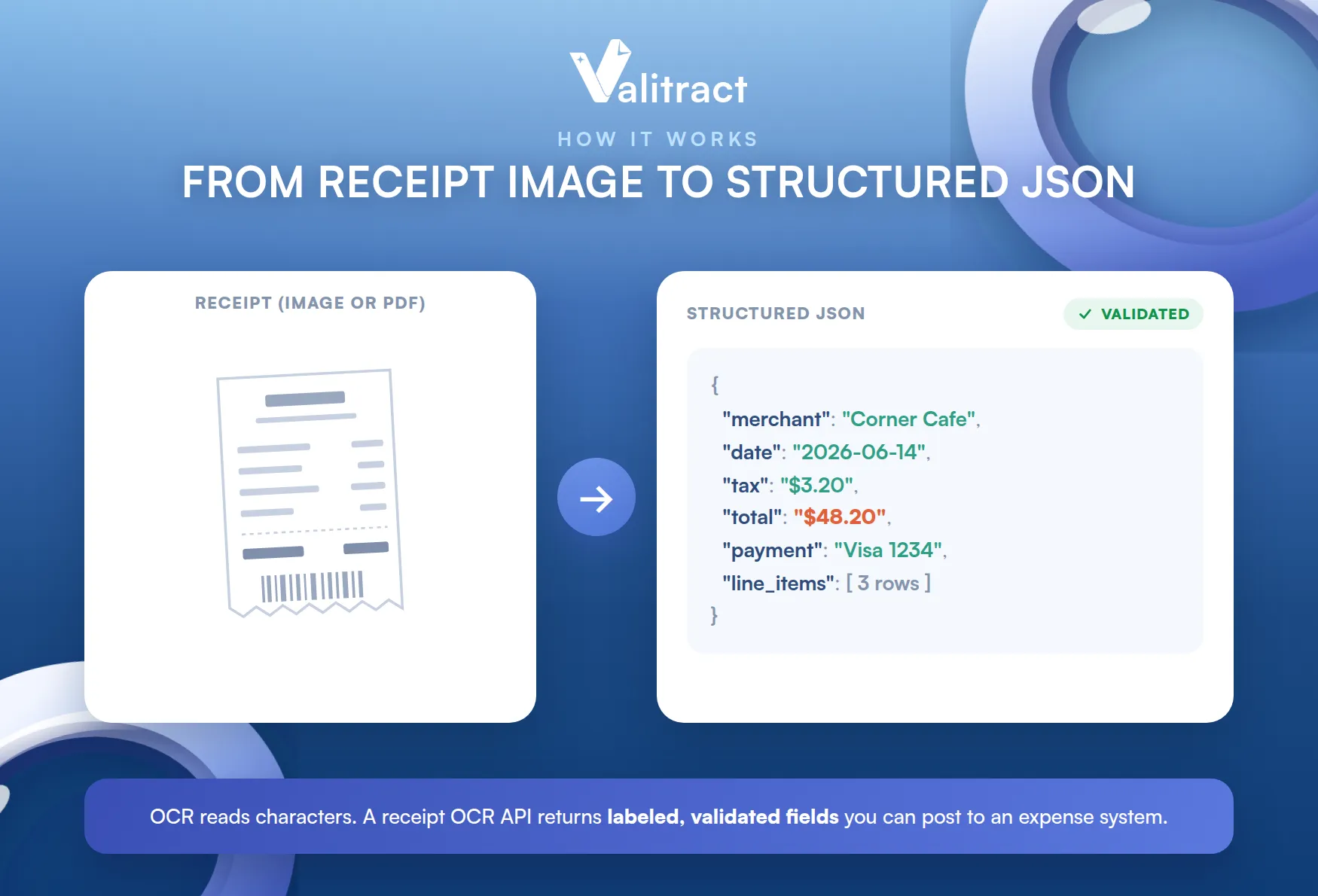
The steps are similar across providers. What separates them is how well each handles a real, messy receipt.
From Scanned Image to Structured JSON
The API takes a receipt as an image or PDF and runs it through a short pipeline. It captures the file, cleans the image, reads the text, and structures the result.
The output is not a wall of text. It is labeled JSON: merchant name, date, total, tax, payment method, and the line items as rows.
That structure is the whole point. A labeled total can be posted to an expense system, while raw text cannot.
The best APIs also validate as they extract. They check that the line items and tax add up to the total, and flag low-confidence fields for a quick human review.
That validation is what makes the data trustworthy. Without it, a confident wrong total looks exactly like a right one.
Receipt OCR vs Intelligent Document Processing
OCR and IDP are related but not the same. OCR reads the characters, while intelligent document processing reads, structures, validates, and routes the data.
A receipt OCR API worth using sits closer to the IDP end. It returns labeled fields and a parsed line-item table, not just text you still have to interpret.
That difference decides how much you build yourself. For a fuller breakdown, see our guide to IDP vs OCR.
For receipts, the IDP capabilities are the ones that pay off. Parsing the line items and checking the totals turn extraction into usable expense data.
Why Receipts Need a Different Kind of OCR API
Receipts look simple, but they are one of the hardest documents to read reliably. An API tuned for clean invoices often struggles with them.
Real-World Conditions: Thermal Paper, Folds, and Phone Photos
Receipts arrive in rough shape. Thermal paper fades, ink smudges, and the paper crumples in a pocket before anyone scans it.
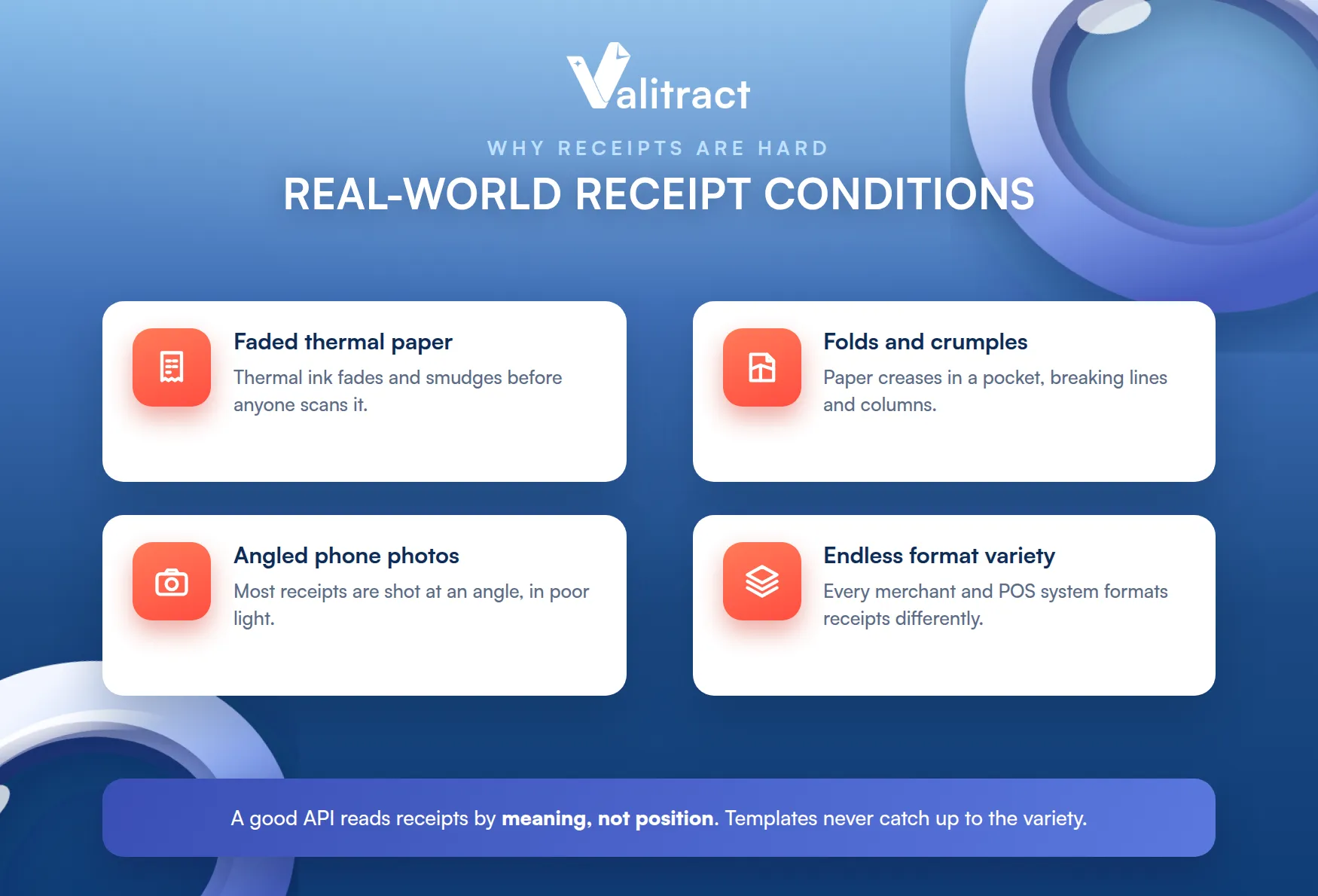
Most are captured on a phone, at an angle, in poor light. A good receipt OCR API has to deskew, denoise, and read text that a legacy engine would give up on.
The capture quality sets the ceiling. A clearer photo gives every later step more to work with.
The variety is endless too. Every merchant and point-of-sale system formats receipts differently, so template-based tools break constantly.
That is why receipt extraction rewards AI models over fixed templates. Reading by meaning, not position, is what survives a folded, faded, angled photo.
Templates also never catch up. Every new merchant or point-of-sale layout is another rule to write and maintain.
High Volume, Low Cost Per Document
Receipts are also a volume game. A single business can generate thousands a month, far more than invoices, so the price per document matters more here.
The cost being removed is mostly labor. NetSuite, citing Deloitte, notes that labor is the dominant cost in manual expense and payment processing, which is exactly the work an API automates.
At scale, a few cents of difference per receipt compounds. A tool that is accurate but priced for invoices will not fit a high-volume receipt workload.
So evaluate receipt OCR on cost per document at your real volume. The right price model is the one that stays affordable at ten times today’s throughput.
Throughput and price are linked. A tool that is cheap per receipt but slow at volume can still bottleneck your close.
What Makes the Best Receipt OCR API
Every vendor claims to be the best. These four things separate a strong receipt OCR API from a demo that only shines on clean samples.
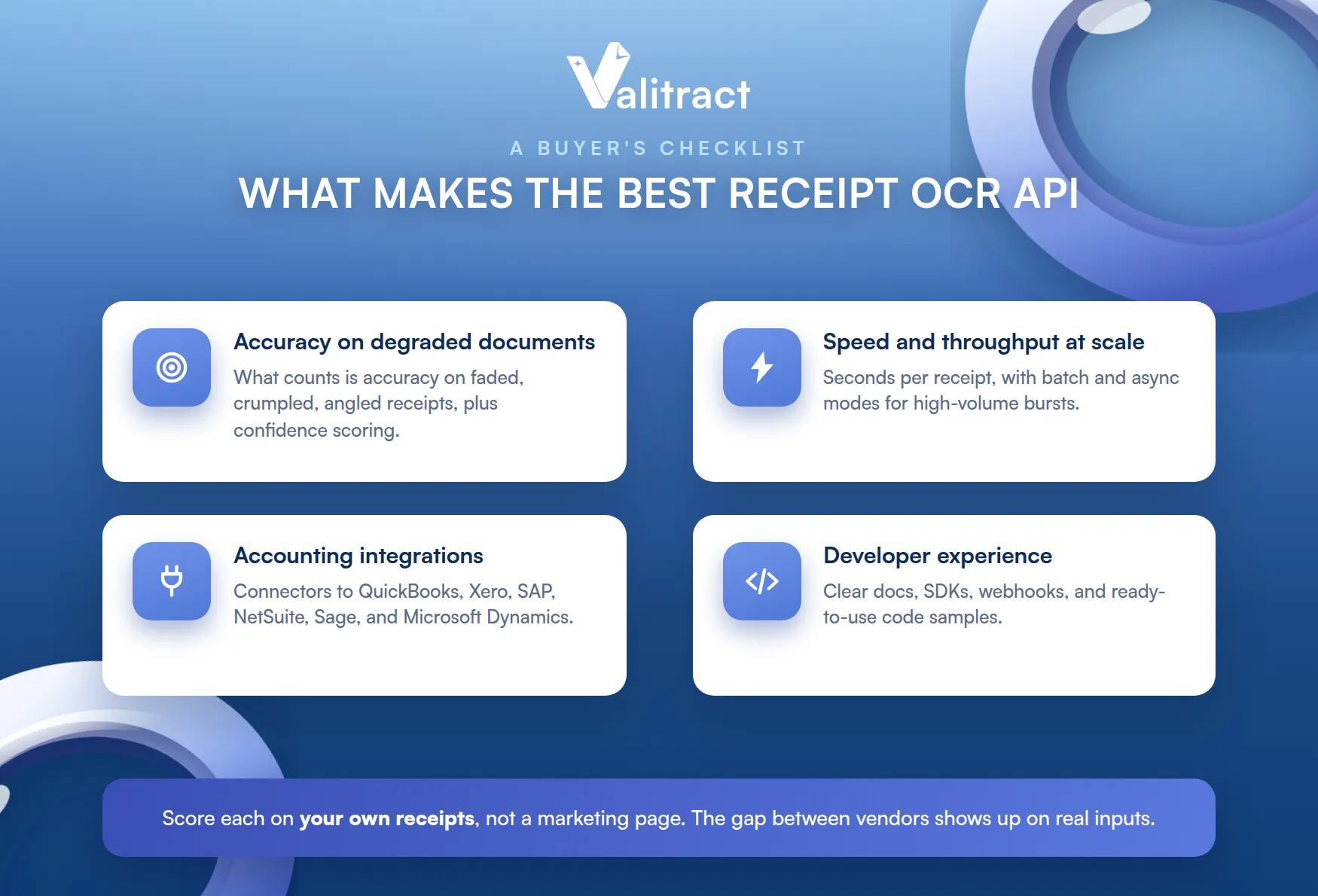
Score each on your own receipts, not a marketing page. The gap between vendors shows up on real inputs.
Accuracy on Degraded, Low-Quality Documents
The headline accuracy number means little on a clean scan. What matters is accuracy on a faded, crumpled, angled receipt.
Test each option on your worst receipts, not a tidy sample. That is where a receipt-tuned AI model pulls ahead of general OCR.
Confidence scoring matters as much as raw accuracy. The API should tell you which fields it is unsure about, so a person checks only those.
That keeps humans in the loop where they add value. Everything the model is sure about flows straight through.
Speed and Throughput at Scale
Receipts come in bursts, so throughput counts. A strong API processes each receipt in seconds and sustains high volume without slowing down.
Valitract is built for that load, with throughput designed for high-volume batches and enterprise-grade uptime. Ask any vendor for its real throughput and uptime figures before you commit.
Batch and asynchronous modes matter here. They let you push thousands of receipts through without holding a connection open for each one.
This is where receipts differ from invoices most. The volume is higher, so the plumbing has to handle bursts gracefully.
Integration With Accounting Systems
Extracted data is only useful where your team already works. Check for connectors to QuickBooks, Xero, SAP, NetSuite, Sage, and Microsoft Dynamics.
A missing integration becomes a manual export-import loop. That quietly reintroduces the very keying you bought the API to remove.
Clean JSON output helps here too. Standardized fields drop into an ERP or expense tool without custom transformation on your side.
Consistent output also future-proofs your code. You integrate once and reuse the same handling as volume grows.
Developer Experience: SDKs, Webhooks, and Code Samples
A good API is one a developer can adopt in an afternoon. Look for clear docs, SDKs, webhooks, and ready-to-use code samples.
Webhooks matter for volume. They let the API notify your system when a batch is done, instead of your code polling for results.
The faster a developer gets a first successful extraction, the better. To see the receipt-specific feature set, explore our Valitract receipt OCR API software.
Good documentation is a feature in itself. A clear quickstart saves more time than any single capability.
Best Receipt OCR API 2026: What to Look For This Year
The category has moved quickly. What counted as good enough two years ago is now the baseline.
What Has Changed in Receipt OCR Recently
The big shift is from templates to AI. Modern receipt OCR uses machine-learning models that read by meaning, so a new merchant format works on the first upload.
That removes the maintenance that sank older tools. There are no per-merchant templates to draw, and no library to keep patching as receipts change.
Language and layout coverage has widened too. A strong 2026 API reads receipts across many languages and formats without separate configuration for each.
Validation has also become standard. Reading the receipt is no longer enough, since buyers now expect the numbers checked as well.
A Quick Checklist to Compare Vendors in 2026
Score every option against the same short list. It keeps a slick demo from setting your requirements for you.
- Accuracy on real, degraded receipts, tested on your own worst samples.
- Price per document at your real monthly volume.
- A genuine free tier, not a time-limited trial.
- Native integrations with your accounting and expense stack.
- Developer experience and support, including docs, SDKs, and response times.
No tool wins on every line. Rank what matters most for your workflow, then test the shortlist, and see our roundup of the top receipt OCR software.
Treat any benchmark as a starting point. Your own receipts are the only benchmark that truly counts.
Receipt OCR API Pricing: What to Expect
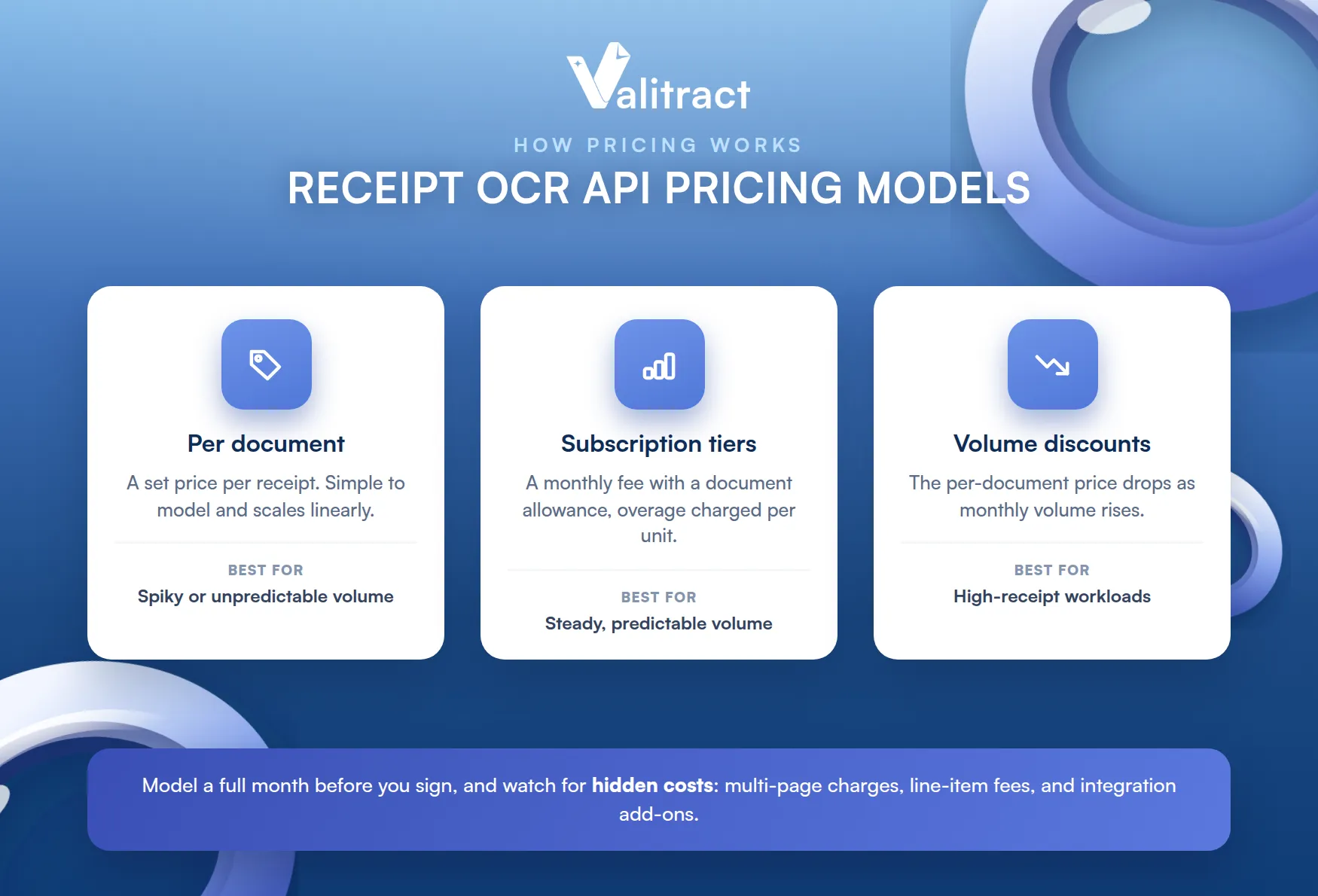
Pricing is where receipt OCR differs most from invoice OCR. Volume is higher, so the model matters more.
Common Pricing Models
Most vendors use one of three models. Understanding them helps you compare like for like.
- Per document: you pay a set amount for each receipt processed, which is simple to model and scales linearly.
- Subscription tiers: a monthly fee includes a page or document allowance, with overage charged per unit.
- Volume discounts: the per-document price drops as monthly volume rises, which suits high-receipt workloads.
The right model depends on your volume and its predictability. Steady high volume favors tiers with discounts, while spiky usage favors pay-per-document.
Model a full month before you sign. A rate that looks cheap per receipt can add up fast at real volume.
Watch for hidden costs. Per-page charges on multi-page documents, extra fees for line-item parsing, and integration add-ons can change the real price.
Valitract Pricing Breakdown
Valitract starts with a genuine free tier, then moves to usage-based paid plans as volume grows. The free tier lets you prove value before spending anything.
Paid plans raise the document allowance, add users, and unlock deeper integration for production workflows. For current plan details, see the Valitract OCR API pricing page.
Upgrade when the free tier proves the fit. Once accuracy holds on your own receipts, moving to a paid plan is low-risk.
Model the cost at your real volume, not a sample. The cheapest headline rate is not always the cheapest at scale once every feature you need is included.
Include line-item parsing and integrations in the estimate. Those are often where the real cost sits, not the base rate.
Free Receipt OCR API: Test It Before You Commit
The best way to judge a receipt OCR API is to run your own receipts through it. A real free tier makes that possible without a sales call.
What Is Included in Valitract’s Free Tier
Valitract offers a genuine free tier, not a time-limited trial. It costs $0 per month and includes 100 pages per month, enough to test the API on real receipts.
The free tier is not crippled. It includes field and table extraction and layout-preserving output, so you evaluate the real product.
That honesty is the point. You should be able to prove the value on your own receipts before you spend anything.
Beware trials disguised as free tiers. A 14-day window is not the same as a standing plan you can test against for weeks.
When to Move From Free to Paid
The free tier is built for testing, not production volume. Once you pass 100 pages a month, or need more users and deeper integration, the paid plans take over.
Upgrade on evidence, not hope. When a successful test turns into a real pipeline, scaling up is a simple decision. You can start with the Valitract OCR API free tier today.
Automating Receipt Data Entry From Capture to ERP
The point of a receipt OCR API is not extraction for its own sake. It is a clean, automated path from a photo to your accounting system.
The Four-Step Workflow: Upload, Extract, Validate, Export
The whole flow reduces to four steps. Each one used to be manual, and each one is now automated.
- Upload: a receipt enters by mobile capture, email, scan, or an API call.
- Extract: the AI reads merchant, date, total, tax, and line items into structured fields.
- Validate: the API checks the math and flags low-confidence fields for a quick review.
- Export: clean data flows into your ERP or expense tool as JSON, CSV, or a direct integration.
The result is a receipt that posts itself. A person steps in only when a field is genuinely uncertain.
That is the shift automation delivers. The default becomes hands-off, and review becomes the exception, not the rule.
Use Cases Across Industries
The same API serves very different teams. Here are the most common.
- Retail: reconciling supplier and store receipts at high volume without manual keying.
- Restaurants: capturing supplier and delivery receipts across many locations.
- Travel and expense: turning employee receipt photos into categorized expense data.
- E-commerce: processing purchase and shipping receipts into the finance system.
- Gas stations and fleet: reading fuel receipts for mileage and expense tracking.
- Hotels: itemizing folios and guest receipts for billing and reconciliation.
The thread across all of them is the same. Reliable receipt data entry automation removes a manual step that scales badly.
Integrating a Receipt OCR API in Minutes
A good API is one your developers can wire up quickly. The pattern is always the same: send the receipt, read the structured response.
Code Sample Walkthrough
Below are minimal examples that post a receipt to a generic extraction endpoint and print the structured result. The endpoint path, parameters, and response shape are illustrative, so confirm them against the current Valitract API documentation.
Python:
import requests
API_KEY = “your_api_key”
url = “https://api.valitract.com/v1/extract-generic”
with open(“receipt.jpg”, “rb”) as f:
response = requests.post(
url,
headers={“Authorization”: f”Bearer {API_KEY}”},
files={“file”: f},
)
data = response.json()
print(data[“fields”]) # merchant, date, total, tax
print(data[“line_items”]) # parsed receipt rows
Node.js:
import fs from “fs”;
import FormData from “form-data”;
import fetch from “node-fetch”;
const form = new FormData();
form.append(“file”, fs.createReadStream(“receipt.jpg”));
const response = await fetch(“https://api.valitract.com/v1/extract-generic”, {
method: “POST”,
headers: { Authorization: `Bearer ${process.env.API_KEY}` },
body: form,
});
const data = await response.json();
console.log(data.fields); // merchant, date, total, tax
console.log(data.line_items); // parsed receipt rows
Both calls do the same thing. They upload the receipt, and the API returns labeled fields and the parsed line items as JSON.
From there, you map the fields into your own system. The response is clean structured data, so there is no text parsing left on your side.
Confidence scores travel with the data. You can auto-post what the model is sure about and route the rest to a reviewer.
A No-Code Option for Non-Developer Teams
Not every team has developers to spare. Valitract also offers a no-code platform, so finance and operations teams can upload receipts and export structured data without writing code.
That widens who can use it. An analyst can automate a receipt workflow without waiting on engineering. To see both the API and the no-code interface, explore the .
The two share one backend. Developers use the API, business users use the dashboard, and both get the same structured output.
Frequently Asked Questions About Receipt OCR API
Can a receipt OCR API read crumpled or faded thermal receipts? A good one can, because it is built for exactly these conditions. AI-based models handle fading, folds, and angled photos far better than legacy OCR, though very degraded receipts still benefit from a confidence-scoring step that flags uncertain fields for review.
How accurate is receipt data extraction with Valitract? Valitract reaches up to 99.8% accuracy on clear receipts, with accuracy dipping on badly degraded ones. Built-in validation and confidence scoring catch the uncertain fields, so the data you post is checked rather than trusted blindly.
Does the receipt OCR API integrate with QuickBooks or SAP? Yes. Valitract exports clean structured data that feeds accounting and ERP systems including QuickBooks, Xero, SAP, NetSuite, Sage, and Microsoft Dynamics, through the API or standard export formats.
What file formats are supported? Common image formats such as JPG and PNG, plus PDF, including scanned and photographed receipts. Confirm the current full list against the Valitract documentation for any less common formats.
Is there a free tier to test before paying? Yes. Valitract offers a genuine free tier at $0 per month with 100 pages, including field and table extraction, so you can test on your own receipts before committing to a paid plan.
Conclusion: Get Started With Valitract’s Receipt OCR API
A receipt OCR API turns slow, costly manual keying into fast, structured data your systems can trust. It reads real-world receipts, returns labeled fields and line items, and drops that data straight into your workflow.
The payoff is concrete: high accuracy on degraded receipts, low cost per document, fast integration, and a genuine free tier to test first. Whichever tool you choose, run your own receipts through it before you commit.
The manual alternative is not getting cheaper. At $58 and 20 minutes a report, the case for automating only grows stronger.
To talk through your use case and get free consulting, reach the team through the Valitract contact page.
Valitract – Next-gen AI-Powered Data Extraction Platform
- Email: contact@valitract.com
- LinkedIn: https://www.linkedin.com/company/valitract-api-platform
- X: https://x.com/valitract


