

Manual invoice keying is an avoidable cost. Every hour an accountant spends typing vendor names and totals is an hour not spent on analysis, and it adds errors that surface later as overpayments.
That is why accounting teams are moving away from hiring data-entry clerks and toward touchless extraction. Invoice data capture software is the data-ingestion layer that feeds the rest of your accounts payable invoice processing stack. It reads each bill, structures the data, and hands it to your ledger or AP workflow.
This guide compares the 9 best invoice data capture software platforms for 2026, how they extract data, what they cost, and who each one fits.
TL;DR
Invoice data capture software scans incoming bills, extracts the header and line-item fields, and turns unstructured files into structured records for your ledger. The best tools in 2026 use template-free AI that reads any layout on first upload. Our top picks are Valitract for accurate template-free capture with no-code and API access, Rossum for high-volume enterprise extraction, and Medius for AI-native capture inside a full AP suite.
What Is Invoice Data Capture? Traditional OCR vs. AI-Native Ingestion
Invoice data capture is the automated process of converting unstructured billing documents into structured digital records, evolving from rigid legacy OCR templates to adaptive, context-aware AI scanning.
Definition of Invoice Capture and Scanning
Invoice data capture is the automated process of scanning incoming supplier bills, extracting the key header and line-item fields, and converting unstructured document files into structured data records ready for an accounting ledger.
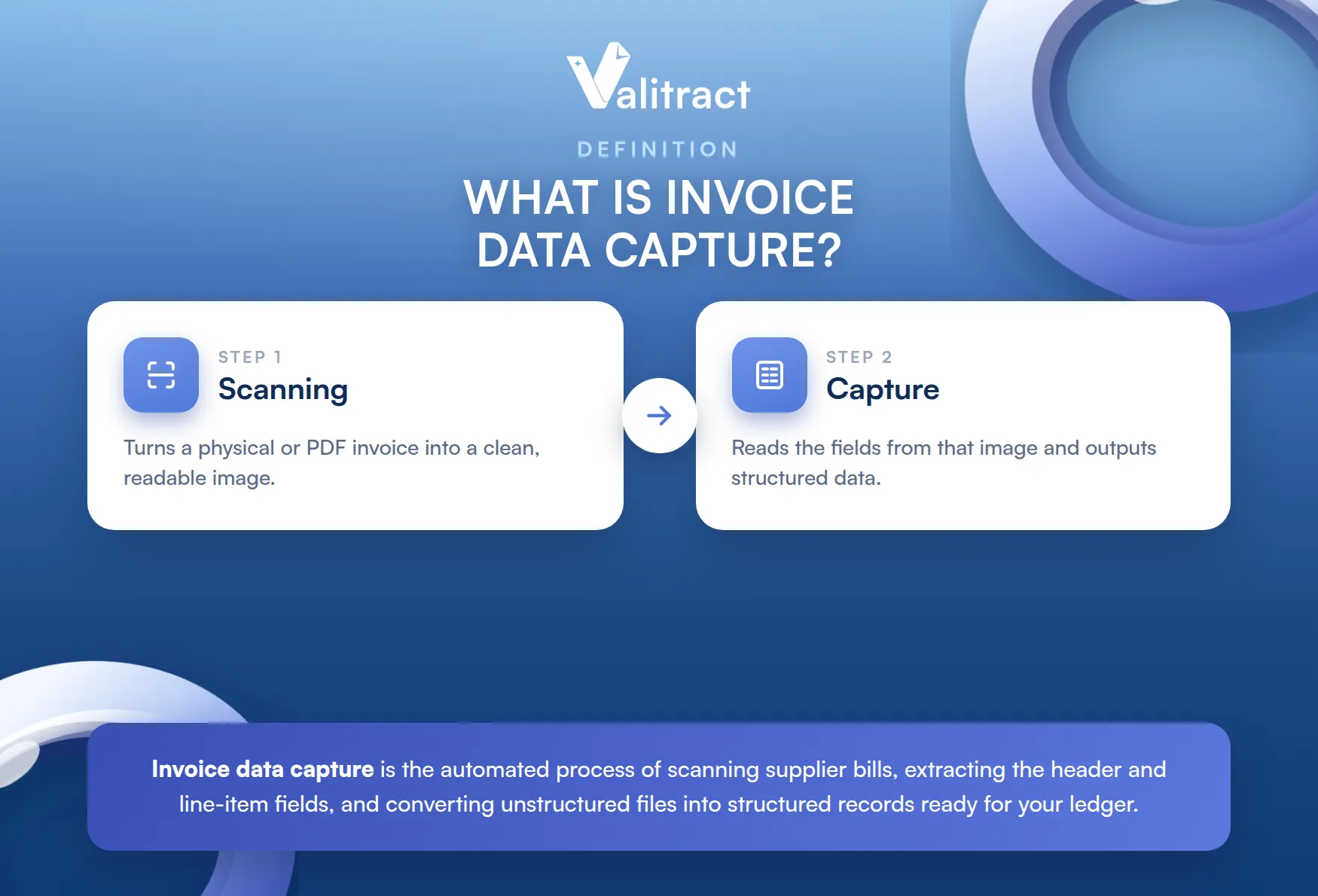
Scanning is the first step, turning a physical or PDF invoice into a readable image. Capture is the step that follows, reading the fields from that image and outputting structured data.
The Shift From Legacy OCR Mapping to Adaptive AI Scanning
Legacy OCR reads text from fixed positions on the page, so it needs a configured template for each vendor layout. When a supplier moves a field or changes its design, the template fails and someone has to fix it. Modern AI capture uses large language models and context-aware machine learning to read an invoice the way a bookkeeper does, handling unknown formats without a template.
The table shows the practical difference between the two approaches.
Table 1. Legacy template OCR vs. AI-native capture
| Dimension | Legacy template OCR | AI-native capture |
| Time to value | Weeks of template setup per vendor | Live in minutes, no templates |
| What gets captured | Mapped header fields in fixed zones | Header and full line items by context |
| Data accuracy | High only on known layouts | 95%+ across unseen layouts |
| Handling new suppliers | Needs a new template each time | Reads new formats natively |
| Customization | Manual zone mapping | Learns from user corrections |
| Maintenance and changes | Breaks when a layout shifts | Adapts automatically |
The 9 Best Invoice Data Capture Software Platforms of 2026
We tested how each platform processes messy, unstructured documents on first upload without templates. We excluded tools that only extract headers, and ranked platforms on line-level extraction accuracy, processing speed, and the reliability of their native ledger APIs.
Pricing is often quote-based and changes often, so treat the figures as a starting point.
Table 2. Quick comparison of the 9 best invoice data capture software
| # | Software | Capture accuracy | Pricing model | Strength | Best for |
| 1 | Valitract | Up to 99.8% | Free tier, usage-based | Template-free AI, no-code and API | Accurate capture via no-code or API |
| 2 | Rossum | 94 to 98% | From about $2,000/mo | Template-free AI with ERP depth | High-volume enterprise extraction |
| 3 | Medius | High (96.3% touchless PO) | Quote-based | AI-native capture in a full AP suite | Large and global enterprises |
| 4 | ABBYY | 90%+ out of the box | Page-based, about $0.02 to $0.10 | OCR depth, multilingual and handwriting | Diverse document types at scale |
| 5 | Kofax (Tungsten) | High on configured docs | Enterprise quote | Proven legacy IDP across many docs | Enterprises on SAP or Oracle |
| 6 | DocParser | High on stable layouts | From $39/mo | Affordable rule-based parsing | Small, consistent vendor sets |
| 7 | Tipalti | AI capture | Subscription plus fees | Capture plus global payments | Global mass payments |
| 8 | BILL | Header-focused | From about $45/user/mo | AP, AR, and bill pay in one | SMB accounts payable |
| 9 | Stampli | AI capture | Quote-based | Collaboration on the invoice | Mid-market AP teams |
1. Valitract
Valitract is an AI-powered data extraction platform that captures invoices of any layout without templates, then returns structured data your ledger or AP workflow can use.
- Key features: template-free capture, line-item and table parsing, 95+ languages, a no-code dashboard, and a full invoice OCR API for developers.
- Pricing: free tier with 100 pages per month and no credit card, then usage-based paid plans.
- Pros: up to 99.8% accuracy on standard documents, fast setup with no per-vendor templates, and strong privacy since documents are not used to train its models.
- Cons: focused on capture and extraction rather than being a payments network, so teams pair it with their existing payment rails.
2. Rossum
Rossum is a cloud-native document AI platform that captures invoice data from any layout using deep learning trained on transactional documents.
- Key features: template-free extraction, a grid view for line items, human review workflows, and integrations with SAP, Oracle, Microsoft Dynamics, and NetSuite.
- Pricing: transactional, with enterprise plans cited around $2,000 per month and up.
- Pros: strong invoice accuracy (94 to 98%), no template maintenance, and deep ERP integration.
- Cons: enterprise pricing and implementation investment make it hard for small teams to justify.
3. Medius
Medius is an AI-native enterprise AP platform that links capture, processing, and payment, with more than 25 years in accounts payable.
- Key features: template-free AI capture, line-level three-way matching, anomaly and duplicate detection, and pre-built ERP connectors for SAP, Dynamics, and Infor.
- Pricing: quote-based, in packaged tiers.
- Pros: a 96.3% touchless rate on PO invoices (against a 23.4% market average per Ardent Partners), strong fraud controls, and a Gartner Magic Quadrant Leader position for AP applications.
- Cons: built for enterprise scale, and some users report a heavier setup.
4. ABBYY
ABBYY is a long-established OCR and intelligent document processing vendor whose Vantage platform offers pre-trained AI skills for invoices and other documents.
- Key features: high-accuracy OCR, pre-trained invoice skills, strong multilingual and handwriting recognition, human-in-the-loop review, and cloud or on-premise deployment.
- Pricing: page-based licensing around $0.02 to $0.10 per page, plus transaction and capacity options; quote-based overall.
- Pros: 90%+ recognition out of the box, excellent multilingual and handwriting support, and flexible deployment.
- Cons: enterprise complexity, mixed support feedback, and FlexiCapture is more technical to configure.
5. Kofax (Tungsten Automation)
Kofax, rebranded as Tungsten Automation in 2024, is a legacy enterprise IDP and capture suite with a long track record in high-volume AP.
- Key features: document capture across many types, AP workflows through ReadSoft and InvoiceAgility, and deep enterprise ERP integration.
- Pricing: enterprise volume-based licensing, quote only; large deployments run well into six figures before professional services.
- Pros: a proven product with broad document coverage and enterprise scale.
- Cons: template-based capture needs ongoing maintenance, implementation is long and services-heavy, and licensing is expensive.
6. DocParser
DocParser is a lightweight, affordable parser that extracts fields from invoices using rule-based templates you define on a sample.
- Key features: template-based field extraction, Zapier integration, and simple export to spreadsheets or apps.
- Pricing: plans from about $39 per month.
- Pros: affordable, transparent pricing, and very high accuracy on stable, known layouts.
- Cons: every new layout needs its own template, templates break when formats change, and there are page and file-size caps, so it suits a small vendor set rather than a diverse AP operation.
7. Tipalti
Tipalti is a finance automation platform built around global mass payments, with AI capture and matching layered in.
- Key features: AI invoice capture, PO matching, a tax compliance engine, and payouts across 196 countries.
- Pricing: subscription with transaction fees; entry pricing is cited around $99 to $149 per month.
- Pros: broad global payment reach, strong compliance, and time savings at close.
- Cons: higher cost including payout fees, and limited self-service support.
8. BILL
BILL, formerly Bill.com, is a financial operations platform for SMBs that combines bill capture, approvals, and payments.
- Key features: electronic bill capture, approval rules, multiple payment rails, and sync with QuickBooks, Xero, Sage Intacct, and NetSuite.
- Pricing: roughly $45 to $79 per user per month.
- Pros: simple payments, solid approval workflows, and wide accounting integrations.
- Cons: capture is header-focused and lighter than dedicated AI engines, with limited line-item depth.
9. Stampli
Stampli is an AP-first platform that centers approvals and questions on the invoice itself, with AI capture built in.
- Key features: “Billy the Bot” AI for capture and coding, in-invoice communication, and integration with more than 70 ERPs.
- Pricing: quote-based, with month-to-month options.
- Pros: easy adoption, fast implementation, and high marks for support (4.6 on G2).
- Cons: no public pricing, and some users report occasional sync delays.
Key Features You Should Look For in Invoice Data Capture Software
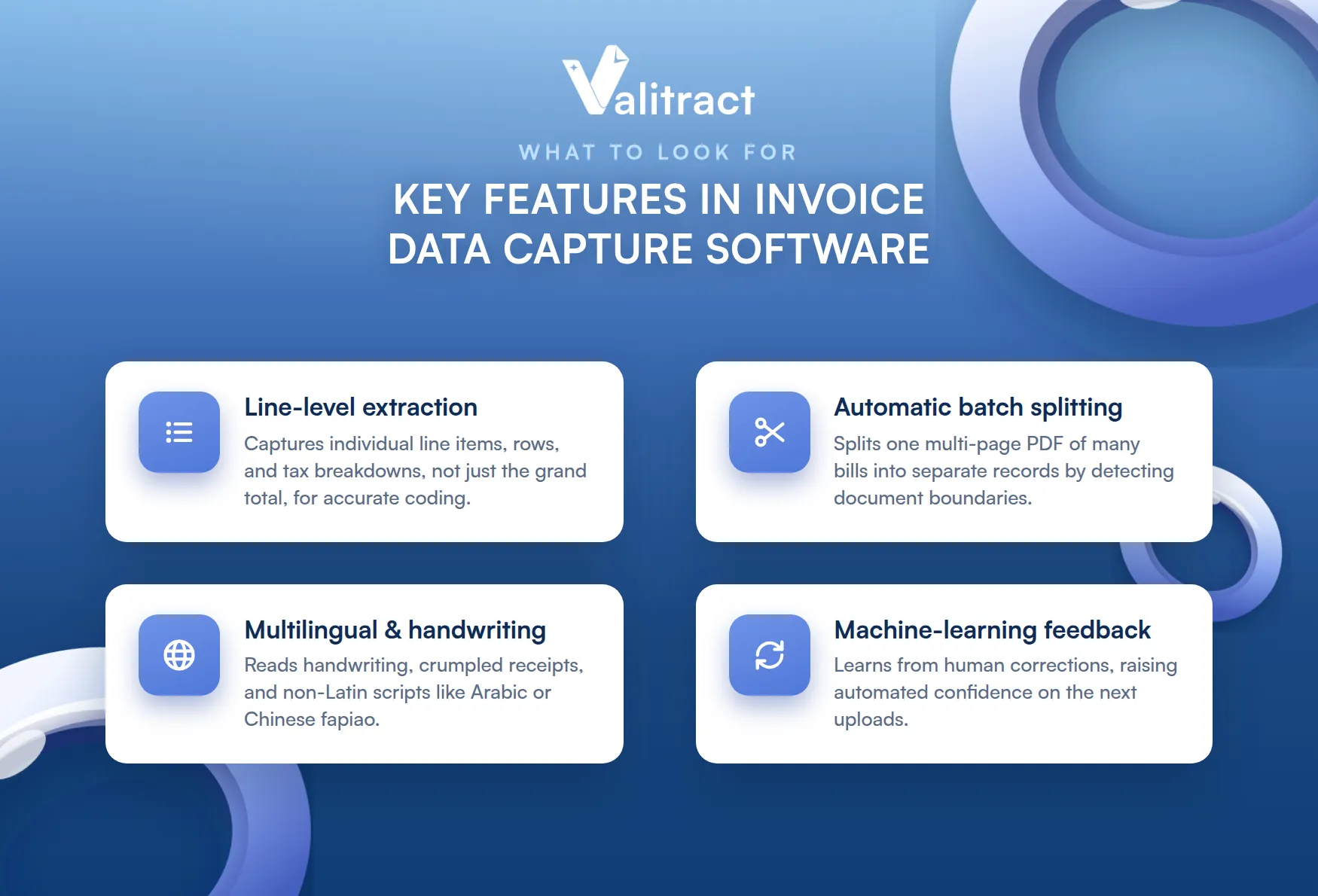
When evaluating invoice data capture software, businesses must prioritize four core technical capabilities: native line-level extraction, automated batch splitting, robust multilingual/handwriting OCR, and continuous machine-learning feedback loops.
Verify these critical processing layers against your actual invoice workflows during a pilot:
- Native line-level vs. header-only extraction: A capable invoice data extraction software must capture individual line items, rows, and complex tax breakdowns instead of just extracting the grand total, which is essential for accurate cost-center coding.
- Automatic PDF and batch document splitting: The capture engine should instantly process a single, multi-page PDF file containing dozens of individual vendor bills, automatically detecting document boundaries to split them into separate records.
- Multilingual text and handwriting recognition: Advanced AI engines read handwritten numbers, crumpled receipts, and non-Latin international scripts (such as Arabic or Chinese fapiao) without dropping field accuracy.
- Continuous machine-learning correction loops: The platform needs a clear review interface that dynamically learns from human corrections, raising its automated confidence scores on subsequent uploads.
How to Choose the Best Invoice Capture Solution for Your Business
Choosing well comes down to five practical checks. They steer you away from vanity metrics and toward the capabilities that solve real extraction problems.
- Define your line-item requirements: If you handle shipping logs, retail inventory, or manufacturing bills, choose an engine built for native table parsing. Avoid header-only tools if you need granular cost-center coding.
- Audit extraction accuracy under stress: Skip the perfect sample demo. Ask how the tool handles crumpled receipts, low-resolution faxes, smartphone photos, and multi-page batches, and look for a verified accuracy rate above 99%.
- Match the tool to your invoice volume: Under 100 invoices a month, prioritize user-friendly apps with flat-rate pricing. At thousands of documents from a global supplier base, prioritize an enterprise tool with scalable per-page or usage pricing.
- Check for real-time, bidirectional integrations: The tool should sync directly with your general ledger. Confirm native API mapping into your exact ERP, such as SAP, NetSuite, Sage, or QuickBooks, so manual file uploads disappear. Accurate capture also feeds the invoice validation process, where the data is matched against your POs.
- Evaluate the human-in-the-loop interface: No AI is perfect on every custom layout. The platform needs a clear dashboard where a bookkeeper can review and correct flagged exceptions in seconds, feeding those fixes back into the learning loop.
Core Benefits of Implementing Automated Invoice Scanning Software
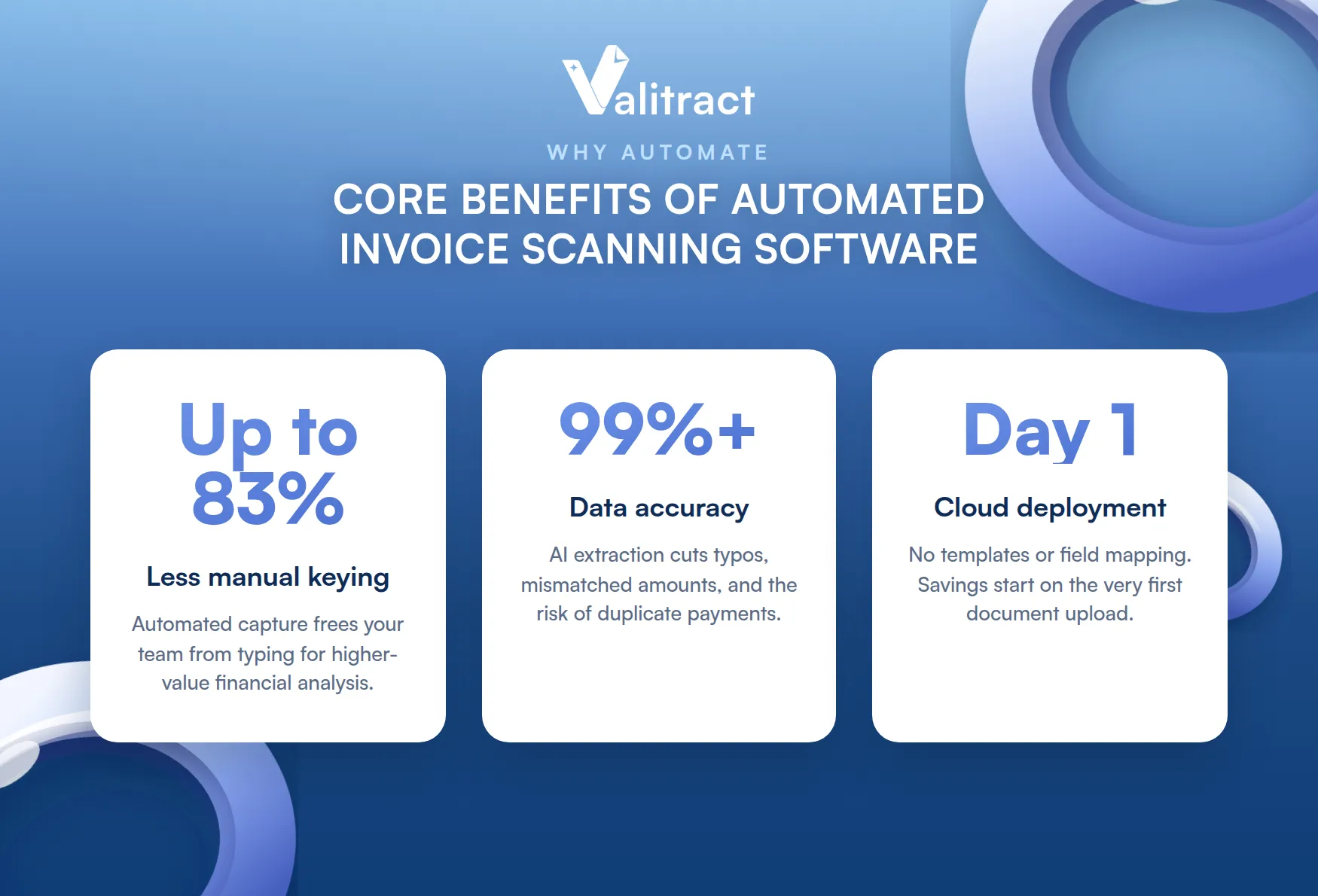
Implementing automated invoice scanning software drives immediate financial and operational value by eliminating manual keying labor by up to 83%, maintaining data accuracy above 99%, and delivering rapid, day-one cloud deployments.
Transitioning to automated capture delivers three core advantages that rapidly transform accounting workflows:
- Elimination of manual keying labor: Automated capture cuts data-entry time by as much as 83%, freeing your accounting team to focus on high-value financial analysis instead of tedious typing. This structural efficiency forms the core of moving toward modern automated invoice processing.
- Guaranteed data accuracy above 99%: Leading AI-driven extraction tools minimize costly typos, mismatched amounts, and misread billing dates. This precision safeguards the reliability of your financial forecasting and prevents the risk of duplicate supplier payments.
- Rapid, day-one deployment setup: Modern cloud-native scanning systems deploy instantly without requiring months of heavy IT configuration, complex developer field mapping, or per-vendor templates, allowing real cost savings to start on the very first document upload.
Implementation Best Practices for Invoice Capture Solutions
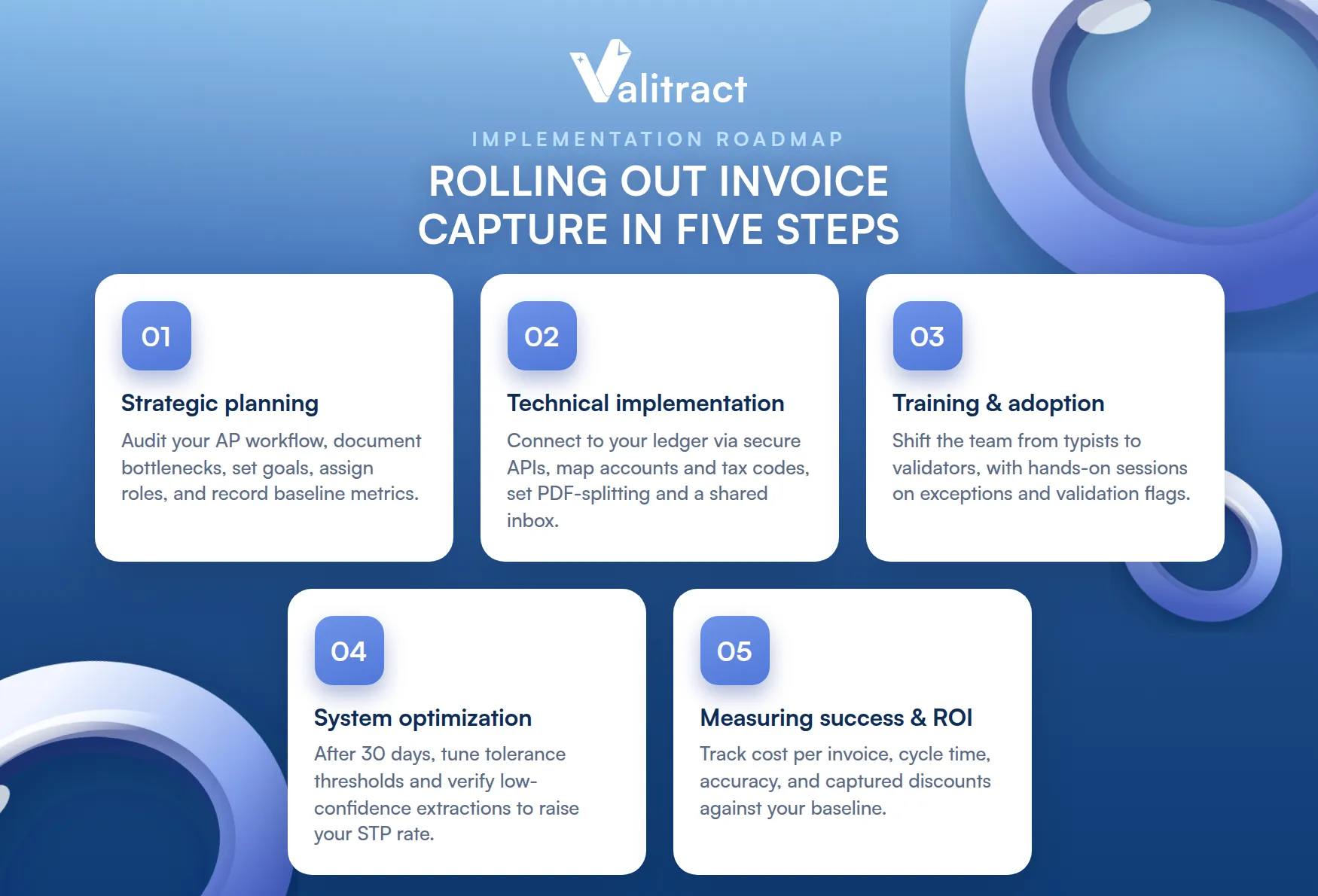
A clean rollout in five steps drives adoption and a fast path to value.
1. Strategic Planning
Before any setup, audit your current AP workflow and document every bottleneck, such as lost email attachments or slow approvals. Set clear project goals, assign stakeholder roles, and record baseline metrics so you can measure improvement later.
2. Technical Implementation
Connect the software to your general ledger through secure cloud APIs. Map your chart of accounts, vendor names, and tax codes, then configure PDF-splitting rules and a central shared inbox such as ap@company.com so the engine can ingest files on day one.
3. Training and Adoption
Address change management head-on. Shift your team’s mindset from data-entry typists to data validators, and run hands-on sessions on managing exception screens and resolving validation flags.
4. System Optimization
After the first 30 days, refine your automation boundaries using real performance data. Adjust price and percentage tolerance thresholds, and keep training the models by verifying low-confidence extractions to raise your straight-through processing rate.
5. Measuring Success and ROI
Track performance against your baseline. Measure the drop in cost per invoice, faster cycle times, accuracy gains, and the early-payment discounts you now capture, and report them on a regular cadence.
Concluding Thought
The best invoice data capture software in 2026 is the one that accurately reads your real invoices and fits seamlessly into your existing workflows. Large enterprises often gravitate toward Medius, Rossum, or ABBYY, while smaller teams with predictable invoice formats may find DocParser sufficient. SMBs looking for an all-in-one AP solution frequently choose BILL.
Ultimately, the most important thing is how well the system handles the invoices you receive every day. Even small mistakes when extracting data can cause problems later on, such as with approvals, payments, reporting and compliance.
For organizations that need highly accurate, template-free invoice capture without complex setup, Valitract offers a practical alternative. It extracts data from invoices of any layout with up to 99.8% accuracy, provides results through both a no-code dashboard and API, and integrates easily with existing workflows. Unlike many AI tools, it never uses customer documents to train its models and is built to meet GDPR and HIPAA compliance requirements.
The easiest way to evaluate any invoice capture solution is to test it on your own documents. Valitract’s free tier includes 100 pages per month with no credit card required, allowing you to see how it performs before making a commitment.
Capture every invoice accurately, starting today.
Frequently Asked Questions About Invoice Data Capture Software
What is Invoice Invoice Data Capture Software?
Invoice data capture software automatically finds key information from invoices, like vendor details, invoice numbers, dates, line items, and totals. It then turns this information into digital data that is organised in a way that makes sense. It reduces the amount of time taken to enter data manually, makes the data more accurate, and speeds up the process of dealing with invoices.
What is Invoice Scanning?
Invoice scanning is the process of converting a paper or digital invoice into a readable image, then into structured data. A scanner or app captures the document, and capture software reads the fields from it. The result is data your accounting system can use without manual typing. Scanning is the first step in a full invoice data capture workflow.
What is The Difference Between Simple OCR Invoice Scanning and Invoice Data Capture Software?
OCR simply reads the text on a page and returns it as characters. Invoice data capture software goes further: it understands which characters are the invoice number, vendor, line items, and totals, then validates and structures them for your ledger. OCR gives you raw text, while capture gives you usable accounting data. Modern capture also reads any layout without a template, where basic OCR often cannot.
What is The Typical ROI Timeframe for Invoice Capture Software?
Most teams see a return within 3 to 12 months, depending on volume. The savings come from less manual labor, fewer errors and duplicate payments, and more captured early-payment discounts. Higher invoice volumes reach payback faster because the per-invoice savings add up sooner. Tracking cost per invoice before and after gives you a clear ROI figure.
Can Invoice Capture Software Handle Different Languages and Currencies?
Yes. Leading tools read invoices in dozens of languages, with the strongest supporting 95 or more, and they capture multiple currencies and tax formats. This matters for businesses with international suppliers. Some engines also read handwriting and non-Latin scripts such as Arabic or Chinese. Confirm the specific languages and currencies you need during evaluation.
What Security Measures are In Place To Protect Sensitive Data?
Reputable platforms use encryption in transit and at rest, role-based access, and detailed audit trails. Look for SOC 2, GDPR, and where relevant HIPAA compliance, plus a clear policy that your documents are not used to train shared models. These controls protect financial and vendor data through the whole capture process. Always confirm certifications before you sign.
What Types of Invoices Can Be Processed?
Modern capture handles PDFs, scanned paper, smartphone photos, and electronic invoice formats, along with both PO and non-PO invoices. The best tools also process multi-page batches and split a single file into separate bills automatically. They read structured, semi-structured, and messy documents alike. Template-based tools are more limited and work best on consistent layouts.
Valitract – Next-gen AI-Powered Data Extraction Platform
- Email: contact@valitract.com
- LinkedIn: https://www.linkedin.com/company/valitract-api-platform
- X: https://x.com/valitract