


TL;DR
- Bank statement reconciliation software automates the matching of bank transactions against your internal cash records, replacing manual spreadsheet work.
- Look for automated matching, multi-bank and multi-currency aggregation, accounting and ERP integrations, and a real audit trail.
- Small teams are often fine with QuickBooks or Xero, scaling teams look at Numeric or FloQast, and enterprises look at BlackLine or Trintech.
- Choosing the software solves only half the problem. The other half is getting clean data out of PDF statements and into the tool.
Month-end arrives, and the spreadsheets multiply. Someone is matching bank lines to ledger entries by eye, someone else is chasing a difference of a few dollars, and the close slips another day.
Bank statement reconciliation software exists to end that. It matches transactions automatically, flags the exceptions, and keeps an audit trail of every decision.
The payoff is real. Teams stop hunting for differences by hand and start reviewing only what the software could not resolve.
But picking the right software only solves half the problem. The other half is how the bank statement data gets into that tool in the first place, because banks still send PDFs and scans, not clean spreadsheets.
That second half is where most evaluations go quiet. It is also where the close quietly loses its days.
This guide covers what the software does, the features that matter, the leading tools by company size, how to choose, and the data bottleneck almost every buyer discovers after they sign.
We will name specific tools and be honest about where each one fits. There is no single best option, only the best fit for your team.
What Is Bank Statement Reconciliation Software?
Before comparing tools, it helps to define the category and its boundaries.
Definition and Core Function
Bank statement reconciliation software is a tool that automatically compares transactions on your bank statement against the cash records in your accounting system, matches what agrees, and flags what does not. Its core function is a matching engine plus an exception workflow.
Instead of a person scanning two lists, the software pairs transactions by amount, date, and reference. A human only reviews what the software could not match.
Good tools auto-clear the large majority of routine lines. The exceptions are where the real work, and the real risk, lives.
The result is a faster close and a cleaner control. Every match, exception, and adjustment is logged in one place, which is exactly what auditors want to see.
The software does not replace judgment. It removes the mechanical work so your team spends its time on the items that actually need thought.
Bank Reconciliation vs Full Account Reconciliation Software
The two categories overlap, but they are not the same. Bank reconciliation tools focus narrowly on cash, matching bank and card statements against internal records.
Full account reconciliation platforms go wider. They reconcile the whole balance sheet, including accounts receivable, accounts payable, fixed assets, intercompany, accruals, and prepaid expenses, usually by pulling trial balances from your ERP.
Both matter, and the right scope depends on your close. If bank rec specifically is your pain point, you may not need an entire close-management suite to fix it.
Buying too wide is a common mistake. A platform built for a hundred-account balance sheet is overkill for three bank accounts. For the underlying workflow, see our guide to the bank statement reconciliation process.
Key Features to Look For
Most vendors claim automation. These four features are what separate a genuine matching engine from a checklist with a nice interface.
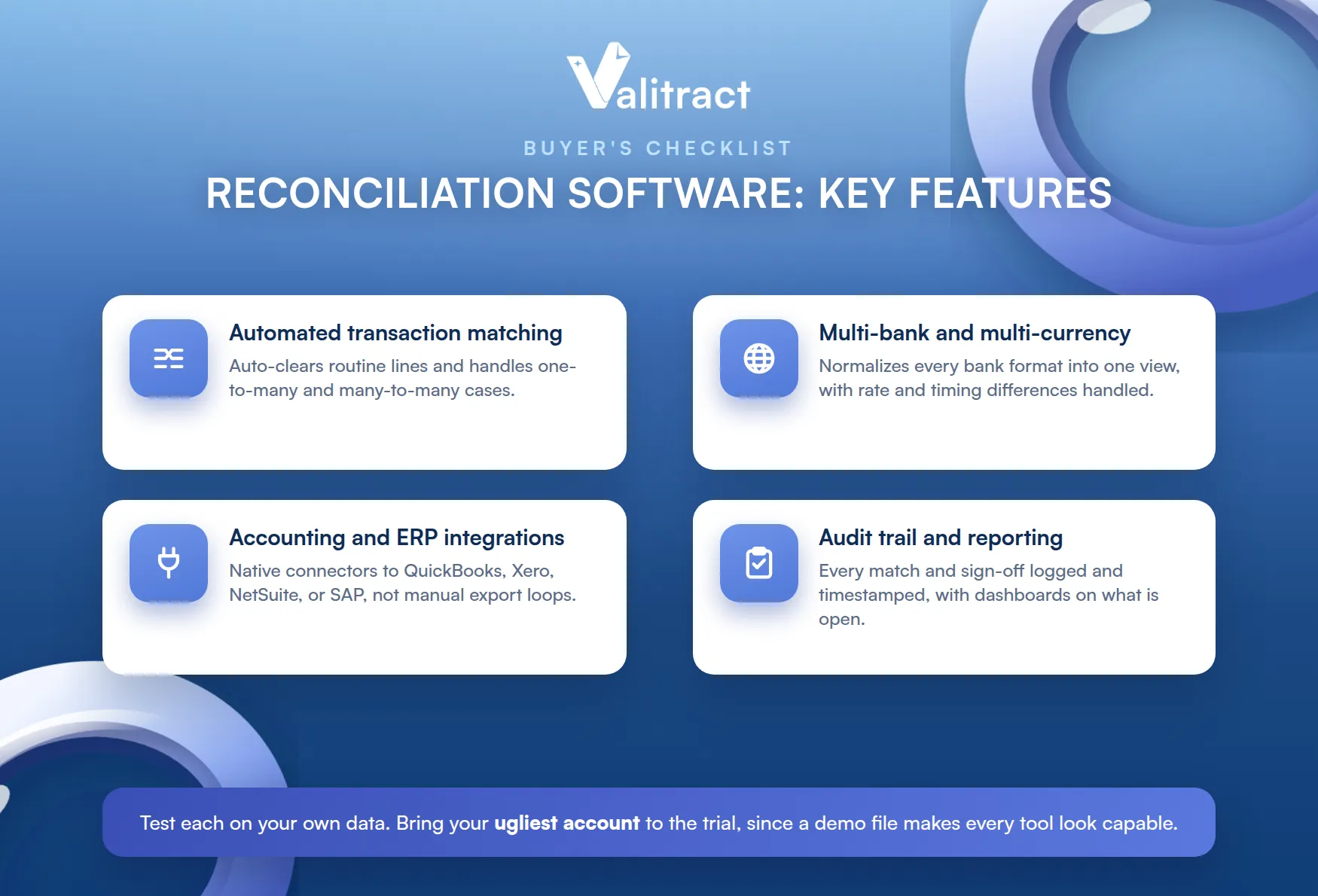
Test each one on your own data during evaluation. A demo file will make every tool look capable.
Bring your ugliest account to the trial. That is the one that will decide whether the tool actually helps.
Automated Transaction Matching
This is the heart of the product. The software should auto-match the routine transactions by rule, then surface only genuine exceptions for a person.
Look closely at how it handles hard cases. One-to-many and many-to-many matches are common in real books, and weaker tools stumble on them.
Ask what percentage auto-matches on a real month. That number, not the marketing claim, tells you how much manual work remains.
Multi-Bank and Multi-Currency Aggregation
If you hold accounts at several banks, the tool has to normalize all of it into one view. Each bank formats data differently, so the aggregation layer matters.
Multi-currency adds rate and timing differences. A transfer can look mismatched simply because it settled a day later at a different rate.
Handling that automatically saves hours. Doing it by hand invites errors that look exactly like real discrepancies.
Integrations With Accounting and ERP Systems
Reconciliation software is only useful if it plugs into your books. Check for native connectors to QuickBooks, Xero, NetSuite, Sage Intacct, SAP, or whatever you run.
A missing integration turns into a manual export-import loop. That quietly reintroduces the very work you bought the tool to remove.
Ask whether the connector is native or built through a partner. The difference shows up in reliability and in support.
Audit Trail and Reporting
Every match, adjustment, and sign-off should be logged and timestamped. This is what makes reconciliation defensible under audit or SOX review.
Reporting matters too. Dashboards that show which accounts are reconciled, which are open, and who owns them keep the close on track.
A spreadsheet cannot offer this. Version history and clear ownership are exactly what a shared file lacks.
In a SOX environment, that gap is not cosmetic. It is the difference between a clean audit and a finding.
Top Bank Statement Reconciliation Software Compared
The market splits neatly by company size. The table below orients you before the detail.
Note that these tools are not interchangeable. Some are dedicated matching engines, others are close-management platforms with reconciliation inside.
Table 1. Bank reconciliation and close software by segment.
| Tool | Best for | Pricing | Key differentiator |
| QuickBooks | Small business bank rec | Included in QBO subscription | Bank feeds and rule-based matching built in |
| Xero | Small business bank rec | Included in Xero subscription | Simple bank feeds and reconciliation UI |
| Numeric | Scaling and mid-market teams | Custom quote | AI-native close, fast implementation |
| FloQast | Mid-market, spreadsheet-native teams | Reported around $999 per month, AutoRec is an add-on | Accountant-friendly close, works alongside Excel |
| BlackLine | Enterprise, SOX-heavy | Custom quote, reported $77K to $340K per year | Enterprise-grade matching, controls, and governance |
| Trintech (Cadency, Adra) | Enterprise and mid-market | Custom quote | End-to-end close with AI exception handling |
Sources: vendor sites; pricing reported by Vendr and SelectHub via Numeric’s 2026 roundup and Satva Solutions. Confirm current pricing with each vendor.
Best for Small Businesses: QuickBooks and Xero
For a small business reconciling a few cash accounts, the tools you already own are usually enough. Both QuickBooks and Xero include bank feeds and rule-based matching.
QuickBooks pulls transactions from thousands of institutions and suggests matches as they land. Xero does the same with a clean reconciliation interface built for non-accountants.
Both work well when a bank feed exists. The gap appears when a bank has no feed and sends only statements.
The limit shows up at volume and complexity. Once you have many accounts, entities, or currencies, the built-in tools start to strain.
Until then, do not overbuy. If your existing accounting software reconciles cash well, that is the cheapest correct answer.
Best for Mid-Market and Scaling Teams: Numeric and FloQast
Growing teams need structure without enterprise weight. Numeric is the AI-native entrant, built recently rather than retrofitted, with a centralized close workspace and transaction-level drill-down.
Numeric also stands out on speed to value. Most customers are reported to be live in about a week, against months for heavier platforms.
For a scaling team, that speed matters as much as features. A tool live this quarter beats a better one live next year.
FloQast takes a different angle. It was built by accountants for teams that live in Excel and Google Sheets, wrapping checklists, collaboration, and reconciliation around the spreadsheets they already use.
Be aware of the trade-off. FloQast’s real matching automation comes through AutoRec, a separate add-on, so the core platform alone offers limited automation.
The two suit different cultures. Numeric asks you to move into its workspace, while FloQast meets your spreadsheets where they are.
Best for Enterprise: BlackLine, Trintech, and OneStream
At enterprise scale, reconciliation is one part of a governed close. BlackLine is the widely recognized standard, built for multi-entity, multi-currency organizations with heavy controls, SOX requirements, and deep ERP integration.
Trintech’s Cadency covers similar ground, automating the whole close with AI exception prediction, while its lighter Adra product serves the mid-market. OneStream sits in the broader financial close and CPM category for large organizations consolidating across entities.
These are platforms you implement, not tools you switch on. Plan for a project, with an owner and a timeline.
The cost and effort are real. BlackLine’s pricing is quote-based, reported at roughly $77,000 to $340,000 a year depending on modules and company size, with implementations that can run several months.
Smaller teams often find that breadth unnecessary. If bank rec is the specific pain, an enterprise suite is a heavy way to solve it.
Enterprises buy these platforms for control, not just speed. Governance, segregation of duties, and audit readiness are the real deliverables.
How to Choose the Right Software for Your Team
The best tool is the one that fits your size, your stack, and your timeline. Three lenses make the choice clearer.
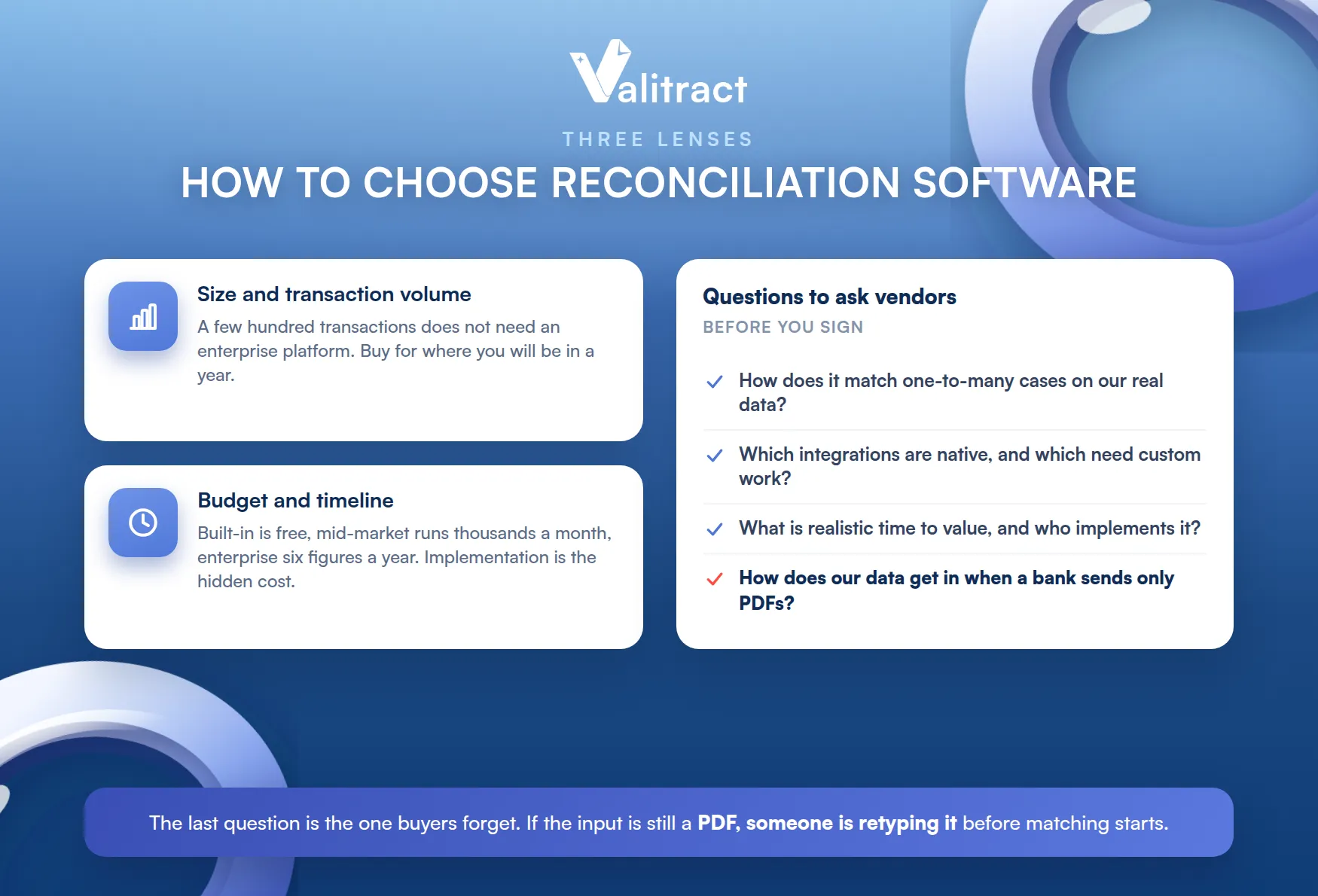
Work through them in order. Most bad purchases come from skipping straight to a demo.
Write down your must-haves before any sales call. It keeps a slick demo from redefining your requirements.
By Company Size and Transaction Volume
Start with volume. A few hundred transactions a month across two accounts does not need an enterprise platform.
Scale changes the answer. Thousands of transactions, multiple entities, and audit obligations push you toward a dedicated matching engine and a governed close.
Be honest about where you will be in a year. Buying for today’s volume can mean re-buying in twelve months.
By Budget and Implementation Timeline
Price and time to value move together. Built-in tools cost nothing extra, mid-market platforms land in the thousands per month, and enterprise suites run into six figures a year.
Implementation is the hidden cost. A tool that takes six months to deploy will not help this quarter’s close, so weigh time to value alongside the license fee.
Internal effort counts too. Someone on your team will run the rollout, and that time is rarely in the budget.
Questions to Ask Vendors Before Signing
A short list of pointed questions saves months of regret.
- How does it handle one-to-many and many-to-many matches on our real data, not a demo file?
- Which integrations are native, and what needs custom work to connect?
- What is realistic time to value, and who does the implementation?
- How do we get our bank statement data in, if a bank has no feed and sends only PDFs?
Insist on answers grounded in your data. A vendor who cannot demo on your messiest month is not ready for it.
That last question is the one buyers most often forget. Whichever tool you pick, if the input is still an unstructured PDF or scan, someone on your team is retyping it or bolting on an extraction layer before matching can even start. Our guide to bank statement extraction software covers that layer.
The Hidden Bottleneck: Getting Clean Data Into These Tools
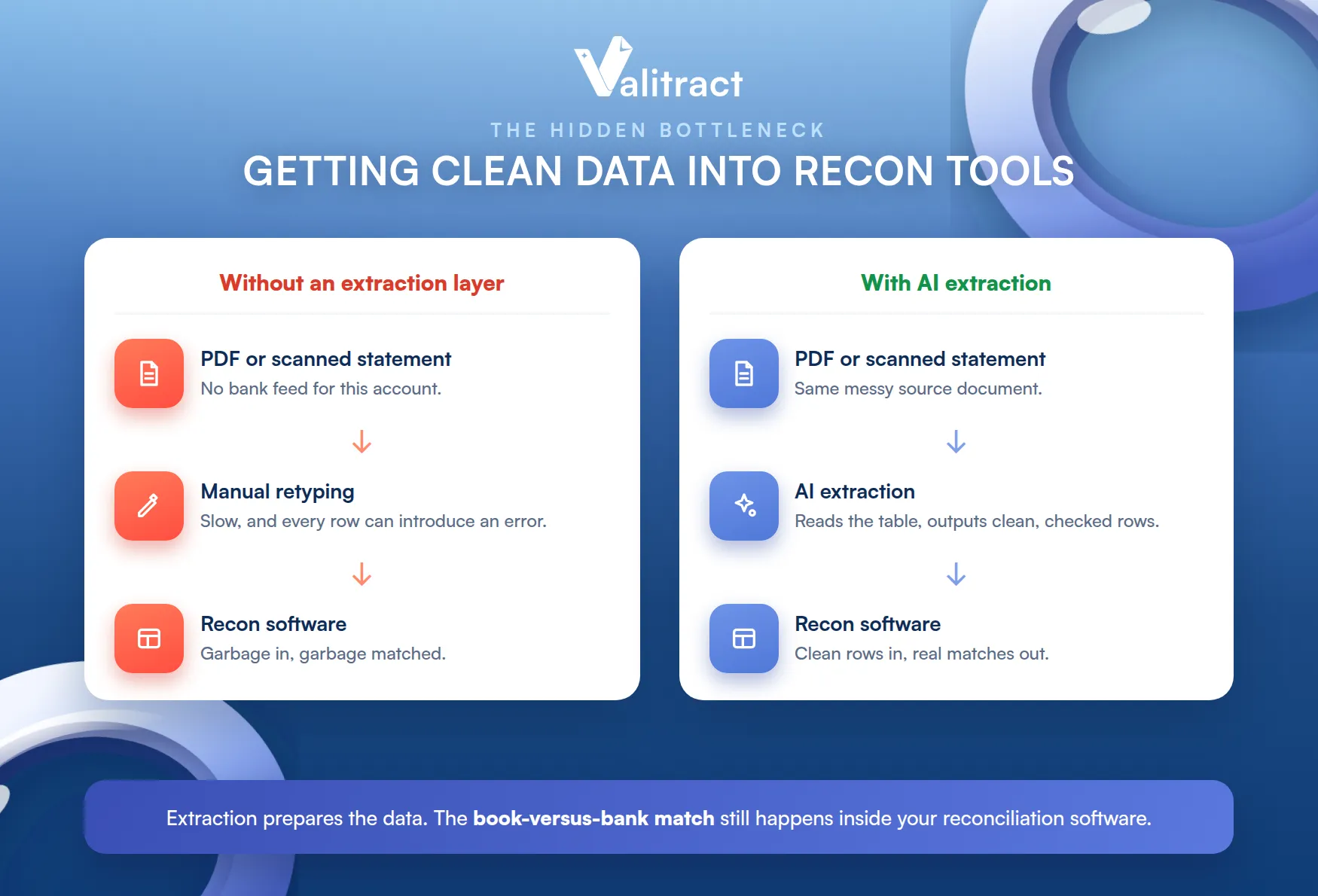
Every buyer eventually meets this problem. The matching engine is only as good as the data you feed it.
Reconciliation Software Is Only as Good as Its Input
These platforms are built to match structured transactions. They expect clean rows: date, description, amount, balance.
They are not built to read a document. If the data arrives as a picture of a table, the matching engine has nothing to work with.
Bank feeds solve this where they exist. The trouble is the accounts and periods they do not cover.
That is why the fanciest AI matching can still stall on day one. The bottleneck moved upstream, into data preparation.
Most buyers only find this out after signing. It is worth asking about before you do.
The Problem With PDF and Scanned Statements
Bank feeds cover the big institutions, but not everything. Smaller banks, foreign banks, older accounts, and historical periods still arrive as PDFs or scans.
So a person opens the PDF and retypes the transactions into Excel. It is slow, it is dull, and every retyped row is a chance to introduce an error.
Then the reconciliation tool matches that flawed data faithfully. Garbage in, garbage matched, and the mismatch you spend an afternoon chasing was created at the keyboard.
Worse, that error is invisible. The software has no way of knowing a typed figure differs from the source.
That is why the data layer deserves its own decision. It is not a detail, it is a dependency.
How AI Extraction Closes the Gap Before Matching Begins
AI-powered extraction fills that gap. It reads the PDF or scan, uses OCR and AI table recognition to find the transaction rows, and outputs clean, structured data.
The result is a file your reconciliation software can ingest directly, with no retyping. For a look at the broader category, see our roundup of AI data extraction tools.
To be precise about scope, this layer prepares the data. The book-versus-bank matching still happens inside your reconciliation or accounting software.
How Valitract Fits Into Your Reconciliation Workflow
Valitract is not reconciliation software, and it does not try to be. It is the extraction layer that sits in front of the tool you choose, turning statements into data that tool can actually use.
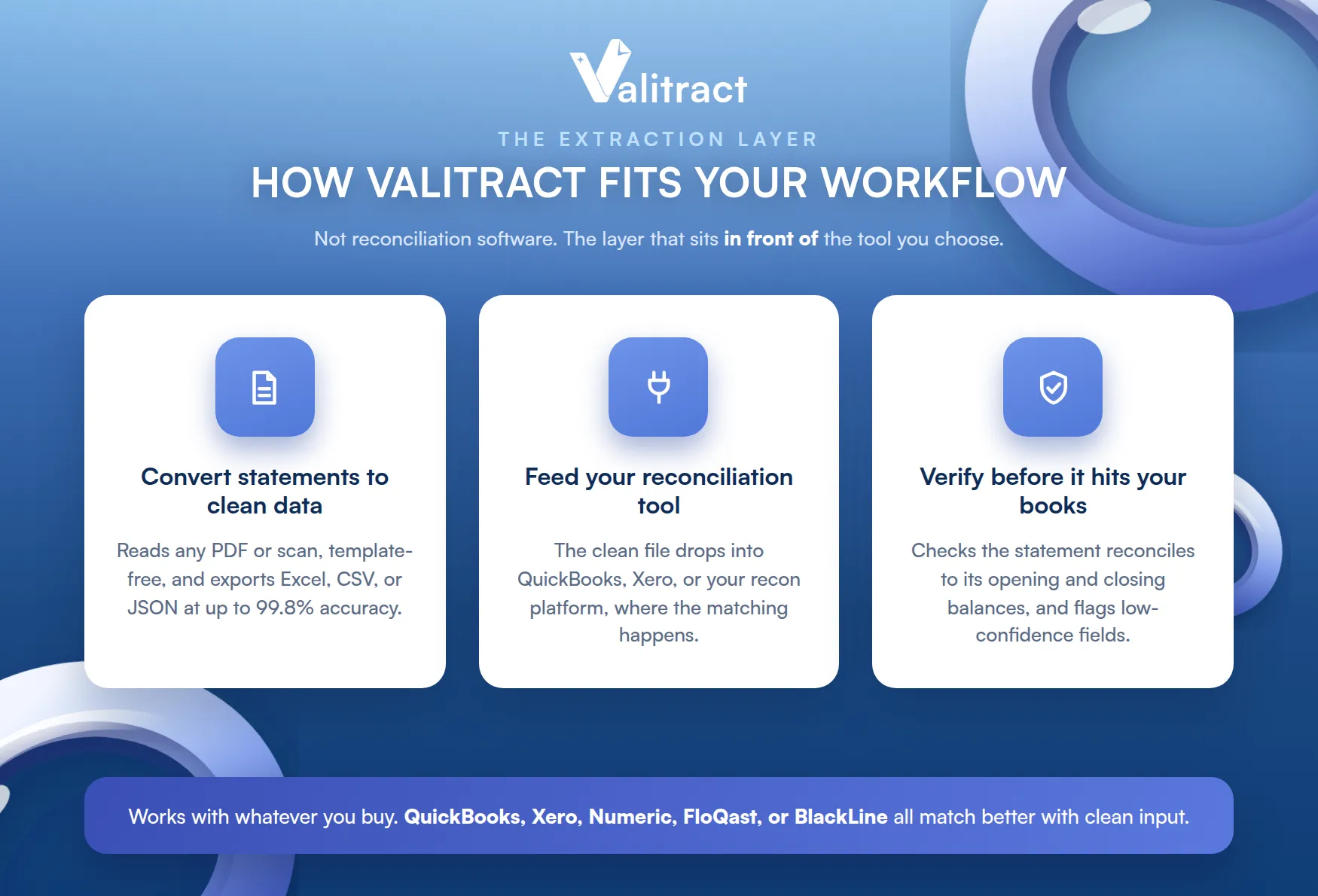
That means it works with whatever you buy. QuickBooks, Xero, Numeric, FloQast, or BlackLine all match better with clean input.
Converting PDF and Scanned Statements to Clean Excel Data
Valitract reads any bank statement, including scanned and image-based PDFs, without template configuration. A new bank layout works on the first upload, so there is nothing to set up per institution.
The engine extracts every transaction, balance, and account detail, reaching up to 99.8% accuracy. Output lands as Excel, CSV, or JSON.
That covers the statements your bank feeds miss. Foreign banks, older accounts, and historical periods stop being a manual job.
Feeding Structured Data Into Your Reconciliation Tool
From there, the clean file drops straight into your workflow. Import it into QuickBooks, Xero, or your reconciliation platform, or hand it to your accountant as a tidy spreadsheet.
The matching then happens where it should, inside your accounting or reconciliation software. Valitract simply makes sure the data arriving there is complete and correct.
The two layers are complementary, not competing. One prepares the data, the other matches it.
Verifying Extracted Data Before It Hits Your Books
Valitract also runs arithmetic validation on the statement itself. It confirms the transactions reconcile to the opening and closing balances, and flags low-confidence fields for human review.
That check is about the statement’s own math, not your ledger. It confirms the source is clean before its numbers enter your process, and it pairs naturally with bank statement verification when you also need to confirm a statement is authentic.
To remove the retyping from your close, start with Valitract’s AI bank statement data extraction software.
Frequently Asked Questions
Can Excel do bank reconciliation? Yes, and many small teams reconcile in Excel with a simple template. It works at low volume, but beyond a few hundred transactions it becomes slow, hard to audit, and easy to break with a stray formula, which is when dedicated software starts to pay off.
Is there free bank statement reconciliation software? There is no serious standalone free tool, but reconciliation is included in accounting software you may already pay for, such as QuickBooks and Xero. Some extraction and reconciliation tools also offer free tiers or trials, which are useful for testing before you commit.
How is AI changing bank reconciliation software? AI is improving matching on messy, complex cases that rule-based systems fail, and it is speeding up exception handling and variance explanations. It is also solving the input problem, since AI extraction can now read PDF and scanned statements and turn them into structured data before matching begins.
Conclusion
Bank statement reconciliation software has matured, and there is a good fit at every size. Small teams can lean on QuickBooks or Xero, scaling teams on Numeric or FloQast, and enterprises on BlackLine or Trintech.
But the tool is only half the equation. If your statements still arrive as PDFs, the matching engine will sit idle while someone retypes rows into a spreadsheet.
Solve both halves. Pick the reconciliation software that fits your team, and put an AI extraction layer in front of it so the data arrives clean.
Done that way, the close stops depending on how fast someone can type. It depends on software at every step.
Fix the input first, since it is the cheaper and faster of the two changes. A clean feed of data makes every tool you evaluate look better.
To see what that looks like on your own statements, try Valitract’s bank statement to Excel converter.
Valitract – Next-gen AI-Powered Data Extraction Platform
- Email: contact@valitract.com
- LinkedIn: https://www.linkedin.com/company/valitract-api-platform
- X: https://x.com/valitract


