


Manual vs. automated data entry is a decision every business that handles documents eventually faces. The wrong choice costs money either way. Too much manual work buries your team in repetitive tasks. Too much automation without the right setup creates errors that are harder to catch.
The volume of business documents keeps growing. A mid-size company processing 500 invoices per month ten years ago may now handle 5,000. Compliance requirements add more documentation. Remote work adds more fragmented file sources. The manual vs. automated data entry decision has become more consequential, not less.
This article compares both approaches on accuracy, cost, speed, scalability, and flexibility. It covers the hidden costs most comparisons skip, and gives you a direct framework for choosing the right approach for your specific situation.
TL;DR
Manual data entry gives you control and flexibility, but slows down at scale and introduces errors that cost $10–$100 each to fix. Automated data entry processes high volumes at consistent accuracy with lower long-term cost, but requires upfront setup and clear exception-handling processes. Most businesses use a hybrid of both. This article breaks down the real differences, hidden costs, and a clear decision framework so you can choose the right approach for your situation.
What is Manual Data Entry?
Manual data entry is the process of a person reading information from a source document and typing it into a system by hand. The source can be a paper form, a PDF invoice, a scanned image, or any document that requires a human to interpret and transcribe its content.
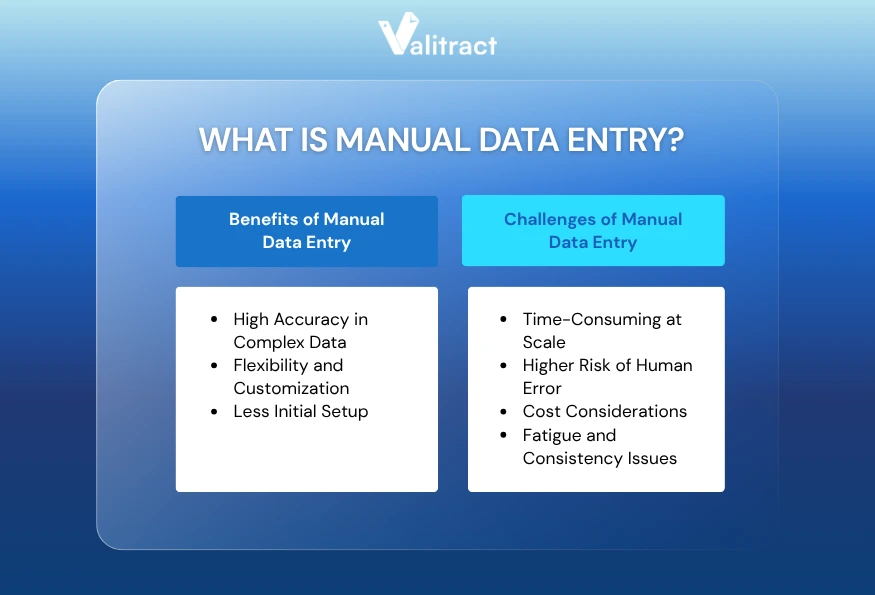
Benefits of Manual Data Entry
High Accuracy in Complex Data
Manual entry works well when documents require interpretation rather than simple transcription. A trained person can distinguish between a billing address and a shipping address on an unusual invoice layout. A person can recognize when a number looks wrong and verify it before submitting.
Complex or ambiguous data benefits from human judgment. Handwritten notes, non-standard document formats, and multi-language documents with regional conventions are examples where a person catches errors that a system would miss.
Flexibility and Customization
A human can adapt to a new document format on the first encounter without any reconfiguration. If a vendor changes their invoice template, a manual operator handles it immediately. There is no retraining period and no system update required.
Manual entry also allows for real-time decisions. If a document contains missing data, the operator can flag it, request a correction, or apply a reasonable default. That kind of contextual judgment is difficult to replicate with software.
Less Initial Setup
Manual data entry requires no software configuration, API integration, or model training. The setup is a person, a keyboard, and access to the system where the data needs to go.
For small volumes or short-term projects, the absence of setup overhead makes manual entry the faster option to start. A team processing 50 documents per month does not need an automation platform.
Challenges of Manual Data Entry
Time-Consuming at Scale
A trained data entry operator processes roughly 80–100 lines of structured data per hour (varies by document complexity and system). At 500 invoices per month with an average of 15 line items each, that is approximately 75 hours of entry time per month, not counting review and error correction.
Scaling manual entry means hiring more people. The relationship between volume and cost is linear. There is no efficiency gain from processing 1,000 documents instead of 100.
Higher Risk of Human Error
The average manual data entry error rate is between 1% and 4% per field (AIIM Industry Watch, 2023). On a document with 20 fields, that means one or more errors on a meaningful share of entries.
Error rates also vary based on the individual, the document type, and the time of day. Early-morning entry quality differs from late-afternoon quality. Volume spikes at month-end increase errors precisely when accuracy matters most.
Cost Considerations
The visible cost of manual entry is the hourly wage of the operator. The less visible costs are error correction, document retrieval, rework time, and the delay between when a document arrives and when the data is available in the system.
According to Gartner, the fully loaded cost of manual data entry (including error correction and rework) ranges from $4.69 to $8.60 per document. At volume, these costs compound quickly.
Fatigue and Consistency Issues
Data entry accuracy decreases over the course of a shift. Studies on cognitive fatigue show that error rates for repetitive tasks increase by 20–30% after four hours of continuous work (Journal of Applied Psychology, 2019).
This is not a performance problem specific to individuals. It is a structural problem with any process that depends on sustained human attention for high-volume, repetitive tasks. Automated systems do not fatigue.
What is Data Entry Automation?
Data entry automation is the process of software reading, extracting, and entering data from source documents without manual typing. Modern automated systems use AI-powered OCR (Optical Character Recognition) combined with data extraction models that identify and structure specific fields from unstructured documents.
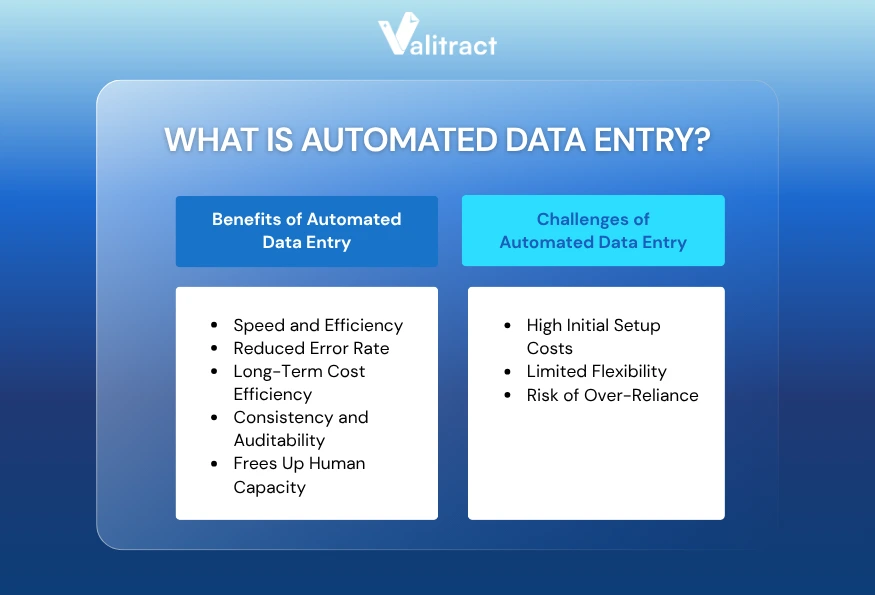
Benefits of Automated Data Entry
Speed and Efficiency
An automated system processes a document in seconds. A platform like Valitract extracts all structured fields from an invoice, receipt, or contract and delivers structured output in JSON, CSV, or XLS format within seconds of upload.
At 1,000 documents per day, automation processes the same volume with no change in time per document. The processing time for document 1,000 is the same as for document 1.
Reduced Error Rate
AI-powered extraction tools consistently achieve 95–99%+ accuracy on standard printed documents. Valitract’s extraction accuracy on structured documents is 99.8%, based on internally validated testing against standard printed invoices, receipts, and bank statements.
Accuracy is also consistent across shifts, days, and volume levels. The system that processes 100 documents on Monday performs identically on the 5,000th document on Friday.
Long-Term Cost Efficiency
After the initial setup, the marginal cost of processing additional documents is very low. A software subscription costing $200–$500 per month handles volumes that would require one or more full-time employees to process manually.
The cost crossover point (where automation becomes cheaper than manual entry) typically occurs between 200 and 500 documents per month, depending on document complexity and local labor costs.
Consistency and Auditability
Every automated extraction produces a record: what was extracted, from which document, at what time, with what confidence score. This audit trail supports compliance reporting without additional manual documentation work.
Consistency also simplifies downstream processes. When your ERP or accounting system receives identically structured data from every invoice, exception handling becomes a process rather than a fire drill.
Frees Up Human Capacity
Automation handles volume. People handle judgment. When a team is no longer entering 500 invoices by hand each month, that time moves to vendor relationship management, exception review, financial analysis, or other work that requires context and decision-making.
This shift is measurable. A five-person accounts payable team that automates 80% of its invoice entry volume recovers roughly 60–80 hours per month of capacity for higher-value work.
If you are evaluating which automation platform fits your document volume and workflows, the guide to the best data entry automation software compares the leading options by use case, pricing model, and integration depth.

Challenges of Automated Data Entry
High Initial Setup Costs
Configuring an automation platform requires time, technical resources, and sometimes third-party implementation support. Connecting to a legacy ERP system, building validation rules, and training staff to review exceptions is not a same-day project.
For organizations with complex document types or fragmented source systems, the setup timeline can stretch to weeks or months. The total implementation cost includes software, integration work, staff training, and the time of whoever manages the rollout.
Limited Flexibility
Automated systems perform best on predictable, structured documents. When a vendor changes their invoice layout significantly, the system may need to be updated. When a new document type enters the workflow, it needs to be configured before the system handles it correctly.
Human operators adapt instantly. Automated systems adapt after reconfiguration. For organizations with highly variable document formats or frequent vendor changes, this lag creates process gaps.
Risk of Over-Reliance
An organization that removes all manual review from its document processing relies entirely on the accuracy of the automated system. When the system encounters a document it is not confident about, errors can propagate into downstream systems before anyone catches them.
Sound automation practice includes confidence thresholds: documents the system is uncertain about are flagged for human review, not silently processed. Over-reliance without exception-handling protocols increases downstream error risk.
Comparing Manual and Automated Data Entry
The table below compares manual and automated data entry across eight dimensions relevant to business decision-making. Use it to identify which approach fits your current situation and where gaps exist.
| Dimension | Manual Data Entry | Automated Data Entry |
| Accuracy | 96–99% per field under ideal conditions; drops with fatigue and volume | 95–99.8% on standard printed documents; consistent regardless of volume |
| Speed & Efficiency | 80–100 lines/hour per operator | Seconds per document; scales linearly with volume |
| Cost Structure | Linear: more volume = more labor cost | Fixed software cost + low per-document processing cost |
| Scalability | Requires additional headcount to scale | Scales without additional staff |
| Flexibility | High: adapts immediately to new formats | Lower: requires reconfiguration for new document types |
| Regulatory Compliance | Harder to audit; relies on manual documentation | Built-in audit trail; supports GDPR, HIPAA, and SOC 2 compliance |
| Workflow Integration | Depends on the person following the process | Structured output (JSON, CSV, XLS) integrates directly into ERP, CRM, and accounting systems |
| Organizational Change | No change management required | Requires staff training and process redesign |
Key takeaway: Manual entry wins on flexibility and setup speed. Automated entry wins on cost efficiency, consistency, and scalability. The right choice depends on your volume, document types, and how much flexibility you need.
While the numbers make the decision clear on paper, seeing real-world results proves the impact.
For instance, read how this logistics data entry automation case study demonstrates a 75% reduction in daily manual typing while drastically enhancing accuracy.
The Hidden Costs Most Comparisons Miss
Many businesses compare the cost of a manual entry operator against the cost of a software license. That comparison misses most of the real costs on both sides.
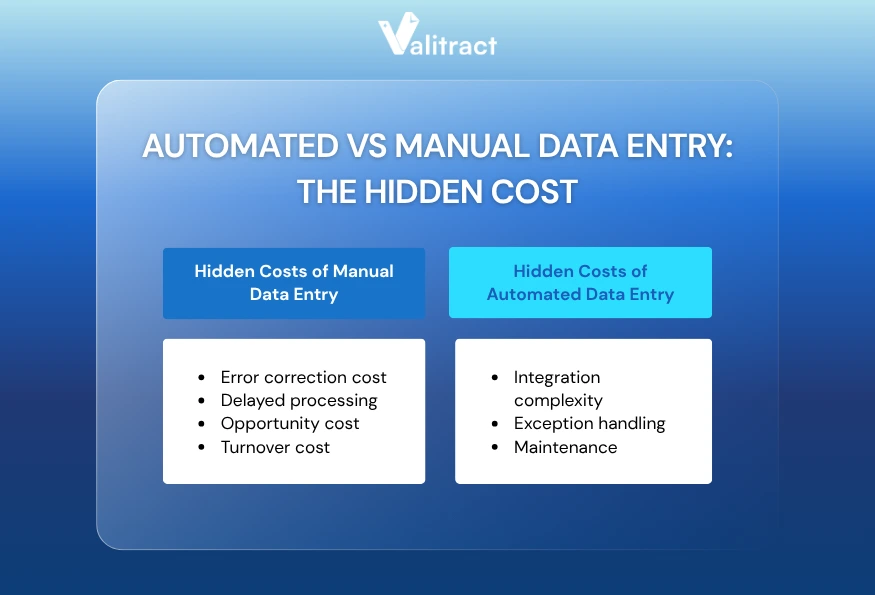
Hidden Costs of Manual Data Entry
The hidden costs of manual data entry come from downstream error correction (costing $10–$100 per mistake), missed early-payment discounts due to slow processing, employee turnover costs, and the high opportunity cost of utilizing skilled talent for repetitive tasks.
Here is a breakdown of the invisible factors that drive up the cost of manual entry:
- Error correction cost: Each data entry error costs an average of $10–$100 to detect and correct, depending on how far downstream the error travels before it is caught (AIIM, 2023). An error caught at the point of entry costs less than an error discovered during month-end reconciliation.
- Delayed processing: Invoice processing delays lead to missed early payment discounts and late payment penalties. A supplier offering 2/10 net 30 terms (2% discount if paid within 10 days) on a $50,000 invoice represents a $1,000 discount that a slow manual process loses.
- Opportunity cost: Time spent on data entry is time not spent on analysis, customer relationships, or strategic work. A finance analyst entering invoice data for three hours per day is not doing the high-value financial forecasting their role exists to deliver. Utilizing specialized financial data extraction software can eliminate these bottlenecks and secure early-payment discounts automatically.
- Turnover cost: Data entry roles have above-average turnover. The cost of recruiting, onboarding, and training a replacement data entry operator ranges from $3,000 to $8,000 per hire, depending on the role level and region (SHRM Talent Acquisition Benchmark, 2023).
Hidden Costs of Automated Data Entry
The hidden costs of automated data entry include high initial integration complexity with legacy systems, ongoing maintenance for template changes, and the technical overhead required to manage edge-case exceptions.
Before implementing automation, businesses must account for these less visible investments:
- Integration complexity: Connecting an automation platform to a legacy ERP, accounting system, or document management tool can cost more in implementation time than the annual software subscription. Factor integration work into the real cost of automation before committing.
- Exception handling: Every automated system produces exceptions: documents it is not confident about. Clear processes are needed to handle these documents quickly. Without an exception workflow, exceptions become a backlog that creates delays similar to the manual process they replaced.
- Maintenance: When vendors change their invoice templates or new document types enter the workflow, the system may need updating. Budget time for maintenance, not just setup.
For organizations evaluating the total cost of ownership across both approaches, Valitract’s pricing model is structured to be transparent: a free tier for low volume, and tiered plans that scale with document volume rather than charging per feature.
Considerations for Selecting Between Automated and Manual Data Entry
The right approach depends on your specific conditions. Here is a direct framework for the most common decision scenarios.
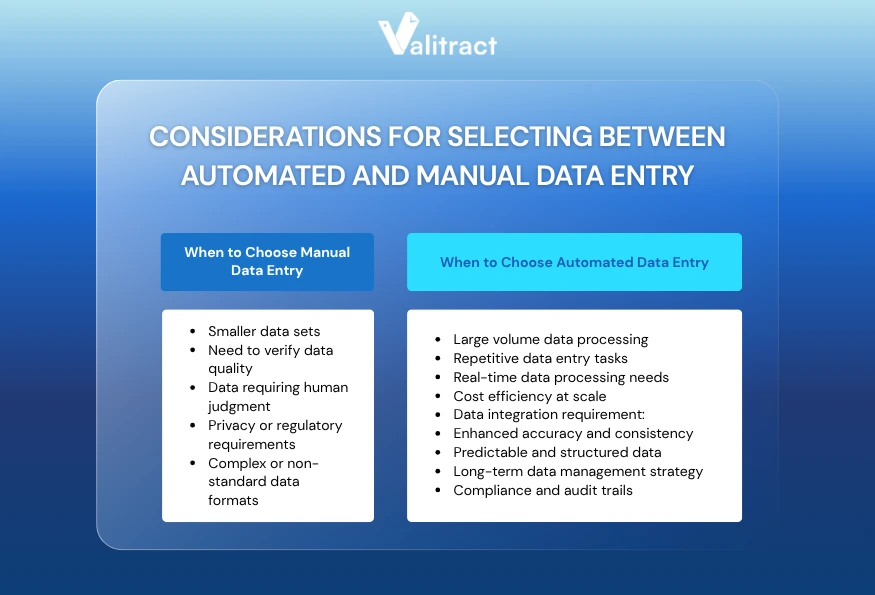
When to Choose Manual Data Entry
Choose manual data entry if your business handles small document volumes (under 200/month), requires human judgment for complex or non-standard layouts, or deals with strict privacy regulations.
Here is a direct framework for when a human operator is the better choice:
- Smaller data sets: If your team processes fewer than 200 documents per month, the setup cost and change management overhead of automation often outweigh the efficiency gains. Manual entry with good quality-check processes is a reasonable choice at low volume.
- Need to verify data quality: When data quality cannot be verified programmatically (for example, confirming that a contract clause matches a negotiated term), human review is necessary. Automation can extract the text; only a person can judge whether the content is correct.
- Data requiring human judgment: Documents that require interpretation rather than transcription (handwritten notes, multi-format hybrid documents, documents with missing or ambiguous fields) benefit from human review at the point of entry.
- Privacy or regulatory requirements: Some regulatory environments restrict the processing of certain document types by third-party software. Healthcare organizations subject to HIPAA, financial institutions under specific data residency requirements, and government contractors may face restrictions that affect which automation options are permissible.
- Complex or non-standard data formats: If your documents come from dozens of vendors with no consistent layout, and the volume is not high enough to justify building extraction models for each format, manual entry is more reliable than an automated system that misidentifies fields on unfamiliar templates.
When to Choose Automated Data Entry
Choose automated data entry if your business processes large volumes of documents (over 300–500/month), handles highly repetitive and structured formats like invoices or receipts, or needs real-time data integration into ERP/CRM systems.
Automation is the right choice when your workflow meets these conditions:
- Large volume data processing: When your team processes hundreds or thousands of documents per month, manual entry becomes the constraint on your entire workflow. Automation removes the ceiling on processing capacity.
- Repetitive data entry tasks: Structured documents that appear in consistent formats are ideal candidates for automation. Implementing a dedicated receipt OCR software allows field teams and accounting departments to instantly convert crumpled paper slips into clean, structured data.
- Real-time data processing needs: If downstream systems need data from documents within minutes of arrival (for inventory updates, fraud detection, or customer-facing processing), manual entry cannot meet the latency requirement. Automated systems process and output structured data in seconds.
- Cost efficiency at scale: When processing volume exceeds 300–500 documents per month, automated data entry typically reaches a lower total cost than manual entry when all costs (labor, errors, rework, turnover) are included.
- Data integration requirement: When structured output needs to flow directly into an ERP, CRM, accounting platform, or custom application, automation delivers structured data in consistent formats (JSON, CSV, XLS). Manual entry requires an additional step to reformat and validate before integration.
- Enhanced accuracy and consistency: When downstream decisions depend on data accuracy (financial reporting, compliance filings, contract management), automated extraction with confidence scoring and exception flags produces more consistent accuracy than manual entry at volume.
- Predictable and structured data: Standard document types with consistent layouts (invoices, receipts, bank statements, payslips) are where AI extraction performs best. If 80% of your documents fall into a few predictable categories, automation handles that 80% well.
- Long-term data management strategy: Organizations building toward a structured data foundation benefit from advanced AI capabilities. For enterprise-level needs, reviewing the market’s top Intelligent Document Processing Software can help you transition from simple OCR to end-to-end workflow automation.
- Compliance and audit trails: Regulated industries (financial services, healthcare, insurance, legal) benefit from the automatic audit trail that automated extraction creates. Every extraction is logged: source document, extracted values, confidence scores, and timestamps.
The Hybrid Approach: What Most Businesses Actually Use
Most businesses that have evaluated this decision do not operate at either extreme. They use automation for high-volume, structured, predictable document types, and manual review for exceptions, complex formats, and judgment-dependent decisions.
A practical hybrid model works like this: automated extraction handles 85–95% of documents. Documents below a confidence threshold (typically set at 85–90% confidence) are flagged for human review. A person reviews only the exceptions, confirms or corrects the extracted data, and the record is updated. The result is the speed of automation for the bulk of the volume, with human accuracy on the documents that need it.
This hybrid approach also reduces the training burden on the automated system. Instead of needing to handle every possible document format perfectly, the system handles familiar formats with high accuracy and routes unfamiliar ones to a person.
If you have determined that automation fits your direction, particularly for invoice processing, contract management, or compliance-heavy document workflows, Valitract is built for exactly that use case. The platform handles the high-confidence extraction automatically and surfaces exceptions for review, so your team focuses on the documents that actually need attention.
FAQs about Manual vs. Automated Data Entry
What is the difference between manual vs. automated data entry?
Manual data entry is a person reading a document and typing the information into a system by hand. Automated data entry is software reading, extracts, and enters the same information without human typing. Manual entry offers flexibility and immediate adaptability to new formats. Automated entry offers speed, consistency, and lower cost at high volumes. The key tradeoff is setup cost against long-term efficiency.
What is manual data entry?
Manual data entry is the process of a person transcribing information from a source document (paper form, PDF, scanned image, or other format) into a database, spreadsheet, or software system by typing. It relies on the operator to read, interpret, and accurately reproduce the data. Manual entry is flexible and requires no software setup, but it slows down at scale and is subject to human error and fatigue.
What is automated data entry?
Automated data entry is the use of software to extract information from documents and enter it into a system without manual typing. Modern automated systems combine OCR (Optical Character Recognition) with AI-powered extraction models that identify specific fields (vendor name, invoice number, line items, totals) and deliver structured output in formats like JSON, CSV, or XLS. Automated systems are fast and consistent but require upfront configuration and work best with predictable document formats.
Which is more cost-effective: manual or automated data entry?
Automated data entry is more cost-effective than manual data entry when document volume exceeds roughly 300–500 per month. At lower volumes, the setup and integration cost of automation often outweighs the efficiency savings. The comparison should include fully loaded costs for both approaches: labor, error correction, rework, and turnover for manual; software, integration, and maintenance for automated. At scale, automation typically reduces the cost per document from $4–$8 (manual) to cents per document.
Which is the right choice for your business: manual or automated data entry?
The right choice depends on four factors: volume, document structure, accuracy requirements, and setup capacity. If you process fewer than 200 documents per month with complex or variable formats, manual entry with good review processes is a reasonable starting point. If you process hundreds or thousands of documents per month with consistent structure (invoices, receipts, bank statements, purchase orders), automated data entry delivers better accuracy, lower cost, and higher throughput. Most mid-size businesses benefit from a hybrid: automation for high-confidence structured documents, manual review for exceptions.
Can you use both manual and automated data entry together?
Yes, and most businesses that have automated their document workflows do exactly that. The hybrid approach uses automation to process the majority of documents (typically 85–95% of volume), and flags lower-confidence or complex documents for manual review. This gives the speed and cost benefits of automation on the bulk of the volume while preserving human judgment for the documents that need it. The key is defining clear confidence thresholds and exception workflows so the manual review step does not become a bottleneck.
Concluding Thought
Manual vs. automated data entry is not a question with one universal answer. The right approach depends on your document volume, the structure of your documents, your accuracy requirements, and how much setup overhead your team can absorb.
For most businesses, manual vs. automated data entry is not a binary choice. The practical question is: which tasks should people handle, and which tasks should software handle? At low volume with complex or variable documents, manual entry is often the right answer. At high volume with structured documents, manual vs. automated data entry is rarely a fair contest. Automation wins on cost, speed, and consistency.
Start by measuring your current manual entry volume and error rate. Calculate your fully loaded cost per document (labor plus error correction plus rework). Then compare that against the total cost of an automation setup, including integration and maintenance. The numbers usually make the decision clear.
If you’re ready to evaluate automation, Valitract provides a practical way to test the business case. The platform extracts structured data from invoices, receipts, contracts, bank statements, and 50+ other document types with up to 99.8% accuracy on standard printed documents. With a no-code setup, full API access, GDPR and HIPAA compliance, and a free tier for up to 100 pages per month.
Upload your first document and see Valitract extract it in seconds
Valitract – Next-gen AI-Powered Data Extraction Platform
- Email: contact@valitract.com
- LinkedIn: https://www.linkedin.com/company/valitract-api-platform
- X: https://x.com/valitract