


- Handwriting recognition software means very different things across vendors; some bolt an AI label onto classic OCR, while others run a dedicated model for handwriting.
- Recognition breaks at three layers: the visual (scan quality, cursive), the structural (writing that spills outside fields and tables), and the semantic (jargon, non-English scripts).
- No vendor is strong at all three layers, so the right choice depends on knowing which layer your documents stress most.
- For most businesses, handwriting is a small share of mostly-printed documents, which changes what “best” even means.
Handwriting recognition software promises to read any handwriting, but the reality is more complicated than the marketing. The same phrase on ten different product pages can describe ten different levels of capability.
That gap between claim and capability is what trips up buyers. One vendor’s handwriting recognition is classic OCR with an AI label; another’s is a purpose-built model trained on messy, real-world script.
This guide explains how handwriting recognition actually works, introduces a three-layer framework for judging it, compares the leading options for 2026, and shows how to evaluate accuracy before you buy.
The framework is the key idea. Once you can name where a tool is strong or weak, the marketing claims stop being confusing.
Handwriting Recognition Software Explained
To choose well, you first need to know what the category actually contains. The terms matter more than they seem.
What Is Handwriting Recognition Software?
Handwriting recognition software is technology that converts handwritten text (in scans, photos, or forms) into machine-readable, structured data. It goes beyond reading printed characters to interpret the far more variable shapes of human writing.
The output ranges from plain text to structured fields. The more useful tools return not just the words but the data, mapped to the fields your systems expect.
That difference matters in practice. Plain transcribed text still needs someone to sort it into the right places, while structured output is ready to use.
OCR vs ICR vs AI Data Extraction: The Distinction Most Product Pages Skip
Here is the distinction vendors gloss over. Classic OCR reads printed characters, while ICR (Intelligent Character Recognition) uses AI to interpret handwriting by learning context, and AI data extraction adds a layer that structures and validates the result.
Many product pages use “OCR” as a catch-all marketing term. That blurs a real technical gap, because recognizing clean printed type and reading a doctor’s cursive are genuinely different problems.
So ask the vendor directly: is this OCR with an AI label, or a dedicated ICR model for handwriting? The answer tells you more than any accuracy headline, and our guide to OCR vs AI data extraction explains why.
The Three Layers Where Handwriting Recognition Actually Breaks
Recognition does not fail in one place; it fails at three. This framework runs through the rest of this guide.
The visual layer is about the image itself. Poor scan quality, degraded paper, and a mix of cursive and hand-printed text in the same document all challenge the model’s ability to see the characters.
The structural layer is about position. Handwriting that spills outside pre-printed fields or borders, and multi-column tables, force the model to understand where text sits, not just what shape it is.
The semantic layer is about meaning. Field, legal, and medical abbreviations, and non-English scripts (including Russian cursive, Arabic, and Thai) demand that the model understand context, not just characters.
This layer is where general tools fade fastest. Reading an unfamiliar script or a specialist shorthand is a different skill from reading neat English print.
Use this framework when comparing vendors. Instead of accepting a vague “high accuracy” claim, ask which layer a tool is strong at, because none is strong at all three.
Most buying mistakes come from ignoring this. A tool that aces your visual layer can still fail on the semantic one that actually matters for your documents.
Which Documents Actually Include Handwriting
Before comparing tools, it helps to know where handwriting actually shows up. It is rarely the whole document.
Recognizing that pattern reframes the decision. The question is usually how to read a few handwritten fields well, not how to read a fully handwritten page.
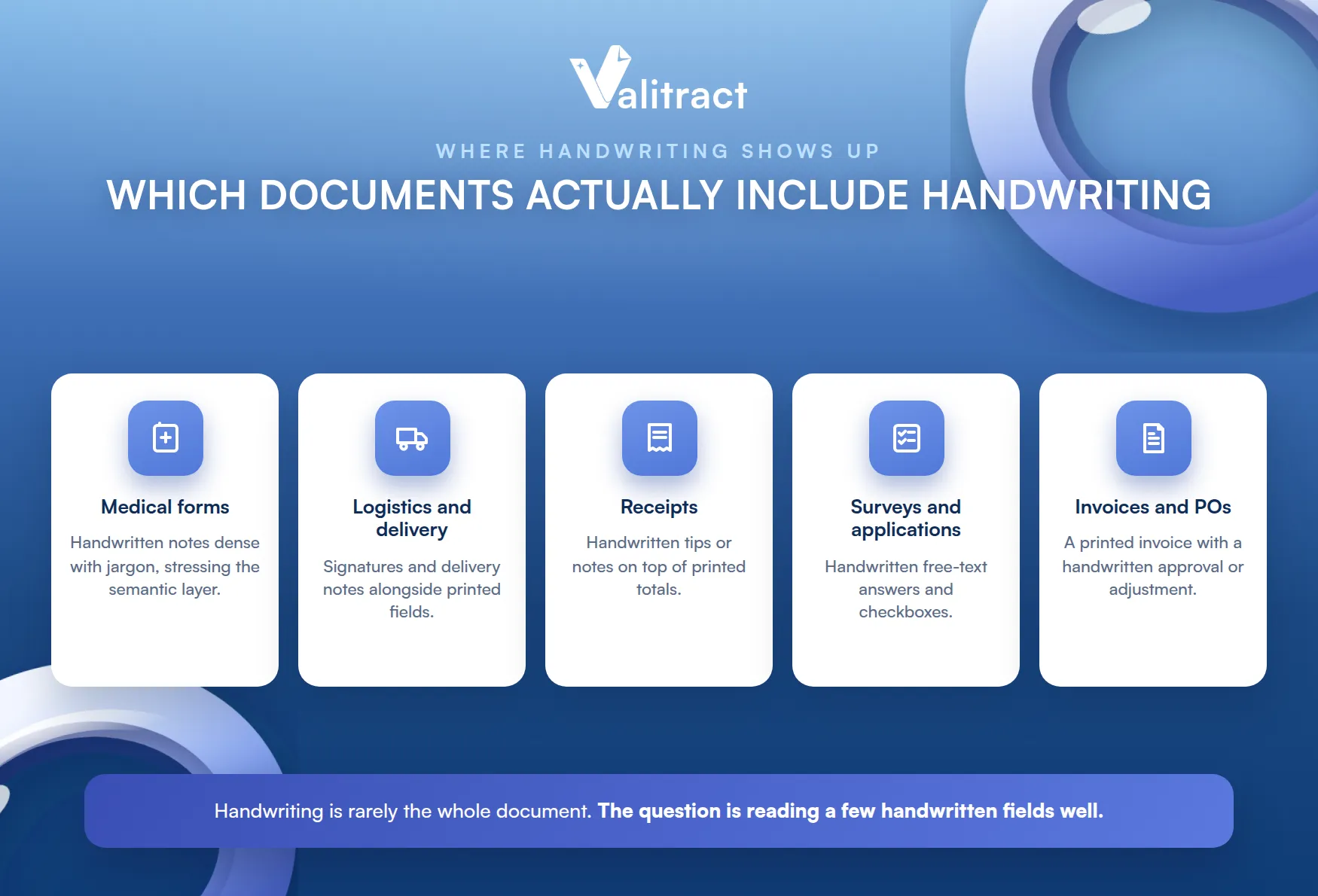
Medical forms are the classic case. Patient histories and prescriptions often carry handwritten notes that are dense with jargon, stressing the semantic layer.
Logistics and delivery paperwork is another. Signatures and handwritten delivery notes sit alongside printed fields on the same page.
Receipts frequently carry handwritten additions, like a tip or a note, on top of printed totals, which our receipt OCR software is tuned to read. Survey forms and applications add handwritten free-text and checkboxes.
Invoices and purchase orders often have handwritten fields too. A printed invoice with a handwritten approval or adjustment is a common case our invoice data extraction software handles.
Best Handwriting Recognition Software by Use Case
There is no single best tool, only the best fit for your workload’s dominant layer. Here are five leading options for 2026.
Read the table through your own lens. The strongest-layer column matters more than any single accuracy figure.
Table 1. Handwriting recognition tools by strongest layer.
| Vendor | Best for | Strongest layer | Languages | Pricing model |
| Valitract | Mostly-printed business docs with occasional handwritten fields | Visual and structural | 95+ (documents generally) | No-code and API, by volume, free tier |
| ABBYY | Workloads that are mostly handwriting, multilingual | Semantic and visual | 190+, strong Cyrillic and Latin | Enterprise license |
| Google Document AI | Teams needing GCP-native scale | Visual (clean, high-volume) | 200+ printed, fewer for handwriting | Per page |
| Azure AI Document Intelligence | Mixed print and handwriting forms, Azure ecosystem | Structural (fixed fields) | 100+ printed, subset handwritten | Per page |
| Amazon Textract | Structured English forms, AWS infrastructure | Structural (fixed fields) | Mainly English | Per page |
Accuracy varies sharply by handwriting clarity and cursive; figures below are drawn from third-party 2026 benchmarks and should be confirmed against your own documents.
For One Platform Across Invoices, Receipts, and Occasional Handwriting: Valitract
Valitract fits the common case: mostly-printed business documents with the occasional handwritten field. On the three-layer framework, it is strong at the visual and structural layers for general business documents like invoices, receipts, and bank statements.
It handles handwriting as part of the pipeline, not as a standalone specialty. It is not positioned as a semantic-layer specialist for complex, pure-handwriting workloads, which is an honest boundary rather than a hidden one.
For a business whose handwriting is a small slice of a larger document flow, that is often the practical choice. Our Valitract AI data extraction software and OCR API cover this layer, and the platform is GDPR-aligned for handling sensitive documents.
The value is one platform, not five. Reading invoices, receipts, and the occasional handwritten field through a single tool is simpler to run than stitching a specialist onto everything else.
For Workloads That Are Mostly Handwriting: ABBYY
ABBYY is the specialist when handwriting dominates. Its FineReader engine is among the most mature for handprint recognition, with broad language coverage (190+ languages and strong Cyrillic and Latin support) that suits the semantic layer.
It also handles the visual layer well. Deskewing and cleanup tools help with degraded scans, and one 2026 benchmark placed its handwriting accuracy around 88%, ahead of the cloud providers.
The trade-off is fit and cost. ABBYY is an enterprise tool, best justified when handwriting is the core of your workload rather than a minor part of it.
It also favors on-premise deployments. Teams with strict data-residency or offline requirements often choose it for that control.
For Google Cloud-Native Scale: Google Document AI
Google Document AI suits teams already on GCP. It provides handwriting-capable document understanding at large scale, returning structured key-value pairs and tables.
Its strength is the visual layer on clean, high-volume documents. Its weakness shows on cursive, where one independent benchmark measured accuracy around 63%, a reminder that cursive remains the hard case.
It fits pipelines that feed Vertex AI or BigQuery. For a GCP-native team processing high volumes of reasonably clean documents, it scales cleanly.
For Azure-Ecosystem Hybrid Forms: Microsoft Azure AI Document Intelligence
Azure AI Document Intelligence is built around the structural layer. It combines layout analysis with handwriting OCR to return structured JSON, and it is strong on fixed fields, checkboxes, and tables.
That makes it a fit for mixed print-and-handwriting forms. A 2026 benchmark put its handwriting word-level accuracy in the low nineties, among the better cloud results.
It shines inside the Azure ecosystem. For Microsoft-centric teams processing structured forms, it integrates naturally.
For AWS-Native Structured English Forms: Amazon Textract
Amazon Textract is the AWS-native choice. It extracts words, lines, and structured tables with per-cell confidence scores, which developers value for automated review.
Its strength is the structural layer on English forms. Its handwriting support is mainly English, and one benchmark placed word-level accuracy near 89%, though that varies with writing quality.
It fits tight AWS pipelines. With S3 and Lambda integration, it slots into AWS document workflows with little friction.
How Much of Your Document Volume Is Actually Handwritten?
Before choosing a tool, ask a more basic question. Of all the documents you process each month, what share actually contains handwriting, and of that, how much is in critical fields rather than minor notes or signatures?
For most businesses, fully handwritten documents are the minority. The majority are mostly-printed documents with a few handwritten fields: an invoice with a handwritten note, a receipt with a written tip, a form with a signature.
That reality changes what “best” means. If handwriting is only 5 to 10% of your volume, a strong general OCR platform that also handles handwritten fields reasonably well is often more practical than an expensive specialist bought just for that slice.
The opposite case still holds, though. If your workload is genuinely mostly handwriting, like historical medical records or handwritten archives, a specialist such as ABBYY or a dedicated ICR engine is the better call.
Be honest about which case you are in. Buying a specialist for a 5% handwriting slice, or a generalist for an archive of cursive, are both expensive mistakes.
The Accuracy Reality Check: What Vendor Demos Don’t Show You
Vendor demos are built to impress, not to represent your reality. A few deliberate steps keep you from buying a number you will never see in production.
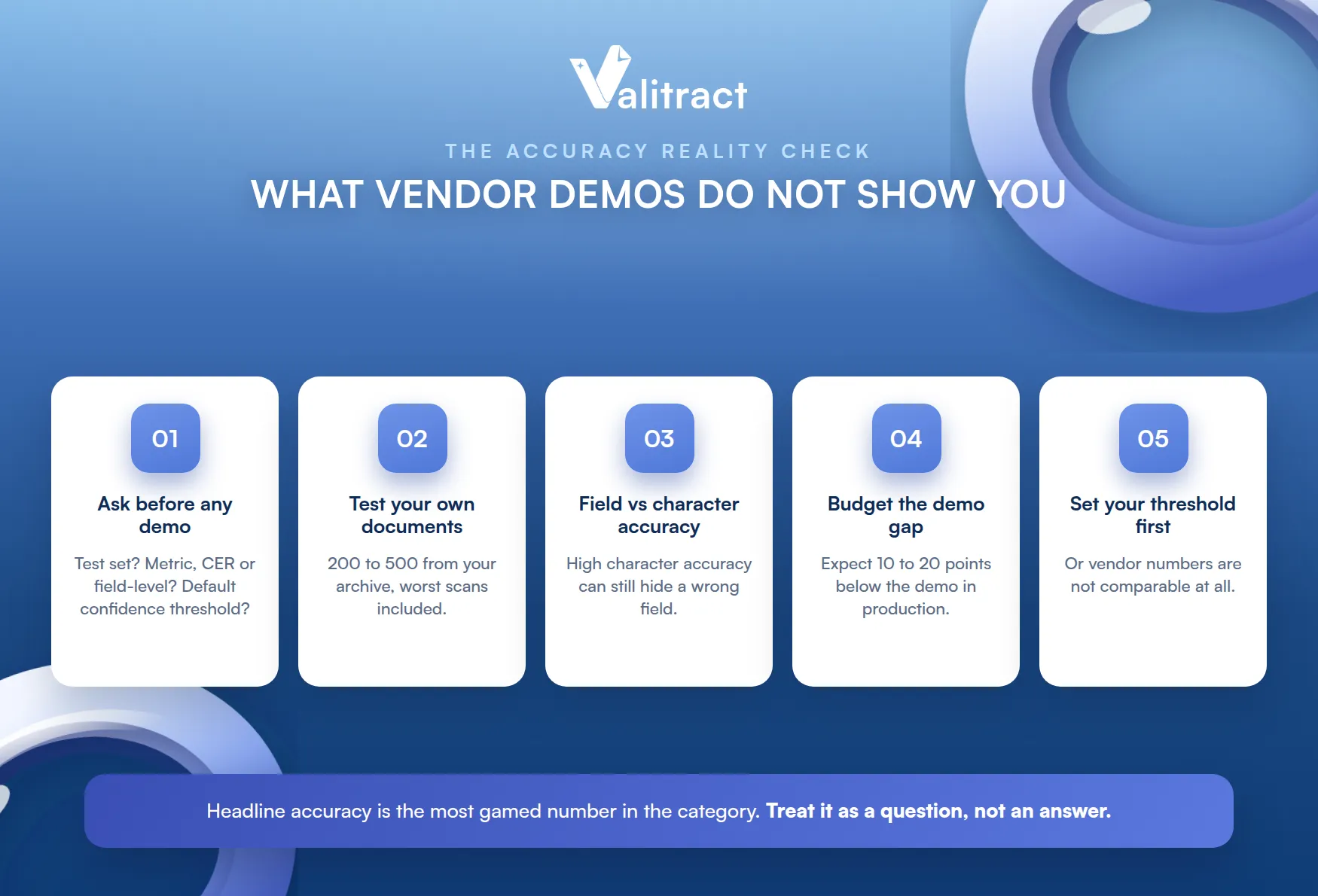
The headline accuracy is the most gamed number in the category. Treat it as a starting question, not an answer.
Ask This Before You See Any Demo
Three questions expose a lot. What was the test dataset (clean samples or documents representative of real production)? What metric is the published accuracy (character error rate or field-level)? And what is the default confidence threshold behind the number?
A vendor who cannot answer these clearly is a warning sign. Vague answers usually mean the headline number will not survive contact with your documents.
Good vendors welcome these questions. Confidence in the answers is itself a signal worth reading.
Test This Yourself, Not the Vendor’s Sample Set
Build your own test set, not theirs. Pull 200 to 500 documents from your real archive, and deliberately include your worst ones: the faded scans, the cramped cursive, the odd layouts.
Demos always use curated samples. A curated set proves the tool can work, not that it will work on what you actually process.
Calculate the Real Number: Field Accuracy vs Character Accuracy
Know which accuracy you are being sold. Character error rate, field-level accuracy, and end-to-end accuracy are different numbers, and a high character accuracy can still mean a wrong field.
Tie it back to the three layers. Ask which layer the published accuracy was measured on: clean images, standard fields, which language? A number without that context is close to meaningless.
Budget for the Demo-to-Production Gap
Expect a drop. Real-world accuracy commonly lands 10 to 20 points below the demo, because production is full of edge cases the demo never included.
Plan for that gap up front. Budgeting for review on the difference is more honest than assuming the demo number is what you will get.
Set Your Confidence Threshold Before You Compare Vendors
Decide your threshold first. The confidence threshold is a trade-off between review burden and the risk of a wrong value slipping through, and it should be your choice, not the vendor’s.
Otherwise you compare apples to oranges. If each vendor sets a different default threshold, their accuracy numbers are not comparable at all.
Making Handwriting Recognition Work in Production
Getting a tool is not the same as getting results. These practices keep handwriting recognition reliable once it is live.
Production is where good tools earn their keep. A strong demo means little if the pipeline around it is not built to catch errors.
Do Not Build a Separate Pipeline Just for Handwritten Fields
Resist the urge to silo handwriting. If it is a small share of your volume, processing it in the same pipeline as your printed documents, on one general platform, is usually cheaper and simpler than running a separate specialist tool.
The exception is a mostly-handwriting workload. Only when handwriting dominates does a dedicated pipeline earn its overhead, a distinction our intelligent document processing software guide explores.
Let Confidence Scores Do the Triage, Not Manual Sampling
Use confidence scores to route work. Let the system flag low-confidence fields for review automatically, rather than randomly sampling documents by hand.
Sampling does not scale. As volume grows, confidence-based triage focuses human attention exactly where it is needed.
It also improves over time. Reviewing the flagged fields feeds back into a cleaner, more trusted dataset.
Track Accuracy Drift as Your Document Mix Changes
Accuracy is not fixed. A new client, a new document source, or a new format can quietly lower it over time, so measure periodically rather than once at launch.
Automate the monitoring where you can. Running checks through an OCR API lets you track drift as part of the pipeline instead of as a manual audit.
Frequently Asked Questions About Handwriting Recognition Software
Does OCR work on handwriting?
Classic OCR is built for printed text and struggles with handwriting. Reading handwriting reliably needs ICR or AI-based recognition, which interprets variable shapes by learning context rather than matching fixed characters.
What is the difference between OCR and handwriting recognition (ICR)?
OCR recognizes printed characters, while ICR (Intelligent Character Recognition) uses AI to interpret handwriting, including variable and cursive styles. Many tools labeled OCR actually rely on ICR or newer AI models for their handwriting features.
How accurate is AI handwriting recognition today?
On clean, hand-printed text, leading tools reach the high 80s to mid 90s in percent, but accuracy falls sharply on cursive, where some benchmarks drop into the 60s. The honest answer is that it depends on scan quality, writing style, and language.
Can handwriting recognition software read cursive?
Modern AI can read cursive, but it is the hardest case and accuracy varies widely by engine and handwriting. Always test cursive on your own documents rather than trusting a general accuracy claim.
Is free handwriting recognition software good enough for business use?
Free tools can work for casual or low-stakes tasks, but they often lack the validation, confidence scoring, and support that business use requires. For documents where an error has real cost, a tool with a human-in-the-loop review step is safer.
Does handwriting recognition work for regulated documents like medical records?
Technically yes, but regulated use depends on the specific vendor’s compliance posture, not the recognition alone. For medical records under HIPAA, confirm that a given vendor offers the required agreements and certifications; Valitract, for example, is GDPR-aligned, and any regulated deployment should be checked against your own compliance requirements.
Concluding Thought
Choosing handwriting recognition software comes down to one honest fact: no vendor is strong at all three layers, the visual, the structural, and the semantic. The right choice is the one whose strengths line up with where your documents actually stress the system.
So start by knowing your own workload. Measure how much of it is truly handwritten, which layer that handwriting stresses, and how accurate you genuinely need to be, then test on your own documents before you trust any demo.
Do that work, and the choice gets simple. The framework turns a confusing market into a short, answerable set of questions.
For mostly-printed business documents with occasional handwriting, Valitract provides the accurate extraction and validation layer that keeps the whole pipeline reliable. To see it on your own documents, book a demo with the Valitract team.
Valitract – Next-gen AI-Powered Data Extraction Platform
- Email: contact@valitract.com
- LinkedIn: https://www.linkedin.com/company/valitract-api-platform
- X: https://x.com/valitract


