


Most finance leaders still think of AP as a back-office cost center: a team that pays bills. That framing is dangerously outdated. Today, your AP invoice workflow sits at the intersection of cash flow strategy, vendor relationship management, and financial controls. A sluggish approval cycle doesn’t just mean a late payment; it means missed early-payment discounts, strained supplier relationships, and a CFO flying blind on real-time liabilities.
The hardest truth? Many AP managers are fighting a structural battle they cannot win with manual processes. The average organization takes 10 to 14 days to process a single invoice by hand. Multiply that across hundreds of vendors and thousands of invoices per month, and the cost, both financial and operational, becomes staggering.
This guide breaks down every layer of the accounts payable invoice processing problem: what it is, how it works step by step, the hidden bottlenecks that inflate costs, and how modern accounts payable invoice automation is rewriting the playbook for finance teams in 2026 and beyond.
What is Invoice Processing in Accounts Payable?
Definition of Accounts Payable Invoice Processing
Accounts payable invoice processing (AP invoice processing) is the end-to-end workflow that begins when a vendor invoice is received and concludes when that invoice is validated, approved, recorded in the general ledger, and scheduled for payment. It encompasses every touchpoint, from data capture to three-way matching to final disbursement.
Invoice Processing vs. Invoice Management: What’s the Difference?
These two terms are often used interchangeably, but they describe fundamentally different scopes of work.
- Invoice processing is the day-to-day operational workflow: receiving an invoice, extracting its data, matching it to a purchase order, routing it for approval, and executing payment. It is transactional by nature.
- Invoice management, on the other hand, is the strategic layer: designing vendor communication policies, defining approval hierarchies, ensuring compliance with internal controls, and maintaining vendor master data. Management sets the rules; processing executes them.
Understanding this distinction matters because many organizations invest in better processing tools without ever fixing the underlying management policies, and then wonder why exception rates remain high.
Why an Efficient Accounts Payable Invoice ProcessingnMatters to Your Bottom Line
The financial stakes of a well-run or poorly run AP invoice workflow are significant and measurable.
- Working capital optimization: Every dollar sitting in “pending approval” is a dollar not deployed elsewhere. When invoices clear in hours instead of weeks, treasury teams gain precise visibility into near-term cash obligations, enabling smarter short-term investment decisions.
- Vendor compliance and leverage: Suppliers track payment behavior. Consistent on-time payment earns preferred vendor status, unlocks early-payment discount programs (typically 1–2% of invoice value), and creates negotiation leverage during contract renewals. Chronic lateness does the opposite.
- Fraud and duplicate payment prevention: The AP function is a high-value target for both external fraud and internal control failures. A disciplined invoice processing workflow, with clear audit trails and automated matching, is one of the most cost-effective fraud prevention tools available.
The Step-by-Step Accounts Payable Invoice Processing Workflow
This section maps the standard operating procedure (SOP) that governs professional AP invoice processing. Each step is a control point; skip one, and the risk cascades forward.

Step 1: Invoice Receipt
Invoices arrive through a fragmented mix of channels: vendor email inboxes, physical mail, EDI (Electronic Data Interchange) transmissions, and supplier self-service portals. Best-in-class AP teams centralize all inbound invoices to a single intake point, for example, a dedicated ap@company.com address before any processing begins.
This centralization step eliminates the most common cause of “lost invoices”: documents landing in personal email threads, shared drives, or physical in-trays with no tracking. As part of this intake stage, consider implementing document workflow automation software to automatically route each incoming invoice into the correct processing queue without manual sorting.
Step 2: Data Extraction & Capture
Once received, the invoice’s key data fields must be captured: invoice number, vendor name and ID, line-item descriptions, quantities, unit prices, tax amounts, total due, and payment due date.
In manual environments, this is a full-time data entry job, and one of the highest error-prone steps in the entire workflow. AI-powered invoice OCR software can extract this structured data from unstructured sources (PDFs, scanned paper, photos) with accuracy rates exceeding 99%, eliminating the re-keying bottleneck entirely.
Step 3: Coding & General Ledger (GL) Assignment
Each line item on an invoice must be assigned the correct general ledger code and cost center. This coding step is essential for accurate financial reporting and budget tracking. For example, a software subscription invoice would be coded to an IT expense GL account, while a raw materials invoice maps to Cost of Goods Sold.
Errors at this stage, wrong GL codes, incorrect cost center allocations, silently corrupt financial statements and require expensive corrections at month-end close.
Step 4: Verification & Two-Way or Three-Way Matching
This is the most critical control in the entire accounts payable invoice processing steps framework.
- Two-way matching cross-references the invoice against the purchase order (PO): Do the quantities and prices align?
- Three-way matching adds a third document: the goods receipt or service confirmation. This verifies that the goods were actually delivered or the service was actually rendered before payment is authorized.
For high-value transactions, three-way matching is non-negotiable. It is the primary defense against paying for goods that were never received – a surprisingly common form of vendor billing error and intentional fraud.
Step 5: Approval Routing
Once verified and coded, the invoice is routed through the appropriate approval chain based on dollar amount and department. A $500 office supply invoice might require only a department manager’s sign-off; a $50,000 equipment purchase might require VP Finance and CFO approval.
This routing logic – the approval matrix must be formalized in writing. Ad hoc approval processes, where invoices are forwarded to managers via email and tracked in spreadsheets, are a compliance and audit liability.
Step 6: Payment Execution
The approved invoice is scheduled for payment according to terms (Net 30, Net 60, etc.) via ACH transfer, wire, virtual card, or check. The payment is recorded in the ERP or accounting system, and the invoice status is updated to “Paid.”
This final step closes the loop, but in manual workflows, even this step introduces delays. Batch check runs, manual ACH file uploads, and paper-based reconciliation all extend cycle times and obscure cash position.

Key Benefits of Optimizing Accounts Payable Invoice Processing
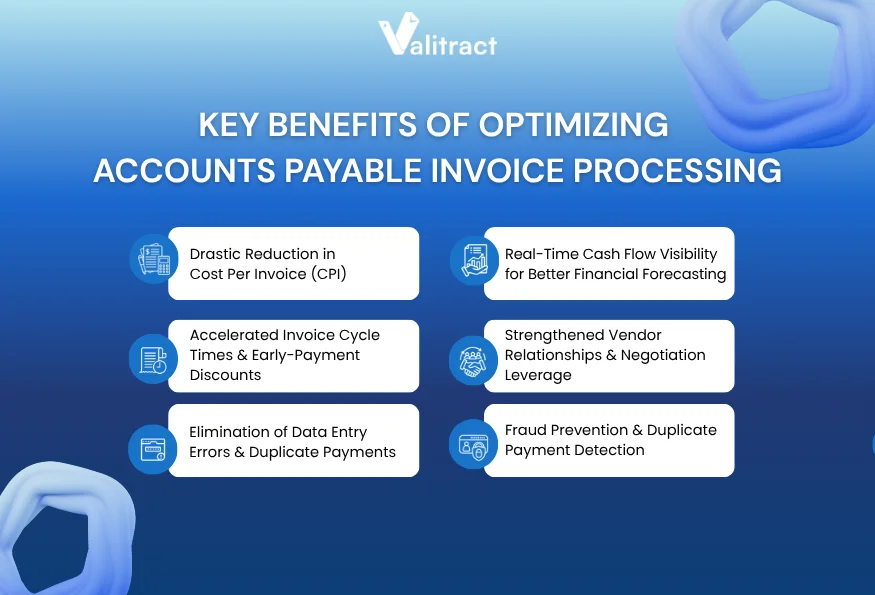
Drastic Reduction in Cost Per Invoice (CPI)
The industry benchmark for manually processing a single invoice is $12 to $15, once you account for labor hours, physical storage, error correction, and approval delays. Organizations that implement accounts payable invoice automation consistently bring that cost below $3 per invoice, a reduction of up to 80%.
At scale, this matters enormously. A company processing 2,000 invoices per month at $14 each is spending $28,000 monthly on AP operations alone. Automated processing at $2.50 per invoice cuts that to $5,000 – a $276,000 annual saving from a single operational change.
Accelerated Invoice Cycle Times & Early-Payment Discounts
Manual invoice approval cycles average 10 to 14 business days across departments. Automated workflows compress this to under 24 hours by eliminating physical hand-offs, email chasing, and approval queue backlogs.
The compounding financial benefit: fast cycle times unlock early-payment discount programs that most vendors offer. A 1% discount on a $1 million annual invoice volume generates $10,000 in direct savings. At 2%, that’s $20,000, pure margin improvement with no additional revenue required.
100% Elimination of Data Entry Errors & Duplicate Payments
Human data entry carries an irreducible error rate. Transposed digits, misidentified vendor IDs, and duplicate invoice submissions (the same invoice paid twice from different departments) are endemic in manual AP environments.
AI-powered data extraction achieves 99%+ accuracy on structured extraction tasks. More importantly, automated duplicate detection, cross-referencing invoice numbers, vendor IDs, and amounts against payment history, catches duplicate submissions before disbursement, not after. Integrating this capability directly with ERP platforms like QuickBooks, SAP, Xero, and Sage via financial data extraction software creates a closed-loop system where errors cannot propagate into the ledger.
Real-Time Cash Flow Visibility for Better Financial Forecasting
In manual AP environments, CFOs are perpetually operating on stale data. Invoices sitting on managers’ desks or buried in email threads represent unrecorded liabilities, cash obligations the company has incurred but not yet captured in its financial position.
Automated invoice processing captures and logs every invoice instantly upon receipt. This real-time ingestion provides finance leadership with complete visibility into pending payables, aging invoices, and projected disbursements, allowing for daily, high-precision cash flow forecasting instead of month-end guesswork.
Strengthened Vendor Relationships & Negotiation Leverage
Suppliers assign informal credit scores to their customers based on payment behavior. Companies that pay consistently on time and communicate proactively about payment status build the kind of trust that translates into tangible commercial advantages: preferential pricing, extended credit terms, priority allocation during supply shortages.
Conversely, chronic late payments, even when caused by internal approval bottlenecks rather than financial difficulty, signal unreliability. Vendors quietly deprioritize those customers or build payment risk premiums into future pricing.
Fraud Prevention & Duplicate Payment Detection
AI-powered AP systems provide active fraud detection that manual review cannot match at scale. Automated flags are triggered for: duplicate invoice submissions (same invoice number from multiple sources), vendors not registered in the approved vendor master, invoice amounts calibrated just below approval authority thresholds (a classic fraud pattern), and sudden changes to vendor banking details.
These controls run on every invoice, every cycle, not just when an auditor happens to look.
Accounts Payable Invoice Processing Best Practices
The following practices separate high-performing AP teams from those perpetually fighting fires:
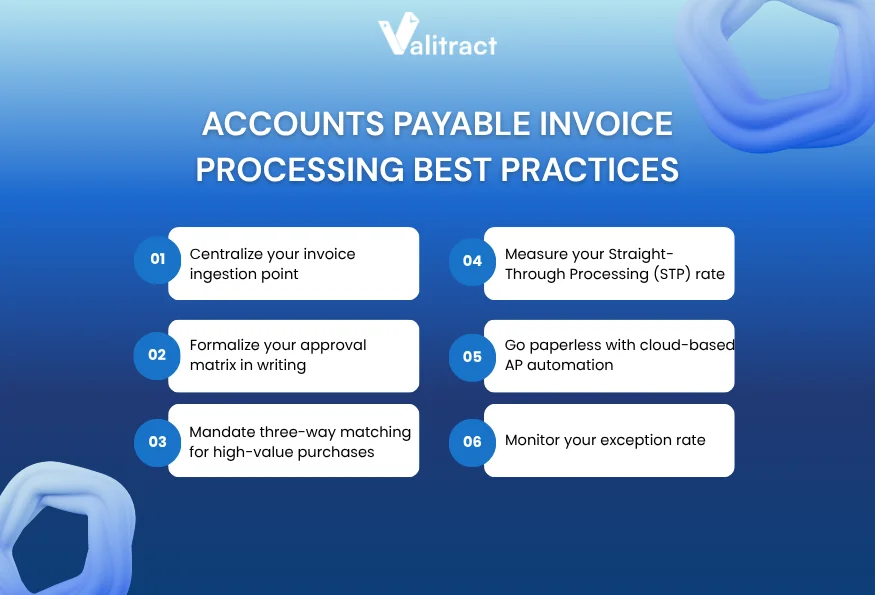
- Centralize your invoice ingestion point: All invoices, email, mail, EDI, and portal must flow through a single intake channel. A dedicated AP inbox (e.g., ap@yourcompany.com) eliminates lost documents and creates a trackable, auditable entry point.
- Formalize your approval matrix in writing: Define dollar thresholds, departmental routing rules, and escalation paths in a documented policy. Verbal approval processes are neither scalable nor audit-compliant.
- Mandate three-way matching for high-value purchases: Set a threshold (e.g., all invoices above $5,000) above which three-way matching is required. Below this threshold, two-way matching maintains efficiency without sacrificing control.
- Measure your Straight-Through Processing (STP) rate: This is the percentage of invoices that complete the entire workflow without manual intervention. A healthy STP rate is above 70%. If yours is lower, the bottleneck is almost certainly in matching exceptions or approval routing logic.
- Go paperless with cloud-based AP automation: Paper-based workflows are incompatible with remote work, multi-location operations, and modern audit requirements. Cloud-based invoice processing systems allow approvers to review and authorize from any device, anywhere, eliminating the single-point-of-failure of a physical approval chain.
- Monitor your exception rate: Exceptions (invoices flagged for manual review) are a direct measure of AP workflow health. High exception rates indicate systemic issues: vendor data discrepancies, inconsistent PO practices, or outdated approval logic. Track and address exceptions systematically rather than resolving them case by case.
The Hidden Bottlenecks of Traditional AP Processing & How They Impact Enterprise Valuation
Most analyses of manual AP focus on the visible costs: time and errors. The more damaging costs are invisible, and they affect enterprise valuation in ways that never appear on the AP team’s KPI dashboard.
- The “Invisible Cost” per Invoice: The $12–$15 per-invoice figure underestimates true cost because it rarely captures management time spent on escalations, the opportunity cost of delayed early-payment discounts, or the cost of correcting downstream accounting errors caused by mis-coded invoices.
- Invoice Cycle Time and Working Capital Impact: Every day an invoice sits in an approval queue is a day the company’s true cash position is unknown. For businesses managing tight working capital cycles, this opacity is a direct risk factor. Lenders and investors evaluating financial health look at Days Payable Outstanding (DPO) – a metric directly tied to invoice cycle efficiency.
- Straight-Through Processing Rate vs. Exception Rate: These two KPIs define AP operational maturity. A high STP rate (70%+) means the workflow is clean, vendor data is accurate, and PO practices are disciplined. A high exception rate means the opposite, and typically means the AP team is spending the majority of its time on firefighting rather than strategic work.
- Vendor Friction and Supply Chain Risk: When AP processing is slow and opaque, vendors begin to treat that company as a high-risk customer. The downstream effects, priority allocation during supply constraints, and willingness to extend favorable terms compound over time. AP processing quality is, indirectly, a supply chain resilience factor.
- Audit Trail Gaps and Compliance Vulnerabilities: Manual processes generate fragmented, inconsistent audit trails. Approval decisions documented in email threads, invoice copies stored across personal hard drives, and verbal authorizations without documentation all create compliance risk that surfaces during financial audits, M&A due diligence, or regulatory review.
The Transition to AI-Powered AP Automation Software
Limitations of Legacy Invoice Processing Systems
First-generation AP automation tools, rule-based OCR, and template-driven extraction improved on pure manual processing but introduced their own fragility. These systems require a preconfigured template for each vendor’s invoice format. When a vendor changes their invoice layout (a routine occurrence), the template breaks, and the invoice falls back into manual processing.
The practical result: AP teams using legacy automation software often maintain large exception queues of invoices that their “automated” system cannot handle, negating much of the automation benefit.
The Rise of AI-Powered AP Automation
Modern automated invoice processing takes a fundamentally different architectural approach. Instead of matching invoices to rigid templates, AI-powered systems learn to recognize invoice structure contextually, understanding that “Invoice No.”, “Inv #”, and “Reference” all refer to the same field, regardless of layout.
ValiTract’s AI-powered data extraction uses self-learning OCR trained on millions of invoice variations. The system identifies vendor-specific patterns, adapts automatically when formats change, and extracts line-item details, tax figures, due dates, and GL-suggestible data from unstructured PDFs, scans, and images, without a human ever touching a template configuration file.
This is the fundamental difference between AI-powered and rule-based ap invoice automation: the former gets smarter with use; the latter degrades with every format variation.
Streamline AP Invoice Processing with ValiTract
ValiTract is built specifically for the accounts payable invoice processing challenges that legacy systems cannot solve:
- Template-free extraction: No pre-configured vendor templates required. The AI recognizes any invoice format from any vendor on first submission.
- Self-learning accuracy: The system continuously improves recognition accuracy across your specific vendor base, reaching 99.8% extraction accuracy on line-item data.
- Full document type support: PDF, scanned paper, and photographed invoices, all processed with equal accuracy, no standardized format required from vendors.
- Direct ERP and accounting integration: Native connectors for QuickBooks, SAP, Xero, Sage, and major ERP platforms. Invoice data flows directly into the correct GL accounts without re-keying.
- No-code setup: Full onboarding in under 15 minutes. No IT project, no template configuration, no lengthy implementation cycle.
- API access: For engineering teams requiring deeper workflow integration, a fully documented REST API enables custom automation pipelines.
FAQs about Accounts Payable Invoice Processing
What is invoice processing in accounts payable?
Invoice processing in accounts payable is the complete operational workflow for handling vendor invoices, from initial receipt through data extraction, GL coding, PO matching, management approval, and final payment execution. The goal is to validate that every invoice represents a legitimate, accurate obligation and to pay it on time.
What is the main objective of accounts payable invoice processing?
The primary objective is to ensure that the company pays the right vendor, the right amount, at the right time, for goods and services actually received. Secondary objectives include maintaining accurate financial records, preventing duplicate payments and fraud, optimizing cash flow through strategic payment timing, and building strong vendor relationships.
What is the difference between AP automation and invoice processing software?
Invoice processing software handles the specific workflow of capturing, validating, and routing individual invoices. AP automation is a broader term encompassing the full accounts payable function, including vendor onboarding, payment execution, reporting, and compliance management. Many modern platforms deliver both capabilities in a unified system.
What are the main steps in AP invoice processing?
The standard accounts payable invoice processing steps are: (1) Invoice receipt and centralization, (2) Data extraction and capture, (3) GL coding and cost center assignment, (4) Two-way or three-way matching against PO and goods receipt, (5) Approval routing through the authorization hierarchy, and (6) Payment execution and ledger recording.
Concluding Thought
The accounts payable function stands at an inflection point. Organisations that continue to treat AP as a manual back-office function are not only operating inefficiently, but also accepting structural disadvantages in terms of their relationships with vendors, visibility of cash flow, and exposure to fraud.
The technology required to transform AP from a cost center into a strategic value driver is no longer experimental or complex to implement. AI-powered invoice processing systems can be deployed in minutes, deliver measurable ROI from the first billing cycle, and scale effortlessly as invoice volumes grow.
Ready to see what modern accounts payable invoice processing looks like in practice? Explore ValiTract and process your first batch of invoices in under 15 minutes. There are no templates, IT tickets or other frustrating issues to deal with.
Valitract – Next-gen AI-Powered Data Extraction Platform
- Email: contact@valitract.com
- LinkedIn: https://www.linkedin.com/company/valitract-api-platform
- X: https://x.com/valitract