


Every mid-size company runs on documents. Invoices, contracts, onboarding forms, purchase orders, and compliance records all pass through multiple hands before reaching a final destination. When that process runs on email threads and shared folders, documents get lost, approvals stall, and data entry errors multiply. The cost of manual document handling is measurable.
According to AIIM research, organizations spend an average of $20 in labor to file a single document and $120 to find a misfiled one. For a finance team processing 2,000 invoices per month, those numbers add up to thousands of wasted hours each year.
This guide compares 10 document workflow software tools for 2026. Each one is evaluated by features, pricing, integration depth, and the specific use case it serves best. Use the comparison table to shortlist 2-3 options that match your document volume and tech stack.
TL;DR
Document workflow software automates how files move through your business, from intake and data extraction to approvals and storage. This guide compares 10 tools across pricing, core technology, integrations, and free-tier availability. ValiTract leads for AI-powered data extraction with 99.8% accuracy and a free tier of 100 pages per month. altaFlow and DocuSign are strong picks for e-signature-heavy workflows, while Nanonets and Doxis AI.dp. suit enterprise-grade document processing.
What Is Document Workflow Software?
Document workflow software automates the lifecycle of a business document, from the moment it enters your system to its final storage or archival.
What is a document workflow?
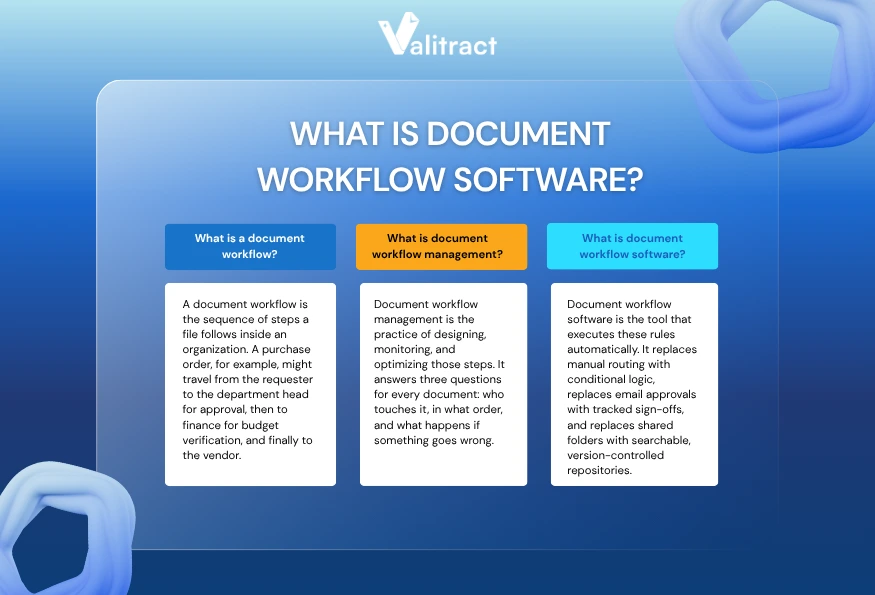
A document workflow is the sequence of steps a file follows inside an organization. A purchase order, for example, might travel from the requester to the department head for approval, then to finance for budget verification, and finally to the vendor. Each step has rules: who reviews it, what they check, and where it goes next.
When these steps happen manually, handoffs break down. An invoice sits in someone’s inbox for three days. A contract gets signed by the wrong version. A compliance form never reaches the auditor.
What is document workflow management?
Document workflow management is the practice of designing, monitoring, and optimizing those steps. It answers three questions for every document: who touches it, in what order, and what happens if something goes wrong.
Good workflow management eliminates guesswork. Every team member knows exactly where a document stands, who owns the next action, and when a deadline is approaching.
What is document workflow software?
Document workflow software is the tool that executes these rules automatically. It replaces manual routing with conditional logic, replaces email approvals with tracked sign-offs, and replaces shared folders with searchable, version-controlled repositories.
The best document workflow automation software goes further. It extracts data from incoming files, validates that data against existing records, and pushes structured output into downstream systems like ERPs and accounting platforms.
Teams that adopt document workflow management software typically see faster approval cycles, fewer data entry errors, stronger audit trails, and reduced compliance risk. For document-heavy industries like finance, healthcare, logistics, and legal, these improvements translate directly into lower costs and faster operations.
10 Best Document Workflow Software
Not every tool fits every workflow. Some platforms focus on e-signatures and approvals. Others specialize in AI-powered data extraction or document generation. The table below compares all 10 tools across the criteria that matter most when choosing document workflow software.
Use it to identify which 2-3 tools align with your team’s document volume, integration requirements, and budget.
Quick Comparison Table
| Tool | Key Feature | Pricing (Starting) | Free Tier | Template-Free | Core Technology | Integrations | Best For |
| ValiTract | AI data extraction with 99.8% accuracy | Free; Growth from ~$49/mo | Yes (100 pages/mo) | Yes | AI OCR + ML extraction | QuickBooks, SAP, Xero, Sage, Zapier, Make, N8N | Financial data extraction and document processing |
| altaFlow | No-code doc generation + e-sign | Credit-based; Free plan available | Yes (limited credits) | N/A (template-based) | No-code bots + conditional routing | Salesforce, NetSuite, SharePoint, Dynamics | CRM-connected document routing |
| Mitratech HotDocs | Complex document assembly | Custom pricing | No | No (template-driven) | Template logic engine | Salesforce, NetSuite, SharePoint | High-volume legal and financial document generation |
| Document360 | Knowledge base + workflow tools | From $199/mo | No | N/A | Knowledge management platform | Slack, Intercom, Zendesk, Freshdesk | Internal documentation and knowledge workflows |
| DocuPipe | Document-driven workflows with AI | Custom pricing | Limited trial | Yes | AI extraction + routing | Zapier, webhooks | AI-driven document intake and extraction |
| Jotform Workflows | No-code workflow automation | From $39/mo | Yes (limited) | N/A | Drag-and-drop form builder | Google Drive, Slack, Dropbox, Salesforce | E-signature and form-based approval flows |
| Doxis AI.dp. | End-to-end OCR + fraud detection | Custom pricing | No | Yes | AI OCR + fraud detection + anonymization | 75+ integrations (Google Drive, Xero, Salesforce) | Enterprise document automation with compliance |
| Nanonets | AI-driven document automation | From ~$499/mo | Trial only | Yes | Deep learning OCR + ML | API, Zapier, ERP connectors | Enterprise AP automation and document extraction |
| Fluix | Mobile document collection | From $30/user/mo | No | N/A | Mobile-first forms + e-sign | Dropbox, Google Drive, OneDrive | Field teams and mobile data collection |
| DocuSign | E-signature + agreement workflows | From $15/user/mo | Free trial (30 days) | N/A | E-signature + CLM | 400+ integrations (Salesforce, SAP, Workday) | E-signature and contract lifecycle management |
Sources: Vendor websites and product documentation, reviewed May 2026. Pricing may vary by plan and region.
Top Document Workflow Software
1. ValiTract
ValiTract is an AI-powered data extraction and document processing platform that converts unstructured files into structured, usable data. It handles invoices, receipts, bank statements, contracts, ID documents, and more than a dozen other document types across 95+ languages.
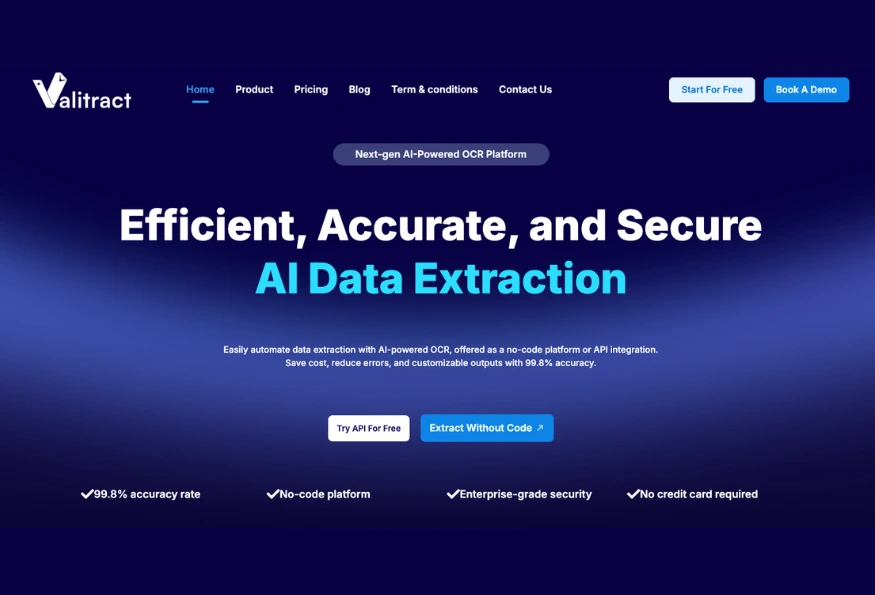
Key Features: ValiTract uses template-free AI extraction, which means you do not need to configure templates for each document layout. Upload a file in any format, and the system identifies and maps fields like vendor name, invoice total, date, and line items into structured output (JSON, CSV, or XLS). The platform offers both a no-code drag-and-drop interface and a full RESTful API for developer-led integrations.
Teams evaluating financial data extraction software for invoices, receipts, and bank statements will find that ValiTract connects directly to accounting systems like QuickBooks, SAP, Xero, and Sage. It also works with automation platforms like Zapier, Make.com, and N8N for custom workflow triggers.
Pricing: Free tier includes 100 pages per month with no credit card required. Growth plans scale up to 6,000 pages per month with API access. Pro and Enterprise tiers support up to 100,000+ pages with fraud detection and custom SLAs.
Pros:
- Template-free extraction works on new document layouts immediately
- Free tier is generous enough for small teams to evaluate fully
- GDPR and HIPAA compliant, with automatic data purge
- No-code platform and API available on all paid plans
Cons:
- Newer brand with a smaller user community compared to legacy players like ABBYY or Nanonets
- Handwritten document accuracy may drop below the 99.8% benchmark for standard printed documents
- Advanced features like fraud detection require the Pro tier or higher
2. altaFlow
altaFlow is a no-code document automation platform that unifies document generation, e-signatures, web forms, and conditional workflow routing in a single product. It is built around deep CRM integration, especially with Salesforce, NetSuite, and Microsoft Dynamics.
Key Features: The platform uses over 100 pre-built bots to automate tasks like data sync between documents and CRM records, approval routing based on deal size or department, and automated reminders. E-signatures are included in every plan with no per-envelope fees.
Pricing: Credit-based model. Free plan available with limited credits. Paid plans (Growth, Automate 360, Enterprise) scale by automation volume, not headcount. All plans include unlimited users.
Pros:
- Unlimited users on all plans keep costs predictable
- Native Salesforce and NetSuite integration is deep, not surface-level
- E-signature included at no extra cost
Cons:
- Bot configuration can be slow when workflows involve many fields
- The learning curve is steeper for non-Salesforce environments
- Some users report intermittent platform issues during peak usage
3. Mitratech HotDocs
HotDocs is a document assembly engine designed for industries that produce complex, customized documents at high volume, particularly legal, financial services, and government agencies.
Key Features: Template-driven logic lets users build dynamic documents with conditional sections, calculated fields, and variable text. Teams create a master template once, and HotDocs generates customized outputs for each client, case, or transaction.
Pricing: Custom pricing based on deployment type and volume. No public free tier.
Pros:
- Deep template logic handles complex conditional documents
- Strong presence in legal and regulated industries
- On-premise and cloud deployment options
Cons:
- Template setup requires a significant upfront investment
- Not designed for general-purpose document routing or approvals
- No free tier for evaluation
4. Document360
Document360 is a knowledge management platform with structured workflow tools for creating, reviewing, and publishing internal and external documentation.
Key Features: Version control, role-based access, approval workflows for content review, and a built-in knowledge base editor. Integrations include Slack, Intercom, Zendesk, and Freshdesk.
Pricing: Starts at $199/month. No free tier, but a 14-day trial is available.
Pros:
- Purpose-built for documentation teams and knowledge bases
- Strong version control and content review workflows
- Good integration with support and help desk tools
Cons:
- Not a general document workflow tool for invoices, contracts, or operational files
- Pricing is high for smaller teams
- Limited automation beyond content review and publishing
5. DocuPipe
DocuPipe focuses on document-driven workflows that combine AI extraction with automated routing. It is designed for teams that receive documents from multiple sources and need to classify, extract data from, and route them into downstream systems.
Key Features: AI-powered document classification and extraction. Automated routing based on document type. Webhook and Zapier integration for connecting with other tools.
Pricing: Custom pricing. A limited trial is available.
Pros:
- Combines extraction and routing in one platform
- Template-free AI adapts to new document formats
- Good fit for document intake workflows
Cons:
- Smaller market presence makes finding peer reviews difficult
- The integration ecosystem is narrower than that of the larger competitors
- Pricing transparency is limited
6. Jotform Workflows
Jotform Workflows extends the popular Jotform form builder into a no-code workflow automation platform. It is best suited for teams that need simple approval chains, form-based data collection, and e-signature capture.
Key Features: Drag-and-drop workflow builder, conditional logic for routing, built-in e-signatures, and integrations with Google Drive, Slack, Dropbox, and Salesforce.
Pricing: Free plan available with limited form submissions. Paid plans start around $39/month.
Pros:
- Very low barrier to entry for non-technical teams
- Free tier is functional for small-scale workflows
- Large template library for common business forms
Cons:
- Limited AI or OCR capabilities for document extraction
- Workflows are form-centric, not document-centric
- Scale limitations on free and lower-tier plans
7. Doxis AI.dp.
Doxis AI.dp. is an enterprise document processing platform that combines OCR, fraud detection, document anonymization, and no-code workflow automation. It is positioned for medium to large organizations with high-volume, compliance-heavy document needs.
Key Features: Processes 100+ document types in 150+ languages. Includes fraud detection, smart anonymization for data privacy, and a no-code workflow builder. Integrates with 75+ business applications.
Pricing: Custom pricing. No free tier.
Pros:
- Fraud detection and anonymization set it apart from most competitors
- Broad language and document type support
- Recognized in the Gartner Magic Quadrant for Document Management
Cons:
- Enterprise pricing may be prohibitive for smaller teams
- Requires onboarding and setup support for complex configurations
- No self-serve free tier for evaluation
8. Nanonets
Nanonets is an AI-driven document automation platform focused on OCR and data extraction for high-volume use cases like accounts payable, order processing, and insurance underwriting.
Key Features: Deep learning OCR with custom model training. API-first architecture with webhook support. Connects with Zapier and direct ERP integrations. Processes invoices, receipts, purchase orders, contracts, and claims.
Pricing: Block-based pricing model. Paid plans start around $499/month. No free tier for production use.
Pros:
- Custom model training delivers high accuracy on consistent document formats
- Strong API documentation and developer experience
- Trusted by a significant portion of Fortune 500 companies
Cons:
- The starting price of ~$499/month is steep for small teams
- Model retraining is required when document formats change
- Set up typically requires a developer for production integrations
For teams that need similar AI-powered extraction at a lower entry point, ValiTract offers a and template-free extraction that does not require model training.
9. Fluix
Fluix is a document management and workflow platform built for mobile-first teams, particularly field workers, inspectors, and service crews who collect data on-site.
Key Features: Mobile form creation, drag-and-drop document builder, built-in e-signatures, offline mode for field use, and cloud sync with Dropbox, Google Drive, and OneDrive.
Pricing: Starts at approximately $30 per user per month. No free tier.
Pros:
- Purpose-built for field and mobile workflows
- Offline mode is a significant advantage for remote teams
- Simple interface for non-technical users
Cons:
- Limited back-office automation and AI capabilities
- Per-user pricing gets expensive as teams grow
- Not designed for document extraction or data processing workflows
10. DocuSign
DocuSign is the dominant e-signature platform, now expanded into a broader agreement workflow and contract lifecycle management (CLM) suite.
Key Features: E-signature capture, agreement routing, contract lifecycle management, and a marketplace of 400+ integrations, including Salesforce, SAP, Workday, and Microsoft 365.
Pricing: Starts at approximately $15 per user per month for basic e-signature. CLM and advanced workflow features require higher-tier plans with custom pricing.
Pros:
- Largest integration ecosystem in the e-signature category
- Brand recognition makes adoption easier across organizations
- The CLM suite covers the full contract lifecycle
Cons:
- Core strength is e-signature, not full document workflow automation
- Advanced workflow features require significantly higher pricing tiers
- Not designed for document data extraction or OCR
How To Choose the Right Document Workflow Software
The right document workflow software depends on the type of documents you process, the systems you already use, and how much automation you need. Consider these six factors before committing.
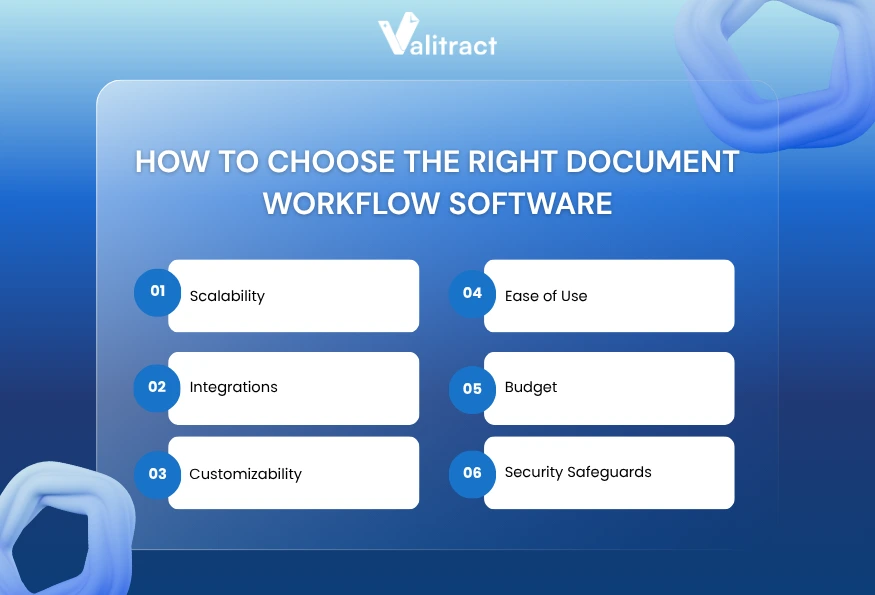
- Scalability: Estimate your monthly document volume and project where it will be in 12 months. A tool that handles 500 documents per month today may not serve a team processing 5,000 per month next year. Look for platforms with tiered pricing that grows with volume, not headcount.
- Integrations: Your document workflow software should connect to the systems your team already uses: your ERP, accounting platform, CRM, and cloud storage. Tools like ValiTract integrate with QuickBooks, SAP, Xero, and Zapier. altaFlow connects natively with Salesforce and NetSuite. If integration requires custom development, factor that cost into your evaluation.
- Customizability: Can you define your own routing rules, extraction fields, and approval chains? The best document workflow automation software lets you configure workflows without writing code while still offering an API for teams that need deeper customization.
- Ease of Use: A tool that requires weeks of onboarding will delay your ROI. Prioritize platforms that offer no-code setup for common workflows and clear documentation for advanced use cases.
- Budget: Pricing models vary widely. Some tools charge per user, some per document, and some use credit-based systems. Free tiers like ValiTract’s 100 pages per month let you evaluate before spending.
- Security Safeguards: For industries handling sensitive data, GDPR compliance, HIPAA compliance, SOC 2 certification, and automatic data purge are non-negotiable. Confirm these before signing a contract.
Features of Document Workflow Software
The best document workflow solutions share a common set of features. Not every tool offers all of them, so use this list to prioritize what your team needs most.
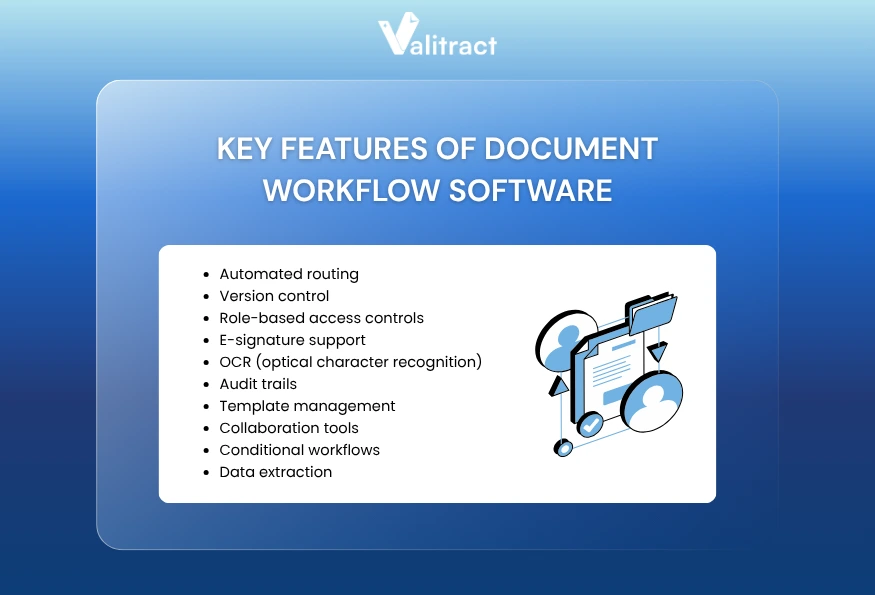
- Automated routing sends documents to the right person at the right time based on rules you define. An invoice over $10,000 goes to the CFO. A contract goes to legal first, then to the signer. No manual forwarding required.
- Version control tracks every edit, so you always know which version is current and who changed what. This is critical for contracts, policies, and compliance documents.
- Role-based access controls determine who can view, edit, approve, or delete documents. Finance sees invoices. HR sees onboarding forms. No one sees what they should not.
- E-signature support lets signers approve documents digitally without printing, scanning, or mailing. Tools like DocuSign and altaFlow include this natively.
- OCR (optical character recognition) converts scanned or photographed documents into machine-readable text. Combined with AI extraction, OCR pulls specific data fields from unstructured files. ValiTract, Nanonets, and Doxis AI.dp. all offer this capability.
- Audit trails log every action taken on a document: who viewed it, who approved it, when it was modified. Audit trails are essential for compliance in finance, healthcare, and legal.
- Template management lets you create reusable document formats for contracts, invoices, reports, and forms. HotDocs and altaFlow specialize in this area.
- Collaboration tools enable multiple team members to review, comment on, and approve documents within the platform.
- Conditional workflows apply different rules based on document type, value, department, or other criteria. This is what separates basic routing from intelligent automation.
- Data extraction identifies specific fields within a document and outputs them as structured data. For intelligent document processing, this capability is the foundation of end-to-end automation.
Key Benefits of Document Workflow Software
Teams that implement document workflow management software see measurable improvements across operations, compliance, and costs.
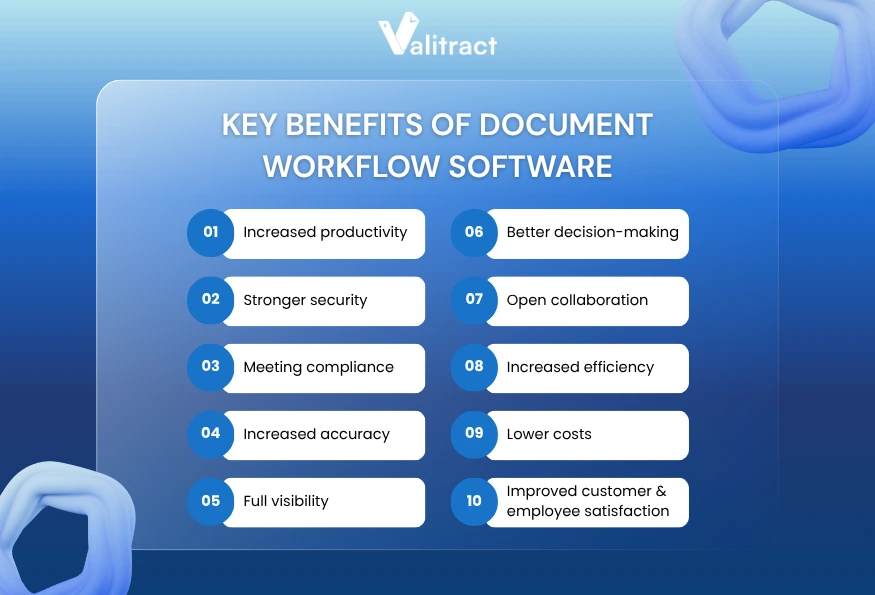
- Increased productivity: Automated routing and extraction eliminate hours of manual sorting and data entry each week. A finance team that switches from manual invoice processing to automated extraction can reclaim 10-15 hours per week.
- Stronger security: Role-based access, encryption, and automatic data purge protect sensitive information. GDPR and HIPAA compliance features reduce regulatory risk.
- Meeting compliance: Audit trails, version control, and retention policies ensure every document meets industry and regulatory requirements without manual tracking.
- Increased accuracy: Teams that replace manual processes with data entry automation software typically eliminate the 1-4% error rate inherent in human data entry. ValiTract achieves 99.8% extraction accuracy on standard printed documents, making that error rate effectively zero for most financial document types.
- Full visibility: Dashboards show where every document stands in its workflow. No more wondering if an approval is stuck in someone’s inbox.
- Better decision-making: When data flows from documents into analytics tools in real time, teams can spot trends, flag anomalies, and make faster decisions.
- Open collaboration: Multiple team members can review and approve documents within the same platform, reducing email chains and version confusion.
- Increased efficiency: Conditional workflows route documents without human intervention. What used to take three days of email back-and-forth now takes hours or minutes.
- Lower costs: Fewer manual hours, fewer errors, and less paper. Organizations that automate document workflows typically reduce processing costs by 50-70% according to AIIM industry benchmarks.
- Improved customer satisfaction: Faster contract turnaround, faster onboarding, and fewer errors all translate to a better experience for clients and partners.
- Improved employee satisfaction: Nobody enjoys filing invoices by hand. Automating repetitive document tasks lets your team focus on work that requires judgment and expertise.
Frequently Asked Questions about Document Workflow Software
What is document workflow software?
Document workflow software is a platform that automates how business documents move through an organization. It handles routing, approvals, storage, version control, and data extraction so teams do not rely on manual email chains or shared folders. Most tools use rules-based logic to send documents to the right people at the right time and maintain a complete audit trail of every action.
What is the best document workflow software?
The best document workflow software depends on your primary use case. ValiTract is the strongest option for AI-powered data extraction from invoices, receipts, and financial documents. altaFlow is the best fit for CRM-connected document generation and e-signatures. DocuSign leads for e-signature workflows. Doxis AI.dp. is the top choice for enterprises that need fraud detection and compliance-grade document processing. Use the comparison table in this guide to match your needs with the right tool.
What is the best way to manage documents?
The most effective approach combines three elements: a central repository with version control, automated routing based on document type and workflow rules, and AI-powered extraction for documents that contain data your systems need. Start by mapping your current document workflows, identifying the manual steps that cause delays or errors, and choosing software that automates those specific bottlenecks.
What types of documents can document workflow software manage?
Document workflow software handles nearly every business document type. Common examples include invoices, purchase orders, contracts, employment agreements, onboarding forms, compliance records, insurance claims, tax forms, delivery notes, and medical records. Tools with OCR capabilities can also process scanned paper documents and photographs of physical files.
What are the common features of document workflow software?
The most common features include automated document routing, version control, role-based access permissions, e-signature capture, OCR and data extraction, audit trails, template management, collaboration tools, conditional workflow logic, and integration with ERPs, CRMs, and accounting systems. The specific features available depend on the tool and pricing tier.
Concluding Thought
The average finance team spends 15 hours per week on manual document handling. That time could go toward analysis, forecasting, or closing the books faster.
ValiTract eliminates manual data extraction with AI that reads any document layout on first upload, no templates to configure, no models to train. Upload a file and get structured data back in seconds.
99.8% extraction accuracy. GDPR and HIPAA compliant. Free tier available.
Try ValiTract free, extract your first 100 pages this month
Valitract – Next-gen AI-Powered Data Extraction Platform
- Email: contact@valitract.com
- LinkedIn: https://www.linkedin.com/company/valitract-api-platform
- X: https://x.com/valitract


