

Finance controllers in 2026 face two pressures at once: tighten spend controls and close the books faster. Manual invoice checking works against both. It is slow, it is error-prone, and it quietly leaks cash through duplicate payments and missed fraud.
The numbers make the case. Processing one invoice by hand costs between $12 and $15, manual data entry carries an error rate of roughly 1.6% to 4% (IOFM), and 1% to 2% of invoices are duplicates (Ardent Partners). At volume, those small percentages become real money.
This is why invoice validation software has shifted from a nice upgrade to an operational necessity. This guide compares the 7 best platforms for 2026, what each one validates, how to choose, and what they cost.
TL;DR
The best invoice validation software in 2026 automatically checks each invoice for accuracy, legitimacy, and policy compliance before payment, using AI to extract data and match it against purchase orders and vendor records. Our top picks are Valitract for accurate template-free extraction and validation, Tipalti for global payments at scale, and BILL for SMB accounts payable. Manual validation costs roughly $12 to $15 per invoice (Ardent Partners); automation cuts that below $3.
What Is Invoice Validation Software?
Invoice validation software is a platform that automatically checks incoming invoices for accuracy, legitimacy, and policy compliance before they are paid. It extracts the invoice data, matches each one against purchase orders and vendor records, then flags anything that fails a rule for human review.
The strongest tools use AI to read any invoice layout without a template, so a new vendor format works on day one instead of breaking the process.
What Does It Actually Validate?
To prevent financial leakage, advanced invoice verification software runs multiple real-time data integrity and security checks across every submitted document:
Vendor identity verification: Cross-references the supplier’s details against your approved vendor master file to prevent phishing and unauthorized billing.
Purchase order matching: Validates the presence of a legitimate, pre-approved purchase order number linked to the expense.
Mathematical and tax accuracy: Recalculates line-item subtotals, tax rates, and final amounts to capture rounding discrepancies instantly.
Three-way alignment verification: Confirms that the line items on the supplier invoice perfectly match both the original purchase order and the corresponding warehouse goods receipt note.
Duplicate invoice detection: Scans historically logged data to intercept duplicate submissions before they lead to double payments.
Bank details change tracking: Triggers a high-risk security alert if the vendor’s payment routing or bank account numbers differ from the verified corporate master data.
A Step-by-Step Guide to the Invoice Validation Process
An automated invoice validation platform executes the traditional invoice verification workflow through five structured, instantaneous stages:
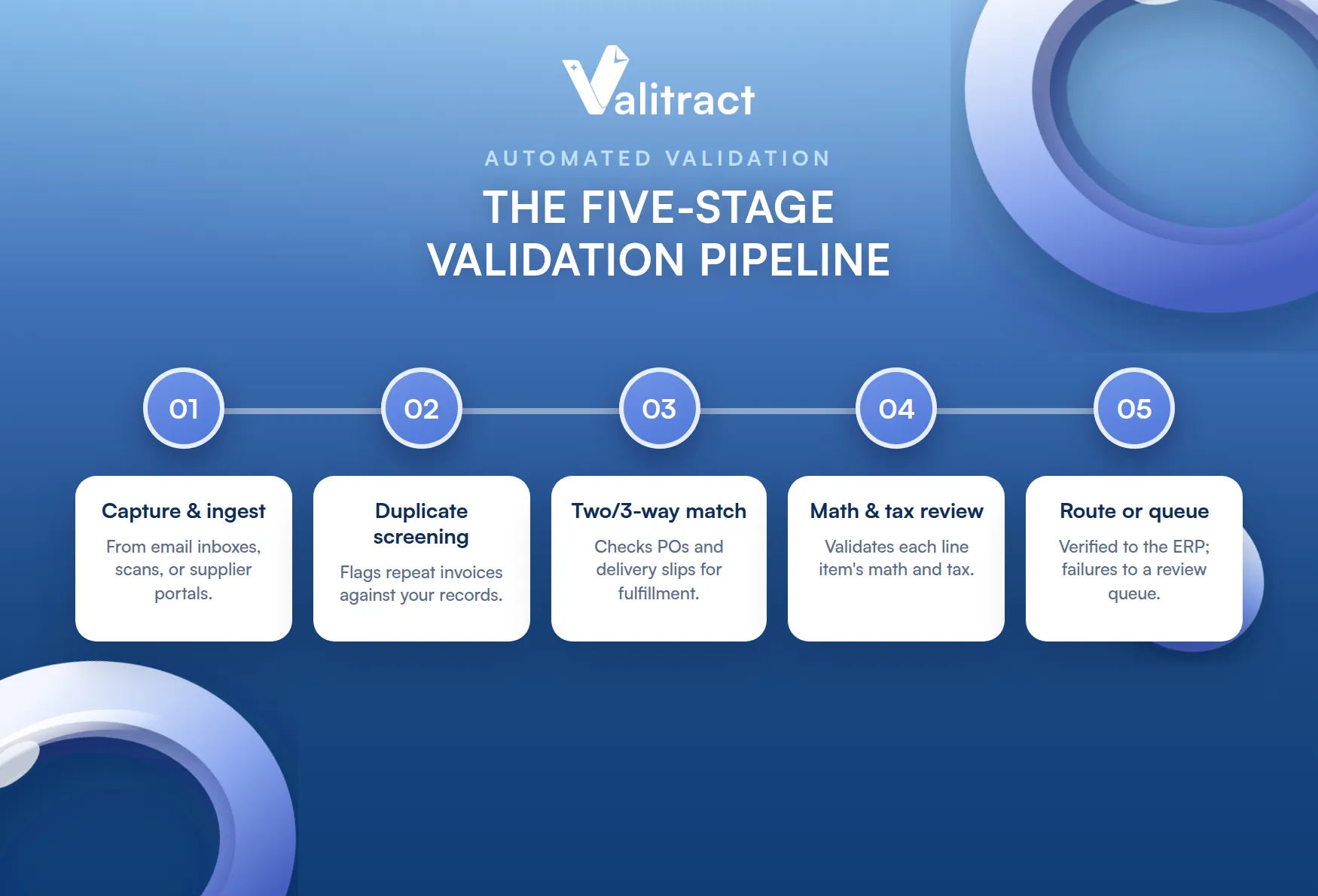
Data capture and ingestion: Ingests incoming files via central email inboxes, document scans, or supplier portals.
Duplicate screening check: Cross-checks document metadata against the accounting database to instantly flag repeat invoices.
Two-way and three-way matching: Runs programmatic matching against backend purchase orders and physical delivery slips to verify service fulfillment.
Line-item math and tax compliance review: Analyzes every individual line item for calculation errors and regional tax law compliance.
Ledger routing and exception queuing: Dispatches verified invoices directly to the ERP for automated payment, while isolating failures into a dedicated exception queue for human review.
Invoice Validation vs. Invoice Verification
While often used interchangeably, invoice validation and invoice verification are two entirely different steps in the payment process. Invoice validation ensures that every invoice aligns with the internal terms in contracts, purchase orders, and receipts before you approve payment to avoid clerical errors. Invoice verification, on the other hand, focuses strictly on security, confirming the legitimacy of the invoice itself to ensure it comes from a trusted source and hasn’t been tampered with.
To see the difference in action, let’s say your company receives an invoice for $1,000 from a vendor:
Invoice validation ensures the $1,000 amount matches the purchase order and that all items and quantities listed are correct.
Invoice verification confirms the document is genuine, the sender is verified, and the bank routing details weren’t altered by fraudsters.
A modern automation platform like Valitract seamlessly bridges this gap by executing both layers simultaneously. The AI checks contractual terms for validation while securing the document profile for complete verification, protecting your cash from both typos and fraud in a single pass.
The 7 Best Invoice Validation Software Platforms Of 2026
The table gives you a fast comparison, and the reviews that follow add key features, pricing, pros, and cons for each. Pricing changes often and is sometimes quote-based, so treat the figures as a starting point.
Table 1. Quick comparison of the 7 best invoice validation software
# | Software | Validation approach | Pricing model | Free trial or tier | Best for |
1 | Valitract | Template-free AI extraction and validation | Free tier, usage-based paid | Yes, free tier | Accurate validation via no-code or API |
2 | BILL Accounts Payable | Bill capture with approval workflows | From about $45 per user per month | Trial available | SMB accounts payable and bill pay |
3 | Xero | Hubdoc OCR bill capture in an accounting suite | $25 to $90 per month | 30-day trial | Small and growing businesses |
4 | Yooz | AI and OCR capture with fraud checks | Tiered, quote-based | Trial available | SMB to mid-market AP automation |
5 | Stampli | AI capture, coding, and matching | Quote-based | Demo | Mid-market AP teams that want collaboration |
6 | Tipalti | AI capture, matching, and global payments | Subscription plus fees | Demo | Global mass payments at scale |
7 | QuickBooks | Bill management with auto-matching | $20 to $275 per month | 30-day trial | Businesses in the QuickBooks ecosystem |
1. Valitract
Valitract is an AI-powered data extraction and validation platform that reads invoices of any layout without templates, then returns structured data your AP system can match and approve.
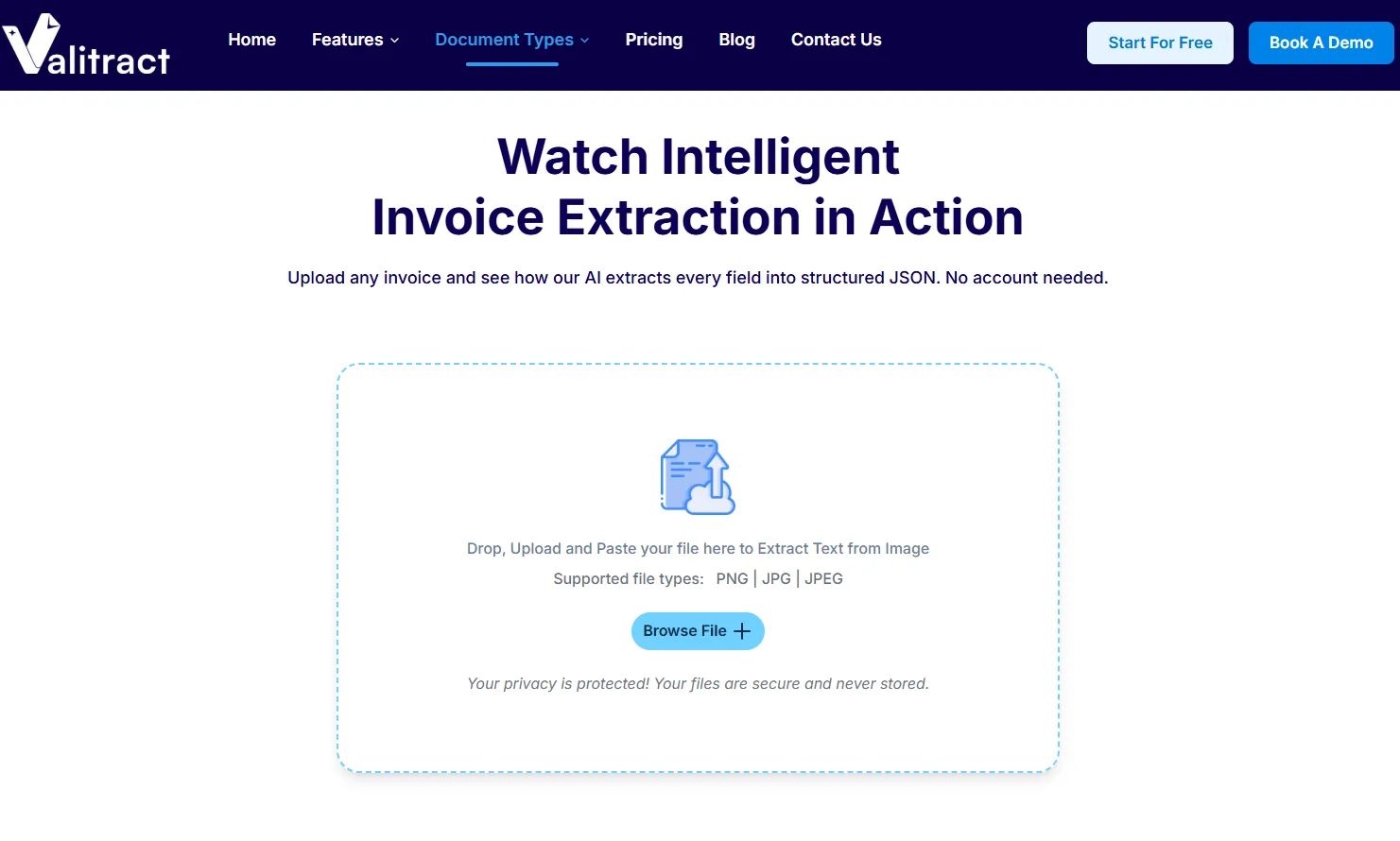
- Key features: template-free extraction, line-item and table parsing, support for 95+ languages, a no-code dashboard, and full API access for developers building their own validation flow, including an invoice OCR API.
- Pricing: free tier with 100 pages per month and no credit card, then usage-based paid plans that scale with volume.
- Pros: up to 99.8% extraction accuracy on standard documents, fast setup with no per-vendor templates, and strong data privacy since documents are not used to train its models.
- Cons: focused on extraction and validation rather than being a full banking or payments network, so teams pair it with their existing payment rails.
2. BILL Accounts Payable
BILL, formerly Bill.com, is a financial operations platform for small and midsize businesses that combines bill capture, approval workflows, and payments on top of your accounting system.
- Key features: electronic bill capture, approval rules by amount or department, multiple payment rails, and sync with QuickBooks, Xero, Sage Intacct, and NetSuite.
- Pricing: roughly $45 to $79 per user per month across plans, with Enterprise priced on request.
- Pros: simple payments, solid approval workflows, and wide accounting integrations.
- Cons: capture is lighter than dedicated AI engines, and some reviewers note duplicate invoice-number handling and added fees.
3. Xero
Xero is a cloud accounting platform for small and growing businesses that includes bill capture through its built-in Hubdoc tool. Validation here is lighter than in dedicated AP software, but it suits teams that want accounting and basic bills in one place.
- Key features: Hubdoc OCR capture for bills and receipts, bank reconciliation, unlimited users on every plan, and a large app marketplace.
- Pricing: three US plans, roughly $25 (Early, capped at 5 bills a month), $55 (Growing, unlimited bills), and $90 (Established) per month.
- Pros: unlimited users at no extra cost, clean interface, and Hubdoc capture included on all plans.
- Cons: accounts payable functions are less robust than dedicated tools, and there is no native three-way matching.
4. Yooz
Yooz is a cloud AP automation platform that pairs AI and OCR capture with dynamic approval routing and built-in fraud checks. It handles both PO and non-PO invoices.
- Key features: omnichannel capture, smart data extraction, exception handling, fake-invoice detection, and virtual card payments.
- Pricing: tiered plans, quote-based.
- Pros: strong capture and OCR, useful duplicate detection, and responsive support.
- Cons: country-specific tax setup can be slow since changes route through the Yooz team, and reporting depth is limited.
5. Stampli
Stampli is an AP-first platform that centers the process on the invoice itself, so approvals and questions happen on the document instead of in email threads.
- Key features: “Billy the Bot” AI for capture, coding, and duplicate detection, in-invoice communication, vendor management, and integration with more than 70 ERPs.
- Pricing: quote-based, with month-to-month options.
- Pros: easy to adopt, fast implementation, and high marks for support and ease of use (4.6 on G2).
- Cons: no public pricing, and some users report occasional bank reconciliation or sync delays.
6. Tipalti
Tipalti is a finance automation platform built around global mass payments, with AI capture, two- and three-way matching, and tax compliance layered in.
- Key features: AI invoice capture, PO matching, a KPMG-approved tax engine, and payouts in 120+ currencies across 196 countries.
- Pricing: subscription with transaction-based fees; third-party listings cite entry pricing around $99 to $149 per month.
- Pros: broad global payment reach, strong compliance, and measurable time savings at close.
- Cons: higher cost including international payout fees, and limited self-service support.
7. QuickBooks
QuickBooks Online is the most widely used small-business accounting platform, with bill management and automatic transaction matching once you reach the Essentials tier. Like Xero, validation is basic rather than dedicated.
- Key features: bill management and accounts payable from the Essentials plan, automatic transaction matching, approval workflows through QuickBooks Bill Pay, and a large app ecosystem.
- Pricing: five tiers from $20 (Solopreneur) to $275 (Advanced) per month; accounts payable starts at Essentials ($75 per month).
- Pros: familiar to most accountants, broad integrations, and strong reporting.
- Cons: AP and matching are basic compared with dedicated tools, bill management requires Essentials or higher, and prices have risen 12% to 17% a year.
How We Chose The Best Invoice Validation Software
Choosing the right invoice validation software can decide whether your finance team runs smoothly or drowns in manual corrections. We looked past surface marketing to how each tool actually handles data, integrations, and exceptions.
Key Features to Evaluate
When testing different solutions during a proof-of-concept pilot, prioritize these five essential technological capabilities:
Advanced AI data extraction: The engine must read messy, non-standard layouts without requiring per-vendor templates. Utilizing a robust invoice data extraction software foundation ensures high day-one accuracy.
Automated matching pipelines: Look for native two-way and three-way matching capabilities that scan data granularly down to the individual line-item row.
Intuitive exception handling workflows: The software must automatically flag processing errors and route them to specific internal team members based on department or dollar value.
Fraud detection and compliance trails: Ensure the tool builds an unalterable digital audit log for every document extraction, change, and approval step.
Bidirectional ERP compatibility: Confirm that the platform offers native API mapping to sync data seamlessly with your specific ledger, such as NetSuite, SAP, Sage, or QuickBooks.
The QCAt Evaluation Matrix
To compare tools fairly, score each one on four axes: Quality, Cost, Accuracy, and Time. The matrix below turns each axis into a concrete question to ask vendors.
Table 2. The QCAt evaluation matrix
Evaluation axis | What to look for | Key question to ask vendors |
Quality | Clean extraction and low exceptions on messy, real-world documents | What is your exception rate on non-standard or poorly scanned invoices? |
Cost | Transparent pricing and low total cost, including setup and overages | What are the implementation, training, and overage fees? |
Accuracy | 95%+ accuracy on unseen layouts, with full line-item parsing | How accurate are you on day one, with no templates built? |
Time | Fast go-live and short processing cycle | How long to implement, and what is the average cycle time after? |
Core Benefits of Implementing Invoice Validation Software
Invoice validation software pays for itself by protecting cash, not just saving time.
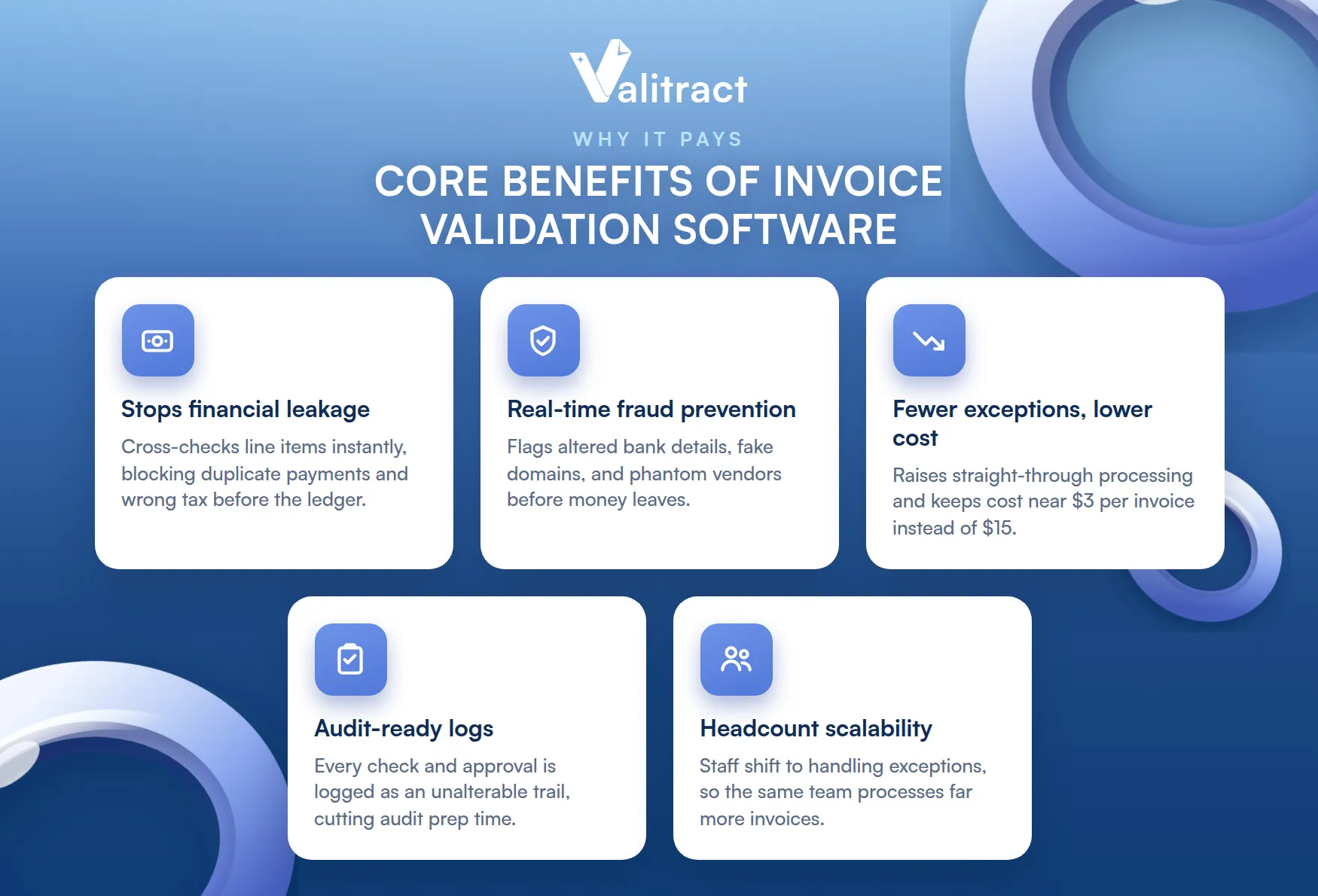
Four returns stand out for finance teams, plus a fifth that matters as you grow.
Elimination of financial leakage and overpayments
Manual review misses duplicate submissions and rounding errors that quietly drain cash. Moving to automated invoice processing cross-checks line items against backend data instantly, blocking double payments and incorrect tax before they hit the general ledger.
Real-time fraud prevention and anomaly detection
The software runs ongoing checks against your vendor master file. It flags altered bank routing details, unauthorized email domains, and phantom supplier profiles before any payment leaves the business, which manual review catches only inconsistently.
Drastic reduction in exception queues and processing costs
Automation shrinks the cycle from weeks to seconds for clean invoices, which raises your straight-through processing rate. A higher rate lets you capture early-payment discounts and avoid late fees, and it keeps accounts payable invoice processing costs near $3 per invoice instead of $15.
Audit-ready financial logs and compliance guardrails
Every extraction, matching check, and approval is recorded as an unalterable digital trail. That trail simplifies internal reviews, cuts audit prep time, and supports regulatory compliance without manual document hunts.
Headcount scalability without operational friction
When invoice volume spikes, validation software lets your current team absorb it. Staff shift from keying data to handling exceptions, so the same headcount can process far more invoices without new hires.
How to Choose Invoice Validation Software: A Step-by-Step Process
Picking the right tool is a four-step process: audit your process, set priorities, test with real invoices, then calculate true cost.
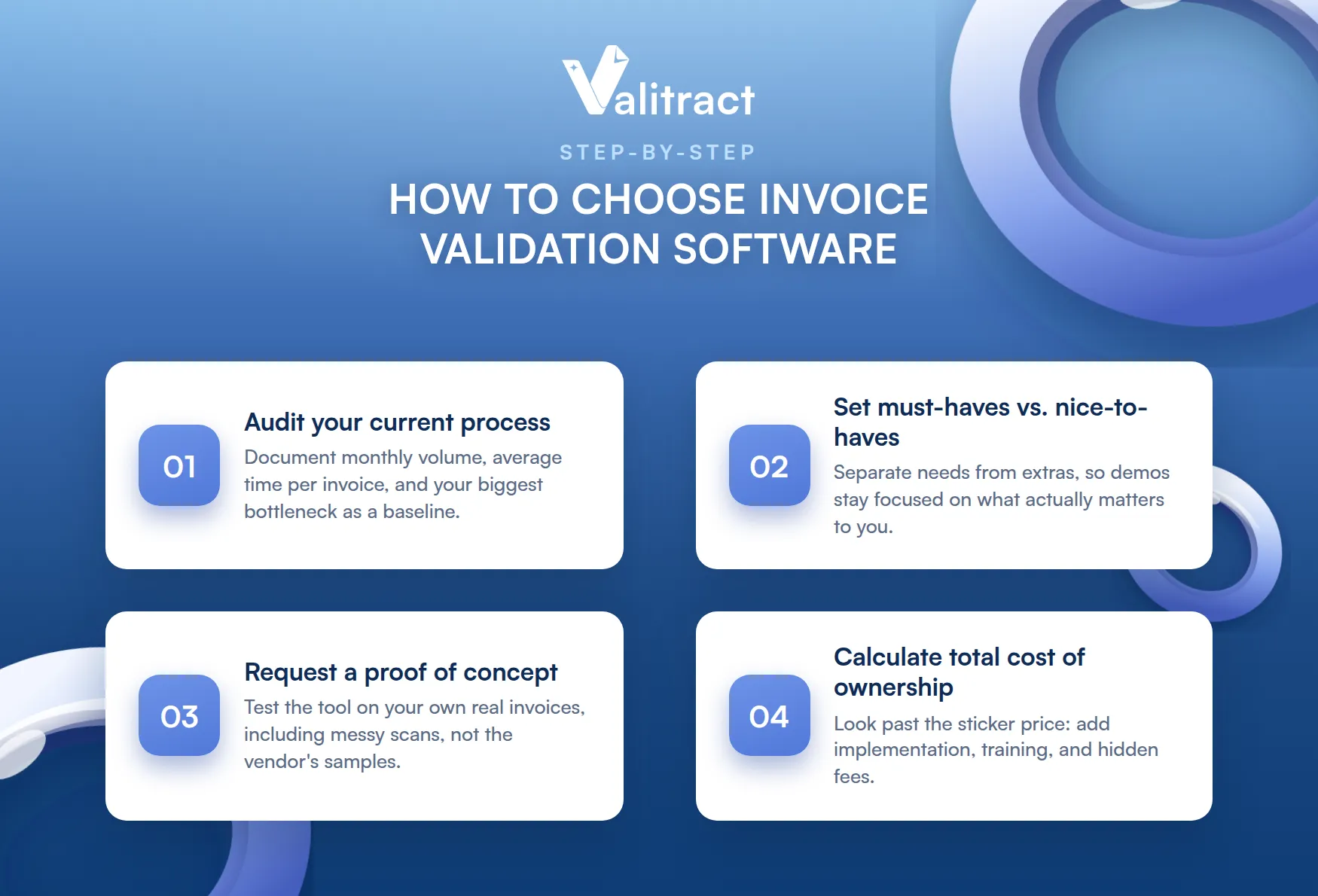
Follow the order, since each step narrows the field.
Audit your current process
Document your monthly invoice volume, the average time to process one invoice by hand, and your biggest bottleneck. Common culprits are manual entry errors and slow approval loops. This baseline tells you what to fix and gives you numbers to measure against later.
Define your must-haves vs. nice-to-haves
Separate what you need from what would be nice. If you do not use purchase orders, three-way matching is a nice-to-have, while clean ERP integration is a must-have. A clear list keeps demos focused on what matters to you.
Request a proof of concept
Do not judge a tool on a polished demo using the vendor’s perfect samples. Hand over a batch of your own real invoices, including poorly scanned copies and complex layouts, and watch how the software performs live. This is the single best predictor of daily results.
Calculate total cost of ownership
Look past the subscription price. Factor in implementation, training time, and hidden fees for updates, overages, or extra integrations. The cheapest sticker price is not always the lowest total cost.
Frequently Asked Questions About Invoice Validation
What is the primary function of an enterprise invoice verification software?
The primary function is to confirm that every incoming invoice is accurate and legitimate before it is paid. The software extracts the invoice data, matches it against purchase orders, goods receipts, and vendor records, and flags any mismatch or duplicate for review. This protects the business from overpayments and fraud. At enterprise scale, it also creates an audit trail and enforces approval policies automatically.
What is invoice validation software?
Invoice validation software is a platform that automatically checks incoming invoices for accuracy, legitimacy, and compliance before payment. It uses AI to extract data, matches each invoice against your purchase orders and vendor master file, and routes exceptions to a person. The goal is faster, cheaper, and more accurate accounts payable. The strongest tools read any layout without a template.
What documents are required for a complete invoice verification process?
A complete verification uses three core documents: the purchase order, the goods receipt note, and the supplier invoice. The purchase order shows what was ordered, the goods receipt shows what arrived, and the invoice shows what is billed. Matching all three is three-way matching. For services or lower-risk spend, a two-way match between the PO and invoice may be enough.
What are good automated invoice validation rules?
Good rules pass clean invoices automatically and flag only the ones that need review. The three most useful are an exact-total match against the PO and goods receipt, a percent-based tolerance for small variances such as 2%, and a bank account lock that flags any change to vendor banking details. Together they enable straight-through processing for most invoices. The rules only work well when the software extracts data accurately in the first place.
Concluding Thought
The best invoice validation software in 2026 is the one that can accurately read your real invoices and fit seamlessly into your existing workflows. Accounting-focused teams may prefer extending Xero or QuickBooks, global organizations often choose Tipalti, while many SMBs find BILL sufficient for their needs.
However, if your priority is highly accurate, template-free invoice extraction and validation with the flexibility to use a no-code dashboard or integrate directly through APIs, Valitract is built specifically for that purpose. It can process invoices of virtually any layout with up to 99.8% extraction accuracy, helping teams spend less time correcting data and more time acting on it.
In addition, Valitract is GDPR and HIPAA compliant, never uses customer documents to train its models, and offers a free tier with 100 pages per month and no credit card required. The easiest way to evaluate any invoice validation solution is to test it on your own documents, and with Valitract, you can do exactly that before making a commitment.
Validate your first 100 invoices free →
Valitract – Next-gen AI-Powered Data Extraction Platform
- Email: contact@valitract.com
- LinkedIn: https://www.linkedin.com/company/valitract-api-platform
- X: https://x.com/valitract