

TL;DR
- Invoice validation is the control check that confirms an invoice is accurate, legitimate, and matches your purchase order and goods receipt before any payment is released.
- Manual invoice handling costs roughly $13 per invoice (Ardent Partners), and validation is the step where most of that cost and risk lives.
- This guide covers a plain-language definition, a copy-ready checklist, a step-by-step workflow, and the automated rules that enable touchless processing.
Your accounts payable team approves an invoice, and the money leaves the bank. Then someone notices the amount was wrong, or the same bill was paid twice. Recovering those funds is slow, and often impossible.
This is why invoice validation matters more every year. In 2025, 76% of organizations faced attempted or actual payments fraud, according to the AFP 2026 Payments Fraud and Control Survey. Manual checks also miss duplicates, math errors, and altered bank details once volume climbs.
This guide gives you a clear definition, a checklist you can copy, a step-by-step workflow, and the automated rules that stop bad invoices before they get paid.
What is Invoice Validation?
Invoice validation is the process of checking that an invoice is accurate, legitimate, and authorized before it is paid. It confirms the math is correct, the details match your purchase order and goods receipt, and the vendor is genuine.
The goal is simple. Catch every error and every fraudulent bill before money moves, not after.
Definition of invoice verification
Invoice verification and invoice validation describe the same control: proving a bill is correct before payment. Both terms cover three checks at their core.
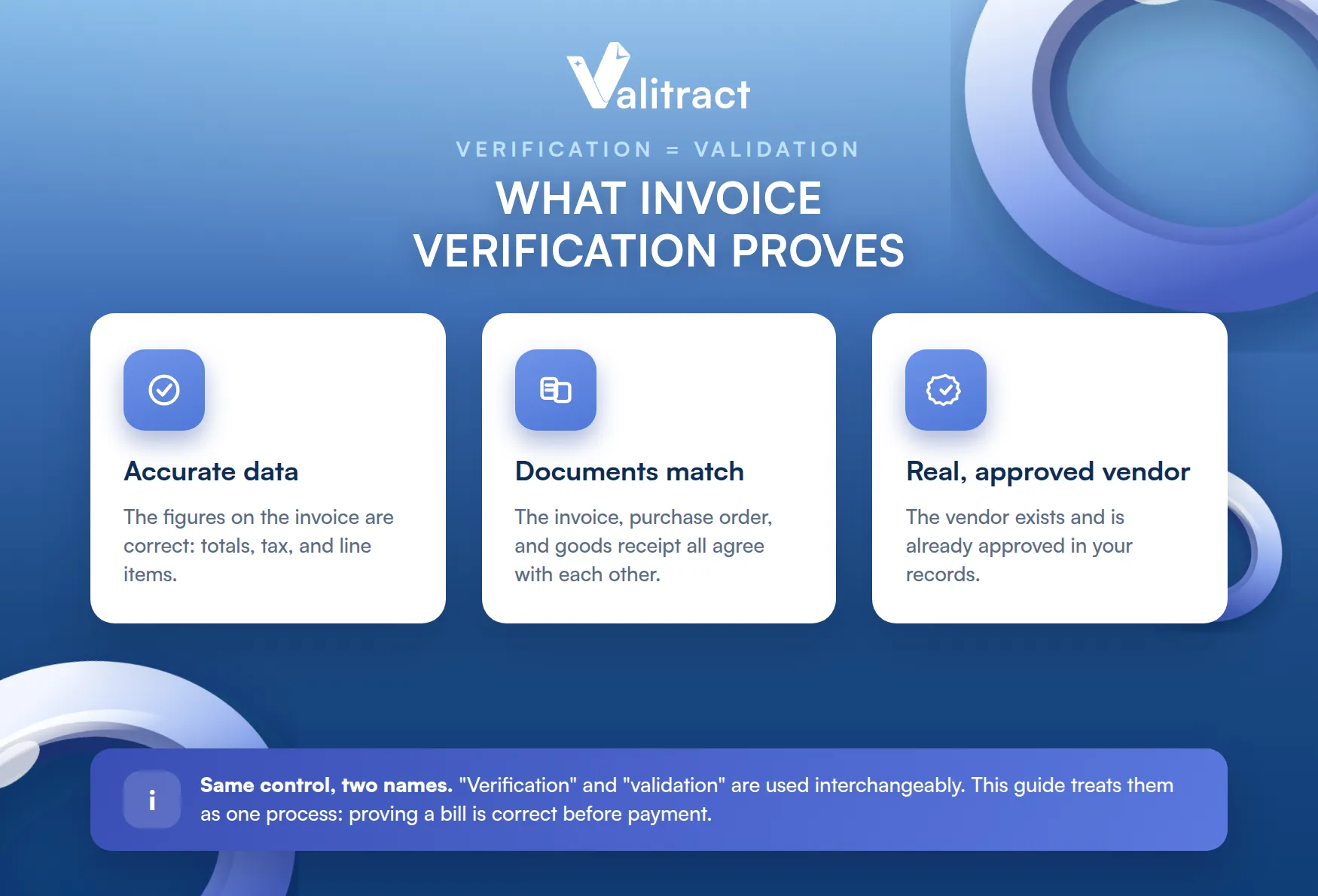
The data on the invoice is accurate. The documents match each other. The vendor is real and already approved in your records.
Some teams use “verification” for the document-matching step and “validation” for the wider review. In practice the two words are interchangeable, and this guide treats them as one process.
Invoice validation vs. invoice approval: understanding the difference
Validation is an objective check, while approval is a subjective business decision. Validation asks whether the invoice is correct. Approval asks whether you are willing to pay it.
That distinction is small in wording but large in practice. A bill can pass validation and still be held at approval if a manager disputes the work.
The table below shows how the two steps differ across four questions. Use it to map who owns each step in your own process.
Table 1. Invoice validation vs. invoice approval
Question | Invoice validation | Invoice approval |
What does it check? | Accuracy, matching, and legitimacy | Business willingness to pay |
Is it objective or subjective? | Objective, rule-based | Subjective, judgment-based |
Who usually owns it? | AP clerks or automated software | Budget owner or department head |
Typical question asked | Does the math and PO match? | Are we satisfied with this vendor’s work? |
Key takeaway: Validation is a gate that any invoice must pass on facts. Approval is a separate decision based on judgment.
Why is Invoice Validation Important?
Invoice validation is your last line of defense before company money leaves the bank. It protects cash, blocks fraud, and keeps your records clean for audit.
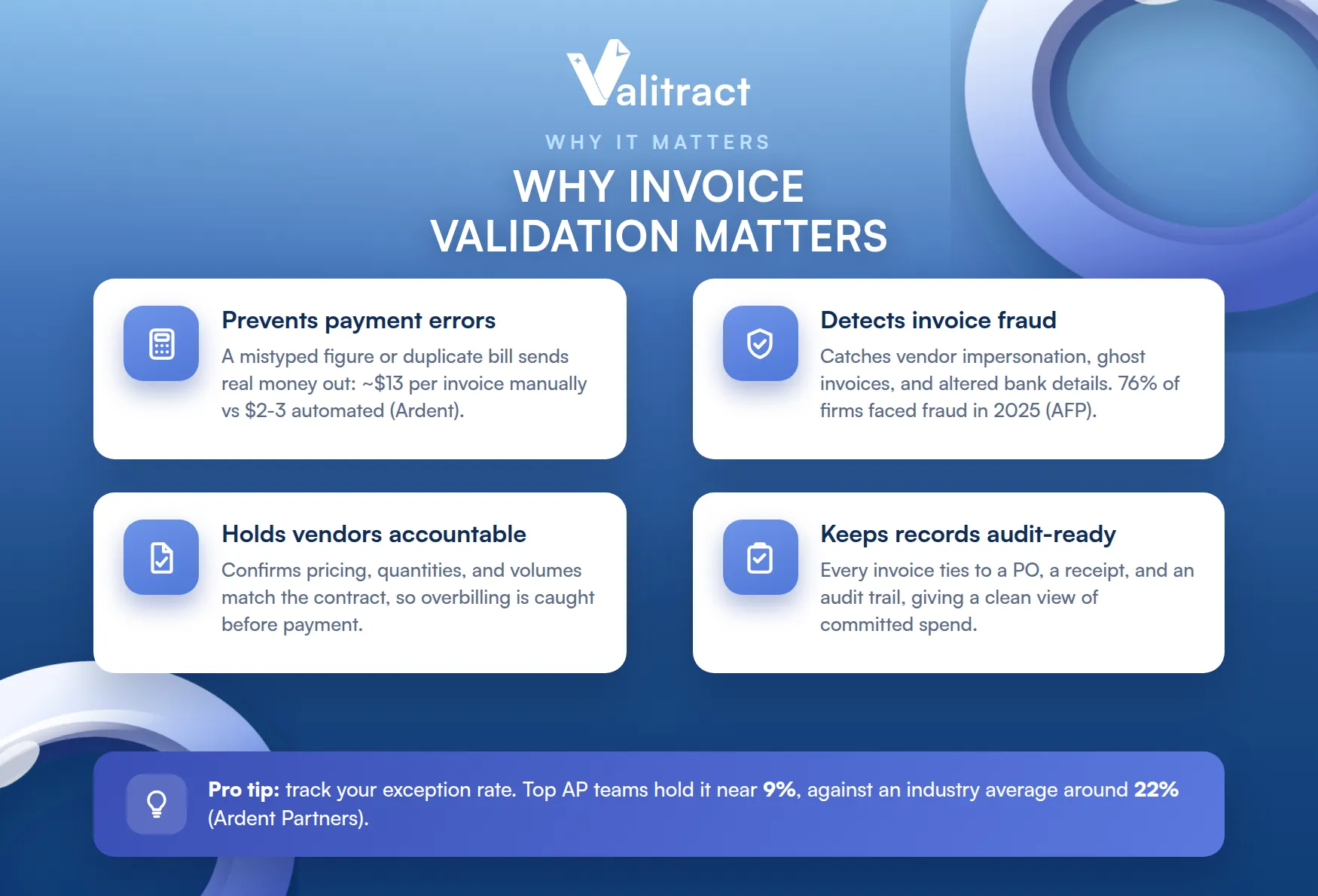
The cost of skipping it shows up in four ways.
Preventing payment errors and costly mistakes
Most overpayments and duplicate payments start with manual data entry. A single mistyped figure or a bill entered twice can send real money out the door.
Those errors also raise the cost of processing an invoice, which Ardent Partners places near $13 for teams without automation. Best-in-class teams bring that figure down to $2 to $3 by removing manual touches.
Validation catches the duplicate, the wrong total, and the misplaced decimal before payment runs.
Detecting invoice fraud
Invoice validation acts as a shield against business-to-business scams. The most common are vendor impersonation, fake or “ghost vendor” invoices, and altered bank routing details.
The threat is not rare. The AFP 2026 Payments Fraud and Control Survey found that 76% of organizations faced payment fraud in 2025, and business email compromise remains a top attack method.
A strong validation step compares every banking detail against your trusted vendor records, so a changed account number gets flagged instead of paid.
Holding vendors accountable
Validation keeps suppliers honest about the terms you agreed. It checks that pricing, quantities, and volume thresholds on the invoice match the contract.
When a vendor bills above the agreed rate, the check surfaces the gap. You can then correct it before payment rather than chase a refund later.
Maintaining compliance and spend visibility
Clean validation creates records that are ready for audit at any time. Every approved invoice ties back to a purchase order, a receipt, and a clear paper trail.
That trail supports tax compliance and gives finance leaders an accurate view of committed spend. Validation sits inside the broader accounts payable invoice processing flow, where this visibility compounds across thousands of bills.
Pro tip: Track your exception rate as a health metric. Ardent Partners reports top AP teams hold exceptions near 9%, against an industry average around 22%.
The Essential Envoice Validation Checklist
A complete invoice validation check covers five points: vendor details, PO presence, math accuracy, document alignment, and tolerance levels. Controllers can copy this list and apply it to any incoming bill.
Each check below includes what to confirm and how to verify it. Run them in order, since a failed early check often makes later ones unnecessary.
Table 2. The five-point invoice validation checklist
# | Check | What to confirm | How to verify |
1 | Vendor details | Name, billing address, and tax ID are genuine | Cross-reference against your approved Vendor Master File |
2 | Purchase order presence | A valid PO number is on the invoice | Match the PO number to an open order in your system |
3 | Math and tax accuracy | Subtotals, line items, and tax are correct | Recalculate totals and confirm VAT, GST, or sales tax |
4 | Document alignment | Invoice matches the PO and the goods receipt | Run a three-way match across PO, GRN, and invoice |
5 | Tolerance level | Minor variances fall within agreed limits | Check the difference against your variance rule, such as 2% |
Pro tip: If a PO number is missing at check 2, route the invoice to internal review at once. A missing PO is the most common signal of a fake or unauthorized bill.
How to Validate Invoices: A Step-by-step Workflow
Validating an invoice follows five steps, from document intake to a final verified posting. The workflow moves each bill through screening, matching, and a clear pass-or-exception decision.
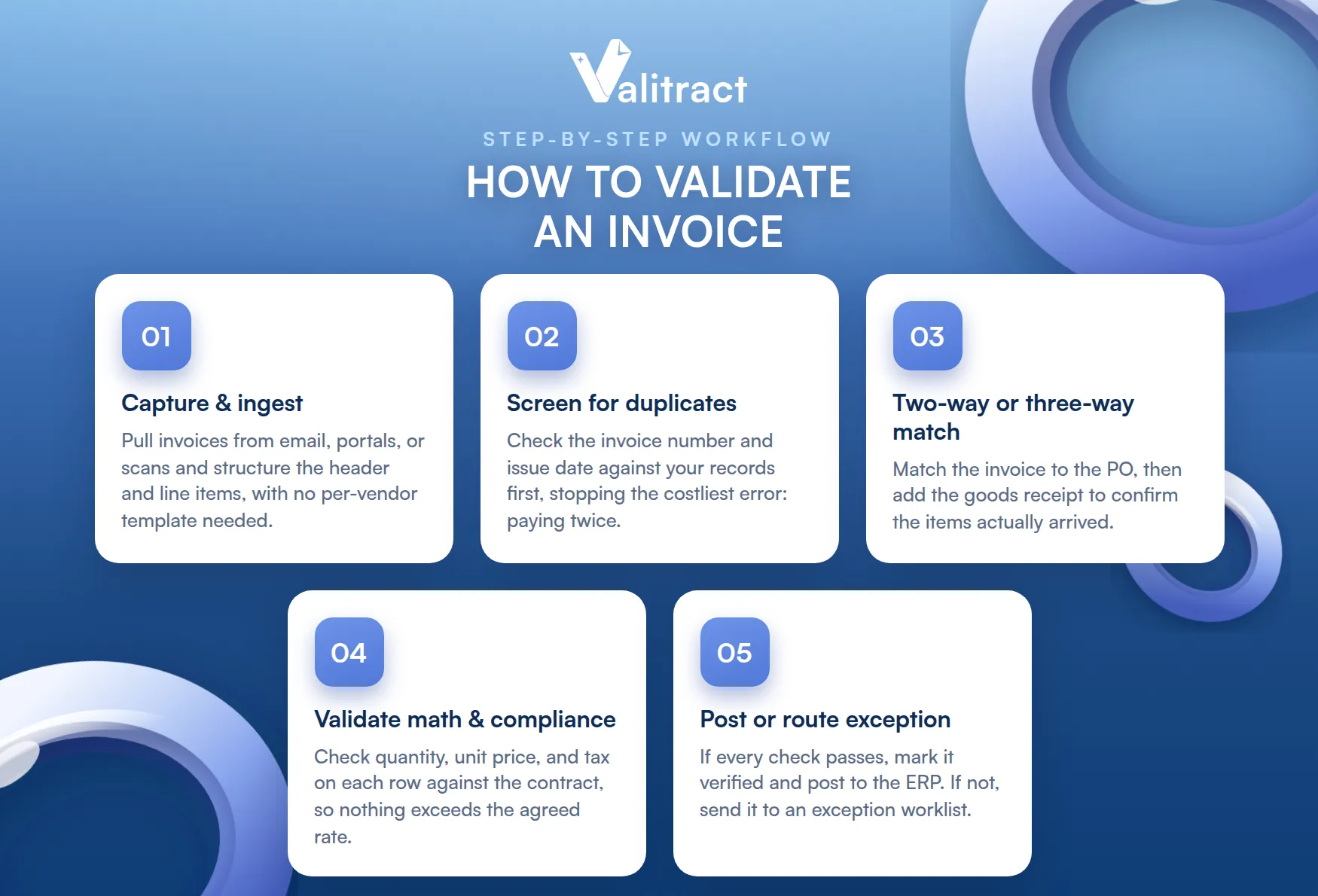
The steps below describe what to do and why each one matters. Modern software runs most of them automatically, with people handling only the exceptions.
Capture and ingest the invoice data. Pull invoices from email, portals, or scans, then convert the header and line items into structured text. Template-free tools such as Valitract’s AI-powered data extraction read each field without you building a layout for every vendor first.
Screen for duplicates. Scan your database for the invoice number and issue date before anything else. This single check stops the most common and most costly error: paying the same bill twice.
Run two-way or three-way matching. Match the invoice against the purchase order for a two-way check. Add the goods receipt note for a three-way check, which confirms the items actually arrived and blocks “ghost shipment” billing.
Validate line-item math and compliance. Work through each row to confirm quantity, unit price, and tax are correct. Compare these figures against the contract terms so nothing is billed above the agreed rate.
Post the invoice or route the exception. If every check passes, mark the invoice verified and push it to your ERP ledger. If something fails, send it straight to an exception worklist for a person to review.
Real example: An accounting firm reconciling 500 supplier invoices at month-end can clear the clean majority through automated steps 1 to 4. The team then spends its time only on the small share that lands in step 5.
Best Practices for an Efficient Invoice Verification Process
The most efficient invoice verification process rests on four habits: clear policies, regular audits, ongoing training, and automation.
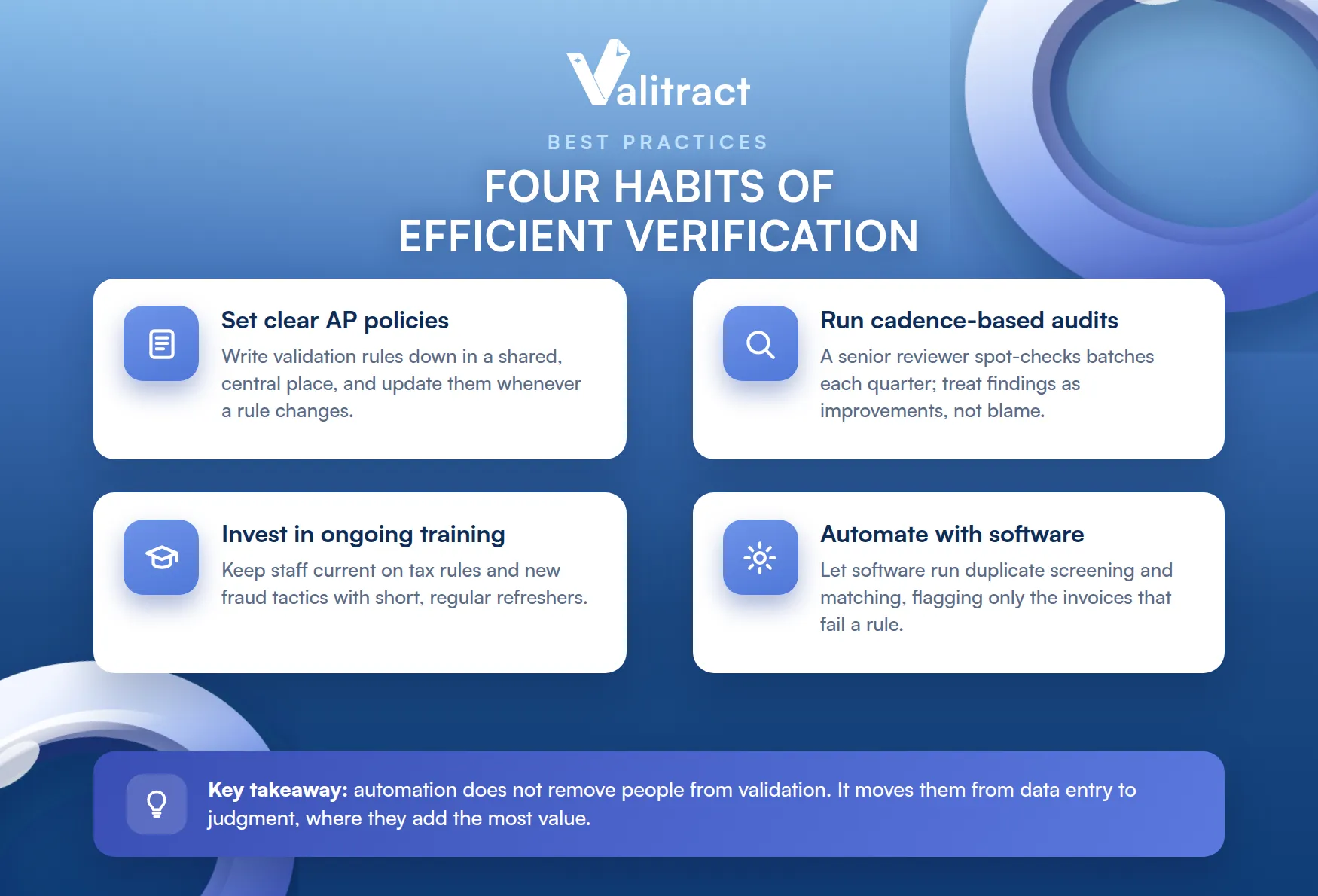
Together they reduce manual fatigue and keep error rates low as volume grows.
Establish and distribute clear AP policies
Write your validation rules down and store them where the whole team can reach them. A shared, central policy keeps everyone aligned on what passes and what gets flagged.
Review the document whenever a rule changes, such as a new tolerance limit or vendor requirement.
Conduct regular cadence-based audits
Assign a senior team member to spot-check processed batches each quarter. Random reviews confirm that the rules are being followed and surface gaps before they grow.
Treat the findings as process improvements, not as blame, so the team keeps reporting issues honestly.
Invest in ongoing team training
Keep your team current on regional tax rules and new fraud tactics. Vendor impersonation and altered bank details evolve quickly, and trained staff catch them faster.
Short, regular refreshers work better than one long session a year.
Automate with invoice validation software
Software removes the repetitive checks so your team can focus on real exceptions. Moving from manual handling to automated invoice processing cuts data-entry fatigue and the errors that come with it.
Modern platforms capture the data, run duplicate screening and matching, then flag only the invoices that fail a rule. This is the shift from typing every figure to reviewing the few that need a human.
Key takeaway: Automation does not remove people from validation. It moves them from data entry to judgment, where they add the most value.
What are Good Automated Invoice Validation Rules?
Good automated rules let clean invoices pass on their own while flagging only the ones that need review. This is the basis of “touchless” or straight-through processing.
Three rules cover most of the value. The table explains what each one does and when it should trigger an exception.
Table 3. Three core automated invoice validation rules
Rule | What it does | When it triggers an exception |
Exact total match | Auto-passes invoices where totals match the PO and GRN exactly | Any difference between invoice, PO, or GRN totals |
Percent-based tolerance | Auto-approves small variances within a set limit | Variance above your threshold, such as 2% or $50 |
Bank account lock | Confirms banking details match your vendor records | Routing or account numbers differ from the Vendor Master File |
Tolerance rules only work when the system reads each invoice correctly, including messy or non-standard layouts. This is where intelligent document processing helps, since it parses, classifies, and extracts data from unstructured documents without a rigid template for every vendor.
Pro tip: Set your tolerance limit using your own error history, not a generic number. If most genuine variances sit under 1.5%, a 2% rule clears them while still catching larger gaps.
Concluding Thought
Invoice validation is not paperwork. It is the control that decides whether the right amount goes to the right vendor, every time.
Done by hand, it is slow and easy to skip under month-end pressure. Built into automated rules, it runs on every invoice without adding work, and it pays for itself in errors avoided.
Frequently Asked Questions About Invoice Validation
What is invoice validation?
Invoice validation is the process of confirming that an invoice is accurate, legitimate, and authorized before it is paid. It checks that the math is correct, the invoice matches the purchase order and goods receipt, and the vendor is genuine. The aim is to catch errors and fraud before money leaves the bank, not after. Most teams run it as a fixed set of checks on every incoming bill.
What is the difference between invoice verification and invoice approval?
Verification is an objective check of facts, while approval is a subjective decision to pay. Verification confirms the invoice is correct, the documents match, and the vendor is valid. Approval is a budget owner deciding they are satisfied enough with the work to release funds. An invoice can pass verification and still wait at approval if someone disputes the purchase.
How do you validate an invoice?
You validate an invoice in five steps: capture the data, screen for duplicates, match it against the PO and goods receipt, check the line-item math, then post it or route it as an exception. Each step removes a specific risk, such as a duplicate payment or a ghost shipment. Clean invoices move straight to your ledger, while failures go to a person for review. Automated software can run the first four steps without manual entry.
What is the purpose of invoice validation?
The purpose of invoice validation is to protect company cash before payment is made. It prevents overpayments and duplicate payments, detects fraud such as vendor impersonation, and holds suppliers to their agreed terms. It also keeps financial records clean and audit-ready. In short, it is the final filter that confirms every dollar paid is correct and authorized.
What documents are required for a complete invoice verification process?
A complete verification needs three core documents: the purchase order, the goods receipt note, and the supplier invoice. The purchase order shows what you ordered, the goods receipt note shows what arrived, and the invoice shows what you are billed. Matching all three is called three-way matching. For lower-risk or service-based bills, a two-way match between the PO and invoice may be enough.
What are good automated invoice validation rules?
Good automated rules pass clean invoices automatically and flag only the ones that need review. The three most useful are an exact-total match against the PO and GRN, a percent-based tolerance for small variances, and a bank account lock that flags any change to vendor banking details. Together they enable touchless processing for the bulk of invoices. The rules only work well when the system reads each invoice accurately, including non-standard layouts.
Ready to Validate Every Invoice Automatically?
Every invoice your team validates by hand costs around $13 and carries the risk of a duplicate or fraudulent payment. The rules that catch those errors run in seconds once the data is captured for you.
Valitract reads invoice fields with up to 99.8% accuracy on standard documents, then returns structured data your matching and tolerance rules can act on instantly. It works as a no-code platform or a full API, keeps your data private with enterprise-grade security, and never uses your documents to train its models.
99.8% extraction accuracy. GDPR and HIPAA compliant. Free tier with 100 pages per month, no credit card required.
Extract and validate your first 100 invoices free →
Valitract – Next-gen AI-Powered Data Extraction Platform
- Email: contact@valitract.com
- LinkedIn: https://www.linkedin.com/company/valitract-api-platform
- X: https://x.com/valitract