


TL;DR
- OCR data extraction turns text on a scanned or photographed document into structured, usable data, going a step beyond plain OCR.
- It runs a pipeline: capture, preprocessing, text recognition, extraction and structuring, then output and validation.
- Most errors trace back to poor image quality, handwriting, complex layouts, rigid templates, or a missing human review step.
- Choose a solution on real-world accuracy, layout handling, validation, integration, and honest pricing, not just clean-scan demos.
Somewhere in most companies, a person is still typing numbers from an invoice, a bank statement, or a phone photo into a system by hand. It is slow, it is expensive, and it is quietly error-prone.
Studies put manual data entry error rates around 1% per field for skilled operators and up to roughly 4% for average ones, based on widely cited research by Barchard and Pace. Across thousands of documents, that adds up to hundreds of silent mistakes.
OCR data extraction is the technology built to remove that manual step. It reads a document and turns its contents into clean, structured data your systems can use.
The gap is not only in speed. Manual keying introduces errors that surface much later, in a dispute, a reconciliation, or an audit.
This guide explains what OCR data extraction is, how it works, the different kinds of solutions, why extractions go wrong, and how to choose the right tool for your needs.
What Is OCR Data Extraction?
OCR data extraction is the process of reading text from an image or scanned document and turning it into structured, usable data. It combines two distinct jobs that are often blurred together.
The first job is optical character recognition, or OCR. This converts the pixels of a scanned page into machine-readable text characters.
The second job is data extraction. This takes that raw text and structures it, identifying which value is the invoice total, which is the date, and which belongs in a table.
Plain OCR gives you a wall of text. OCR data extraction gives you specific, labeled fields you can drop into a spreadsheet, a database, or an ERP.
That structure is the whole point. A labeled field can be validated, matched, and posted, while raw text cannot.
That difference matters in practice. Reading a bank statement as text is not useful on its own; knowing that a particular number is the closing balance is what a system can act on.
Think of OCR as reading and extraction as understanding. One gives you words, the other gives you answers.
OCR vs OCR Data Extraction vs Intelligent Document Processing
These three terms sit on a spectrum from simple to sophisticated. The table below keeps them straight.
Table 1. OCR versus OCR data extraction versus IDP.
| Aspect | OCR | OCR data extraction | IDP |
| What it does | Converts image to text | Reads text and structures it into fields | Classifies, extracts, validates, and integrates |
| Output | Raw, unstructured text | Structured key-value fields and tables | Validated, system-ready data |
| Intelligence | Character recognition | Rules plus machine-learning field detection | ML, NLP, and LLMs, context-aware |
| Best for | Digitizing pages to searchable text | Pulling specific data points from documents | End-to-end document automation |
For a deeper split of the last two, see our guides on intelligent document processing, IDP vs OCR, and OCR vs AI data extraction.
The short version is simple. OCR reads, OCR data extraction reads and organizes, and IDP reads, organizes, checks, and delivers.
Most business problems need at least the middle tier. Reading a document is rarely the actual goal, since using its data is.
How OCR Data Extraction Works
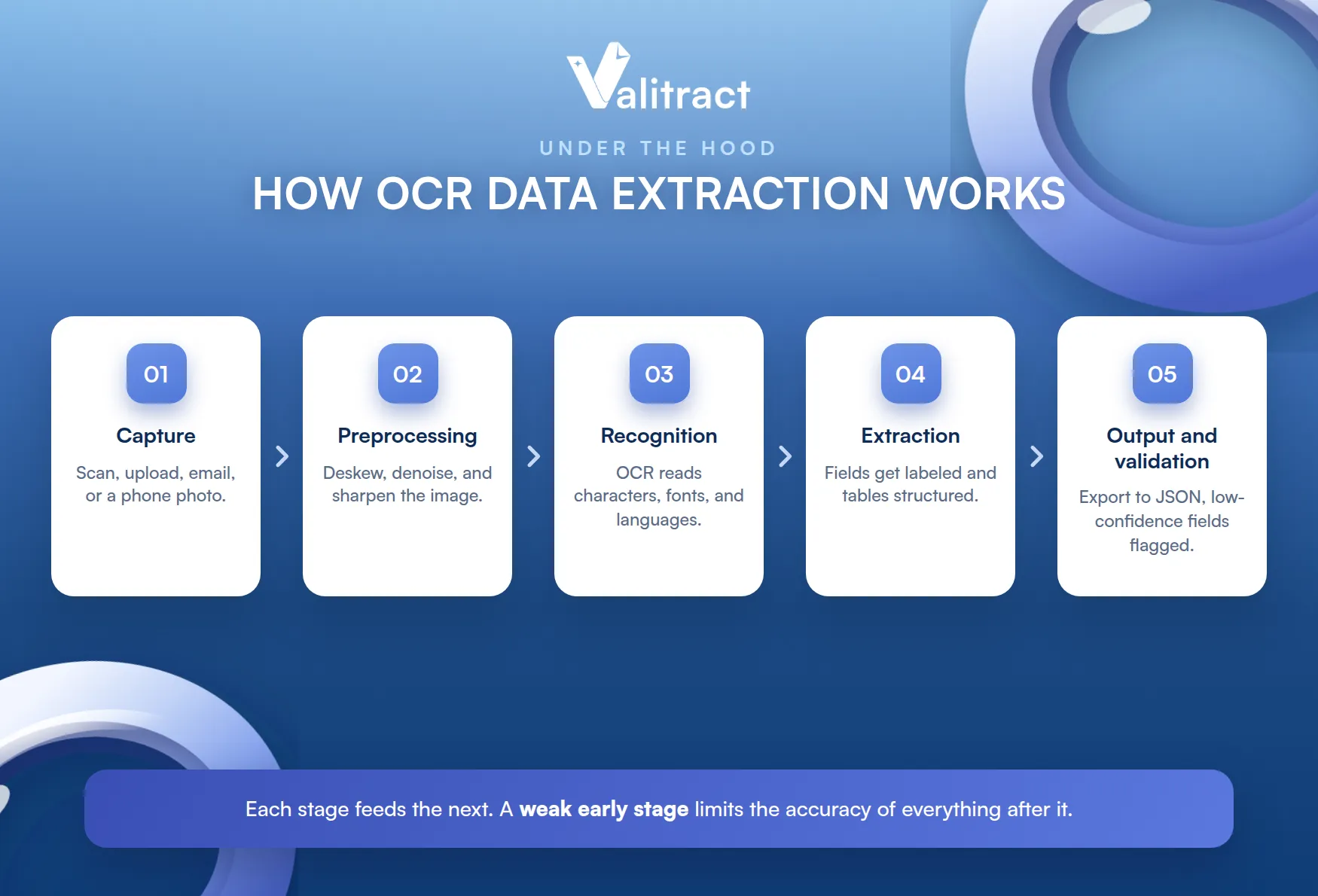
Under the hood, OCR data extraction runs a clear pipeline. Each stage feeds the next, and a weak early stage limits everything after it.
Understanding the five steps helps you judge where a tool is strong or weak. Here is how a document moves from image to structured data.
The stages are the same across most tools. What separates them is how well each stage handles a messy, real-world document.
1. Image and Document Capture
The process starts by getting the document into the system. That can be a desktop scan, a file upload, an email attachment, or a photo taken on a phone.
Capture quality sets the ceiling for accuracy. A sharp, well-lit image gives every later step more to work with.
This is the cheapest place to improve accuracy. A quick guideline for how to photograph a document often beats a model upgrade.
2. Preprocessing
Next, the software cleans up the image. It deskews tilted pages, removes background noise, sharpens contrast, and straightens crooked text lines.
This step is invisible but decisive. A clean, normalized image is far easier to read than a raw, shadowed phone snapshot.
Skipping it is a common cause of mystery errors. Many failed extractions are really failed captures.
3. Text Detection and Character Recognition
Now the OCR engine locates text on the page and converts it into characters. It identifies letters, numbers, and symbols, handling multiple fonts and languages.
Modern engines use machine learning rather than fixed pattern matching. That lets them read varied fonts and imperfect scans far better than older tools.
This is why accuracy on clean scans tells you little. The real test is a crumpled receipt or a faxed statement.
4. Data Extraction and Structuring
This is where reading becomes extraction. The system decides which text is which field, using template matching, keyword and field spotting, or machine-learning field detection.
Template matching works when layouts are fixed. Machine-learning field detection is what handles new and varied layouts without a template for each one.
The output here is structured, not just text. A total is labeled as a total, and a table arrives as rows and columns rather than a flat block.
Getting tables right is often the hardest part. A single misread column can quietly shift every number one cell over.
5. Output and Validation
Finally, the structured data is exported and checked. Common formats are Excel, CSV, and JSON, ready for a spreadsheet, a database, or an API.
The best tools validate before they hand off. They run checks on the data and route low-confidence fields to a human reviewer instead of trusting every value equally.
That validation step is where extraction becomes trustworthy. Without it, a confident wrong answer looks exactly like a right one.
Mobile OCR Data Extraction
Not all capture happens at a desk. Mobile OCR data extraction lets a phone camera become the scanner, which matters for teams working in the field.
There are two broad approaches. On-device OCR runs offline on the phone, which is fast and private but usually less accurate on hard documents.
Cloud-based mobile OCR sends the image to a server for processing. It is more accurate and can run heavier models, but it needs a network connection.
The use cases are everywhere. A field sales rep photographs a receipt, a logistics driver captures a delivery note, and an operations team scans documents on site without waiting to get back to a scanner.
The trade-off is usually accuracy versus connectivity. Teams often default to cloud processing and fall back to on-device only when offline.
Want to try it on your own documents? Try Valitract now.
Benefits of OCR Data Extraction
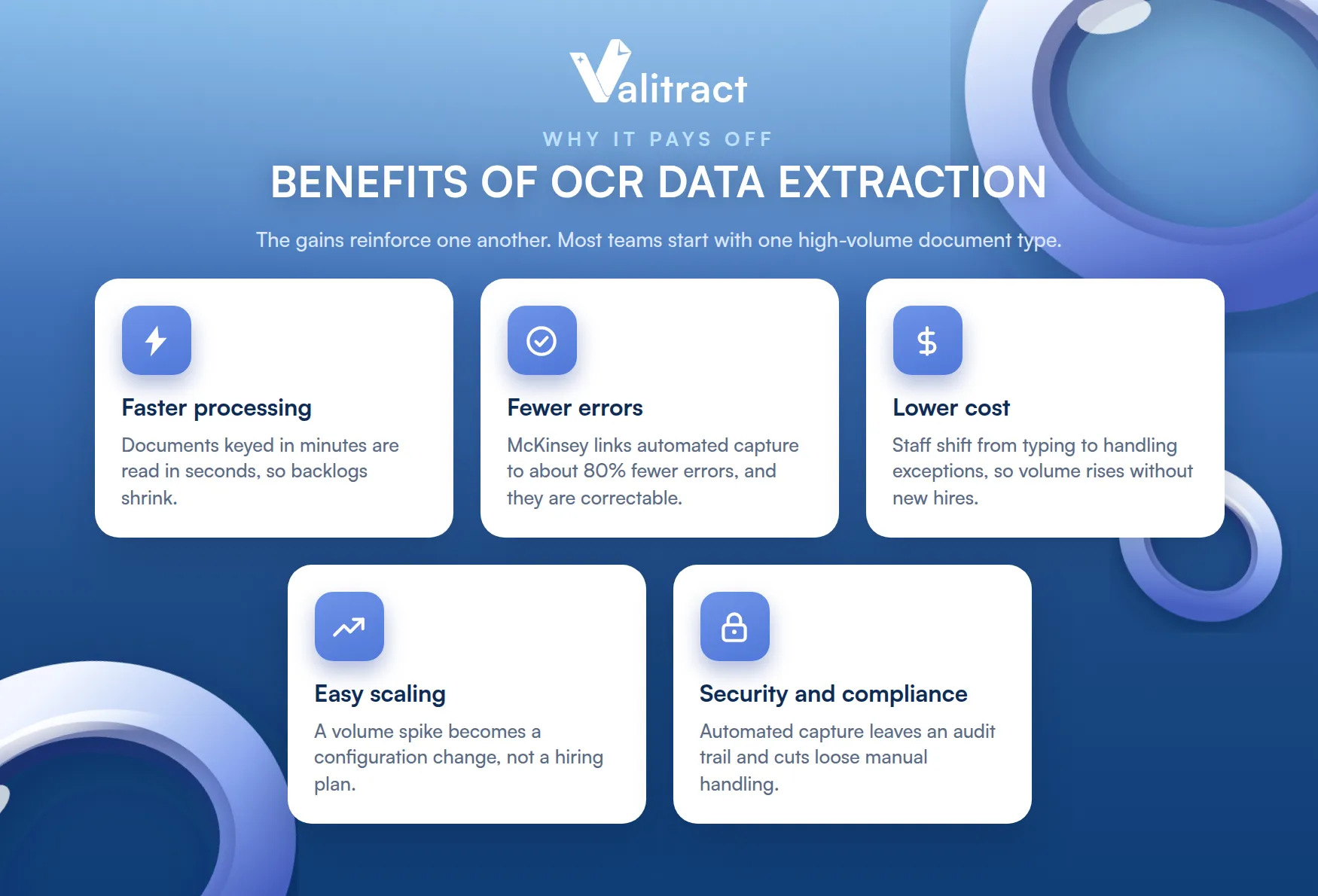
The payoff of automating document reading shows up across the business. The gains reinforce one another rather than standing alone.
The headline is speed, but the durable value is consistency. A machine reads the ten-thousandth document exactly like the first.
- Faster processing: documents that took minutes to key by hand are read in seconds, so backlogs shrink and cycles speed up.
- Fewer errors: research from McKinsey links automated data capture to error reductions of around 80%, replacing random human slips with consistent, correctable output.
- Lower cost: staff move from typing data to handling exceptions, so the same team processes far higher volume without new hires.
- Easy scaling: a volume spike becomes a configuration change, not a hiring plan, which keeps peaks from overwhelming the team.
- Stronger security and compliance: automated capture leaves an audit trail and reduces the loose handling that comes with manual paper shuffling.
None of these require a rip-and-replace project. Most teams start with one high-volume document type and expand from there.
The compounding effect is the real story. Faster, cleaner data makes every downstream process a little better at once.
OCR Data Extraction by Document Type
Different documents bring different challenges, but the same engine can handle many of them. Here are the most common types teams automate.
- Invoices: vendor formats vary endlessly, so extraction has to find totals, tax, and line items across unpredictable layouts. Our guide to invoice data extraction software covers this in depth.
- Bank statements: these span multiple pages and dense transaction tables, where reading every row and reconciling balances matters. See our upcoming deep dives on bank statement OCR and bank statement data extraction for the full picture.
- Receipts: small, crumpled, and often photographed, receipts test an engine’s tolerance for messy real-world input.
- ID and KYC documents: passports and IDs carry structured zones and codes that verification workflows depend on.
- Forms: applications, contracts, and questionnaires mix checkboxes, fields, and free text that extraction has to separate cleanly.
The pattern holds across all of them. Where documents are varied and high in volume, automated extraction earns its place fastest.
One engine covering several types is the efficiency. You avoid buying a separate tool for every document format.
Common Causes of Errors in OCR Data Extraction
Extraction is not magic, and it does fail in predictable ways. Knowing the causes helps you prevent most of them.
Each cause below comes with a practical fix. Together they explain why two tools can post very different accuracy on the same documents.
- Poor input image quality: blurry, skewed, or dimly lit images give the engine less to read. Fix it with preprocessing that deskews and denoises, plus simple capture guidelines for whoever takes the photo.
- Fonts, handwriting, and rare languages: unusual fonts, cursive handwriting, and less common languages trip up engines trained on standard print. Choose a tool with machine-learning models and broad language support rather than a narrow one.
- Complex layouts: nested tables, merged cells, and multi-column pages confuse tools that read by fixed position. Layout-aware, machine-learning extraction handles these far better than rigid coordinate zones.
- Rigid templates: a template built for one vendor breaks the moment the layout shifts. Template-free AI extraction reads by meaning, so a new format does not mean a new failure.
- No human-in-the-loop review: without a review step, a confident wrong answer sails straight through. Confidence scoring that flags uncertain fields for a human keeps bad values from reaching production.
The theme across all five is the same. Real documents are messy, so a tool that only shines on clean scans will disappoint in production.
The good news is that most causes have a known fix. Accuracy in production is less about magic and more about handling these five well.
How to Choose the Right OCR Data Extraction Solution
The right solution depends on your documents, your stack, and your risk tolerance. Run through this checklist before you commit.
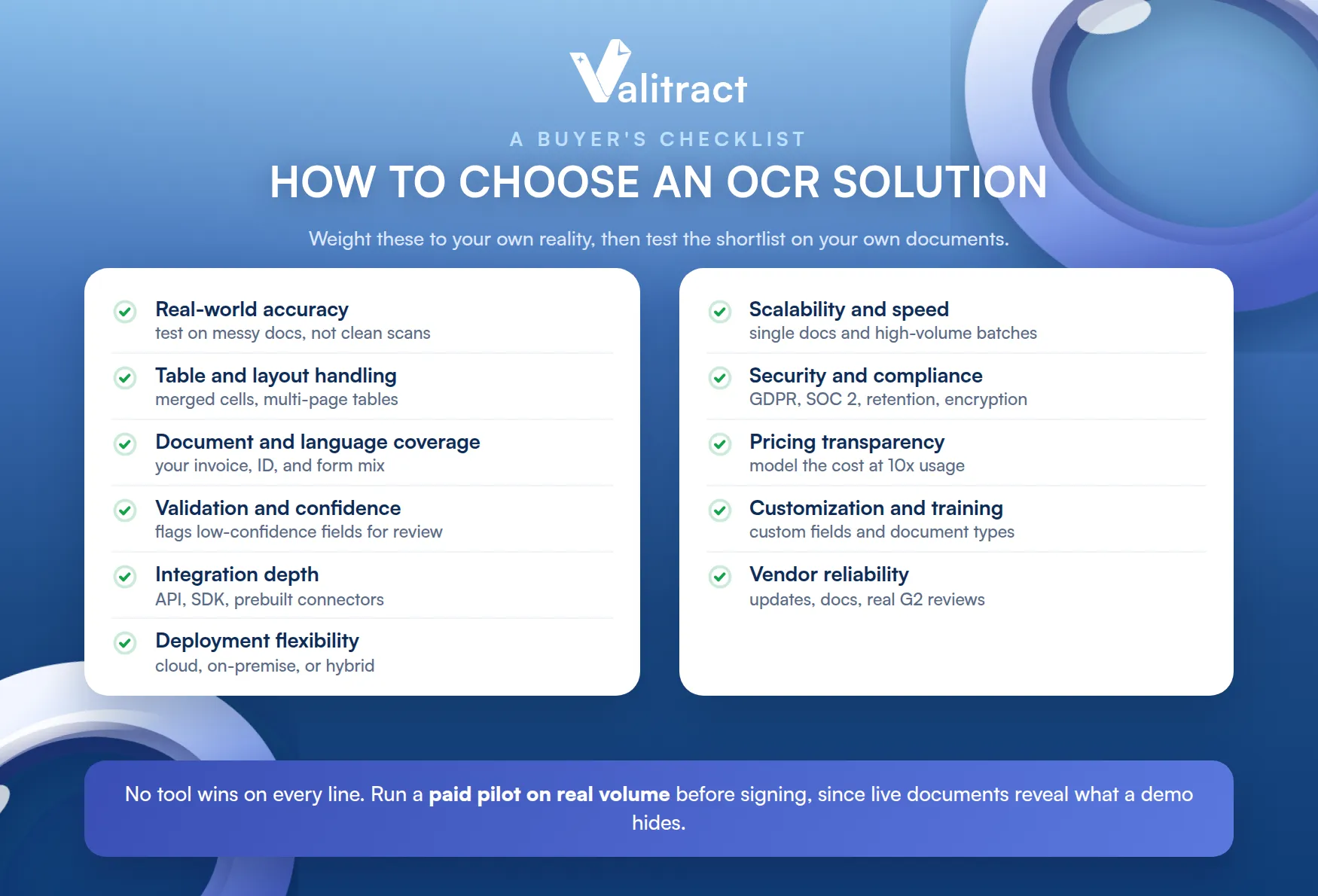
Weight the criteria to your own reality. A high-volume finance team and a small legal team will rank these very differently.
- Real-world accuracy: test on noisy, skewed, low-DPI, and handwritten documents, not just clean scans. Demo files flatter every vendor equally.
- Table and complex layout handling: check column alignment, merged cells, and multi-page tables, since these are where weak tools break.
- Document type and language coverage: confirm it handles your mix of invoices, statements, forms, and IDs, with the languages you need.
- Validation and confidence scoring: favor tools that flag low-confidence fields for review instead of treating every extraction as equally reliable. Our roundup of AI data extraction tools compares this closely.
- Integration depth: look for a documented API or SDK and prebuilt ERP, CRM, or accounting connectors, so output lands without custom glue.
- Deployment flexibility: decide whether you need cloud, on-premise, or hybrid, based on how sensitive your data is.
- Scalability and speed: confirm it handles both single documents and high-volume batches at the speed your workload demands.
- Security and compliance: check GDPR, HIPAA, or SOC 2 posture, data retention policy, and encryption against your requirements.
- Pricing transparency: understand whether pricing is per-page, subscription, or volume-based, and model the cost at ten times your current usage.
- Customization and training: confirm you can define custom fields and document types beyond the default templates.
- Vendor reliability: weigh update frequency, documentation quality, and real user reviews on G2 and Capterra.
No tool wins on every line. Rank the criteria that matter most for your use case, then test the shortlist on your own documents. For a category overview, see our guide to OCR data extraction software.
One more habit helps. Run a paid pilot on real volume before signing, since a month of live documents reveals what a demo hides.
The Future: AI Agents and LLMs in OCR Data Extraction
The category is moving quickly. Large language models now read documents with context, understanding meaning rather than only matching patterns.
The next step is agentic document processing. Instead of a fixed pipeline, an AI agent can decide how to handle a document, ask for clarification, and chain steps on its own.
This shifts extraction from rigid rules toward flexible reasoning. Valitract is building toward this future, so the tools you adopt today keep pace with where the field is heading.
The practical takeaway is to pick tools that are improving, not frozen. The documents will keep changing, and so should the engine.
How Valitract Simplifies OCR Data Extraction
Valitract is a template-free data extraction platform that reads any document and turns it into clean, validated, structured data. It removes the two biggest headaches in OCR data extraction: template maintenance and unverified output.
Those two are what push most teams to switch tools. Solving them is the whole design goal.
Because it is template-free, a new vendor or format works on the first upload, with no zone to draw or model to retrain. Accuracy reaches up to 99.8% on standard documents, with support for 95+ languages.
Validation is built in rather than bolted on. Valitract reconciles figures, checks data against your rules, and flags low-confidence fields for human review, so questionable data never slips through silently.
The output is structured JSON through a REST API or a no-code dashboard, ready to feed your ERP, database, or analytics. Valitract is GDPR-aligned, with SOC 2 Type II and ISO 27001 certification in progress.
The result is less maintenance and more trust. New formats work on arrival, and only genuinely uncertain fields reach a person.
To see it work on your own files, explore the Valitract platform and process a document in minutes.
Frequently Asked Questions About OCR Data Extraction
What is the difference between OCR and OCR data extraction?
OCR converts an image of a page into machine-readable text, and stops there. OCR data extraction goes further by structuring that text into specific fields, so it knows which number is the total and which is the date, and outputs usable data rather than a wall of text.
Is OCR data extraction accurate for handwritten documents?
It can be, but handwriting is harder than printed text, and accuracy varies with legibility. Modern machine-learning engines handle handwriting far better than older tools, but for critical fields a confidence-scoring and human-review step is still important.
What is the difference between OCR software, an OCR API, and an OCR service?
OCR software is an application you run, often with a dashboard for non-developers. An OCR API is a developer interface you integrate into your own systems, and an OCR service is a managed offering, sometimes including human review, that handles the work for you.
Can OCR data extraction work on mobile devices?
Yes. On-device OCR runs offline on the phone for speed and privacy, while cloud-based mobile OCR sends the image to a server for higher accuracy, which is useful for capturing receipts and documents in the field.
What causes most OCR data extraction errors?
The biggest causes are poor image quality, handwriting or unusual fonts, complex table layouts, and rigid templates that break on new formats. A missing human review step then lets those errors reach production undetected.
Do I need a developer to use OCR data extraction tools?
Not always. Many platforms offer a no-code dashboard for business users, while an API is available for teams that want to build extraction into their own software.
Conclusion
OCR data extraction has moved from a nice-to-have to core infrastructure for any team that handles documents at volume. It reads invoices, statements, receipts, and forms, then turns them into structured data your systems can trust.
The right tool is the one that holds up on your real, messy documents, validates its output, and fits your stack. Test a shortlist on your own files, and let accuracy on hard documents decide.
The tools have matured, and the manual alternative has not gotten any cheaper. The question now is which solution fits, not whether to automate.
To see template-free extraction with built-in validation in action, try Valitract on your own documents.
Valitract – Next-gen AI-Powered Data Extraction Platform
- Email: contact@valitract.com
- LinkedIn: https://www.linkedin.com/company/valitract-api-platform
- X: https://x.com/valitract


