


Quick answer: AI complex tax document extraction uses layout-aware AI models to pull structured data from tax documents with no fixed layout. Think multi-page K-1 packages, composite broker 1099s, supplemental schedules, footnotes, and state allocation tables. It reads structure instead of fixed template positions. It covers US income tax source documents, not property tax bills or corporate VAT and sales tax filings.
TL;DR
- Tax documents fall into four complexity tiers. Accuracy on a W-2 (Tier 1) says nothing about accuracy on a K-1 footnote (Tier 4).
- Most “the AI got it wrong” incidents start with the input: rescanned PDFs, split K-1 packages, or stamped pages.
- Extraction tools and return-population tools solve different problems. Know which one you are buying.
- A preparer still reviews the output. The IRS Office of Professional Responsibility said so in June 2026.
Your team keys the same K-1 data every spring. Box 20 codes, state allocation tables, and supplemental pages eat hours that should go to review and planning. Then the fund packages arrive late, and the filing window shrinks again.
The volume problem keeps growing. More clients hold private fund positions, and each position sends its own K-1, K-3, and state K-1s. Every issuer formats them differently, so the workflow that handled a few W-2s breaks on a 60-page partnership package.
This guide explains AI complex tax document extraction tier by tier. You will see what AI reads well, where it still fails, how to prep documents, and how to test tools on your own files.
What makes a tax document “complex”?
A tax document is complex when its data does not sit in a predictable place. Complexity here is structural. A simple return can arrive in a complex package, and a hard tax position can sit on a clean form.
Four structural traits create the difficulty. Each one breaks a different part of a traditional extraction workflow.
No two issuers format it the same way. Every partnership, fund administrator, and broker builds its own layout for the same form number. The position of a field on the page carries no information about what the field is.
The value is not on the form. A coded box item, like Box 20 code Z on a 1065 K-1, often points to a supplemental schedule several pages later. Extraction has to link the code to its amount across pages.
Tables nest and wrap. State allocation tables, capital account rollforwards, and line-item detail run across page breaks and columns. A row that starts on page 14 can finish on page 15.
Meaning sits in prose. Footnotes and whitepaper statements carry tax-relevant detail as sentences, not fields. A Section 751 disclosure reads like a paragraph from a legal memo.
Key takeaway: When you judge a tool, ask how it handles these four traits. A tool that only reads clean fields solves the easiest part of the job.
The four complexity tiers of tax documents
Tax documents sort into four tiers, from fixed-layout forms like the W-2 to narrative footnote disclosures in fund packages. Each tier fails in a different way and needs a different amount of review.
Most articles on this topic treat “tax documents” as one pile. The table below splits them by what actually breaks during extraction. Use it to map your own intake volume before you look at any vendor.
| Tier | Example documents | What breaks | Realistic outcome |
|---|---|---|---|
| Tier 1: Fixed layout | W-2, 1099-NEC, 1099-INT, 1098 | Almost nothing on clean input; degraded scans only | Near-complete capture; spot-check review |
| Tier 2: Variable, multi-page | Composite/consolidated 1099s, brokerage statements, bank statements | Page-break table continuation, landscape pages, summary vs. detail duplication | Strong capture; reconcile totals to summary page |
| Tier 3: Coded, supplemental | Schedule K-1 (1065, 1120-S, 1041), K-3, state K-1s | Linking box codes to supplemental amounts; multi-state allocation tables | Good capture; targeted review of coded boxes and state tables |
| Tier 4: Narrative, footnote | Whitepaper statements, footnote disclosures, Section 704(c) and 751 language, tiered fund detail | The data is prose, and interpretation is a judgement call | Assistive at best; preparer reads the footnote |
A single vendor accuracy figure does not travel across these tiers. A demo run on Tier 1 forms tells a firm nothing about its Tier 3 and Tier 4 volume.
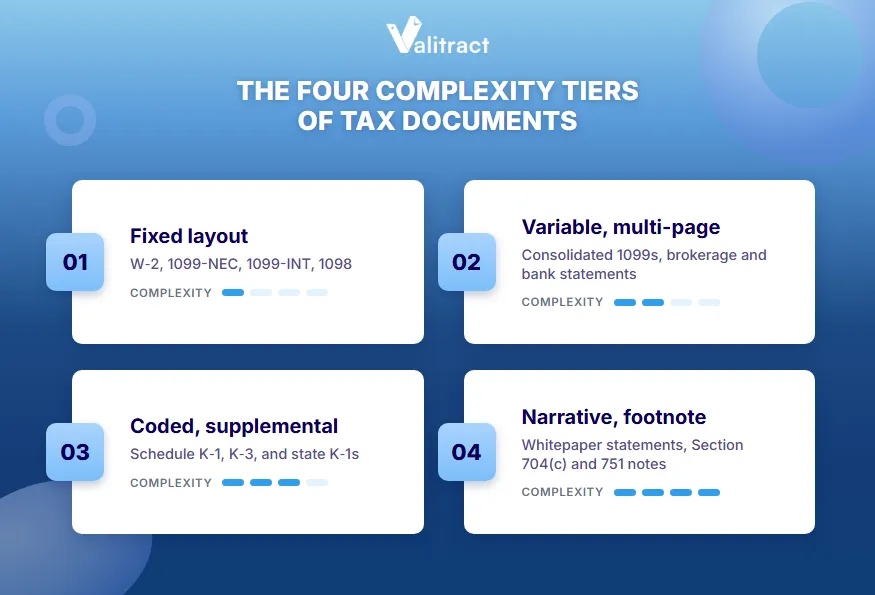
Tier 1: fixed layout
W-2s and simple 1099s follow IRS-defined box layouts. AI extraction handles clean copies with very little review. The main failure is a poor scan: faded print, skew, or a phone photo taken at an angle.
Tier 2: variable, multi-page
A consolidated brokerage 1099 can run 40 pages with landscape transaction detail. The usual errors come from tables that continue across pages and from summary totals repeated in the detail section. Always reconcile extracted totals back to the summary page.
Tier 3: coded, supplemental
A K-1 face page lists codes, and the dollar amounts often live in a supplemental statement. Multi-state allocation tables add rows for 10 to 30 states. Plan a targeted review of coded boxes and state rows rather than a full re-key.
Tier 4: narrative, footnote
Whitepaper statements and footnotes describe items like Section 704(c) built-in gain or Section 751 hot assets. AI can find and surface these passages. Deciding what they mean for the return is still the preparer’s call.
Pro tip: Count last season’s documents by tier before you talk to a vendor. A firm with 70% Tier 3 volume needs a very different tool than a firm with 70% W-2s.
How AI extraction handles a complex tax package, stage by stage
AI extraction handles a tax package in six stages: classify, split, extract, link, validate, and route exceptions. When output looks wrong, find the stage where it broke. That tells you whether to fix the input, the rules, or the review step.
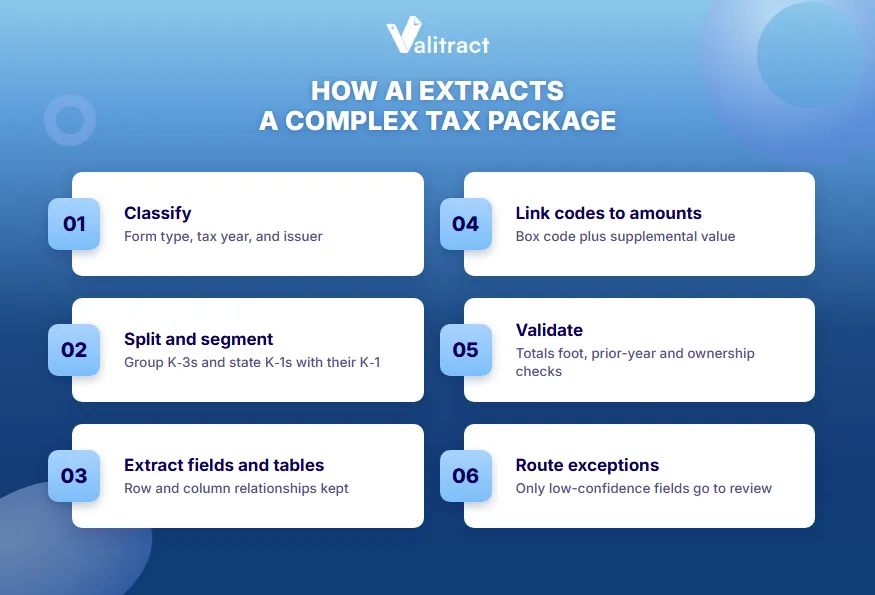
The stages below run in order on every package. Each one depends on the stage before it.
- Classify the document. The system identifies form type, tax year, and issuing entity inside a bundled PDF. One upload may hold a full return plus dozens of attachments.
- Split and segment the package. The system separates the bundle into document units. It attaches supplemental pages, K-3s, and state K-1s to the correct federal K-1.
- Extract fields and tables. Layout-aware extraction reads structure rather than pixel positions. Valitract’s template-free AI data extraction keeps row and column relationships intact. That matters most on multi-state allocation tables, where a shifted row puts Ohio income under Oregon.
- Link codes to amounts. The system resolves each coded box item to its supplemental schedule line. The output carries both the code letter and the dollar value.
- Validate the output. Rules check that totals foot, values match prior year within a range, ownership percentages look right, and required fields are present. Good automated data validation catches errors before a person ever sees the file.
- Route exceptions to a person. Confidence scoring sends only uncertain or high-impact fields to review. That is what makes the review step affordable.
Real example: A 12-person CPA firm processes 800 K-1s in March. If validation and routing send 15% of fields to review, staff check roughly 120 packages closely instead of all 800.
Why template-based OCR fails on complex tax forms
Template OCR reads positions, and on tax documents the position of a field carries no information. A template says “the value at these coordinates is Box 1.” That works only when every issuer puts Box 1 in the same spot.
Template OCR converts pixels to text and maps text by location. Intelligent document processing reads the document’s structure and meaning. If you want the full breakdown, see the difference between OCR and IDP.
Layout variance across issuers
A rule built for one fund administrator’s K-1 breaks on the next one. Templates multiply with every new issuer. Many need rebuilding when an issuer changes its layout between tax years.
Cross-page relationships
Box 11 code A means nothing without the supplemental line it points to. Position-based extraction has no way to make that link. It returns a code with no amount, or an amount with no code.
Tables that wrap and nest
State allocation tables and capital account rollforwards often break across pages. A template returns fragments rather than complete rows. Someone then rebuilds the table by hand.
Degraded input
Faxed copies, photocopies of photocopies, and dot-matrix printouts are normal in tax intake. They fall below the point where character matching stays reliable. Template tools usually fail silently here.
Key takeaway: Template OCR works for Tier 1 forms from a small set of issuers. It does not scale to Tier 3 volume across hundreds of partnerships.
Document prep: the input rules that decide your accuracy
Most “the AI got it wrong” incidents are input problems, and you can fix them before upload. Vendors in this category publish these rules in their own support documentation, not in their marketing.
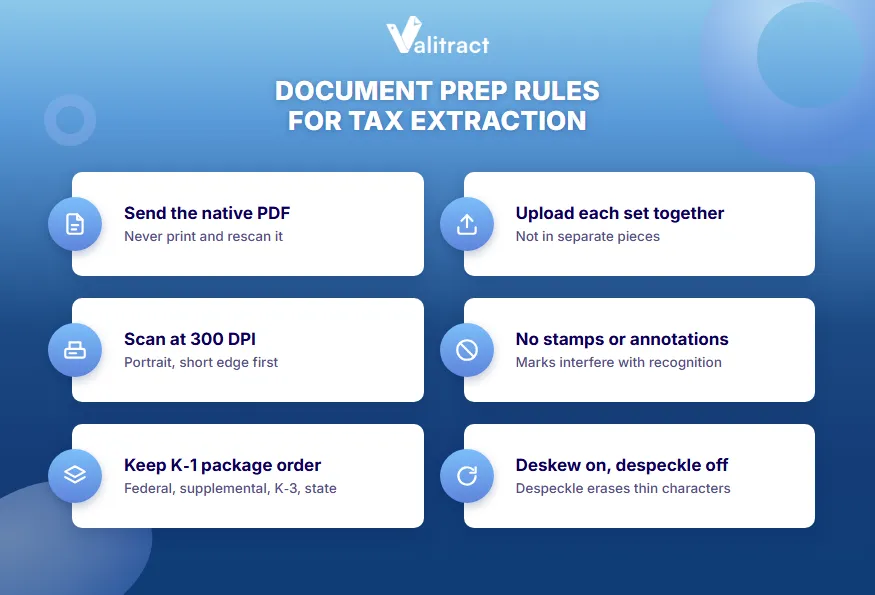
The checklist below turns those rules into a single intake standard. Share it with every staff member who touches client documents.
- Send the native PDF. Use the file the client sent you. Printing and rescanning destroys the text layer and turns a Tier 1 document into a Tier 4 problem.
- Scan at 300 DPI. Higher resolution does not improve results. Larger files also slow batch throughput.
- Scan portrait, short edge first. Leave consolidated 1099 statements in their original landscape ratio.
- Keep pages in reading order. Use this order: federal K-1, federal supplemental, K-3, state K-1, supplemental state K-1. Upload the set together rather than in pieces.
- Skip stamps and annotations. Do not stamp, watermark, or mark up source documents before extraction. Non-native marks interfere with recognition.
- Deskew, but leave despeckle off. Despeckle removes thin characters along with the noise.
- Watch for poor-scan signals. Blurry, skewed, cut off, too dark, too light, pale text, overlapping text, wide white margins, and photos of a screen all predict a bad run.
Pro tip: Add a 30-second intake check before upload. Reject any file that shows two or more poor-scan signals and request the native PDF from the client.
Extraction layer or return-population layer: which one do you need?
“Extract tax data” and “populate a return” are two different products. Firms often shortlist across both without noticing. The right choice depends on where your data needs to go after extraction.
Three tool categories exist in this space. Each solves a different problem, and each has real tradeoffs.
Extraction layer
An extraction layer turns any tax document into structured JSON, CSV, or XLS that you own and can route anywhere. Valitract sits here: template-free field and table extraction across financial documents, a no-code UI, and a REST API. Output flows to accounting tools like QuickBooks, Xero, Sage, and SAP, or to your own systems.
The boundary matters. Valitract does not write data into Drake, Lacerte, UltraTax, or CCH Axcess. It does not reconcile across documents or detect tampering. For a wider view of this category, see our guide to intelligent document processing software.
Return-population layer
Scan-and-populate products push verified data straight into a specific tax prep suite. Examples include GruntWorx with Drake and Lacerte, SurePrep with the Thomson Reuters stack, CCH Axcess Scan with CCH Axcess, and Drake SmartExtract inside Drake. You get tight integration in exchange for platform lock-in.
Check the fine print on each. Some of these features remain in beta or carry per-return document caps.
Specialist aggregation layer
K-1 and K-3 platforms like K1x and Additive are built for institutional volume. They read beyond the face page into footnotes, whitepaper statements, and state detail. They fit fund administrators and family offices with thousands of K-1s, and are usually overkill for a firm with fifty.
The table below summarizes the three layers side by side.
| Layer | Example tools | Output | Best fit | Main tradeoff |
|---|---|---|---|---|
| Extraction | Valitract, other IDP platforms | JSON, CSV, XLS, API | Mixed document types, portable data | Does not populate tax software |
| Return population | GruntWorx, SurePrep, CCH Axcess Scan, Drake SmartExtract | Data inside one tax suite | Practices running on one suite | Platform lock-in; some beta limits |
| Specialist aggregation | K1x, Additive | K-1/K-3 data sets with footnote detail | High K-1 and K-3 volume | Cost and scope beyond small firms |
Decision rule: Pick the extraction layer when you need portable data across mixed document types. Pick the population layer when your whole practice runs inside one tax suite. For more on the extraction category, compare options in our roundup of OCR data extraction software.
How to test AI extraction on your own tax documents
The only test that predicts production results is a sample of your own worst documents. Vendor demos run on clean samples, usually Tier 1. Your season will not look like that.
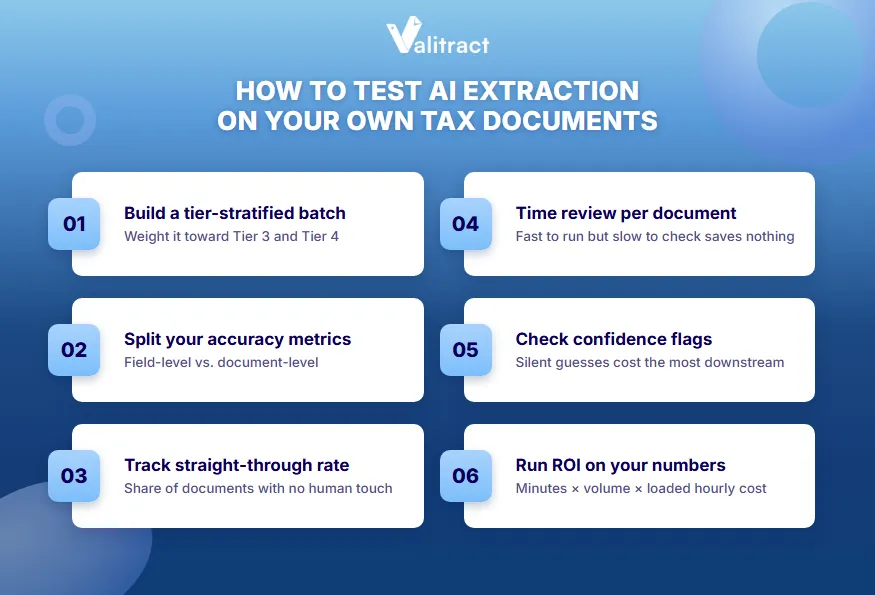
Run the six-step test below before you sign any contract. It takes one afternoon and a spreadsheet.
- Build a stratified test batch. Mirror your real mix across all four tiers, but weight it toward Tier 3 and Tier 4. Include the scans you would normally apologize for.
- Measure field-level and document-level accuracy separately. A package with 49 of 50 fields right still needs review. Document-level accuracy tells you how many files skip the queue.
- Measure straight-through rate. Count the share of documents that need no human touch. This number, not headline accuracy, decides staffing.
- Time review minutes per document. A tool that runs fast but takes long to check saves nothing.
- Check how low-confidence fields appear. Are they flagged, or returned silently as guesses? Silent guessing costs the most downstream.
- Do the math on your own numbers. Multiply current minutes per document by volume. Subtract projected minutes times volume, then multiply by your loaded hourly cost.
Real example: A firm processes 3,000 source documents at 9 minutes each, or 450 hours. If extraction plus review drops that to 4 minutes, the firm saves 250 hours. At a $65 loaded hourly cost, that is $16,250 per season.
Valitract reports about 99.8% field-level accuracy on standard printed documents. That figure covers Tier 1 and Tier 2 territory, not footnote interpretation. The free tier includes 100 pages a month with no credit card, which is enough for a tier-stratified test. For a wider shortlist, see our guide to financial data extraction software.

What still requires a human in 2026?
AI extraction moves the work from keying to reviewing. It does not remove the preparer from the loop. As of 2026, the IRS has made that expectation explicit.
Verification is not optional
On June 24, 2026, the IRS Office of Professional Responsibility issued its first guidance on AI use in tax practice (OPR Alert 2026-19). It expects practitioners to review and verify AI-generated work, and it addresses fee transparency when AI changes the effort involved. Extraction vendors say the same in their own terms: output may be incomplete, mismapped, or duplicated, and the preparer stays responsible.
Client data disclosure
Section 7216 governs when taxpayer information can be shared with third parties. Routing client documents through an outside processor is a question to answer on purpose, not by default. Ask your own counsel how it applies to your engagement letters and vendors.
Judgement stays human
Basis, at-risk and passive activity limits, Section 199A allocations, loss limitations, and state filing positions are analysis, not capture. Extraction supplies the inputs. The preparer supplies the conclusions.
Design the review, do not skip it
A workable pattern is to review a weighted sample rather than every line. Weight the sample toward complex issuers. Re-review any issuer whose format produced a systematic error.
Key takeaway: Budget review time into every extraction project. The savings come from faster review, not from no review.
Common mistakes in AI tax document extraction
The most common mistakes come from testing the wrong documents and buying the wrong layer. Each one below has shown up in real tool evaluations.
Scan this list before your next vendor call or intake season.
- Testing only on clean samples. A clean demo says nothing about your Tier 3 and Tier 4 volume.
- Trusting one accuracy number. A figure for standard printed forms does not apply to footnote-heavy fund packages.
- Comparing unlike products. An extraction platform and a scan-and-populate product solve different problems.
- Printing and rescanning a native PDF. Rescanning is the most common self-inflicted accuracy loss in tax intake.
- Uploading K-3s and state K-1s separately. Split uploads cause mis-association, and the extraction takes the blame.
- Expecting reconciliation or tamper detection. Those are separate verification products. Assuming otherwise creates false coverage.
- Budgeting for extraction but not review. The time saving then looks smaller than projected.
FAQs
What is AI complex tax document extraction?
AI complex tax document extraction uses layout-aware AI models to pull structured data from tax documents with no fixed layout. Examples include multi-page K-1 packages, consolidated 1099s, supplemental schedules, and state allocation tables. The AI reads document structure instead of fixed template positions. The term here refers to US income tax source documents, not property tax records or VAT filings.
Which tax documents are hardest for AI to extract, and why?
Schedule K-1 packages, K-3s, and fund whitepaper statements are the hardest for AI to extract. Their values often sit in supplemental schedules several pages from the coded box that references them. Footnotes and Section 704(c) or 751 disclosures are written as prose, so the data needs interpretation. W-2s and simple 1099s are the easiest because their layouts are fixed.
Can AI extract data from K-1 supplemental statements and footnotes?
AI can extract data from K-1 supplemental statements well, including linking box codes to their supplemental amounts. Footnotes are harder because the information is written in sentences rather than fields. AI can locate and surface footnote text, but a preparer should decide what it means for the return. Specialist K-1 platforms go furthest into footnote detail.
How accurate is AI extraction on complex tax documents?
AI extraction accuracy depends on the document tier. Tools often report 99% or higher field-level accuracy on standard printed forms like W-2s. Accuracy drops on coded K-1 supplements, degraded scans, and narrative footnotes. Test any tool on a sample of your own hardest documents before relying on a vendor figure.
Can ChatGPT extract data from tax forms?
General-purpose chatbots like ChatGPT can read text from a single tax form, but they are not built for production tax extraction. They lack consistent structured output, field-level confidence scores, validation rules, and batch processing. They can also return plausible but wrong values without a flag. Client data privacy under Section 7216 is another concern with consumer AI tools.
Does AI extraction work on scanned or photographed tax forms?
AI extraction works on scanned tax forms, but accuracy depends on scan quality. A 300 DPI scan with no skew gives far better results than a phone photo or a faxed copy. Blurry, cut-off, or overly dark images predict errors. Native PDFs from the issuer always outperform rescanned paper.
What is the difference between tax document extraction and scan-and-populate?
Tax document extraction turns documents into structured data such as JSON, CSV, or Excel that you can send to any system. Scan-and-populate tools push extracted data directly into one tax prep suite, like Drake, Lacerte, or CCH Axcess. Extraction gives portability across document types. Scan-and-populate gives tighter integration but ties you to one platform.
Does a preparer still have to review AI-extracted tax data?
Yes, a preparer must still review AI-extracted tax data. In June 2026, the IRS Office of Professional Responsibility issued guidance expecting practitioners to review and verify AI-generated work. Extracted data can be incomplete, mismapped, or duplicated. The practical approach is a weighted review sample focused on complex issuers.
Test extraction on your hardest K-1 package
A demo on a clean W-2 proves very little. The real question is how a tool handles your 60-page fund package with state allocations on pages 14 through 16.
Valitract extracts fields and tables from tax documents without templates and keeps row and column relationships intact. Output lands as JSON, CSV, or XLS, ready for your own workflow or accounting stack. You can run it through the no-code dashboard or the API.
99.8% field-level accuracy on standard printed documents. GDPR and HIPAA compliant. Free tier available.
Upload your hardest K-1 package and test 100 pages free