


TL;DR
- In accounting, accurate data capture is not about reading text; it is about numbers that reconcile to the cent.
- Tools split into three groups: general IDP (Nanonets, Klippa), finance-specialized (Docsumo, Rossum), and template-free extraction with arithmetic validation (Valitract).
- Accounting teams need layout-agnostic parsing, automatic reconciliation checks, and confidence flagging on uncertain fields.
- The best software for accurate data capture in accounting is the one whose validation catches a wrong number before it reaches your books.
The best software for accurate data capture in accounting is defined by one thing most tools underplay: accuracy that holds up to the cent. Accounting has no “close enough.”
Every other field tolerates a little noise. A marketing dashboard survives a rounding error, but a ledger does not, because the books have to balance.
One wrong digit skews a report, throws off a reconciliation, and can follow a number all the way into a tax filing. So the distinguishing criterion is not “automation” or “OCR,” but accuracy.
Many tools market speed and language coverage. Fewer talk about whether the extracted numbers actually reconcile, which is the question accounting teams care about most.
This guide ranks the top tools for accurate accounting data capture in 2026, explains why accuracy is the real bottleneck, and helps you choose by your size and document mix.
The tools fall into three broad camps. General IDP platforms, finance-specialized tools, and extraction built around arithmetic validation each solve the problem differently.
We will compare them on what accounting actually cares about. That means validation and reconciliation, not just how fast a tool reads a page.
Why Accuracy Is the Real Bottleneck in Accounting Data Capture
Accounting is stricter than most other data capture. In marketing or logistics, a small extraction error is a nuisance; in accounting, the numbers must match exactly.
The stakes are also higher. A wrong figure in a report can misstate performance, mislead a decision, or draw the eye of an auditor.
Reconciliation is not optional here. A captured total that is off by a cent is a discrepancy someone has to chase, and a mistyped amount can cascade into a wrong payment, a failed audit, or a tax error.
The cost of an error also grows over time. A wrong number caught at capture is trivial to fix, while the same number found at audit is expensive.
That is why reading the text is only half the job. Strong data entry automation software also validates the numbers, replacing the error-prone manual data entry that causes most discrepancies in the first place.
Manual keying is where errors begin. Studies put manual entry error rates at roughly one to four percent per field, which is far too high for numbers that must reconcile exactly.
The lesson is simple. In accounting, the tool that wins is the one that catches a bad number before it enters your books, not the one that merely reads fastest.
This reframes the whole comparison. Speed and language coverage matter, but validation is the feature that earns trust in a finance workflow.
Confidence flagging is part of that trust. A tool that admits which fields it is unsure about is safer than one that reports every field as certain.
Top 5 Software for Accurate Data Capture in Accounting
The market splits by depth. Some tools are broad IDP platforms, some specialize in finance, and one is built specifically around extraction accuracy with arithmetic validation.
No tool here is bad. They simply optimize for different things, so the ranking below is about fit for accurate accounting capture, not overall quality.
Read the table by your own priorities. The column that matters most to you should decide the order, not the ranking alone.
Table 1. Accurate accounting data capture tools compared.
| Tool | Document types | Validation method | Accounting integration | Best for |
| Valitract | Invoices, receipts, bank statements, POs, more | Template-free AI plus arithmetic and balance checks | Feeds QuickBooks, Xero, ERPs via API or export | Accuracy-first capture that reconciles to the cent |
| Nanonets | Structured and unstructured invoices, line items | Trainable AI models with custom rules | ERP and accounting integrations | Teams building custom, high-volume pipelines |
| Docsumo | Invoices, bank statements, financial records | Pre-trained and custom models | ERP and accounting API | Finance and lending teams (BFSI) |
| Klippa DocHorizon | Invoices, receipts, IDs, and more | AI extraction with fraud detection | Enterprise integrations | Compliance and fraud-sensitive workflows |
| Rossum | Invoices and statements, varied layouts | Template-free with validation workflows | AP and ERP integrations | High-volume AP with many supplier formats |
Capability details are drawn from vendor and third-party sources as of mid-2026; confirm current specifics with each vendor before deciding.
1. Valitract: Best for Accuracy-First Accounting Capture
Valitract leads this list for one reason: it is built around extraction accuracy, not just extraction. It reads invoices, receipts, bank statements, and more without templates, at up to 99.8% accuracy.
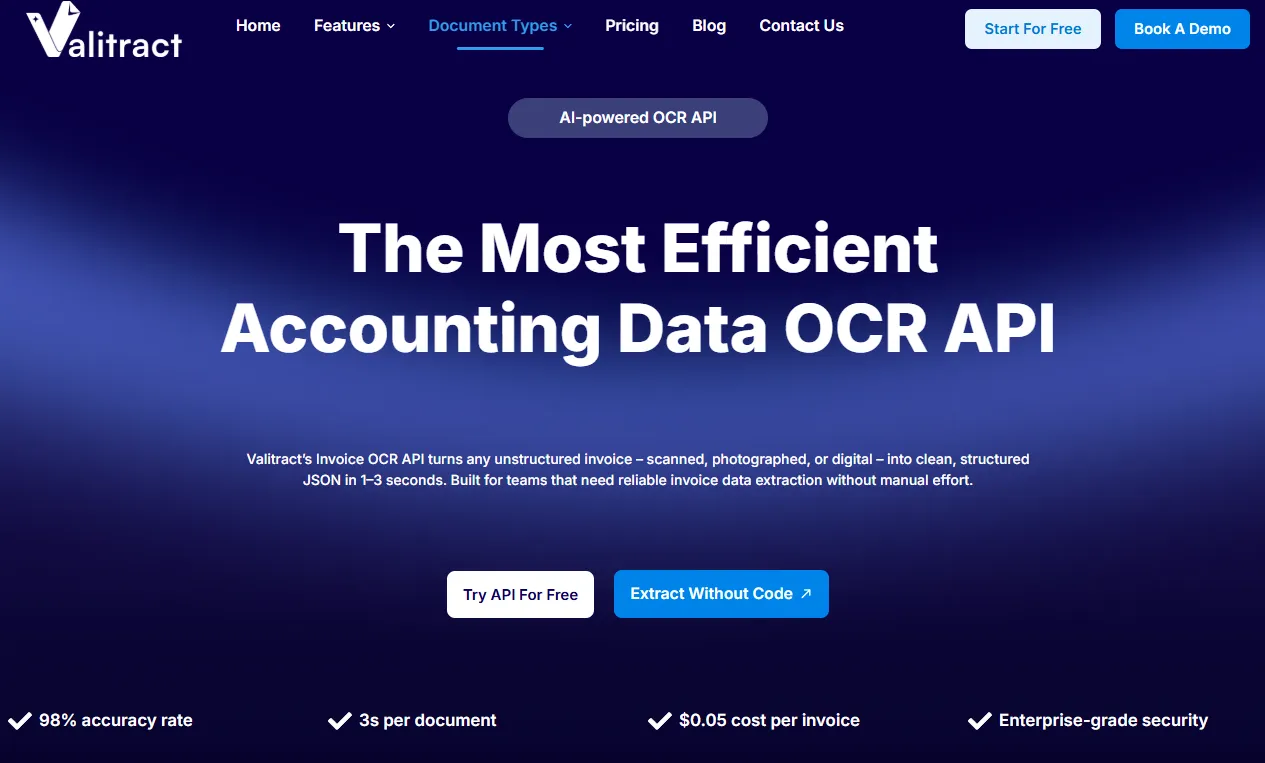
Template-free matters for a mixed document set. You do not configure a layout per vendor or bank, so a new format works without setup.
Its differentiator is arithmetic validation. Beyond reading the numbers, Valitract checks that line items, tax, and totals actually add up, and flags low-confidence fields for a quick human review.
Most tools stop at extraction. Reading a total is not the same as confirming it equals the sum of the line items, and that check is where accounting accuracy is won or lost.
That fit is natural, not forced. Accounting needs numbers that reconcile, and a tool that validates the math at capture is exactly what that demands.
The human-in-the-loop step keeps it trustworthy. Instead of trusting every field blindly, a person confirms only the ones the model flags as uncertain.
It is honest about its lane. Valitract is the extraction and validation layer that feeds clean data into your accounting stack; it does not perform fraud forensics or reconcile your books against the bank itself. For the mechanics, see our AI data extraction software and OCR API, and the pricing page for plans.
That clarity is a strength, not a limit. By doing one job well, it feeds reliable data to whatever tools handle the rest.
2. Nanonets: Best for Custom, High-Volume Pipelines
Nanonets is a trainable AI OCR platform. It extracts data from structured and unstructured invoices down to SKU-level line items, with custom rules and workflow automation.
It is a broad platform, not only a capture tool. Much of its value sits in the workflows teams build around the extraction.
Its strength is flexibility at scale. Teams with engineering resources can train models to their own document types and build tailored pipelines into ERP and accounting systems.
It also handles unstructured invoices well. Pulling data down to the SKU level is a genuine strength for teams with complex, varied line items.
That power comes with a trade-off. The customization that makes it strong also means more setup, so it rewards teams that want to build rather than plug in.
For the right team, that is a feature. Engineering-led finance operations often prefer the control that a trainable platform gives them.
3. Docsumo: Best for Finance and Lending Teams
Docsumo is a document AI platform with deep finance focus. It handles invoices, bank statements, and financial records with pre-trained and custom models.
Its finance orientation shows in the details. The validation and models are tuned to the documents lenders and insurers see every day.
It is especially strong in lending and insurance. Its models suit BFSI workflows and diverse financial documents, with API integration into accounting and ERP systems.
It offers pre-trained models for common formats. For predictable, high-volume document types, those out-of-the-box models can deliver strong results quickly.
The breadth is both a strength and a caveat. Onboarding can take longer than a purpose-built tool, and the feature surface is wider than a small bookkeeping team may need.
For a lender or insurer, that depth is the point. The same breadth that overwhelms a small team is what a BFSI workflow relies on.
4. Klippa DocHorizon: Best for Fraud-Sensitive Workflows
Klippa DocHorizon pairs data capture with security features. It extracts from invoices, receipts, and IDs, and adds fraud detection and data anonymization on top.
Its document range is wide. Because it also reads IDs, it suits teams that verify identity alongside financial documents.
That makes it a fit for compliance-heavy teams. Where detecting document tampering matters as much as reading the data, Klippa’s built-in checks are a genuine advantage.
Data anonymization is a further plus. For teams handling sensitive records, stripping personal data during processing can be a compliance requirement, not a nicety.
It is positioned for the enterprise. The compliance and fraud tooling that suits large organizations can be more than a smaller team needs or wants to pay for.
Where fraud is a real risk, it is worth the weight. Detecting a tampered document is a different job from capturing a clean one, and Klippa does both.
5. Rossum: Best for High-Volume AP With Varied Formats
Rossum is built around the accounts payable lifecycle. It captures invoice and statement data without templates and adds validation workflows, approval routing, and three-way matching.
It aims to own the whole AP flow. From capture through approval to posting, it is designed as an end-to-end platform.
Its edge is handling messy variety at scale. It adapts to many supplier layouts and adds real-time visibility and anomaly detection across the AP flow.
The validation workflows are built in. Rather than a separate step, checks and approvals live inside the same platform that captures the data.
It is an AP platform, not just a capture tool. If you want the full invoice-to-posting workflow in one place, that is its appeal; if you only need accurate extraction, it is more than the job requires.
It overlaps with procurement tools too. Its three-way matching and approval routing put it closer to an AP suite than a pure capture layer.

Common Use Cases for Accurate Data Capture in Accounting
Where does accurate capture actually earn its keep? These are the workflows that depend on it most.
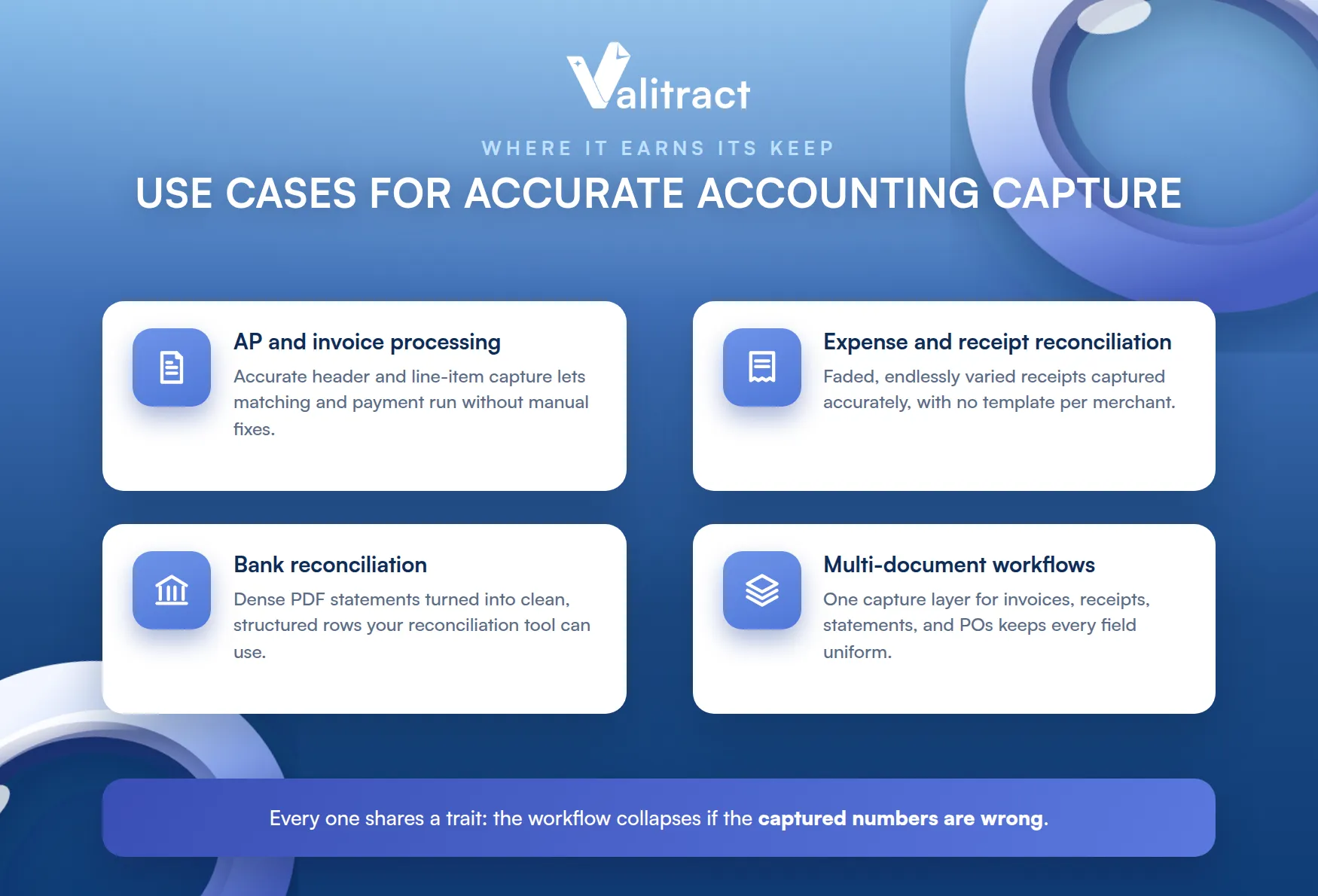
Each one shares a trait. The value of the whole workflow collapses if the captured numbers are wrong.
Accounts Payable and Invoice Processing
AP is the classic case. Capturing invoice header and line-item data accurately is what lets the rest of the process, matching and payment, run without manual fixes.
It is also the highest-volume workflow for most teams. That volume is exactly why accurate, hands-off capture pays back fastest here.
Accuracy here prevents overpayment. A wrong amount or quantity caught at capture never becomes a payment dispute later. See our invoice data extraction software for this workflow.
Line-item accuracy is the hard part. Headers are easy, but capturing every line correctly is what lets matching run without a human stepping in.
Expense and Receipt Reconciliation
Receipts are the messiest documents in accounting. Faded thermal paper and phone photos make accurate capture the hard part of reconciling expenses.
Formats vary endlessly too. Every merchant lays out a receipt differently, which is where template-based tools tend to fail.
A tool tuned for real-world receipts removes the manual keying. Our receipt OCR software handles exactly these conditions.
Volume makes it worse. A company can generate thousands of receipts a month, so a few seconds saved on each adds up fast.
Bank Reconciliation
Bank statements carry dense transaction data that must be exact. Accurate capture turns a PDF statement into clean, structured rows your reconciliation process can use.
Statement layouts vary widely by bank. Column splits for debit and credit are a common place where weaker tools get the numbers wrong.
The capture and the reconciliation are separate jobs. Valitract extracts and validates the statement data, then feeds it to your reconciliation tool; see our bank statement extraction software and the PDF to Excel bank statement converter.
Getting the rows right is the prerequisite. No reconciliation tool can match transactions it was fed incorrectly in the first place.
Multi-Document Financial Workflows
Real accounting mixes document types. A single close can involve invoices, receipts, statements, and POs, so one tool that reads them all accurately beats stitching several together.
Switching between tools costs time and consistency. A single capture layer avoids reconciling data that was structured differently by each one.
Consistency is the payoff. One capture layer across every document type keeps the data uniform, which is what downstream systems need to reconcile cleanly.
It also simplifies your stack. One integration for every document type is easier to run than a separate tool per format.
How to Choose the Right Tool for Your Business
The best choice depends on your size, volume, and document mix. Here is a simple way to match a tool to your situation.
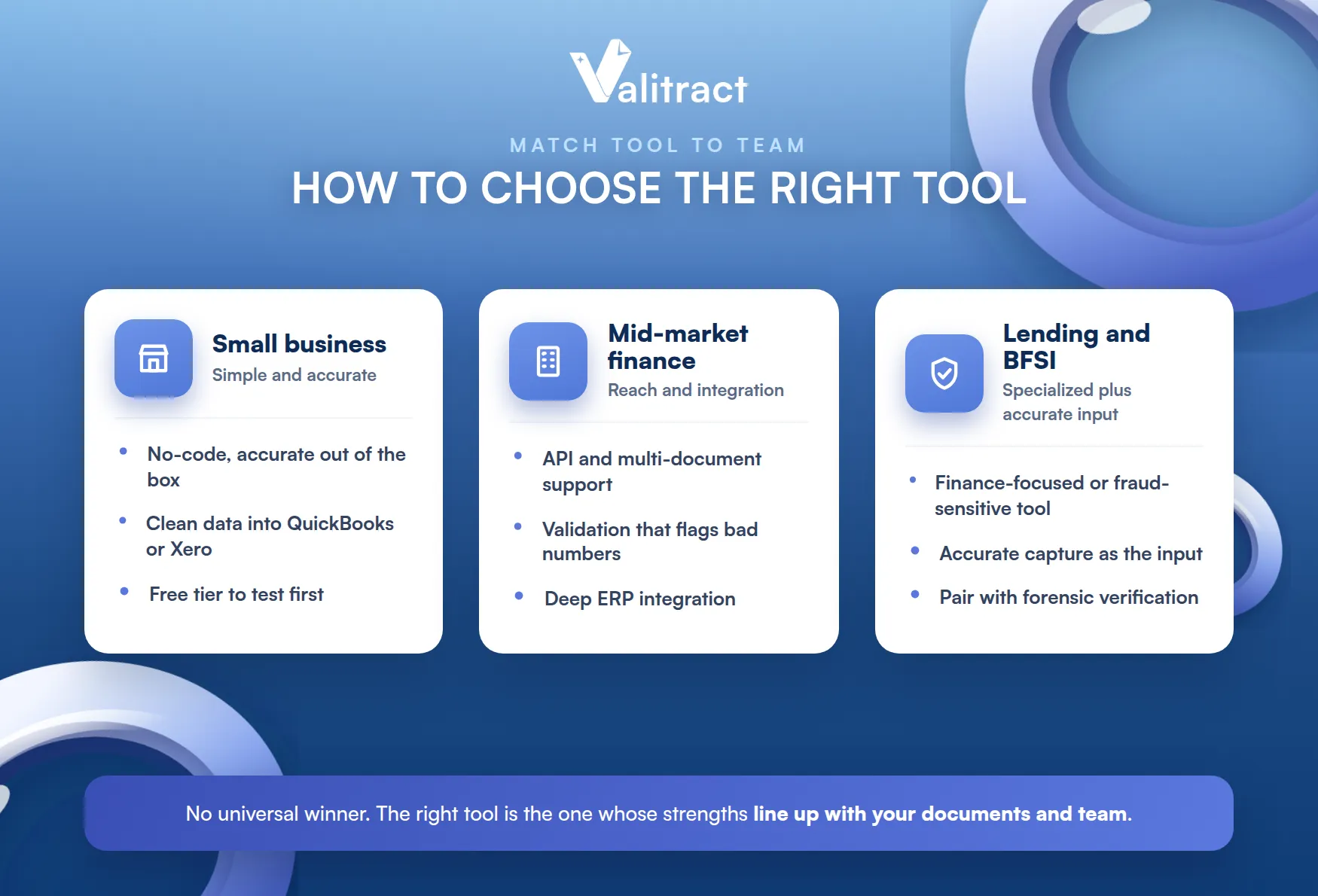
There is no universal winner. The right tool is the one whose strengths line up with your documents and your team.
Small Business and Bookkeeping Teams
Keep it simple and accurate. A small team is best served by a no-code tool that is accurate out of the box, with no model training or long setup.
The priority is reliability, not features. You want clean data flowing into QuickBooks or Xero with minimal fuss, which favors a plug-and-play capture layer.
A free tier helps here too. Testing on your own documents before paying is the surest way to judge whether a tool fits.
Avoid tools that need training or tuning. At small volume, setup effort can outweigh the time the tool saves.
Mid-Market Finance Teams
Mid-market needs more reach. Growing volume and more document types call for an API, multi-document support, and solid accounting integrations.
The team is usually leaner than the volume suggests. Automation here is about scaling throughput without scaling headcount.
Accuracy still leads. As volume rises, a validation step that flags bad numbers before they spread becomes more valuable, not less.
Integration depth matters more now too. At mid-market volume, a clean path into your ERP saves real hours every month.
Lending, Insurance, and BFSI
Specialized needs may need specialized tools. High-volume lending or insurance workflows can favor a finance-focused platform like Docsumo, or a fraud-sensitive one like Klippa.
That does not rule out an accuracy-first layer. Even in BFSI, clean capture is the input those specialized checks depend on.
Match the tool to the risk. If tamper detection is central, choose a tool built for it, or pair accurate extraction with a dedicated forensic verification step, since accurate capture and fraud forensics are different jobs.
Many teams run both. Accurate capture handles the data, and a specialized layer handles the fraud checks, each doing what it does best.
Frequently Asked Questions About Accurate Data Capture in Accounting
What is the difference between OCR and accurate data capture?
OCR reads characters from a document, while accurate data capture reads, structures, and validates the data so the numbers are correct and usable. In accounting, the validation step is what separates a tool that merely reads from one you can trust in your books.
Does data capture software integrate with QuickBooks or Xero?
Yes. Leading tools, including Valitract, export clean structured data that feeds QuickBooks, Xero, and ERP systems through an API or standard export formats.
How accurate does data capture need to be for accounting?
As close to exact as possible, because accounting reconciles to the cent. Tools reaching up to about 99.8% accuracy, paired with arithmetic validation and human review of low-confidence fields, are what accounting-grade capture requires.
Does accurate data capture software replace bookkeepers or accountants?
No. It removes the manual data entry, not the judgment. Accountants still review, reconcile, and decide, while the software handles the accurate capture that used to be typed by hand.
Is there a free option to test accurate data capture?
Many tools offer a free tier or trial. Valitract, for example, lets you test extraction on your own documents before committing, which is the best way to judge accuracy on your real files.
Concluding Thought
The best software for accurate data capture in accounting is the one that consistently extracts the right data the first time. Automation only creates value when the captured information is accurate, because every reconciliation, approval, and financial report depends on the quality of that initial extraction.
For organizations where accounting accuracy is the top priority, Valitract stands out with template-free AI extraction, built-in arithmetic validation, and reliable performance across invoices, receipts, bank statements, and other financial documents. Other platforms also excel in specific areas. Nanonets offers highly customizable AI workflows, while Klippa provides strong fraud detection and compliance capabilities, making each solution suitable for different business needs.
Ultimately, choosing the right platform is about matching the software to your document types, workflows, and integration requirements. Before making a decision, test each solution using your most complex, real-world accounting documents rather than vendor demo files. That is where differences in extraction accuracy become most apparent.
If your goal is to reduce manual work without compromising financial accuracy, explore how Valitract can help automate accounting data capture with AI-powered extraction and built-in validation.
Book a demo to see how it performs on your own documents.
Valitract – Next-gen AI-Powered Data Extraction Platform
- Email: contact@valitract.com
- LinkedIn: https://www.linkedin.com/company/valitract-api-platform
- X: https://x.com/valitract


