


Manual data entry costs more than most organizations realize. Standard industry benchmarks show that employees make errors on roughly 1 in every 100 keystrokes. At an enterprise scale, poor data quality and manual transcription errors accumulate into billions of dollars in lost productivity and operational friction annually.
For a finance team processing 1,000 invoices a month, even a conservative 1% error rate creates 10 mismatches that require manual correction, each taking 15-20 minutes to trace and fix.
The volume problem compounds the accuracy problem. Document intake is growing faster than headcount. A logistics coordinator handling 50 delivery notes a day in 2019 may now process 200. Adding staff to keep pace is expensive. Training new data entry clerks takes time. And turnover in high-repetition roles is high.
Automated data entry solves both problems at once. This guide explains what data entry automation is, how it works, where to apply it, and how to select and implement the right solution for your organization.
TL;DR
Data entry automation uses software to capture, extract, validate, and transfer data from documents and forms without human typing. It eliminates manual input errors, which cost organizations 15-25% of revenue according to data quality research, and reduces document processing time by 70-80% for most teams. This guide covers how the technology works, where to apply it, and how to choose the right tool for your document volume and tech stack.
What is Data Entry Automation?
Data entry automation is the use of software to capture, read, classify, extract, validate, and transfer data from documents and digital sources into business systems, without manual typing.
Instead of a person reading a supplier invoice and typing the vendor name, total amount, and line items into an ERP, the software does it. The output is the same structured data, but at a fraction of the time and with far fewer errors.
4 Types of Data Entry Automation
The right type depends on where your data comes from. Most organizations use more than one type.
Here is a breakdown of the four main types and where each applies.
| Type | What it does | Common sources | Best for |
| Document & Form Capture | Reads printed or handwritten documents and extracts structured fields | Invoices, receipts, tax forms, ID documents, contracts | Finance, legal, HR, healthcare |
| Web & Email Scraping | Pulls data from websites, HTML emails, or online forms | Order confirmations, vendor portals, lead capture forms | E-commerce, sales, procurement |
| System-to-System Data Transfer | Moves data between applications via API or middleware | ERP to CRM, accounting to payroll, POS to inventory | Operations, IT, enterprise integrations |
| Voice & Barcode Input | Converts spoken data or scanned codes into structured records | Warehouse barcodes, voice-to-text forms, QR codes | Logistics, retail, field operations |
Technologies Used to Automate Data Entry
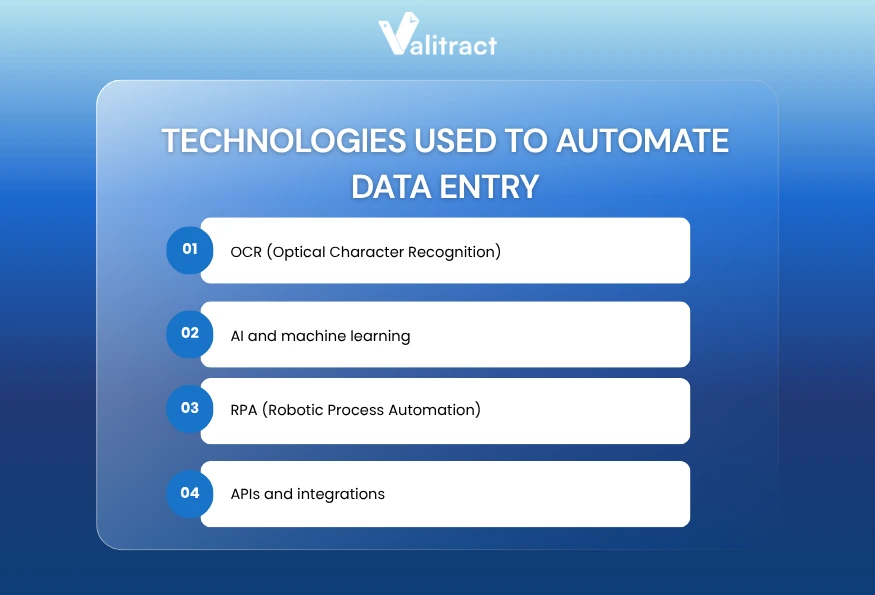
Several technologies work together in modern automation systems. Understanding what each does helps you evaluate tools more accurately.
- OCR (Optical Character Recognition) converts image pixels into machine-readable text. It is the foundation for document-based automation. Without OCR, software cannot read a scanned invoice.
- AI and machine learning go beyond character recognition to understand context. Instead of reading every character in a document, AI identifies which block of text is a vendor name, which is a line item, and which is a total amount. It learns from corrections and improves over time.
- RPA (Robotic Process Automation) automates repetitive software interactions. An RPA bot can open an email, download an attachment, paste extracted values into a web form, and click submit. It bridges tools that do not have APIs.
- APIs and integrations connect systems directly. When an extraction platform sends structured JSON to an ERP via API, no manual copy-paste step is needed. This is faster and more reliable than RPA for systems that support direct connections.
Key Benefits of Data Entry Automation
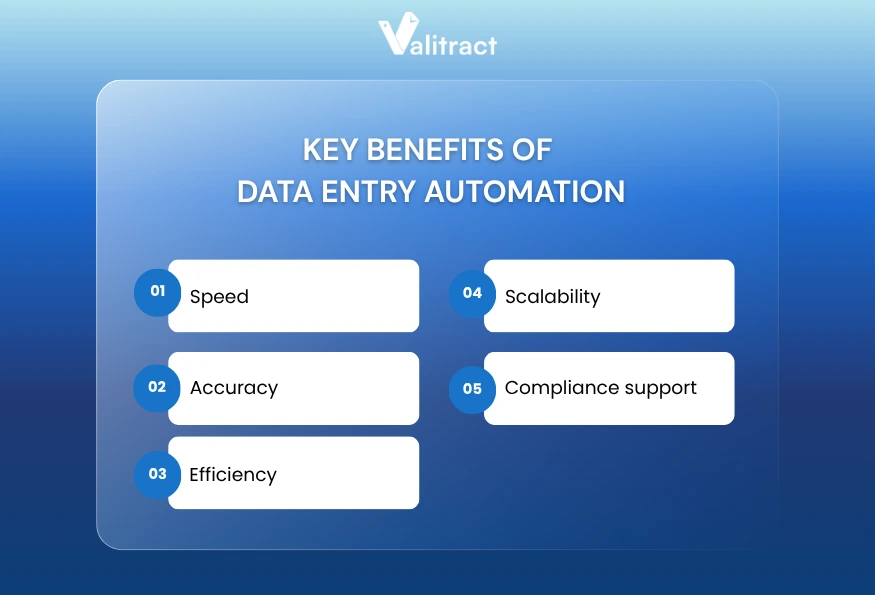
Data entry automation reduces the time, cost, and error rate associated with manual document processing. The five benefits below apply across industries and document types.
- Speed: Automated extraction processes a document in seconds. A finance team that manually enters 500 invoices in a week can process the same volume in minutes with automation. Industry studies consistently show that automation reduces document processing time by 60-80% across sectors. This widespread automation of data entry directly accelerates downstream business operations.
- Accuracy: Software does not get tired, distracted, or rush at the end of the day. AI-powered extraction tools consistently achieve 95-99%+ accuracy on standard printed documents, compared to manual data entry error rates of 1-4% (AIIM Industry Watch, 2022).
- Efficiency: Automation frees staff from low-value repetitive tasks. Employees who previously spent 4-6 hours per day on data entry shift to reviewing exceptions, analyzing output, and handling vendor queries.
- Scalability: A manual team hits a ceiling. Adding 500 more invoices per month means adding headcount. An automated system processes 500 or 5,000 documents at the same per-document cost, making scaling straightforward.
- Compliance support: Automated systems create audit trails automatically. Every document processed has a timestamp, an extracted record, and a validation log. This simplifies audits, supports GDPR and HIPAA compliance requirements, and reduces the risk of undocumented data handling.
Manual data entry and automated data entry differ not just in speed but in reliability and cost per document. For a detailed side-by-side breakdown of the two approaches, see Manual vs. Automated Data Entry.
Data Entry Automation Use Cases
Data entry automation applies across functions and industries. The use cases below represent the highest-volume applications, where the time savings and error reduction are most measurable.
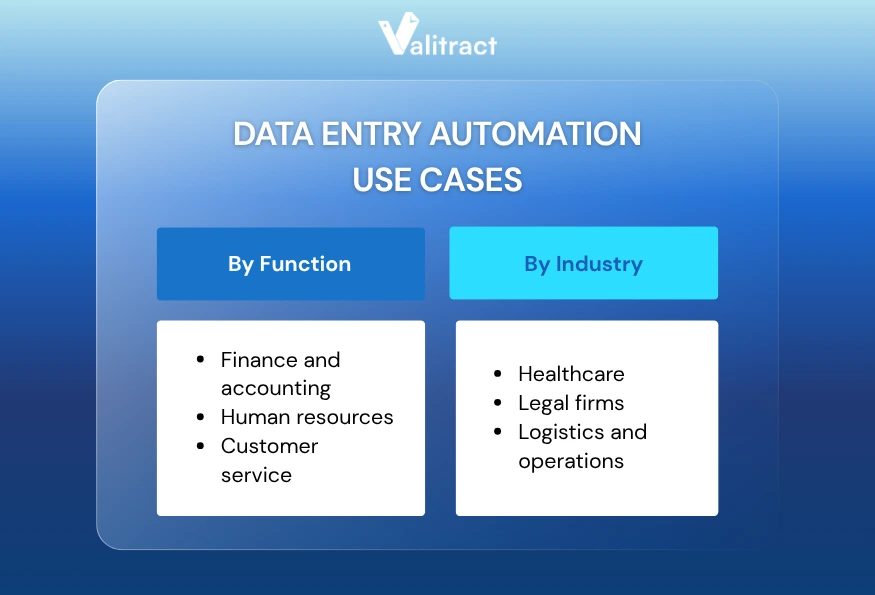
By Function
Finance and accounting
Finance teams process the highest volume of structured documents in most organizations: invoices, receipts, bank statements, purchase orders, and expense reports. Each document requires capturing 8-15 specific fields and matching them against existing records.
Automated extraction cuts accounts payable processing time by 70-80% for mid-size companies (IOFM, 2023). A controller at a 200-person company spending 20 hours per week on invoice entry can reduce that to 4-5 hours by automating capture and validation.
For a deeper look at the tools purpose-built for financial document extraction, see our guide on the top financial data extraction software.
Human resources
HR teams process onboarding documents, payslips, employment contracts, and benefit enrollment forms. Manual data entry into HRIS systems is error-prone and creates compliance risks when fields are missed or miskeyed.
Automation extracts employee name, ID number, role, salary, and start date from onboarding packets and populates the HRIS directly. This reduces onboarding data errors and cuts processing time from hours to minutes per new hire.
Customer service
Support teams handle inbound order forms, complaint documents, warranty cards, and account change requests. Each requires logging specific data into CRM or ticketing systems.
Automated capture reads the document, extracts the relevant fields, and creates the CRM record without a support agent typing it. The agent reviews and responds instead of transcribing.
IT and data governance
IT teams managing large document repositories need to classify, index, and archive files accurately. Manual tagging is inconsistent. Automated classification uses AI to read document content and assign the correct category, retention policy, and metadata.
By Industry
Healthcare
Hospitals and clinics process patient intake forms, insurance claims, lab results, and referral letters. Manual entry into EMR systems creates errors that affect patient care and billing accuracy. Automation extracts patient data, diagnosis codes, and insurance information directly from documents, reducing claims rejection rates.
Legal firms
Law firms process contracts, court filings, discovery documents, and engagement letters at high volume. Automated extraction identifies parties, dates, clauses, and financial terms, making contract review and due diligence faster and more consistent.
Logistics and operations
Logistics teams handle delivery notes, customs declarations, shipping labels, and bill of lading documents. A coordinator processing 200 delivery notes per day spends 3-4 hours on manual entry alone. Automation cuts that to 20-30 minutes of exception review.
Data Entry Automation Workflow
A standard data entry automation workflow moves documents through seven stages, from initial capture to final storage. Each stage reduces the chance of error that would otherwise reach downstream systems.
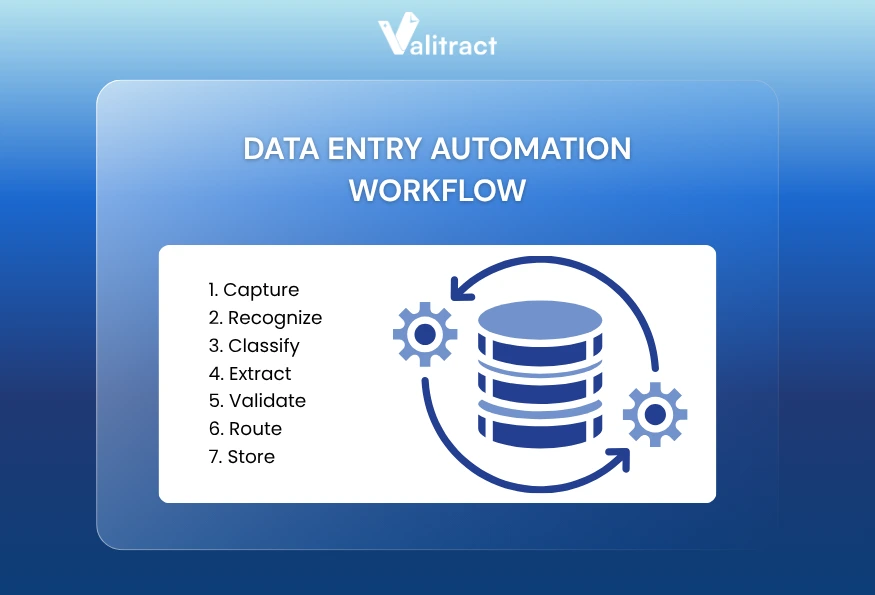
Here is how each stage works in practice.
1. Capture
The system ingests documents from multiple sources automatically. These sources include email attachments, scanner folders, cloud storage buckets, and web upload portals. Documents arrive in PDF, JPEG, PNG, TIFF, and other formats without requiring conversion.
2. Recognize
OCR reads the content of each document and converts image pixels into machine-readable text. This step makes the document searchable and prepares the text for field extraction. Accuracy at this stage depends on scan quality and whether the OCR engine is trained on similar document types.
3. Classify
AI reads the recognized text and determines what type of document it is. An invoice, a receipt, a purchase order, and a bank statement each have distinct structures. Correct classification ensures the right extraction model is applied in the next step.
4. Extract
The system pulls specific data fields from the classified document. For an invoice, this means vendor name, invoice number, date, line items, tax amount, and total due. The extraction model knows where to look based on document type and adapts to layout variations.
5. Validate
Business rules run automatically against the extracted data. The system checks for missing required fields, amounts outside expected ranges, duplicate invoice numbers, and mismatches against purchase orders. Exceptions are flagged for human review instead of passed downstream.
6. Route
Validated documents move to the next step in the workflow automatically. This may mean sending the document to an approver, triggering a payment run, posting data to an ERP, or firing a webhook to a connected system. No manual handoff is required.
7. Store
A digital copy of the original document is archived with full metadata, a searchable index, and an audit trail. Every action taken on the document is logged, including who reviewed it, when it was processed, and what values were extracted.
Pro tip: Most extraction errors happen at the Classify and Extract stages. When evaluating tools, test them on your actual documents, not vendor-provided samples. Edge cases in your specific document layouts will reveal accuracy gaps that benchmarks do not show.
What is the Most Effective Way to Automate Data Entry?
The right approach to automating data entry is to start with a single high-volume, well-defined process, measure the result, and expand from there. Trying to automate every process at once creates integration complexity and slows ROI.
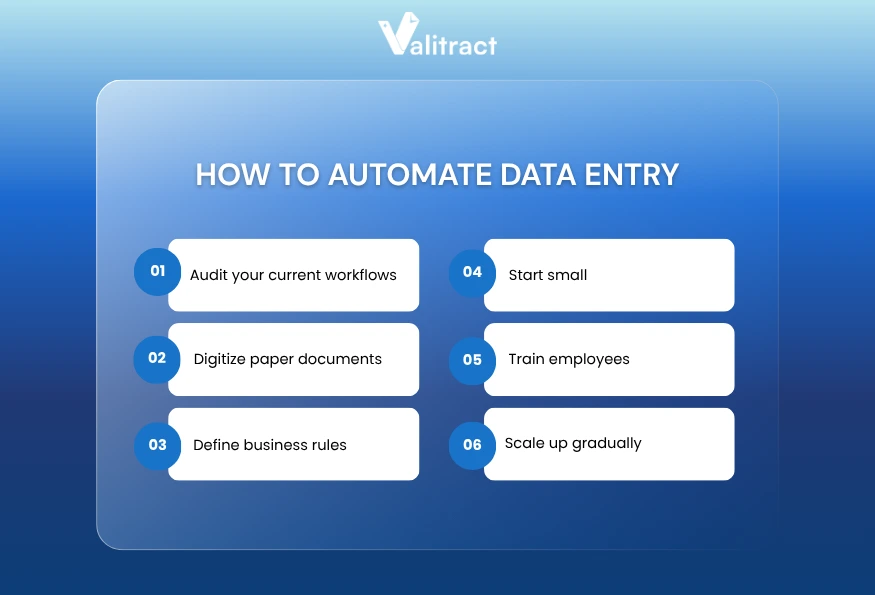
Follow these six steps to implement data entry automation successfully.
1. Audit your current workflows
List every process that involves manual data entry. For each one, record the document type, volume per month, average time per document, error rate, and downstream systems the data flows into. This audit reveals which processes have the highest automation ROI.
2. Digitize paper documents
Automation requires digital input. If your team still receives paper documents, set up a scanning workflow before implementing extraction software. Consistent scan quality (300 DPI minimum, no skew, no shadows) significantly improves OCR accuracy downstream.
3. Define business rules
Before deploying any tool, document what a valid record looks like for each document type. Which fields are required? What are the acceptable value ranges? What triggers a flag for human review? Defining these rules in advance makes the validation stage effective.
4. Start small
Choose one document type with high volume and clear structure. Supplier invoices are the most common starting point because their structure is predictable and their business rules (three-way matching, required fields) are well-defined. Run the automation in parallel with your manual process for 2-4 weeks to compare accuracy.
5. Train employees
Automation changes jobs, not eliminates them. Staff who previously entered data now review exceptions, manage the automation rules, and handle vendor queries. Train them on the new exception review workflow and explain how to escalate edge cases.
6. Scale up gradually
After confirming accuracy and time savings on the first document type, expand to the next highest-volume process. Each expansion is faster because infrastructure, integrations, and business rules are already partially in place.
How to Choose the Right Data Entry Automation Software
The data entry automation market spans document-focused OCR platforms, enterprise RPA suites, and no-code integration tools. No single solution fits every use case. Answer these four questions before evaluating vendors.
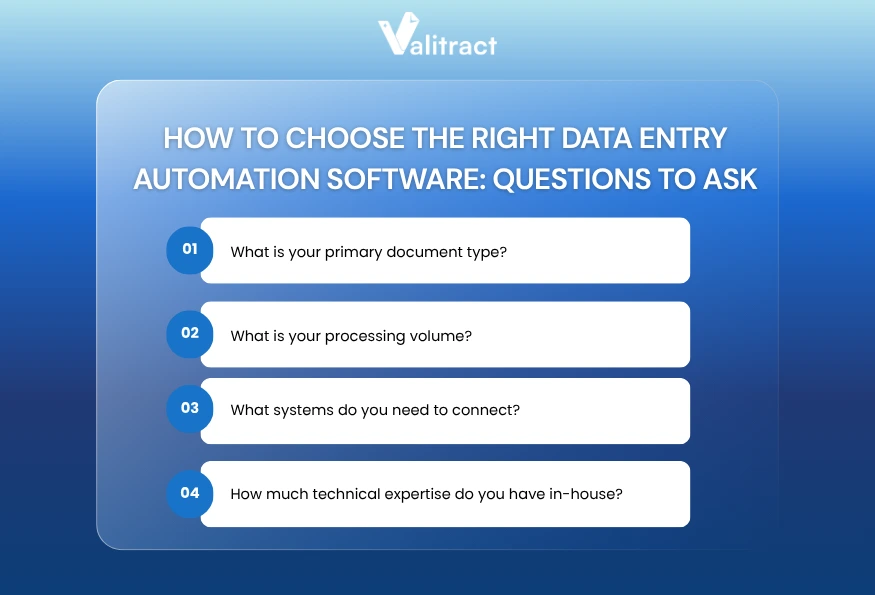
1. What is your primary document type?
If your team mainly processes invoices, contracts, or scanned forms, you need a document-centric platform with AI extraction built in. If data arrives via web forms, emails, or APIs, an integration-first tool like Zapier or Make may fit better. The document type determines the core capability you need.
2. What is your processing volume?
Low volume (under a few hundred documents per month) means no-code tools like Parseur are sufficient and cost-effective. High volume with multiple complex document types requires a platform with AI classification and the ability to build and maintain custom extraction models. Volume also affects pricing: per-page models become expensive at scale, while subscription models become cost-efficient.
3. What systems do you need to connect?
Identify your target systems before evaluating tools: ERP, CRM, accounting software, or custom database. A platform with native connectors to your existing stack (QuickBooks, SAP, Xero, Salesforce) will deploy faster than one requiring custom API work. Confirm integration depth: native connector vs. Zapier passthrough vs. direct API are meaningfully different.
4. How much technical expertise do you have in-house?
No-code and low-code tools let non-technical teams configure and maintain extraction workflows without developer help. RPA platforms like UiPath offer more flexibility for complex edge cases but require ongoing developer support to maintain. If your IT team is stretched, prioritize platforms with strong no-code configuration options.
Here is a quick comparison of tool categories to guide your shortlisting.
| Category | Best for | Examples | Technical requirement |
| AI OCR platforms | Document-heavy workflows, invoices, and contracts | Valitract, Rossum, Nanonets | Low to medium |
| No-code integration tools | Form data, email data, simple API flows | Zapier, Make.com, N8N | Low |
| RPA platforms | Complex multi-system workflows, legacy systems | UiPath, Automation Anywhere | High |
| Enterprise document management | Large-scale archive and compliance workflows | ABBYY, Kofax | High |
For a side-by-side breakdown of the top tools available today, read our full guide: Best Data Entry Automation Software in 2026.
Why choose Valitract for Data Entry Automation?
Valitract is an AI-powered document extraction platform that converts unstructured documents into structured, usable data. It covers the full automation workflow, from capture and OCR to field extraction, validation, and delivery to downstream systems.
Key Strengths
AI-powered OCR and extraction
Valitract extracts individual fields, line items, and complex tables from documents without requiring pre-configured templates. The AI reads document context to identify vendor names, dates, amounts, and custom fields you define. Extraction accuracy reaches 99.8% on standard printed documents, across invoices, receipts, contracts, ID documents, HR forms, and logistics paperwork.
Intelligent chunking and visual grounding
For long documents like contracts or multi-page reports, Valitract breaks content into logical sections and identifies the visual position of each extracted field. This makes it practical to extract specific clauses from a 50-page legal agreement or specific rows from a complex table, not just simple top-level fields.
AI-powered automated workflows
After extraction and validation, Valitract routes documents automatically based on rules you configure. An invoice above a certain amount goes to an approver. A document with missing fields is flagged for human review. A validated record is posted directly to your accounting system. The workflow runs without manual handoffs.
Multi-language and multi-format support
Valitract processes documents in 95+ languages and handles PDF, JPEG, PNG, TIFF, and 15+ other formats. For organizations with international suppliers or multilingual document intake, this eliminates the need for a separate translation or pre-processing step.
Fraud detection suite
On the Pro plan and above, Valitract includes automated fraud detection checks. The system flags documents with inconsistent fonts, mismatched metadata, unusual field relationships, or signs of digital manipulation. For finance teams processing high volumes of supplier invoices, this adds a layer of verification that manual review often misses.
Seamless integrations
Valitract connects natively to QuickBooks, SAP, Xero, Sage, Dynamics 365, NetSuite, Google Drive, Zapier, Make.com, N8N, and webhooks. The full REST API supports custom integrations into any system. No-code setup means most finance and operations teams can configure and manage integrations without developer involvement.
Data privacy compliance
Valitract is GDPR and HIPAA compliant. The platform uses enterprise-grade encryption, automatic data purge after configurable retention periods, and a strict no-training policy: your documents are never used to train models.
Best For
Valitract is the strongest fit for finance, accounting, HR, legal, and logistics teams processing structured documents at volume. It works well for both no-code teams who want to set up extraction via the dashboard and technical teams who want to integrate extraction into a product or internal tool via API.
The free tier covers 100 pages per month with no credit card required, making it practical to test against your actual documents before committing to a paid plan.

Future Trends in Data Entry Automation
The automation landscape is shifting quickly. These three trends will define how data entry automation works over the next 3-5 years.
AI and machine learning advancements
Current AI extraction models are trained on large document datasets and fine-tuned for specific document types. The next generation of models uses large language model (LLM) reasoning to handle documents with no fixed structure: narrative reports, free-form emails, and complex legal agreements. Extraction will become possible on documents that today still require human reading.
Increased use of cloud-based solutions
On-premise OCR installations are steadily declining in favor of agile deployments. Cloud platforms offer near-instant deployment, automatic model updates, and flexible per-page pricing that scales smoothly with document volume without requiring massive upfront capital infrastructure expenditure.
Enhanced security protocols
As automation handles more sensitive documents (ID cards, medical records, financial statements), security requirements are becoming stricter. Expect to see more platforms offering automatic data purge after processing, field-level encryption, audit trails that meet SOC 2 Type II requirements, and granular access controls at the document and field level.
FAQs about Data Entry Automation
What is data entry automation?
Automated data entry is the use of software to capture, read, extract, validate, and transfer data from documents and digital sources into business systems without manual typing. Instead of a person reading a document and keying values into a spreadsheet or ERP, software performs those steps automatically. Common applications include invoice processing, receipt capture, contract extraction, and HR form processing. The technology typically combines OCR, AI extraction, and business rule validation.
How do you automate data entry?
To automate data entry, start by auditing your highest-volume manual processes and identifying which document types are most repetitive and well-structured. Digitize any paper documents through scanning, then select an automation platform that fits your document type, volume, and technical capacity. Deploy on one document type first, run it in parallel with your manual process for 2-4 weeks to verify accuracy, then expand to additional document types. Most teams achieve measurable results within 30-60 days of deployment.
What are the risks of data entry automation?
The main risks are extraction errors on edge-case documents, integration failures between the automation platform and downstream systems, and staff resistance to workflow changes. Extraction errors are managed by defining clear validation rules and routing exceptions to human review rather than passing them directly to downstream systems. Integration failures are reduced by testing connections thoroughly before going live. Staff resistance is reduced by involving teams in the design process and focusing training on exception review rather than elimination of roles.
How can automation improve data accuracy?
Automation improves data accuracy by removing the human error sources that affect manual entry: fatigue, distraction, time pressure, and transcription mistakes. AI-powered extraction tools achieve 95-99%+ accuracy on standard printed documents, compared to manual data entry error rates of 1-4% (AIIM Industry Watch, 2022). Automation also adds a validation layer that manually entered data typically lacks: business rules run automatically on every document and flag discrepancies before they reach downstream systems.
What is the difference between RPA and data entry automation?
RPA (Robotic Process Automation) automates software interactions: clicking buttons, opening applications, copying and pasting data between systems. Data entry automation, specifically document-based automation, focuses on reading content from documents and extracting structured data. The two are complementary. An RPA bot might open an email, download an invoice attachment, and then pass it to a document automation platform for extraction. The extracted data is then posted back to an ERP by either the RPA bot or a direct API integration. For organizations with modern systems that support APIs, direct API integration is more reliable and faster than RPA.
What is automated data entry in accounting?
In accounting, automated data entry is the specific process of using AI and specialized software to extract financial data from invoices, receipts, and bank statements, then routing that data directly into accounting systems (like QuickBooks, Xero, or SAP) without human intervention. This minimizes costly bookkeeping mismatches and accelerates month-end closing times.
Concluding Thought
Automated data entry is not a future capability. It is available today, it works on the documents your team already processes, and it is accessible without a large IT project. The main barrier for most organizations is not technology; it is knowing where to start.
The most effective approach is to pick one high-volume process, test automation against your actual documents, and measure the result before expanding. Organizations that start small and measure carefully achieve full automation in 3-6 months. Those that try to automate everything at once rarely finish.
If your team is still spending hours each week on manual data entry, that time is available to reclaim.
Valitract extracts structured data from invoices, receipts, passports, contracts, HR forms, and 50+ other document types with 99.8% accuracy. Set up your extraction model in the no-code dashboard, connect to your ERP or accounting software, and your first document is processed in under 10 minutes. No templates to configure. No developer required.
GDPR and HIPAA compliant. 95+ languages supported. Free tier includes 100 pages per month with no credit card required.
Valitract – Next-gen AI-Powered Data Extraction Platform
- Email: contact@valitract.com
- LinkedIn: https://www.linkedin.com/company/valitract-api-platform
- X: https://x.com/valitract