Category: Blog

  • Top Receipt OCR Software: Features, Comparisons & How to Choose the Right One

    Top Receipt OCR Software: Features, Comparisons & How to Choose the Right One

    Receipt OCR software removes one of the most time-consuming tasks in expense management: manually entering data from paper receipts.

    Field teams collect paper receipts every day. Those crumpled slips of paper eventually land on an accountant’s desk for reconciliation.

    The moment that paper pile arrives, the clock starts on manual data entry. Typing vendor names and tax totals into an expense system burns valuable hours.

    Receipt OCR software changes this dynamic. By combining computer vision and AI, these platforms can read receipt layouts, extract key data points, and convert them into structured formats ready for downstream processing.

    This guide breaks down the top extraction platforms available today. We will explore how the technology works, compare the best software options, and show you how to choose the right receipt OCR API for your team.

    TL;DR

    AI-driven receipt OCR software replaces manual data entry by extracting transaction details from photos and scans without human keystrokes.

    • Input support: JPEG, PNG, WebP, HEIC, and multi-page PDFs.
    • Core technology: Layout-aware models read messy, crumpled, or faded receipts.
    • Data capture: The software extracts totals, tax amounts, dates, and vendor names automatically.
    • Output formats: Excel, JSON, Markdown, and HTML.
    • Language coverage: Top tools detect 200+ languages in a single pass.

    What is receipt OCR software?

    Receipt OCR software converts photos of physical receipts into structured digital text. The system maps unstructured visual elements to strict database fields.

    Rather than treating a receipt as plain text, the system analyses its visual layout, identifying elements such as vendor name, transaction date, line items, tax, and total amount, and mapping them into predefined data fields.

    This structured output can then be automatically transferred into expense management systems, accounting platforms, or internal databases via API integration, thus eliminating the need for manual data entry.

    Key Takeaway: Receipt OCR transforms flat image files into queryable database records without requiring human keystrokes.

    Key Benefits of Receipt OCR Software

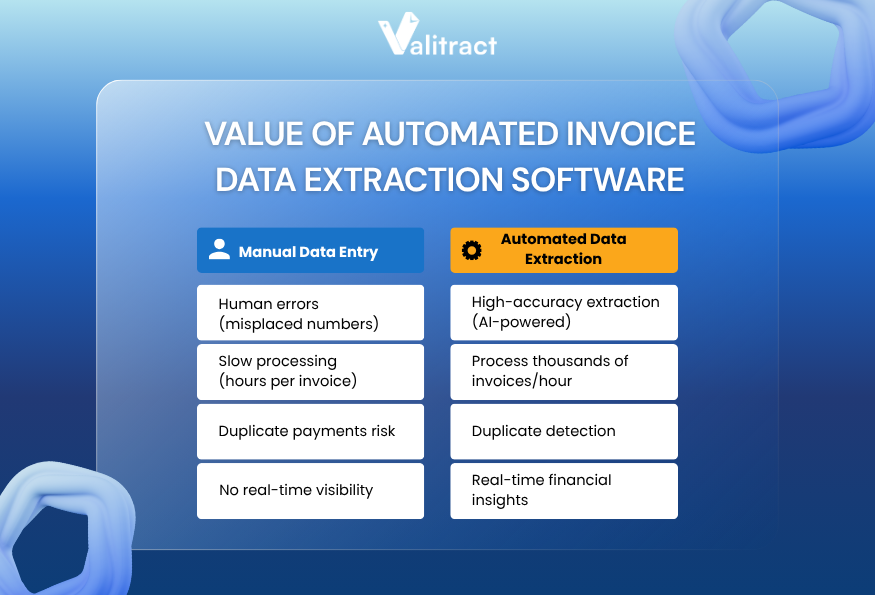
    Adopting receipt OCR software directly improves how expense data is captured, processed, and utilized across the organization. From reducing errors to enabling real-time financial visibility, these tools deliver measurable impact across both finance and operations.
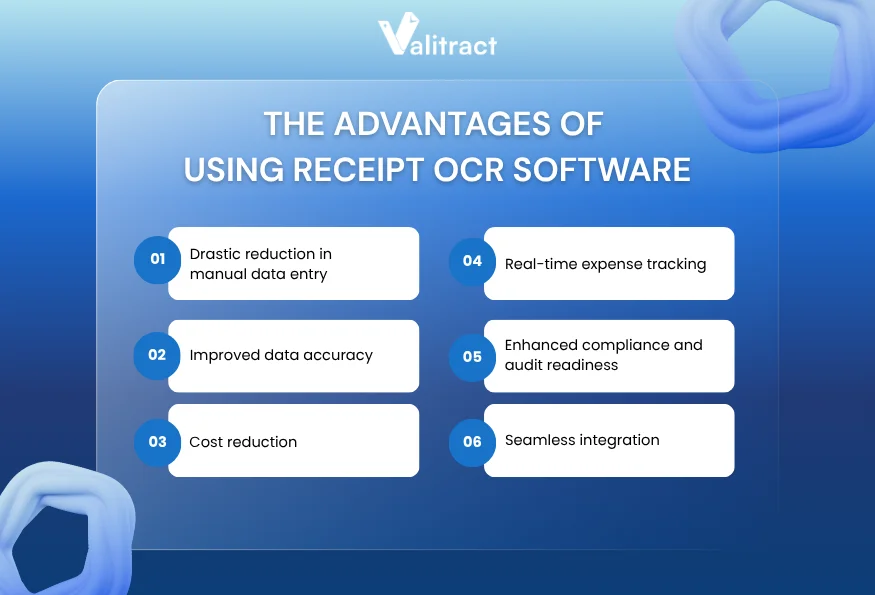
    Key Benefits of Receipt OCR Software

    Drastic reduction in manual data entry

    Manual extraction requires human eyes on every single receipt. A staff member reads a faded date and types it into a spreadsheet.

    Automated software eliminates this repetitive typing phase. Machine learning models maintain precise character matching across hundreds of receipts.

    Improved data accuracy

    Human fatigue introduces typos during long data entry shifts. A misplaced decimal point on a travel expense creates massive reconciliation issues.

    Layout-aware extraction models never lose focus. They read complex line items and return exact character matches without fatigue.

    Cost reduction

    Typing data consumes hours that finance professionals should spend on variance analysis. Automatic extraction cuts document intake time down to seconds per receipt.

    Companies flatten their operational expenses by eliminating the need for temporary data entry staff. The software scales up during heavy travel seasons without demanding additional headcount.

    Real-time expense tracking

    Delayed data entry leaves reporting dashboards days behind actual spending. Finance leaders need clear visibility into outstanding employee reimbursements.

    Receipt OCR software updates those dashboards the moment an employee uploads a file. The extracted data flows into the ledger, providing a real-time view of cash requirements.

    Enhanced compliance and audit readiness

    Manual tracking often misses duplicate expense submissions across different billing cycles. Extraction tools log transaction dates and totals the moment a document arrives.

    That immediate data capture flags exact matches early in the pipeline. You stop duplicate reimbursements before the cash leaves your corporate account.

    Seamless integration

    Extracted text needs a permanent destination to provide value. Receipt OCR API endpoints let developers pipe the output into core accounting systems.

    Exporting to a JSON format makes that system integration seamless for engineering teams. The data drops into your database without intermediate CSV cleanup steps.

    Key Takeaway: Automated receipt capture trades slow manual workflows for speed, high accuracy, and real-time visibility into company spending.

    Top 10 Receipt OCR Software

    Evaluating the best receipt OCR software requires looking at the core extraction engine. Different platforms serve entirely different accounting environments and user personas.

    Quick Comparison Table

    SoftwarePricing ModelBest ForCore TechnologyIntegration
    ValitractFree + Tiered (Pay-as-go / Sub)Mid-size financeTemplate-free AIGoogle Drive, Zapier, Make.com, N8N, Webhooks, API, Automation Expert
    KlippaMonthly subField operationsMobile layout AIWhatsApp, Telegram, Slack, Google (Drive/Gmail), Dropbox, Docker, Outlook, OpenAI, odoo…
    LidoMonthly subSmall businessSpreadsheet AICustom ERP Integrations
    TurboDocVolume tiersLean teamsEmail parsingZoho, Sage, Stripe, SAP, Xero, Wave, Oracle NetSuite,…
    NanonetsPay-as-you-goTechnical teamsCustom MLOutlook, Google Drive, Dropbox, SharePoint, Gmail, Notion, Airtable, Zapier, FTP,…
    XeroIncludedXero usersBasic OCRHundoc, Stripe, Deputy, Shopify,…
    Google CloudPay-as-you-goProduct buildsCloud visionGoogle Cloud Ecosystem, Google Workspace, n8n, Zapier/ Make
    DextMonthly subAccounting firmsRule-based MLAccounting Software (Xero, Sage, Zoho, Zapier,…)
    ExpensifyPer-user feeGlobal teamsAP Workflow AIQuickBooks, NetSuite, Sage Intacct, Xero, Workday, Gusto,…
    ABBYYCustom EnterpriseLegacy systemsCognitive OCROn-premise option, UiPath, Automation Anywhere, Blue Prism, SAP,…

    Source: Market analysis of extraction vendor specifications (2026).

    1. Valitract

    Valitract is an AI-powered OCR and data extraction platform designed for teams that need to process documents at scale, without the complexity of template setup or heavy IT involvement.
    Top Receipt OCR Software_Valitract

    Unlike traditional tools that rely on fixed coordinates, Valitract uses visual AI and layout-aware extraction to understand receipt structures dynamically. This allows it to accurately capture key data from a wide range of vendor formats, even when layouts vary significantly.

    The platform is built for both business users and technical teams. Non-technical users can validate extracted data through an intuitive, side-by-side interface, while developers can integrate the system seamlessly via a robust receipt OCR API.

    • Key Features: Template-free extraction, visual validation interface.
    • Pros: Fast implementation timeline, intuitive screen layout.
    • Cons: Struggles with blurry cursive handwriting.
    • Pricing: Usage-based billing.
    • Best For: Mid-size finance departments avoiding heavy IT deployments.

    2. Klippa

    Klippa DocHorizon specializes in high-volume receipt processing for mobile-first workflows. The system excels at reading crumpled receipts photographed in bad lighting.

    That mobile optimization makes it perfect for field service teams tracking daily expenses. The layout-aware model parses complex European VAT tables accurately.

    • Key Features: Mobile-optimized capture engine, strong European tax handling.
    • Pros: Great smartphone image handling, strong GDPR compliance.
    • Cons: Interface feels geared more toward developers than finance clerks.
    • Pricing: Tiered monthly subscription.
    • Best For: Field-heavy operations requiring mobile document capture.

    3. Lido

    Lido targets spreadsheet workflows by embedding extraction directly into a grid interface. Users connect their email inbox and extract receipt data straight into rows.

    This approach keeps financial data highly visible during the extraction process. Teams build custom approval formulas right next to the extracted text.

    • Key Features: Spreadsheet-native extraction, automated email fetching.
    • Pros: Extremely gentle learning curve, flexible formula-based routing.
    • Cons: Lacks developer API endpoints for custom software.
    • Pricing: Flat monthly subscription.
    • Best For: Small business operations running heavily on spreadsheet logic.

    4. TurboDoc

    TurboDoc delivers a lightweight solution focused on email attachments. The tool reads incoming PDFs and pushes the extracted text to downstream apps.

    That simple routing works well for lean teams using basic webhooks. Users highlight the receipt fields once, and the software handles future emails.

    • Key Features: Email parsing, point-and-click template building.
    • Pros: Excellent native integrations with workflow tools.
    • Cons: Less effective on dense, multi-page legacy documents.
    • Pricing: Tiered volume pricing.
    • Best For: Small teams capturing data from automated email receipts.

    5. Nanonets

    Nanonets provides a powerful platform for teams that want to train specific data models. The system learns custom fields fast from a small set of historical receipts.

    That custom training capability solves edge cases that trip up pre-trained software. Developers leverage robust webhook documentation to route the final data.

    • Key Features: Custom model training, intelligent table extraction.
    • Pros: High accuracy on unusual layouts, excellent developer resources.
    • Cons: Training custom models requires upfront time investment.
    • Pricing: Pay-as-you-go per document.
    • Best For: Technical teams dealing with highly non-standard billing documents.

    6. Xero

    Xero integrates basic receipt capture directly into its broader cloud accounting ecosystem. Users snap photos using the mobile app to sync with their core ledger.

    That tight integration reduces the monthly bank reconciliation process significantly. The software handles basic header data well for accurate ledger coding.

    • Key Features: Native cloud accounting integration, mobile app upload.
    • Pros: Seamless sync for existing Xero platform users.
    • Cons: Basic extraction features compared to standalone API tools.
    • Pricing: Included in standard Xero subscriptions.
    • Best For: Small businesses already operating inside the Xero ecosystem.

    7. Google Cloud Vision API

    Google Cloud Vision delivers a pure developer experience for text recognition. The service offers API endpoints for immediate document parsing within the Google ecosystem.

    That API-first approach lets engineering teams build extraction features into their own applications. The engine scales limitlessly based on server demand.

    • Key Features: Highly scalable cloud infrastructure, robust basic OCR.
    • Pros: Limitless scaling, fast processing speed.
    • Cons: Requires heavy developer effort to structure the raw text output.
    • Pricing: Pay-as-you-go per API call.
    • Best For: Software product teams building custom cloud applications.

    8. Dext

    Dext caters heavily to accounting firms managing multiple client portfolios. The platform standardizes receipt capture across dozens of different business entities.

    That standardization speeds up the monthly reconciliation process for bookkeepers. The mobile application allows clients to submit physical receipts on the go.

    • Key Features: Accounting firm dashboard, mobile receipt capture tools.
    • Pros: Seamless integrations with major accounting software.
    • Cons: Limited custom metadata fields for complex workflows.
    • Pricing: Monthly subscription based on user count.
    • Best For: Independent bookkeepers and client-facing accounting firms.

    9. Expensify

    Expensify combines receipt extraction with actual payment execution inside a single platform. The system reads the incoming receipt and routes it through an approval chain.

    That integrated workflow eliminates the gap between data capture and cash disbursement. Users manage the entire reimbursement lifecycle inside one unified interface.

    • Key Features: End-to-end payment workflow, smart scan technology.
    • Pros: Strong compliance routing, broad external integration network.
    • Cons: Complex pricing structure scales poorly for massive teams.
    • Pricing: Per-user monthly fee.
    • Best For: Companies needing complete, out-of-the-box expense management.

    10. ABBYY

    ABBYY FlexiCapture serves massive enterprise environments dealing with established legacy systems. The platform offers deep cognitive OCR capabilities refined over decades.

    That deep capability handles strict corporate compliance requirements. The tool scales reliably to process millions of receipt images per month.

    • Key Features: Massive enterprise scalability, advanced cognitive text capture.
    • Pros: Handles high-complexity documents, massive global partner network.
    • Cons: Very expensive deployment requires certified integration partners.
    • Pricing: Custom enterprise licensing.
    • Best For: Global corporations migrating immense volumes of physical receipts.

    Key Takeaway: The ideal tool depends entirely on your architecture. Choose API-first platforms for custom builds, or end-to-end platforms for strict expense management.

    How Does the Receipt OCR Software Work?

    Understanding how receipt OCR software works helps teams evaluate which solution can handle real-world document complexity. While most tools follow a similar pipeline, the difference lies in how accurately and efficiently each step is executed.

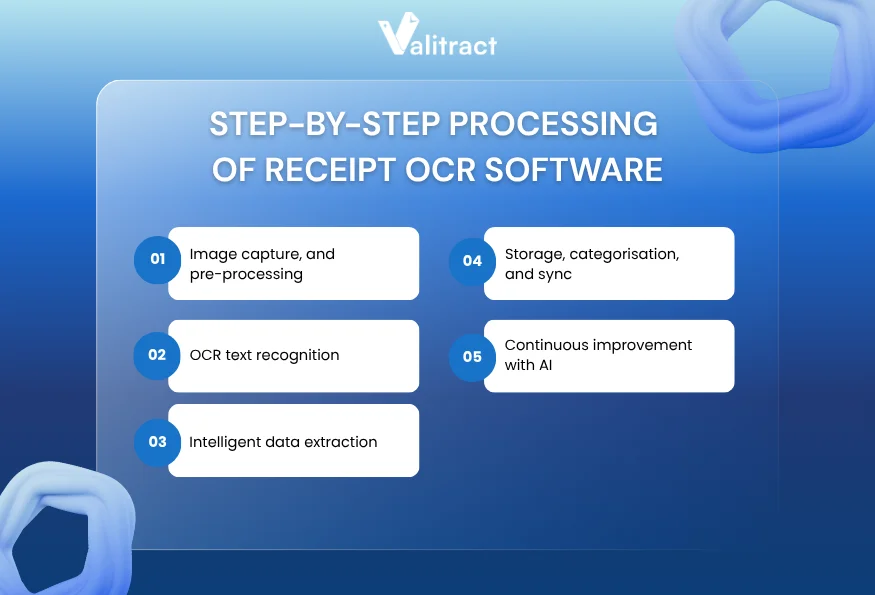
    Below is a step-by-step breakdown of how modern OCR systems process receipt data, from image capture to structured output via a receipt OCR API.
    How Does the Receipt OCR Software Work?

    Step 1: Image capture and pre-processing

    The process begins the moment a user photographs a receipt. The platform ingests the image file, whether it is a JPEG, PNG, or HEIC format.

    That ingestion phase normalizes the image resolution. The system straightens skewed pages and adjusts bad lighting before attempting any text extraction.

    Step 2: OCR text recognition

    After capturing the image, the software reads the raw pixels on the page. It identifies individual letters and numbers across the entire document.

    This text recognition step converts visual shapes into basic machine-readable text strings. The raw text remains unstructured at this stage.

    Step 3: Intelligent data extraction

    Once the software maps the raw text, layout analysis takes over. The system looks for spatial relationships between the words and numbers.

    It understands that a number sitting next to the word “Tax” represents a specific financial value. This semantic understanding pulls the exact transaction details you need.

    Step 4: Storage, categorisation, and sync

    Extracted text needs a permanent destination. The software packages the final data into a clean JSON format or an Excel file.

    That structured payload drops directly into your ERP through an API connection. The system categorizes the expense based on the extracted vendor name.

    Step 5: Continuous improvement with AI

    Modern extraction engines track their own performance. If a user corrects a misread total on the review screen, the model registers that feedback.

    That continuous feedback loop improves baseline accuracy over time. The machine learns from every human correction to improve future reads.

    Key Takeaway: Receipt OCR connects an unstructured photo to a structured database through a series of automated layout checks.

    Traditional OCR vs AI-Powered Receipt OCR Software

    Not all OCR solutions are built the same. Understanding the difference between traditional OCR and AI-powered approaches is essential when choosing the right receipt OCR software for your workflow.

    Limitations of Traditional OCR

    Traditional OCR relies heavily on fixed coordinate templates. The system requires key data points, such as totals or tax amounts, to be positioned consistently throughout all documents.

    This approach is effective for highly standardized formats, but it is not suitable for real-world scenarios where flexibility is required. Even minor alterations, such as variations in receipt size or layout, can result in the system misreading or completely missing critical data.

    As a result, teams often need to manually adjust templates or reprocess documents, reducing efficiency and scalability.

    How AI-Powered Receipt OCR Software Solves This

    AI-powered solutions take a fundamentally different approach.

    Instead of relying on fixed positions, they use layout-aware models to understand the visual structure of each receipt. By analyzing the surrounding context, the system can correctly identify fields like total amount, tax, and vendor, even when layouts vary significantly.

    This makes AI-based tools far more reliable for processing unstructured and diverse receipt formats.

    If you’re exploring similar AI-driven solutions, this guide on AI data extraction tools provides a broader comparison of how different platforms handle unstructured data across use cases:

    Key Takeaway: AI-powered extraction replaces brittle, coordinate-based templates with dynamic models that understand financial context.

    Essential Features of Receipt OCR Tools

    To handle real-world expense workflows effectively, the solution must combine accurate data extraction with automation, integration, and reporting capabilities. The features below highlight what truly matters when evaluating a modern receipt OCR software.

    Automated data extraction

    The core engine must capture the merchant name, date, tax, and total amount without user intervention. Good extraction methods highlight low-confidence fields for fast human review.

    Handwriting recognition

    Restaurant servers often write the final tip amount by hand. Your chosen software needs computer vision models trained specifically to read cursive ink strokes.

    Automated categorization

    Extracting the data represents only half the battle. The tool must map a “Delta Airlines” receipt directly to the “Travel” expense category in your ledger.

    Comprehensive expense reporting

    Finance teams need clear visibility into spending trends across departments. Look for software that generates aggregated expense reports from the extracted receipt data.

    Cloud-based centralized storage

    Physical paper receipts fade fast. A digital archive provides a permanent, searchable cloud database for future audit inquiries and compliance checks.

    Multi-format compatibility

    Employees submit receipts in wildly varied file formats. The best receipt OCR software supports JPEG, PNG, WebP, HEIC, and multi-page PDFs natively.

    Key Takeaway: Prioritize software that handles modern image formats natively to prevent bottlenecks when employees upload smartphone photos.

    What to Pay Attention to When Choosing a Receipt OCR Software

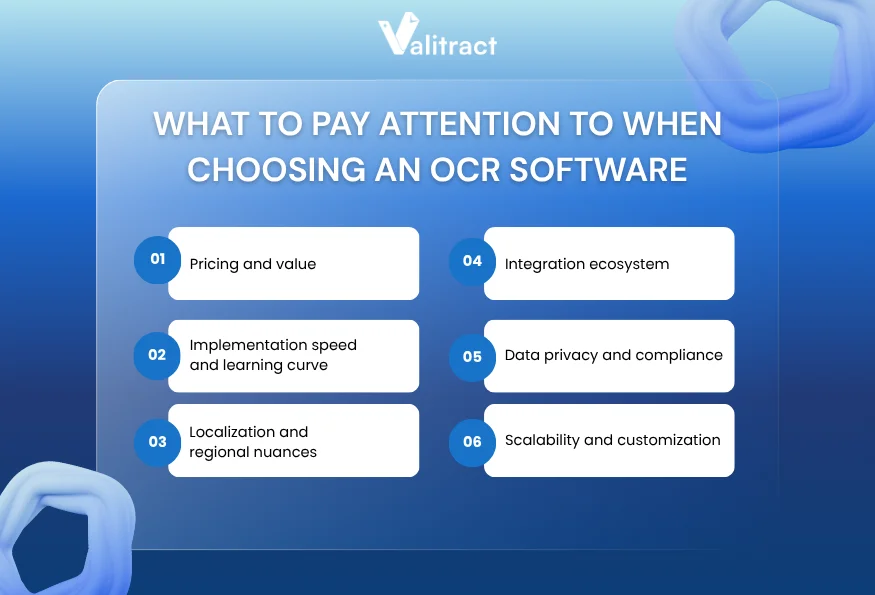
    The considerations below highlight critical factors that often determine whether an OCR solution delivers real value at scale.
    What to Pay Attention to When Choosing an OCR Solution

    Pricing and value

    Software pricing scales based on document volume. A tool charging per-receipt fees looks cheap initially, but becomes expensive at scale.

    Calculate your historical peak volume before signing a vendor contract. Match the pricing model to your business cycle to avoid massive overage charges.

    Implementation speedand learning curve

    A powerful computer vision model fails if your accounting team cannot operate the user interface. Non-technical teams require a clean, intuitive review screen.

    Localizationandregional nuances

    Global vendors send receipts with varied currency symbols and date formats. Apps like Doc.AI support 200+ languages, handling international character sets without manual configuration.

    Integration ecosystem

    Extracted data serves no operational purpose if it stays trapped inside the OCR platform. Review the developer documentation for clear REST API endpoints.

    Data privacy and compliance

    Financial documents contain sensitive corporate pricing data. Verify the vendor holds standard compliance certifications like SOC 2 Type II for your operating region.

    Scalability and customization

    Enterprise growth means processing more receipts during busy travel seasons. Ensure the extraction engine processes massive batch uploads without timing out your cloud servers.

    Key Takeaway: Define your integration endpoints clearly so you know exactly where the resulting JSON data needs to land.

    Final Thoughts: Pick Your Best Receipt OCR Scanner

    Receipt OCR software is a critical component of modern expense management. By eliminating manual data entry, businesses can streamline reimbursement workflows, reduce errors, and process receipt data at scale.

    Traditional OCR systems often rely on rigid templates that break when receipt formats change. In contrast, AI-powered solutions adapt dynamically by understanding document context, ensuring consistent accuracy across varied layouts and formats.

    A robust platform should support multiple file types, global languages, and flexible output formats. Solutions like Valitract enable teams to export structured data into formats such as JSON or Excel, making it easy to integrate with accounting systems, ERPs, or internal databases.

    If your team processes high volumes of complex receipts, matching the right layout-aware mode saves countless hours.

    To find out more about how to automate the extraction of expenses from your pipeline with reliable, developer-friendly extraction models, get in touch with Valitract today.


    Valitract – Next-gen AI-Powered Data Extraction Platform

    Frequently Asked Question

    How does the accuracy of receipt OCR software compare to manual entry?

    AI models handle massive document batches with extreme consistency, often surpassing human accuracy. Human typists suffer from fatigue, which steadily increases error rates during long shifts. Machine learning models maintain precise character matching across thousands of receipts.

    Can OCR software read wrinkled, faded, or blurry receipts?

    Yes. Modern extraction tools include preprocessing engines that enhance image quality. They adjust contrast and sharpen text before extraction. Advanced layout models read crumpled documents accurately by understanding the surrounding semantic context.

    What’s the pricing for receipt OCR software?

    Pricing models vary based on the vendor and document volume. Developer APIs typically charge a fraction of a cent per API call. Enterprise platforms charge flat monthly subscription fees that include user licenses and complex workflow routing features.

    What is the difference between traditional OCR and AI-powered receipt OCR software?

    Traditional OCR simply converts dark pixels into plain text strings based on strict spatial coordinates. AI-powered extraction understands the actual meaning of that text. The AI knows a specific number is a tax total based on its position near the bottom of the receipt.

    Does the software support multiple currencies and languages?

    Top extraction platforms support international formats natively. They read varying currency symbols and regional date formats right out of the box. Advanced tools auto-detect hundreds of languages in a single pass without any manual user configuration.

    How can I test the accuracy of receipt OCR software

    You must run your own messy receipts through the software during a pilot phase. Never rely on vendor demonstrations using pristine digital files. Testing blurry smartphone photos reveals exactly how the engine handles low-contrast text in real-world conditions.
  • Top 9 Bank Statement Extraction Software: A Complete Guide to Choosing the Right Tool

    Top 9 Bank Statement Extraction Software: A Complete Guide to Choosing the Right Tool

    Bank statement extraction software is transforming how finance teams handle high-volume transaction data. Instead of manually reviewing statements line by line, businesses can now automatically convert complex PDFs into structured, usable data within seconds.

    Accounting teams spend countless hours reviewing bank statements at the end of every month. Staff members read long transaction tables and type individual line items into reconciliation spreadsheets.

    That manual workflow creates severe operational bottlenecks. A financial analyst processing high-volume statements loses substantial productivity to repetitive typing tasks.

    Bank statement extraction software eliminates this manual bottleneck entirely. These platforms read complex financial layouts, capture exact transaction rows, and route structured text directly to your database.

    This guide breaks down the core technology behind modern financial extraction. We will compare the top platforms available and outline a framework for selecting the right tool for your engineering and finance teams.

    TL;DR

    Bank statement extraction software uses layout-aware models to capture complex transaction tables without rigid coordinate templates.

    • Core technology: Machine learning identifies row boundaries and running balances dynamically.
    • Table handling: Advanced tools preserve multi-page column structures intact.
    • Supported inputs: PDF, JPEG, PNG, WebP, and HEIC files.
    • Output formats: Excel, JSON, Markdown, and HTML.
    • Language coverage: 200+ languages, auto-detected.

    Understanding Bank Statement Extraction Software

    What is bank statement extraction software?

    Bank statement extraction software transforms static document images into structured database records. The system ingests a financial file, identifies the tabular data, and generates a queryable output.

    That machine-readable output flows straight into an accounting system or ERP. You bypass the keyboard completely, moving data from a static PDF to a live ledger in seconds.

    Core functions

    The software relies on computer vision to analyze the spatial layout of the page. It locates header information before moving down into the dense transaction rows.

    This layout analysis separates intelligent software from a generic text reader. The system understands that a number sitting in the far-right column represents a running balance.

    How it differs from invoice OCR

    Not all document extraction is created equal. Invoice OCR software typically focuses on identifying scattered key-value pairs such as total amount, vendor name, or due date.

    Bank statements, however, present a more complex challenge.

    They require continuous table extraction across multiple pages, with strict alignment between rows and columns. Even a small misalignment can break the entire dataset.

    What data can be extracted from bank statements?

    Financial documents contain a specific hierarchy of information. The extraction engine starts by capturing account holder details, bank names, and statement date ranges from the header.

    The true value lies inside the transaction grid. The system pulls individual transaction dates, raw descriptions, debit amounts, credit amounts, and the running account balance.

    Those grid elements demand precise spatial capture. If the model shifts a credit amount into the debit column, the entire downstream reconciliation fails.

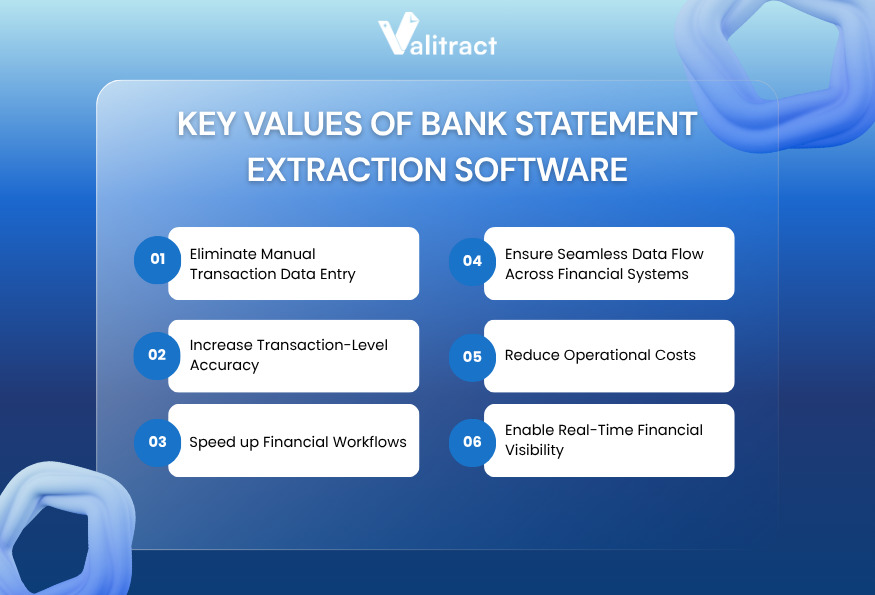
    Key Benefits of Bank Statement Extraction Software

    Adopting bank statement extraction software fundamentally changes how financial data flows across your organization. From improving accuracy to enabling real-time visibility, the benefits extend across both finance and engineering workflows.

    Key Benefits of Bank Statement Extraction Software

    Eliminate manual transaction data entry

    Human typists introduce errors during repetitive data entry tasks. A single transposed number on a high-value transaction creates massive reconciliation headaches.

    Extraction software removes that manual typing phase from your workflow. Machine learning models maintain exact character matching across hundreds of dense pages.

    Increase transaction-level accuracy

    Generic OCR systems break down when a bank changes its document layout. If the transaction table shifts down two inches, a legacy template fails to read it.

    Online bank statement extraction software adapts to layout shifts dynamically. The system reads the surrounding context to find the right column boundaries.

    Speed up financial workflows

    Typing line items by hand consumes hours of operational time. A finance clerk might spend thirty minutes transcribing a single multi-page statement.

    Automated extraction tools reduce that time to seconds. The engine extracts the text, structures the layout, and routes the payload.

    Ensure seamless data flow across financial systems

    Extracted text requires a permanent destination. The software packages the final data into a clean, structured JSON format.

    That structured payload drops directly into your ERP through an API connection. Engineering teams use this pipeline to sync data without intermediate spreadsheet cleanup.

    Reduce operational costs

    Processing statements by hand requires significant labor hours. Finance departments must hire temporary staff during tax season to clear the backlog.

    Automated platforms handle volume spikes without requiring additional headcount. You keep operational expenses flat even as your client base grows.

    Enable real-time financial visibility

    Finance leaders need clear visibility into cash flow to make strategic decisions. Manual processing delays visibility, leaving reporting dashboards days behind.

    Extraction software updates those dashboards faster than manual entry ever could. As soon as a statement arrives, the transaction data flows into the core ledger.

    Top 9 Bank Statement Extraction Software 2026

    Evaluating extraction tools requires examining the underlying technical architecture. Different platforms serve entirely different accounting environments.

    Table comparison

    SoftwarePricingExtraction ApproachTable HandlingValidation/VerificationIntegration Depth
    ValitractFree + Tiered (Pay-as-go / Sub)Visual AI, Layout-preserving OCRHigh accuracyConfidence score,  Analytics dashboardREST API, Zapier, Make, N8N, Webhooks
    NanonetsPay-as-you-goCustom ML modelsCustom rulesConfidence scoresFull REST API
    DocsumoTiered volumePre-trained AINative gridsSmart anomaly checkFull REST API
    KlippaMonthly subLayout-awareMobile optimizedBasic flaggingFull REST API
    ParsioTiered volumeTemplate & AIBasic gridsManual reviewZapier / Webhooks
    ABBYYCustom EnterpriseCognitive OCRDeep rulesEnterprise routingLegacy systems
    HyperscienceCustom EnterpriseHuman-in-the-loopComplex tablesOperator routingFull REST API
    TofuTiered monthlyDeep learningNested rowsCode-levelGraphQL API
    ParseurUsage-basedTemplate routingEmail tablesBasicZapier / Webhooks

    Source: Product documentation review (2026).

    Top AI Bank Statement Extraction Software

    1. Valitract

    Valitract is an AI-powered OCR and data extraction platform built for teams who need to automate document processing without heavy IT involvement. The platform handles unformatted documents of any layout through layout-preserving AI extraction, eliminating the need for rigid templates.

    Top AI Bank Statement Extraction Software_Valitract
    • Key Features: Template-free extraction, AI-powered extraction with customizable fields and labels, structured output in JSON, XLS, and CSV, batch processing, and support for 95+ languages across PDFs, images, screenshots, and scans.
    • Technical Strengths: Strong out-of-the-box accuracy for standard US and EU banks; confidence scoring and an analytics dashboard; integrations with Zapier, Make, N8N, Webhooks, and ERP systems, including NetSuite, QuickBooks, SAP, and Xero.
    • Limitations: Lacks deep currency conversion tools for obscure markets.
    • Best For: Mid-size finance departments avoiding heavy IT deployment.

    2. Nanonets

    Nanonets provides a powerful platform for technical teams. The system learns custom fields rapidly from a small set of historical bank statements.

    That custom training capability solves edge cases that trip up pre-trained software. Developers leverage robust webhook documentation to route the data.

    • Key Features: Custom model training, intelligent table parsing.
    • Technical Strengths: High accuracy on unusual or regional bank layouts.
    • Limitations: Training custom models requires upfront time investment.
    • Best For: Technical teams dealing with non-standard financial documents.

    3. Docsumo

    Docsumo relies on machine learning models pre-trained specifically for financial documents. The system works immediately for bank statements out of the box.

    Those pre-trained models solve the cold-start problem entirely. The platform flags mathematical anomalies automatically, ensuring ledgers remain balanced.

    • Key Features: Pre-trained financial models, smart anomaly detection.
    • Technical Strengths: Verifies running balances against individual line items.
    • Limitations: Limited native reporting dashboards.
    • Best For: Financial services processing standard monetary documents.

    4. Klippa DocHorizon

    Klippa DocHorizon specializes in high-volume processing for mobile-first workflows. The system excels at reading crumpled or photographed bank statements.

    That mobile optimization makes it perfect for field teams. The layout-aware model parses complex European transaction tables accurately.

    • Key Features: Mobile-optimized capture engine, strong European bank handling.
    • Technical Strengths: Corrects skewed images and bad lighting before extraction.
    • Limitations: The interface feels geared more toward developers than finance clerks.
    • Best For: Operations requiring mobile document capture.

    5. Parsio

    Parsio delivers a lightweight solution focused on email attachments. The tool reads incoming PDFs and pushes the extracted text to downstream apps.

    That simple routing works well for lean teams using basic webhooks. Users highlight the transaction table once, and the software handles future emails.

    • Key Features: Email parsing, point-and-click template building.
    • Technical Strengths: Excellent native integrations with Zapier and Make.
    • Limitations: Less effective on dense, multi-page legacy documents.
    • Best For: Small teams capturing data from automated bank emails.

    6. ABBYY FlexiCapture

    ABBYY FlexiCapture serves massive enterprise environments dealing with established legacy systems. The platform offers deep cognitive OCR capabilities refined over decades.

    That deep capability handles strict corporate compliance requirements. The tool scales reliably to process millions of pages per month.

    • Key Features: Massive scalability, advanced cognitive text capture.
    • Technical Strengths: Unmatched volume handling and complex rule building.
    • Limitations: Expensive deployment requires certified integration partners.
    • Best For: Global corporations migrating immense volumes of physical paper.

    7. Hyperscience

    Hyperscience tackles the most complex unstructured documents in regulated industries. The platform uses a deliberate human-in-the-loop approach to maintain perfect accuracy.

    That system routes uncertain text snippets to operators for verification. The machine learns from every human correction to improve future reads.

    • Key Features: Human-in-the-loop routing, high-accuracy validation.
    • Technical Strengths: Exceptionally strong at reading blurry or degraded scans.
    • Limitations: Costly enterprise deployment process.
    • Best For: Complex enterprise workflows handling messy inputs.

    8. Tofu

    Tofu targets high-volume operations requiring deep integration with custom software. The tool uses advanced deep learning models to parse complex tables.

    Those deep learning models handle bank statements with varying column widths natively. Engineering teams appreciate the robust GraphQL API for data querying.

    • Key Features: Deep learning engine, developer-first architecture.
    • Technical Strengths: GraphQL API enables precise, minimal data payloads.
    • Limitations: Steep learning curve for non-technical users.
    • Best For: Enterprise operations teams with dedicated software developers.

    9. Parseur

    Parseur specializes in pulling structured text from incoming emails. The system reads the email body and maps distinct tabular values to database fields.

    That focus makes Parseur a fast solution for lean accounting firms. You can build a bank statement extraction software free trial workflow in minutes.

    • Key Features: Visual template building, automatic table detection.
    • Technical Strengths: Sub-second processing speed for standard digital PDFs.
    • Limitations: Limited bulk parallel processing for massive historical uploads.
    • Best For: Small accounting practices routing daily banking emails.

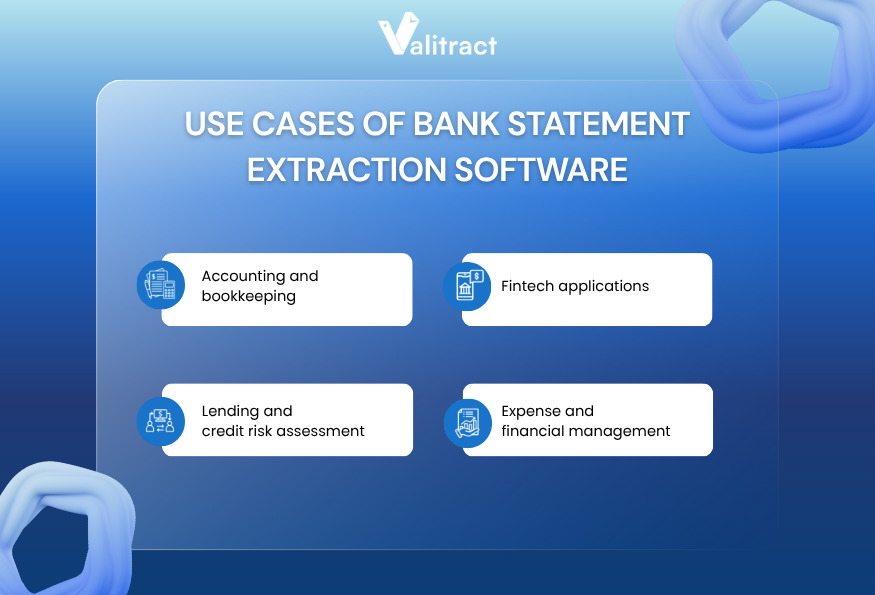
    Use Cases of Bank Statement Extraction Software

    Beyond efficiency gains, bank statement extraction software plays a critical role across multiple financial workflows. From accounting operations to fintech product development, these tools help teams process large volumes of financial data faster, more accurately, and at scale.

    Use Cases of Bank Statement Extraction Software

    Accounting and bookkeeping

    Accounting teams often handle large volumes of client bank statements every month, making manual data entry a major bottleneck.

    With automated extraction, transaction tables can be captured and exported directly into accounting systems or spreadsheets.

    Impact: Processing time is reduced from days to hours, while minimizing manual errors during reconciliation.

    Lending and credit risk assessment

    Financial institutions rely on bank statements to verify income and assess borrower risk.

    Extraction tools enable teams to quickly parse transaction data and generate structured outputs for analysis.

    Impact: Loan processing and decision-making cycles become significantly faster, improving both operational efficiency and customer experience.

    Fintech applications

    Fintech platforms often need to analyze user financial data without requiring direct bank integrations.

    By integrating bank statement extraction software, applications can process uploaded statements and extract transaction data for downstream analysis.

    Impact: Users gain access to accurate spending insights and financial dashboards without sharing live banking credentials.

    Expense and financial management

    Organizations managing multiple bank accounts—especially across regions—face challenges in tracking and consolidating financial data.

    Extraction tools standardize transaction data across different formats and currencies.

    Impact: Finance teams gain clearer, near real-time visibility into spending patterns and can make more informed budgeting decisions.

    How to Choose the Right Bank Statement Extraction Software

    Choosing the right bank statement extraction software goes beyond simply comparing features or pricing. The real challenge is understanding how well a solution performs in real-world conditions.
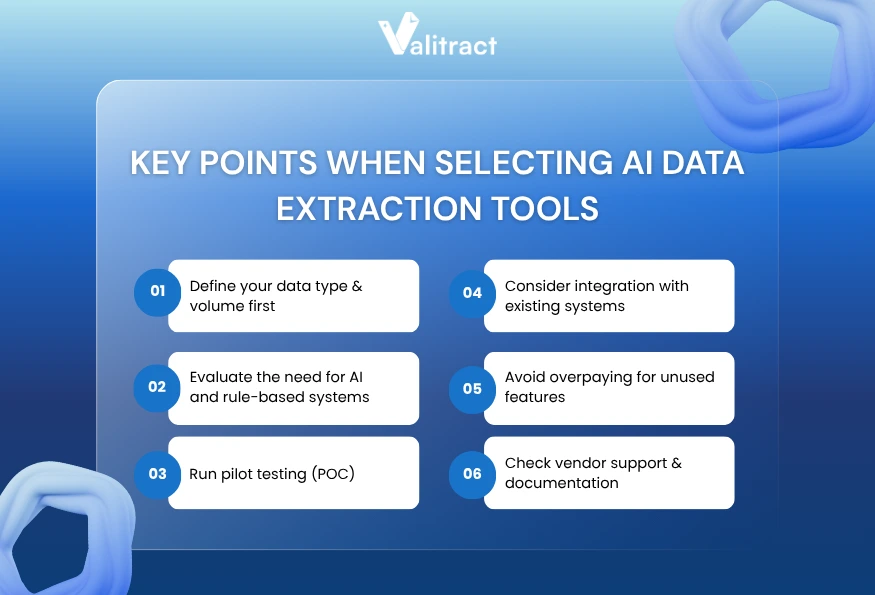
    The following outlines a step-by-step approach to evaluating key factors such as data volume, extraction accuracy, and integration capabilities, as well as critical considerations that many buyers often overlook. Together, these insights will help businesses make more informed decisions and ensure long-term performance and ROI.

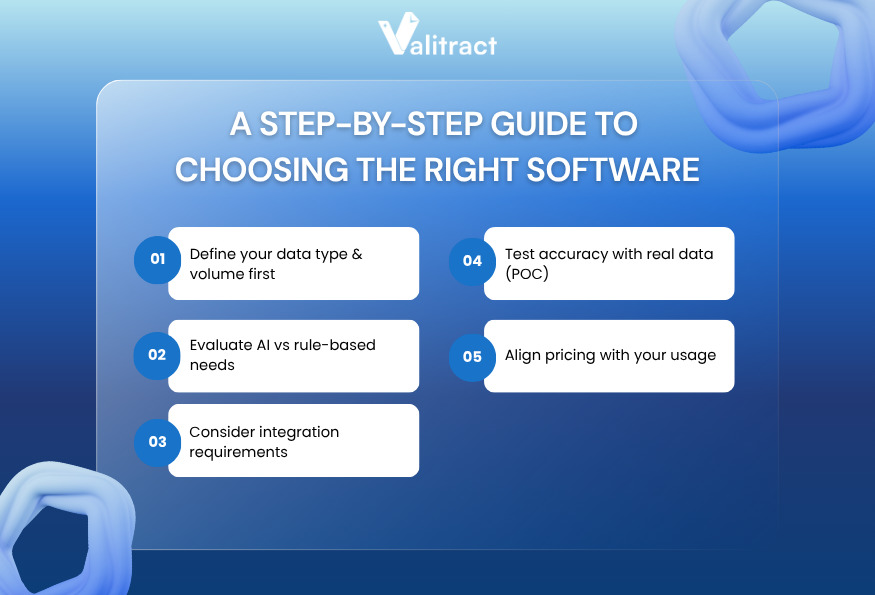
    A step-by-step guide to choosing the right software

    A step-by-step guide to choosing the right software

    Define your data type & volume first

    Defining your data type establishes your baseline requirements. You need exact numbers on your monthly volume and the split between digital files and scanned images.

    Calculate your historical peak volume during reporting seasons. Understanding these metrics prevents you from selecting a pricing tier that penalizes volume spikes.

    Evaluate AI vs rule-based needs

    A local firm dealing with three regional banks can survive using simple rule-based templates. You configure the coordinates once and process the files.

    An enterprise receiving statements from hundreds of global banks needs layout-aware AI. Machine learning handles varying visual layouts without demanding a new template setup for every bank.

    Consider integration requirements

    Extracted text serves no operational purpose if it stays trapped inside the extraction platform. The system must connect smoothly to your existing architecture.

    Verify the developer documentation for REST APIs or webhooks. A well-documented endpoint ensures your engineers build reliable database connections fast.

    Test accuracy with real data (POC)

    Running a pilot test exposes platform limitations before you sign a binding contract. Never rely on vendor demonstrations using pristine digital files.

    Test the extraction tool against your worst document samples. Blurry scans reveal exactly how the engine handles low-contrast text and dense rows.

    Align pricing with your usage

    Software pricing scales dynamically based on document volume. A tool charging per-page fees looks cheap at low volumes but becomes expensive at scale.

    Match the pricing model to your business cycle. If your volume spikes heavily during tax season, look for tiered volume pricing rather than strict monthly limits.

    What is overlooked by most buyers?

    Handling messy real-world data

    Buyers often forget that clients submit terrible documents. A smartphone photo of a crumpled statement breaks basic OCR tools instantly.

    Look for platforms with strong preprocessing capabilities. The software must straighten skewed pages and fix bad lighting before attempting text extraction.

    Hidden manual work

    A high accuracy score means nothing if users still have to click approve on every document. True automation requires straight-through processing.

    Track the automation rate closely during your trial. If your team still manually reviews eighty percent of incoming files, the software fails its primary mission.

    Poor API documentation

    Engineering teams waste weeks integrating software with bad documentation. Clear, updated API endpoints indicate a mature product built for serious technical teams.

    Scaling issues

    Processing speed matters when a massive batch of statements arrives on Friday afternoon. Test bulk uploads during your trial to verify server capacity.

    Key Criteria to Evaluate the Performance of Bank Statement Extraction Software

    After narrowing down your options, the next step is to evaluate how well each solution performs in practice. The criteria below focus on measurable factors that directly impact accuracy, scalability, and long-term efficiency when using bank data extraction software.

    Extraction accuracy

    Vendors routinely claim perfect extraction accuracy in their marketing materials. You must verify those numbers against your own operational data.

    Look closely at how the software handles continuous tables spanning multiple pages. Apps like Doc.AI offer Table Extraction to pull rows and columns intact, without losing the grid structure.

    Transaction-level accuracy

    A bank statement is entirely unforgiving regarding row alignment. If a date aligns with the wrong transaction amount, the ledger breaks.

    The software must preserve spatial relationships perfectly. It needs to detect empty cells accurately, rather than shifting subsequent text into the wrong column.

    Processing speed

    API-driven cloud platforms return structured data payloads in under two seconds per page. Test the batch processing speed using large multi-page PDF files.

    Automation rate

    Automation rate measures how many documents can be processed without human intervention. This metric determines your true return on investment.

    Integration efficiency

    Exporting to a JSON format allows teams to pipe data straight into custom databases. That direct pipe eliminates the need to clean up messy CSV files manually.

    Move Beyond Manual Processing with Smarter Extraction

    Upgrading to bank statement extraction software eliminates the manual typing bottlenecks choking financial operations. You remove repetitive data entry entirely, accelerating your monthly reconciliation pipelines.

    Legacy coordinate templates break whenever a bank updates its layout. AI-driven platforms solve this limitation by reading document context dynamically, preserving complex table rows across multi-page files.

    A reliable extraction platform should support diverse file formats, multiple languages, and seamless integration with downstream systems. Structured outputs like JSON or Excel enable finance and engineering teams to build automated data pipelines without additional manual processing.

    If you’re evaluating the best bank statement extraction software for your team, feel free to contact our experts at Valitract. Our software facilitates the extraction of complex transaction tables with high accuracy, eliminating the need for rigid templates or extensive setup.

    Frequently Asked Questions

    What is bank statement extraction software?

    Bank statement extraction software converts static document images into structured database records. The technology uses optical character recognition and computer vision to read visual layouts. It extracts transaction tables and account balances without requiring any human typing.

    How to extract data from a bank statement?

    You extract data by uploading the document into a layout-aware AI platform. The software analyzes the spatial relationship between columns and rows. It then exports the captured text as a structured JSON payload or an Excel spreadsheet for immediate use.

    Can ChatGPT analyse bank statements?

    ChatGPT can analyze text if you paste it into the prompt window. It struggles significantly with raw PDF parsing and spatial table layouts. Dedicated extraction platforms use specific computer vision models to preserve strict column and row boundaries.

    What data can be extracted from a bank statement?

    Extraction software captures both header data and grid data. It pulls the account holder’s name, bank details, and statement dates. More importantly, it extracts individual transaction dates, descriptions, debit amounts, credit amounts, and running account balances.

    What causes extraction errors in bank statements?

    Extraction errors stem primarily from poor document quality. Low-resolution smartphone photos, skewed scans, and coffee stains confuse generic text readers. Rigid coordinate templates also fail when a bank adds a new column or shifts the table down the page.

    Is bank statement extraction software secure?

    Enterprise extraction platforms maintain strict security protocols to protect sensitive financial data. They use encryption for data at rest and in transit. Reputable vendors hold standard compliance certifications like SOC 2 Type II and GDPR to ensure data handling safety.


    Valitract – Next-gen AI-Powered Data Extraction Platform


  • Best Data Entry Automation Software in 2026: Tools comparison, key features and points to consider when choosing the right one

    Best Data Entry Automation Software in 2026: Tools comparison, key features and points to consider when choosing the right one

    Data entry automation software is rapidly becoming a core component of modern business operations, especially as companies deal with increasing volumes of documents and transactional data.

    Every manual keystroke slows down your daily operations. A finance clerk typing invoice totals into a ledger creates a massive workflow bottleneck.

    That typing phase introduces persistent formatting errors. An operations team managing high volumes of paper documents loses substantial time to repetitive data capture.

    Data entry automation software solves this underlying problem. These platforms ingest flat files, locate the required text, and push structured data directly into your core systems.

    This guide explores the best data entry automation software available today. We will compare top platforms, break down different extraction types, and outline best practices for implementation.

    TL;DR

    Data entry automation software replaces manual typing by using AI to capture, structure, and route text into databases or spreadsheets.

    • Top benefit: Eliminates typing bottlenecks while reducing formatting errors.
    • Core capability: Layout-aware models extract tables and text without strict templates.
    • Supported inputs: Multi-page PDFs, JPEG, PNG, WebP, and HEIC files.
    • Output formats: Excel, JSON, Markdown, and HTML.
    • Language coverage: 200+ languages, auto-detected.

    What is Data Entry Automation Software

    Data entry automation software extracts information from static documents and transfers it into business applications. The technology captures text from PDFs or emails without requiring human keystrokes.

    At a broader level, this is part of a major shift toward Intelligent Document Processing (IDP). Businesses adopting these technologies move beyond simple scanning. They evaluate AI data extraction tools based on how effectively they handle complex, non-standardized layouts.

    Modern automation relies on a combination of computer vision, layout analysis, and Natural Language Processing (NLP). This allows the software to understand the context behind the text.

    The engine knows a specific number represents a shipping weight based on its spatial position in a table. Once the system identifies the target data, it structures the output.

    Those structured outputs flow straight into your CRM or ERP via a webhook. This OCR data entry automation removes the typing phase completely.

    Key Takeaway: Automated data capture replaces human keystrokes with machine learning models that read visual layouts and route data via API.

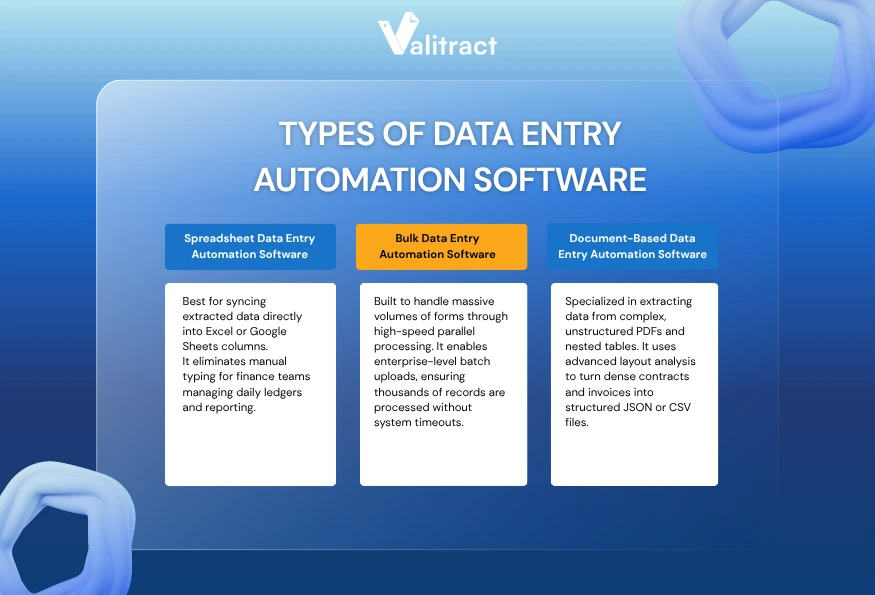
    Types of Data Entry Automation Software

    Not all data entry automation software is built the same. Different tools are designed to handle specific workflows, from spreadsheet-based operations to high-volume batch processing and complex document extraction.

    Understanding these categories helps businesses choose the right solution based on their data structure, volume, and integration requirements.

    Types of Data Entry Automation Software

    Spreadsheet Data Entry Automation Software

    Many finance teams live entirely inside grid layouts. Spreadsheet data entry automation software targets these exact workflows by mapping extracted text directly to specific columns.

    That mapping capability means the AI extracts the data and auto-fills the spreadsheet. Analysts use this workflow to import scraped data into their ledgers or push invoice totals into Google Sheets.

    Three key features define this category:

    • Configure native API integrations: Tools must connect to Google Sheets or Excel without external middleware.
    • Maintain real-time updates: The software should sync captured text the moment a file arrives.
    • Apply data formatting rules: The engine must validate dates and currencies before pushing them to the grid.

    Operations teams and analysts benefit most from this setup. Small enterprises managing data manually use spreadsheet automation to scale their daily workloads.

    Bulk Data Entry Automation Software

    Enterprise organizations often receive thousands of forms in a single afternoon. Bulk data entry automation software handles these massive influxes through parallel server processing.

    That parallel processing allows users to batch upload thousands of records at once. The AI parses those massive batches and outputs a single structured dataset.

    Business process outsourcing firms use this capacity to process daily invoices or migrate legacy data into new systems. To manage that heavy load, look for specific features:

    • Require high throughput processing: The cloud servers must handle thousands of pages without timing out.
    • Implement queue management: Users need central dashboards to monitor the progress of large batches.
    • Build error-handling guardrails: The system must isolate failed documents without stopping the entire batch run.

    Data-heavy organizations require this level of technical infrastructure. It prevents server bottlenecks during intense end-of-month reporting cycles.

    Document-Based Data Entry Automation Software

    Legal and finance teams deal heavily with unstructured paragraphs and nested tables. Document-based data entry automation software targets these complex PDF files and static images.

    The software applies AI layout analysis to pull the text and export structured JSON or CSV files. Finance teams rely on this for accounts payable workflows, while legal teams extract contract terms.

    If your workflow involves dense files, you need precise layout understanding. Look for software that preserves the spatial relationship between headers and text blocks.

    Tools like Valitract use Table Extraction to capture nested rows and columns. That structure exports directly to Excel, keeping the exact format of the original document.

    Key Takeaway: Choose your tool based on your destination system. Spreadsheets require native integrations, while massive database migrations require bulk processing power.

    Best Data Entry Automation Software in 2026

    Comparing automated data processing tools requires looking at the core engine. Some tools handle API routing, while others focus on pure extraction.

    Comparison Table

    Tool NameAI CapabilitiesSupported FormatsAPI IntegrationPricing ModelBest Use Case
    ValitractLayout-aware AI (template-free extraction)PDF, Images, JSON, XLS, or CSVFull RESTUsage-basedMid-size finance
    RossumLearning OCRPDF, XMLFull APICustomEnterprise AP
    UiPathRPA hybridAll standardDeep platformPlatform feeLegacy software
    ZapierData routingWeb hooks5000+ appsTiered monthlyCloud routing
    Power AutomateWorkflow logicOffice nativeMicrosoftSubscriptionWindows shops
    ParseurTemplate AIEmails, PDFsStandardVolume-basedEmail extraction
    Automation AnywhereRPA AIEnterprise docsFull APICustomLarge BPOs

    Source: Market analysis of automation vendor specifications.

    Valitract

    Valitract focuses on extracting text without demanding rigid coordinate templates. Instead of fixed coordinates, the platform uses layout-aware visual AI to understand document structures and extract data from unstructured files with high accuracy.

    Best Data Entry  Automation Software_Valitract

    This approach enables true AI data entry automation software capabilities, allowing to process varying document formats instantly, without requiring manual configuration or template setup. As a result, teams can deploy faster and scale document processing without ongoing maintenance.

    ValiTract also provides a clean, side-by-side validation interface, where users can quickly review extracted data against the original document.

    • Key features: Template-free extraction, visual validation interface, bulk upload & batch processing, API integration.
    • Pros: Fast implementation, high accuracy across varied layouts, minimal setup, strong automation capabilities.
    • Cons: Struggles with blurry cursive, lacks deep currency conversion.
    • Best for: Mid-size finance departments avoiding heavy IT deployments.

    Rossum

    Rossum targets enterprise teams managing heavy transactional volume. The platform learns specific vendor layouts through continuous feedback loops.

    Continuous learning reduces the need for manual corrections over time. The platform integrates deeply into major enterprise resource planning software.

    • Key features: Cognitive data capture, native SAP integrations, and advanced queue management.
    • Pros: Enterprise-ready architecture, high accuracy on complex tables.
    • Cons: Expensive licensing, narrow focus on invoice processing.
    • Best for: Enterprise operations managing massive daily document volumes.

    UiPath

    UiPath functions as a broader robotic process automation platform rather than a standalone extraction software. The system reads a document and executes complex downstream mouse clicks.

    Those robotic mouse clicks push extracted data into older software lacking modern APIs. Users build these automated workflows using a visual drag-and-drop designer.

    • Key features: Robotic screen scraping, visual workflow builder, legacy software bridges.
    • Pros: Connects isolated legacy systems, massive enterprise scale.
    • Cons: Heavy platform architecture, steep learning curve.
    • Best for: End-to-end corporate automation bridging modern and legacy systems.

    Zapier

    Zapier serves as the ultimate data router rather than an extraction engine. It moves text between thousands of cloud applications.

    You connect an extraction endpoint to Zapier, and it routes the JSON payload to your CRM. It excels at sales data entry automation software workflows.

    • Key features: 5000+ app connectors, conditional routing logic, and multi-step workflows.
    • Pros: Unmatched integration network, zero coding required.
    • Cons: Triggers become expensive at high volumes, limited internal text extraction.
    • Best for: Lean operations teams moving text between cloud apps.

    Microsoft Power Automate

    Microsoft Power Automate embeds workflow logic directly into the Office ecosystem. The tool moves captured text seamlessly into SharePoint or Excel.

    That native connection makes it ideal for companies living inside Microsoft server environments. The desktop version handles local file automation.

    • Key features: Deep Office 365 integration, desktop flow recording, native AI builder.
    • Pros: Included in many enterprise Windows licenses, strong security governance.
    • Cons: Clunky web interface, complex error handling logs.
    • Best for: Enterprise teams standardized on the Microsoft technology stack.

    Parseur

    Parseur specializes in pulling structured text from incoming emails and basic attachments. The system reads the email body and maps distinct values to database fields.

    That focus makes Parseur a lightweight solution for real estate or job board leads. Teams searching for data entry automation software spreadsheets can use Parseur to pull tabular data.

    • Key features: Point-and-click template building, email parsing, and automatic table detection.
    • Pros: Excellent email handling, affordable entry tiers.
    • Cons: Less effective on dense legal documents, limited bulk parallel processing.
    • Best for: Small teams capturing lead data from web forms and emails.

    Automation Anywhere

    Automation Anywhere delivers heavy robotic process automation for global outsourcing firms. The platform uses AI to mimic human data entry across diverse application windows.

    That mimicry scales across hundreds of virtual machines. The platform handles data entry automation with API integration for secure banking environments.

    • Key features: Cloud-native RPA, advanced security protocols, virtual workforce management.
    • Pros: Immense scaling capability, bank-grade security standards.
    • Cons: Resource-heavy deployment, requires dedicated development staff.
    • Best for: Business process outsourcing firms managing global operations.

    Key Takeaway: Pick your software based on your infrastructure. Cloud-native teams should use API-first extraction tools, while legacy systems require RPA platforms.

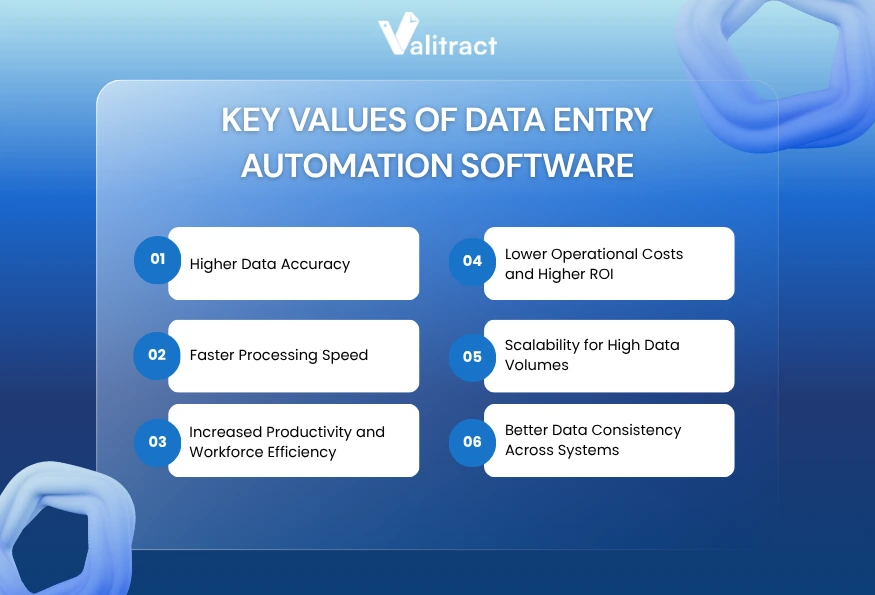
    Key Benefits of Using Data Entry Automation Software

    As organizations handle increasing volumes of structured and unstructured data, manual entry is no longer sustainable. Data entry automation software enables businesses to improve accuracy, speed, and scalability while reducing operational costs.

    Below are the key benefits that make automated data entry software a critical component of modern data workflows.

    Key Benefits of Using Data Entry Automation Software

    Significant Reduction in Human Errors & Higher Data Accuracy

    Human typists suffer from focus fatigue during long shifts. That fatigue introduces typographical errors into critical corporate databases.

    Machine learning models maintain precise character matching across thousands of pages. AI data capture software achieves high accuracy on standard document layouts.

    This accuracy eliminates transposed numbers and duplicate entries. It also resolves formatting inconsistencies before the data reaches your ledger.

    Faster Processing Speed

    Typing line items by hand consumes hours of operational time. A finance clerk might spend five minutes transcribing a single complex invoice.

    Automated data entry software processes that same document in two seconds. The engine extracts the text, structures the layout, and routes the payload.

    That speed accelerates the entire business cycle. Sales teams get their CRM records updated faster, and procurement teams pay their vendors on time.

    Increased Productivity & Workforce Efficiency

    Manual typing creates a hard ceiling on team productivity. If document volume doubles, you must hire more clerks to handle the load.

    By automating repetitive data entry tasks, employees focus on higher-value work. They shift from typing numbers to analyzing variances and negotiating supplier contracts.

    Consider a mid-sized accounting firm processing 1,200 monthly supplier invoices. Moving from manual re-keying to layout-aware AI reduced their invoice intake time from three days to under two hours.

    Lower Operational Costs and Higher ROI

    Hiring temporary staff to clear end-of-month reporting backlogs destroys operational budgets. Manual document processing carries a high cost per page.

    Automation flattens those operational expenses. A software license costs a fraction of a full-time typing team, driving a fast return on investment.

    You keep costs stable even as your corporate document volume grows. The automated data entry software scales up without demanding additional salary overhead.

    Scalability for High Data Volumes

    Enterprise growth means processing more contracts, receipts, and compliance forms. Manual processes break down under sudden volume spikes.

    Bulk data entry automation software spreadsheets export massive batches directly into tabular formats. The system spins up additional servers to process thousands of files simultaneously.

    This scalability ensures your data pipeline never stalls. The engine processes a massive data migration just as efficiently as a single daily invoice.

    Better Data Consistency Across Systems

    Human operators often format data differently depending on their mood. One clerk types a date as MM/DD, while another uses DD/MM.

    AI data entry automation software applies strict formatting rules to every captured field. The engine normalizes dates, currencies, and text casing before exporting the payload.

    That consistency keeps your database clean. Clean data prevents downstream errors when you run annual financial or operational reports.

    Key Takeaway: AI extraction tools eliminate the hidden costs of manual typos while scaling your processing volume limitlessly.

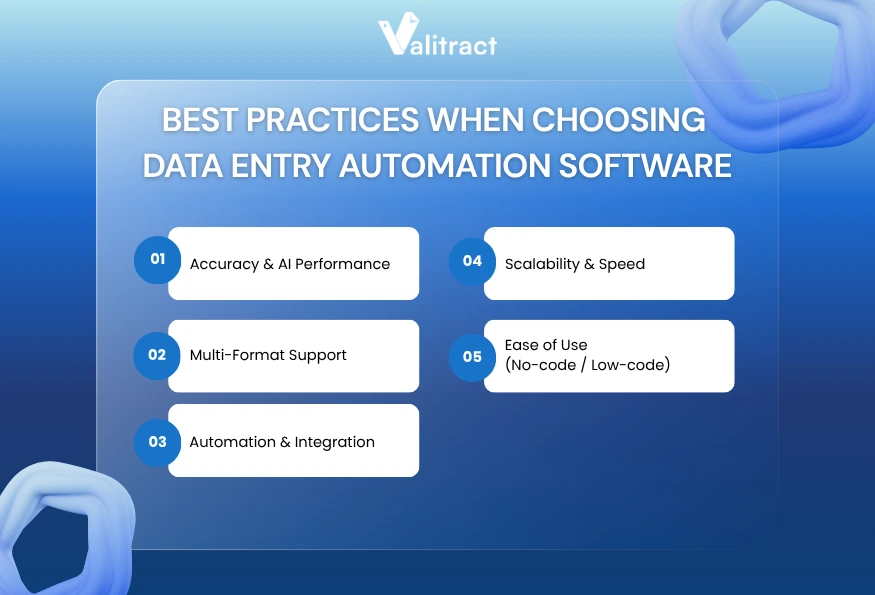
    Best Practices When Choosing Data Entry Automation Software

    Selecting the right data entry automation software requires more than comparing feature lists. To ensure long-term success, businesses need to evaluate real-world performance, integration capabilities, and scalability under actual workloads.

    Below are the key factors to consider when choosing the best AI data entry automation software for your operations.

    Best Practices When Choosing Data Entry Automation Software

    Accuracy & AI Performance

    Vendor marketing pages always claim near-perfect accuracy. You must test those claims against your own messy documents during a pilot phase.

    Compare the AI output against your historical manual accuracy. The software should generate confidence scores, highlighting uncertain text fields for immediate human review.

    Multi-Format Support

    Your operations team receives files in every format imaginable. Contractors send smartphone photos, while enterprise partners send layered digital PDFs.

    Your extraction tool must handle these variations. Tools like Doc.AI read JPEG, PNG, GIF, WebP, and HEIC files natively.

    That native support prevents workflow blockages when someone uploads an uncompressed iPhone photo. The tool exports that text to Markdown or JSON formats cleanly.

    Automation & Integration

    Captured text serves no purpose if it stays trapped inside the OCR platform. The system must connect seamlessly to your existing financial architecture.

    Review the developer documentation for clear endpoints. A well-documented REST API ensures your engineering team connects the tool to your CRM or ERP fast.

    Scalability & Speed

    Processing speed matters when a massive batch of files arrives on a Friday afternoon. Slow extraction engines create a digital bottleneck.

    Test the bulk data entry automation software using large multi-page PDF files. Verify that the cloud servers process the batch without timing out.

    Ease of Use (No-code / Low-code)

    A powerful computer vision model fails if your accounting team cannot operate the user interface. Non-technical teams require a clean review screen.

    Those screens place the original document image right next to the parsed fields. A true no-code interface lets business users define new extraction fields in days.

    Key Takeaway: Run your worst-quality documents through the software pilot to expose platform limitations before signing a contract.

    Conclusion: Choosing the Right Data Entry Automation Software for Scalable Growth

    Data entry automation software is transforming how modern teams handle high-volume data workflows by eliminating repetitive manual tasks and accelerating reporting across the organization.

    Traditional OCR templates often fail when document layouts change. In contrast, modern AI data entry automation software adapts dynamically by understanding document context, enabling accurate extraction even from complex and evolving formats.

    A robust data entry automation software comparison shows that the best platforms support multiple file formats and varied languages. The right tool adapts to your workflow, whether you need JSON payloads for a database or structured Excel files.

    Audit your document volume, define your integration endpoints, and test the software with real files. For teams dealing with complex layouts, apps like Valitract offer precise Full Document Extraction to capture dense paragraphs and tables intact.

    Ready to automate your data workflows? Try ValiTract and experience how AI-powered data extraction can streamline your operations from day one.


    Valitract – Next-gen AI-Powered Data Extraction Platform


    Frequently Asked Questions (FAQs)

    What is data entry automation software?

    Data entry automation software converts static document images into structured database records. The technology uses optical character recognition and computer vision to read visual layouts. It extracts specific fields like names and totals without requiring any human typing.

    How does AI automate data entry?

    AI automates data entry by analyzing the spatial relationship between text blocks on a page. The machine learning model understands the context of the document. It knows a number is a tax total based on its position, allowing it to capture data without rigid templates.

    What is the best data entry automation software?

    The best software depends on your operational needs. Developer teams prefer API-first platforms for custom internal software builds. Accounting and operations teams prefer platforms with strong user interfaces and native connections to cloud spreadsheets or ERP systems.

    Can data entry automation work with spreadsheets?

    Yes. Modern extraction platforms map captured text directly to specific spreadsheet columns. Users configure the tool to push invoice totals or scraped web data straight into Google Sheets or Excel. This workflow keeps tabular data organized without manual copy-pasting.

    Is there free data entry automation software?

    Several enterprise extraction platforms offer a free data entry automation software tier for low-volume users. These free tiers usually cap usage at a few hundred pages per month. Open-source OCR libraries exist, but they require significant coding knowledge to deploy.

    How accurate is AI data entry automation?

    The accuracy of AI data entry automation software typically ranges from 90% to 99%+, depending on document quality, layout complexity, and the underlying AI models.

    Modern AI data capture software combines OCR, computer vision, and machine learning to understand both text and document structure. This allows it to achieve high accuracy on standard documents such as invoices, forms, and structured reports, especially when using OCR data entry automation with layout-aware models.


  • Top AI Data Extraction Tools in 2026: Features, Comparison & Best Practices

    Top AI Data Extraction Tools in 2026: Features, Comparison & Best Practices

    AI Data Extraction Tools are rapidly becoming essential for enterprises dealing with large volumes of unstructured data. From contracts and vendor invoices to compliance reports, critical business information is often trapped inside static documents and images.

    Traditional manual processes cannot keep up with this scale. When teams rely on manual data entry, they create bottlenecks that slow down operations and increase the risk of errors before the data even reaches core systems.

    Modern AI-powered data extraction tools fundamentally change this process. Instead of simply converting images into raw text, these platforms understand document structures, extract relevant fields, and transform unstructured content into usable, structured data. This shift enables faster, more accurate workflows across finance, operations, and compliance.

    As AI data extraction software continues to evolve, businesses now have access to tools that can handle complex layouts, multiple file formats, and dynamic document variations without constant manual configuration.

    In this guide, we compare the best AI data extraction tools and provide a practical framework to help you choose the right solution for your business needs.

    Understanding AI Data Extraction Tools

    What are AI data extraction tools?

    AI data extraction software turns static document images into queryable database records. The system ingests a file, identifies specific text fields, and generates a structured output.

    That extraction engine relies on three core technologies working together.

    • Optical Character Recognition (OCR): Converts visual text into machine-readable characters
    • Computer Vision: Understands document layout, structure, and positioning
    • Natural Language Processing (NLP): Interprets meaning and context behind the extracted data

    This combination allows the software to understand financial tables just like a human reader would. The model knows a specific number represents a tax total based on its position near the bottom of a column.

    Traditional vs. AI-based data extraction tools

    The difference between legacy tools and modern AI-based data extraction tools lies in how they interpret document structure.

    Traditional OCR relies on strict coordinate templates. The software looks for data in exact pixel locations.

    If a supplier adds a new logo and shifts their invoice down two inches, a traditional template breaks completely. The system reads blank space instead of the intended total.

    AI-based data extraction tools solve this layout problem. They adapt to visual shifts by reading the surrounding context to locate the correct data point.

    Tools like Valitract use this layout awareness to maintain original table relationships. Table Extraction mode pulls rows and columns intact, without requiring users to draw custom bounding boxes for every vendor.

    Key Takeaway: Modern AI extraction replaces brittle, coordinate-based templates with dynamic, layout-aware machine learning models.

    Why AI Data Extraction Tools Matter for Modern Businesses

    As the volume of documents continues to grow, businesses can no longer rely on manual processing if they want to maintain speed and accuracy. From finance to legal and healthcare, organisations require faster methods of converting unstructured data into actionable insights.

    This is where AI data extraction tools deliver measurable value, by automating data capture, improving accuracy, and enabling teams to scale operations without increasing headcount.

    The value of AI data extraction tools

    The value of AI data extraction tools_Valitract

    Human typists suffer from focus fatigue during long processing shifts. That fatigue introduces typographical errors into critical corporate databases.

    Deep learning models maintain precise character matching across thousands of pages. They process massive document batches without any drop in accuracy.

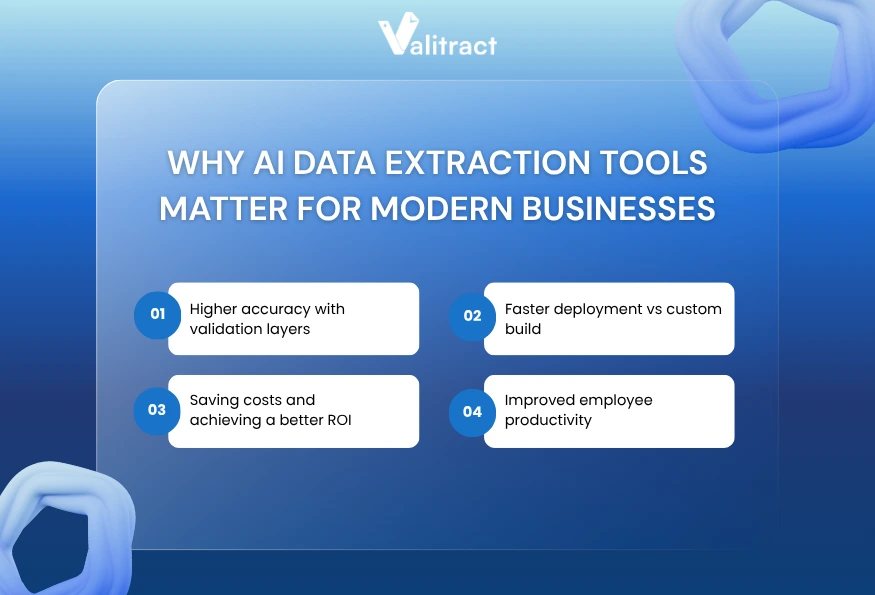
    Higher accuracy with validation layers

    Machine learning models grade their own extraction confidence on every document. Good extraction methods highlight low-confidence text fields on a visual review screen.

    That validation layer keeps bad data out of your accounting software. Human operators review only the flagged fields, correcting errors before the final database export.

    Faster deployment vs custom build

    Building an in-house document extraction engine requires massive data engineering resources. Training a custom computer vision model takes months of dedicated developer time.

    Off-the-shelf AI data extraction software deploys in a fraction of that time. Enterprise teams connect to a vendor API and start routing documents on day one.

    Saving costs and achieving a better ROI

    Manual document processing carries high operational labor costs. Companies often hire temporary staff during end-of-month reporting spikes to clear data entry backlogs.

    Automated data capture flattens those operational expenses. The extraction software scales up to handle volume spikes without requiring additional headcount.

    Improved employee productivity

    Typing data consumes hours that professionals should spend on actual analysis. An AI data scraper cuts document intake time down to seconds per page.

    Staff members reclaim that time immediately. They shift their focus toward strategic tasks like vendor negotiation and budget forecasting.

    Use cases of AI-powered data extraction across industries

    Financial data extraction

    Investment analysts extract tables from complex quarterly earnings reports. The AI pulls the grid data into Excel, allowing the analyst to model financial projections without retyping numbers.

    Invoice & document processing

    Manual invoice processing is one of the most time-consuming tasks for accounting teams. By adopting invoice data extraction software, businesses can eliminate repetitive data entry and significantly reduce errors.

    For example, a mid-sized accounting firm processing 1,200 monthly supplier invoices transitioned from manual re-keying to AI-powered extraction with JSON output. As a result, invoice intake time dropped from three days per cycle to under two hours.

    Legal & compliance document parsing

    Legal teams often have to deal with large volumes of contracts and compliance documents during complex corporate mergers. Advanced tools can convert multi-page PDFs into editable Markdown files via full document extraction, while preserving the original order of critical elements such as signature blocks.

    Healthcare records extraction

    Hospital compliance teams digitize patient intake forms for central archival. Extraction models read the scanned forms and push patient details straight into the electronic health record system.

    Key Takeaway: AI extraction software reduces operational costs while eliminating the errors caused by human data entry fatigue.

    Best AI Data Extraction Tools in 2026

    Evaluating the best AI data extraction tools requires looking past marketing pages. Different platforms serve entirely different technical architectures and end-user personas.

    SoftwarePricing ModelFree tierLine ItemsNo-codeOutput FormatsAPI Access
    ValitractUsage-basedYesFullYesJSON, CSV, XLSFull REST
    RossumCustom EnterpriseNo  FullPartialJSON, XMLFull REST
    ABBYYCustom EnterpriseNo  FullNo  XML, CustomFull REST
    Amazon TextractPay-as-you-goTrial OnlyBasicNoJSONAWS SDK
    UiPathPlatform LicenseNoFullPartialERP NativeFull System
    NanonetsUsage-basedTrial OnlyFullPartialJSON, CSVFull REST
    DocsumoTiered VolumeTrial OnlyFullPartialJSON, CSVFull REST
    HyperscienceCustom EnterpriseNoFullNoJSON, XMLFull REST

    Top AI Data Extraction Tools

    1. Valitract

    Valitract is an AI-powered data extraction platform designed to handle unstructured documents across any layout, format, and language, without requiring predefined templates. Unlike traditional OCR tools, it uses visual AI models to identify and extract key data points dynamically.

    Top AI Data Extraction Tools_Valitract

    This template-free approach allows businesses to start processing documents immediately, even when formats vary significantly. Combined with a clean, no-code interface and API integration, Valitract makes it easy to scale document workflows without heavy technical setup.

    • Strength: Template-free extraction engine and intuitive user interface.
    • Weakness: Struggles with complex handwritten notes and cursive.
    • Best For: Mid-size departments moving away from manual entry.

    2. Rossum

    Rossum provides a heavy enterprise solution focused on transactional documents. The software learns specific vendor layouts through continuous feedback loops.

    Continuous learning reduces the need for manual corrections over time. The platform integrates deeply into major enterprise resource planning systems.

    • Strength: Enterprise-ready architecture with native SAP and ERP integrations.
    • Weakness: Expensive licensing model and narrow focus on invoice processing.
    • Best For: Enterprise operations managing massive invoice volumes.

    3. ABBYY FlexiCapture

    ABBYY delivers legacy cognitive OCR capabilities refined over decades of market presence. The software targets massive global organizations managing strict compliance requirements.

    Those strict compliance rules dictate how data flows through corporate networks. The ABBYY engine handles extreme edge cases and hundreds of localized languages.

    • Strength: Strong multilingual OCR and enterprise-grade compliance tracking.
    • Weakness: The complex setup phase requires certified integration partners.
    • Best For: OCR-heavy, compliance-driven industries migrating from physical paper.

    4. Amazon Textract

    Amazon Textract delivers a pure developer experience inside the Amazon Web Services environment. The service offers API endpoints for immediate document parsing.

    That API-first approach lets engineering teams build extraction features into their own applications. The engine scales limitlessly based on server demand.

    • Strength: Highly scalable cloud infrastructure within the AWS ecosystem.
    • Weakness: Requires dedicated engineering effort to build the user interface.
    • Best For: Software product teams building scalable cloud applications.

    5. UiPath

    UiPath functions as a broader robotic process automation platform rather than a standalone extraction software. The system reads a document and executes complex downstream mouse clicks.

    That robotic capability pushes extracted data into legacy software lacking modern APIs. Users build these workflows using a visual drag-and-drop designer.

    • Strength: Combines extraction with powerful robotic workflow automation.
    • Weakness: Heavy platform architecture proves overkill for simple extraction needs.
    • Best For: End-to-end corporate automation bridging modern and legacy systems.

    6. Nanonets

    Nanonets gives technical teams the power to train highly specific computer vision models. The platform learns custom fields rapidly from a small batch of historical documents.

    That custom training solves obscure edge cases that pre-trained software misses. Developers leverage the robust webhook documentation to route the final data.

    • Strength: Easy custom model training across multiple obscure document formats.
    • Weakness: Limited internal workflow automation requires external routing tools.
    • Best For: Technical teams extracting data from highly non-standard formats.

    7. Docsumo

    Docsumo relies on machine learning models pre-trained specifically for the financial sector. The system works immediately for bank statements, tax forms, and lending documents.

    Those pre-trained models solve the cold-start problem entirely. The platform flags mismatched subtotals automatically, ensuring ledgers remain balanced.

    • Strength: Excellent accuracy on financial documents and lending workflows.
    • Weakness: Expensive pricing tiers are restricted mostly to financial use cases.
    • Best For: Financial services companies processing standard monetary documents.

    8. Hyperscience

    Hyperscience tackles the most complex unstructured documents in regulated industries. The platform uses a deliberate human-in-the-loop approach to maintain perfect accuracy.

    That human-in-the-loop system routes uncertain text snippets to operators for verification. The machine learns from every human correction to improve future reads.

    • Strength: High accuracy for regulated industries via human validation routing.
    • Weakness: Costly enterprise deployment process.
    • Best For: Complex, high-accuracy enterprise workflows handling messy inputs.

    Key Takeaway: Choose developer-focused APIs for internal software builds, or end-to-end platforms if you require strict workflow routing.

    Best Practices When Choosing AI Data Extraction Tools

    Selecting the right AI data extraction tool can significantly impact your automation success. From document complexity to system integration, businesses need a clear evaluation framework to avoid costly mistakes and ensure long-term scalability.

    Best Practices When Choosing AI Data Extraction Tools

    Define your data type & volume first

    Before evaluating any AI data extraction software, start by auditing your document landscape thoroughly. You need exact numbers on your monthly volume and the split between digital files and scanned images.

    Calculate your historical peak volume during reporting seasons. Understanding these metrics prevents you from selecting a pricing tier that penalizes volume spikes.

    Evaluate AI vs rule-based needs

    Not all document processing needs require advanced AI. Businesses with consistent, structured formats may benefit from rule-based extraction using fixed templates.

    However, organizations handling documents from multiple vendors or varying layouts should prioritize AI-powered solutions. Layout-aware AI models can adapt to different formats without requiring manual template configuration for each variation.

    Run pilot testing (POC)

    Test the AI data scraper against your worst document samples during the trial phase. Never rely on vendor demonstrations using pristine digital files.

    Running your own blurry scans reveals how the engine handles low-contrast text. This pilot phase exposes platform limitations before you sign a binding contract.

    Consider integration with existing systems

    Extracted data serves no operational purpose if it stays trapped inside the extraction platform. The system must connect smoothly to your existing architecture.

    Verify the developer documentation for REST APIs or webhooks. A well-documented endpoint ensures your engineers can build reliable database connections fast.

    Avoid overpaying for unused features

    Many enterprise platforms bundle extraction with complex payment routing and inventory matching. If you only need raw text data, those features waste your budget.

    Match the software capabilities strictly to your operational goals. Buy a standalone extraction API if your internal software already handles the downstream routing logic.

    Check vendor support & documentation

    Complex integrations require robust technical support. Check the vendor service level agreements to understand their response times during critical outages.

    Read the API documentation yourself before purchasing. Clear, updated documentation indicates a mature product built for serious engineering teams.

    Key Takeaway: Define your required output format early, as strict destination requirements disqualify many basic extraction platforms immediately.

    Key Features to Evaluate AI Data Extraction Software

    Choosing the right AI data extraction software requires more than comparing pricing or surface-level features. Businesses should focus on core capabilities such as accuracy, scalability, and integration to ensure long-term efficiency and automation success.

    Key Features to Evaluate AI Data Extraction Software

    Extraction accuracy & Reliability

    Vendors routinely claim extraction accuracy above 95% in their marketing materials. You must verify those numbers against your own operational data.

    Look closely at how the software handles variations over time. The best models employ continuous learning, meaning the engine improves its baseline accuracy as your team processes more files.

    Document & Data type coverage

    Your solution must handle the full range of file formats used in your workflows. Modern document processing goes beyond PDFs to include images captured from mobile devices.

    Tools like Valitract handle JPEG, PNG, GIF, WebP, and HEIC/HEIF files natively. That native image support stops process bottlenecks when a contractor uploads an uncompressed iPhone photo from the field.

    The tool must also manage both structured tables and unstructured paragraphs. A capable extraction engine identifies a nested financial table just as easily as a legal clause.

    Scalability & Processing performance

    Processing speed matters immensely when a massive document batch arrives on Friday afternoon. Slow extraction engines create a digital traffic jam.

    API-driven cloud platforms return structured data payloads in under two seconds per page. Test the batch processing speed using large multi-page PDF files to verify server capacity.

    Automation & Workflow integration

    Developers need a reliable way to query the extracted results programmatically. Robust API availability separates enterprise software from basic consumer tools.

    Exporting to a JSON format allows teams to pipe data straight into cloud databases or custom CRM builds. That direct pipe eliminates the need to clean up messy CSV files manually.

    Ease of use

    A powerful computer vision model holds zero value if your operations team cannot operate the user interface. Non-technical teams require a clean, intuitive review screen.

    Those review screens place the original document image right next to the parsed data fields. Users verify the highlighted text without tabbing between different software windows.

    Setup time also dictates overall usability. A true no-code interface lets business users define new extraction fields in days rather than waiting months for IT support.

    Key Takeaway: Prioritize software that handles complex table structures natively. Extracting a grand total holds little value if you lose the row-level details.

    Conclusion

    AI-powered data extraction tools are transforming how businesses handle document processing. By eliminating manual data entry, organizations can accelerate workflows, reduce errors, and scale operations more efficiently.

    Unlike traditional template-based systems that break when document formats change, modern AI data extraction software adapts dynamically to different layouts, languages, and file types. This flexibility enables businesses to process complex documents, such as invoices, contracts, and reports, without the need for constant reconfiguration.

    A robust data extraction platform should support multiple formats, deliver high accuracy, and integrate seamlessly into your existing systems through APIs or structured outputs like JSON. These capabilities ensure that extracted data can be used immediately across your workflows.

    Before choosing a solution, evaluate your document volume, test real-world use cases, and ensure smooth integration with your tech stack.

    For businesses seeking a flexible, scalable, and high-accuracy solution, platforms like Valitract are a strong choice for modern data-driven operations thanks to their AI-powered extraction, multi-language support, and seamless automation.

    Get started with Valitract and transform your document processing with AI-powered automation.

    Valitract – Next-gen AI-Powered Data Extraction Platform


    Frequently Asked Questions

    What are AI data extraction tools?

    AI data extraction tools are software platforms that convert static document images into structured database records. They use optical character recognition and computer vision to read visual layouts and extract specific fields without human typing.

    How is AI data extraction different from web scraping?

    Web scraping pulls data from the underlying HTML code of a live website. AI data extraction targets static visual files like PDFs and JPEGs. The AI must interpret the pixels and spatial layout to understand the text, whereas web scrapers read explicit code tags.

    What is the best AI data extraction tool?

    The best tool depends entirely on your specific workflow and technical capability. Developer teams prefer API-first platforms like Amazon Textract or Valitract for custom builds. Accounting firms prefer end-to-end platforms that push data directly into existing ERP systems.

    Can AI extract data from images and PDFs?

    Yes. Modern extraction software handles native digital PDFs and flat-scanned images effortlessly. Advanced layout models process smartphone photos, reading formats like HEIC and WebP while straightening skewed pages automatically before extraction.

    Are AI data extraction tools accurate?

    AI models handle massive document volumes with extreme consistency, often surpassing human accuracy. They maintain precise character matching across thousands of pages. Most platforms include a confidence scoring system to flag uncertain text for human review.

    How much do AI data extraction tools cost?

    Pricing models vary based on the vendor and document volume. Developer APIs typically charge a fraction of a cent per page processed. Enterprise platforms charge flat monthly subscription fees that include user licenses and strict service level agreements.

    Which industries benefit most from AI data extraction?

    Any industry managing high volumes of unstructured documents benefits immediately. Finance teams use it for invoice processing and receipt tracking. Legal teams use it for contract digitization, and healthcare organizations use it to process patient intake forms.


  • Best Invoice Data Extraction Software 2026 – How to Choose and Implement Successfully

    Best Invoice Data Extraction Software 2026 – How to Choose and Implement Successfully

    The moment a finance team receives a stack of supplier invoices, the clock starts on manual data entry. Staff members open attachments, read line items, and type those numbers into an accounting system.

    That manual workflow creates severe bottlenecks before the payment cycle even begins. An accounting department managing high invoice volumes loses substantial productivity to repetitive typing tasks.

    Automated invoice data extraction software tools shift this dynamic entirely. They ingest multi-page documents, locate specific financial data points, and output clean structures for immediate downstream use.

    In this guide, we explore how the invoice data extraction software works in practice. We will cover the core technologies, compare the top platforms on the market, and outline a step-by-step implementation framework for your engineering and finance teams.

    Invoice Data Extraction Software Explained: From Raw Documents to Structured Data

    What is invoice data extraction software?

    Invoice data extraction software identifies and pulls unstructured information from financial documents. The system links visual elements, such as vendor names, tax totals, and item descriptions, to specific database fields.

    That mapped output flows directly into an ERP or accounting system via an API webhook. You bypass the keyboard entirely, moving data from a static file to a live database in seconds.

    A comparison of manual and automated invoice data extraction

    Manual extraction requires human eyes on every single page. A data entry clerk reads a scanned PDF, identifies the correct subtotal, and types that number into a separate software window.

    This human-dependent approach scales poorly. When invoice volumes spike during end-of-month reporting, finance teams must work overtime to clear the backlog.

    Automated invoice data extraction relies on layout-aware AI models. These systems scan the document visually, understand the spatial relationship between headers and values, and generate an immediate output file.

    Those layout models process thousands of pages per hour. They do not require breaks, and their accuracy remains consistent regardless of the total workload.

    Key Takeaway: Invoice data extraction converts flat visual images into structured text payloads without requiring human keystrokes.

    Why do Businesses need Automated Invoice Data Extraction Software?

    Benefits of Automated Invoice Data Extraction Software_Valitract

    High-precision accuracy

    Human fatigue introduces typographical errors during manual data entry. A misplaced decimal point on a high-value invoice creates major reconciliation headaches for the entire accounting department.

    In contrast, invoice data extraction software using AI never loses focus. They are able to read complex table structures and return exact character matches across hundreds of dense pages.

    When a model encounters smeared ink or ambiguous text, it generates a confidence score. The system routes low-confidence fields to a human operator, ensuring bad data never reaches your ledger.

    Handling complexity and varying formats at scale

    Vendors send invoices in wildly varying formats. Your accounts payable inbox likely contains standard digital PDFs, skewed scans, and smartphone photos.

    Template-based OCR systems rely on fixed coordinates, expecting fields like “Total Amount” to appear in the same position every time. This approach breaks down immediately when formats vary.

    AI invoice data extraction software adapts to layout shifts dynamically. The system identifies totals and line items by reading the surrounding context, regardless of where those fields sit on the page.

    Optimizing resources and faster processing time

    Typing line items consumes hours that finance professionals should spend on forecasting and variance analysis.

    With automatic invoice data extraction, processing time drops from minutes to seconds per document.

    As a result, staff members reclaim their daily schedules immediately. They transition into exception handlers, only intervening when the extraction model specifically flags an irregular document for review.

    Preventing duplicate payments

    Manual tracking often misses duplicate invoice submissions across different billing cycles. A vendor might email an invoice on Monday and mail a physical copy on Friday.

    Extraction tools efficiently log invoice numbers, vendor IDs, and dates as soon as a document is received. That immediate data capture flags exact matches early in the pipeline.

    Therefore, duplicate payments can be stopped before the payment file reaches the bank. This single capability often justifies the entire software cost.

    Transparency enhancement & real-time reporting

    Finance leaders need clear visibility into outstanding liabilities to manage cash flow. Manual processing can cause delays, resulting in reporting dashboards lagging behind actual operations.

    Invoice data extraction software updates those dashboards faster than manual processing ever could. As soon as an invoice hits the inbox, the extracted liability data flows into the ERP.

    That speed provides a real-time view of cash requirements. Treasury teams see precise payable totals without waiting for end-of-month reconciliation.

    Key Takeaway: Automated extraction trades slow, error-prone manual workflows for speed, high accuracy, and real-time visibility into company payables.

    Best Invoice Data Extraction Software

    Evaluating extraction tools requires looking past marketing claims and examining the core architecture. Different tools serve completely different technical environments and user personas.

    SoftwarePricing ModelCore TechnologyAPI AccessBest For
    ValiTractUsage-basedTemplate-free AIFull REST APIMid-size finance teams
    TofuTiered monthlyDeep learning OCRGraphQL APIHigh-volume enterprises
    DextSubscriptionRule-based & MLPre-builtSmall accounting firms
    BILLSubscriptionAI-driven workflowStandard APIAccounts payable automation
    LightyearFlat feeLine-item extractionStandard APIProcurement teams
    AsteraCustom enterpriseTemplate & AI hybridFull REST APIComplex data pipelines
    DocsumoUsage-basedPre-trained MLFull REST APIFinancial services
    ABBYYCustom enterpriseAdvanced cognitiveFull REST APILarge legacy systems

    Note: Software capabilities change rapidly. Verify API endpoints and language support directly with vendors before committing to a deployment.

    Top Invoice Data Extraction Software

    ValiTract

    ValiTract focuses on flexible data capture without requiring rigid coordinate templates. The platform learns specific vendor layouts over time through continuous feedback loops.

    That continuous learning capability reduces manual corrections on recurring supplier invoices. The software highlights low-confidence text fields in a side-by-side interface for fast human validation.

    From a cost perspective, the platform offers a free tier of 100 pages per month with no credit card required, which is rare in AI invoice data extraction software. Paid plans start at a competitive cost per page (around $0.11–$0.12), with credits valid for up to one year. This gives businesses far more flexibility than monthly pricing models.

    • Pros: Fast setup process, strong user interface, minimal technical training required, cost-effective pricing with free tiers
    • Cons: Struggles heavily with handwritten notes, limited multi-currency handling features.
    • Best For: Mid-size finance teams moving away from restrictive legacy OCR tools.

    Tofu

    Tofu targets high-volume operations requiring deep integration with custom internal software. The tool uses advanced deep learning models to parse complex, multi-page tables.

    Those deep learning models handle invoices with varying column widths and nested rows natively. Engineering teams appreciate the robust GraphQL API for precise data querying.

    • Pros: Excellent developer documentation, high accuracy on dense tables, and fast processing times.
    • Cons: Steep learning curve for non-technical users, expensive enterprise pricing tiers.
    • Best For: Enterprise operations teams with dedicated software developer resources.

    Dext

    Dext caters heavily to accounting firms managing multiple client portfolios. The platform standardizes receipt and invoice capture across dozens of different business entities.

    That standardization speeds up the monthly bank reconciliation process significantly. The mobile application allows clients to submit physical receipts on the go directly to their accountant.

    • Pros: Great mobile application, seamless integrations with major accounting software, and highly user-friendly.
    • Cons: Limited custom metadata fields, basic table extraction capabilities compared to enterprise tools.
    • Best For: Small accounting firms and independent bookkeeping practices.

    BILL

    BILL combines invoice extraction with actual payment execution inside a single closed platform. The system reads the incoming invoice and immediately routes it through a predefined approval chain.

    That integrated workflow eliminates the gap between data capture and ACH payment processing. Users manage the entire accounts payable lifecycle inside one unified interface.

    • Pros: End-to-end payment workflow, strong compliance routing, broad external integration network.
    • Cons: Functions as a closed ecosystem rather than standalone extraction software, complex pricing structure.
    • Best For: Companies needing complete, out-of-the-box accounts payable automation.

    Lightyear

    Lightyear specializes in detailed line-item data capture specifically for procurement departments. The software maps individual line items directly to specific internal budget codes.

    Mapping items at the row level provides granular spend visibility across the organization. Purchasing teams use this detailed data to track historical unit costs across different suppliers.

    • Pros: Deep line-item detail capture, strong purchase order three-way matching, robust inventory integration.
    • Cons: Initial setup requires heavy ledger mapping, user interface feels dated and clunky.
    • Best For: Procurement teams handling complex physical inventory invoices.

    Astera

    Astera provides a heavy data pipeline approach, combining template rules with AI models. The platform targets complex enterprise architectures requiring heavy data transformation before storage.

    Data engineers use Astera to clean, format, and filter extracted data before it hits the central warehouse. The visual mapping interface handles complex logical transformation rules natively.

    • Pros: Powerful data transformation logic, handles messy legacy formats well, strong validation guardrails.
    • Cons: Resource-heavy deployment phase, requires solid data engineering knowledge to operate.
    • Best For: Organizations maintaining complex corporate data warehouse architectures.

    Docsumo

    Docsumo relies on pre-trained machine learning models built specifically for financial documents. The system works immediately out of the box for standard invoice layouts.

    Those pre-trained models solve the cold-start problem, requiring zero historical data to begin processing. The platform flags anomalies like mismatched subtotals automatically for human review.

    • Pros: Fast implementation timeline, smart anomaly detection engines, transparent usage-based pricing.
    • Cons: Custom model training takes considerable time, limited native reporting dashboards.
    • Best For: Financial services companies processing high volumes of standard document types.

    ABBYY FlexiCapture

    ABBYY FlexiCapture serves massive enterprise environments dealing with established legacy systems. The platform offers deep cognitive OCR capabilities refined over decades of development.

    That deep capability handles almost any document type, from structured tax forms to highly unstructured legal contracts. The tool scales reliably to process millions of pages per month.

    • Pros: Unmatched enterprise scalability, handles extreme document complexity, massive global partner network.
    • Cons: Very expensive licensing, often requires certified integration partners for initial setup.
    • Best For: Large global corporations migrating millions of physical paper documents.

    Key Takeaway: The ideal tool depends entirely on your architecture. Choose API-first platforms for custom data pipelines, or end-to-end platforms for strict AP automation.

    Key Features to Check in Invoice Data Extraction Software

    Features to look for in invoice extraction software_Valitract

    AI-powered data extraction

    Basic OCR requires strict coordinate templates to find data fields. If a vendor adds a new logo and shifts the text down two inches, the template breaks entirely.

    Invoice data extraction machine learning models understand the surrounding context instead. They know the difference between a shipping date and a due date based on layout patterns, preventing failed reads when formats shift.

    Volume and complexity

    Your extraction tool must handle the actual file types your vendors send daily. Contractors often submit photos from their trucks, while large enterprise suppliers send multi-layered digital PDFs.

    Data extraction tools handle JPEG, PNG, WebP, and HEIC files natively alongside multi-page PDFs. That broad native support stops workflow blockages when a vendor uploads an uncompressed iPhone photo.

    Line-item extraction

    Capturing header data like grand totals and invoice dates is a simple target. The real technical challenge lies in the detailed invoice tables.

    Table extraction mode inside Valitract lets you pull rows, columns, and merged cells intact. The tool exports that precise grid data to Excel with its original structure preserved, removing the need for manual realignment.

    API & system integration capabilities

    Extracted text needs a permanent destination to be useful. Invoice data extraction API access lets developers pipe the output directly into your core ERP systems.

    Exporting to a JSON format makes that system integration seamless for engineering teams. The data payload drops directly into your database or custom application without intermediate CSV cleanup steps.

    Data validation and accuracy

    The software must grade its own accuracy levels on every document. Good extraction methods generate confidence scores and highlight uncertain text fields for immediate human review.

    That built-in validation step catches smeared ink or complex merged cells early. Your team fixes the specific error before the bad data propagates into your general ledger.

    Budget and additional cost

    Vendor pricing models vary wildly, from simple per-page fees to flat monthly subscriptions with usage caps. Calculate your expected annual document volume accurately before signing a contract.

    Hidden costs often hide in multi-language support tiers or complex line-item add-ons. Read the specific tier limits closely to avoid unexpected billing overages at the end of the quarter.

    Multi-language support

    Global vendors send invoices containing their native character sets and currency symbols. Look for tools that handle varying international formats right out of the box.

    Apps like Valitract automatically detect over 200 languages in a single pass without manual configuration. That auto-detection speeds up the intake process significantly for international finance teams.

    Ease of use

    Even the most powerful extraction model is useless if your accounting team cannot operate the user interface. The best tools offer a clean, intuitive review screen for daily operators.

    Those review screens place the original document image right next to the extracted data fields. Users verify the highlighted text and correct mistakes in a single, focused view.

    Key Takeaway: Prioritize software that handles nested table structures natively. Extracting the grand total holds little value if your team still has to type out fifty individual line items.

    The Best Practices for Choosing and Implementing Invoice Data Extraction Software

    The Best Practices for Choosing Invoice Data Extraction Software_Valitract

    Phase 1: Before you buy: Define your invoice processing requirements

    Audit your invoice mix thoroughly before evaluating any software vendor. You need to know the exact percentage of scanned PDFs versus native digital files your team receives monthly.

    Set a minimum accuracy threshold based on your current manual entry error rate. Define your integration endpoints clearly so you know exactly where the resulting JSON data needs to land.

    Phase 2: Start with a pilot (POC) using real invoices

    Run your own internal invoice sample through the software during the trial phase. Never rely on vendor demonstrations using pristine, computer-generated documents.

    Test the invoice data extraction using AI against your worst-quality scans. That realistic pilot phase reveals exactly how the system handles rotated pages, coffee stains, and blurry handwritten notes.

    Phase 3: Roll out without disruption

    Build a clear exception-handling workflow before the official go-live date. Your team needs strict, documented rules for handling fields the machine learning model flags as uncertain.

    Audit trails protect your internal compliance and security. Set up that access audit trail from day one to track precisely which user approved or modified every document.

    Phase 4: Ongoing optimization

    Track a small set of core operational metrics post-launch. Measure the percentage of documents processed straight through the system without any human involvement.

    Review your vendor mix and invoice format changes quarterly. Consistent quarterly reviews ensure your deep learning models keep pace with supplier layout updates and new compliance requirements.

    Key Takeaway: Successful software implementation requires testing messy, real-world documents during the initial pilot phase to expose platform limitations early.

    Conclusion

    Invoice data extraction software is no longer a nice-to-have. It is an essential component for modern finance operations. By replacing manual data entry with automated tools, businesses eliminate processing bottlenecks and significantly accelerate the entire payment lifecycle.

    Today’s AI invoice data extraction software leverages advanced models to understand complex table structures and diverse vendor formats. These systems support PDF invoice data extraction, handle multilingual documents, and push structured outputs directly into ERP systems.

    For teams looking to implement these capabilities quickly, platforms like ValiTract offer a practical starting point. With a free tier, flexible per-page pricing, and built-in automation integrations (API, Zapier, Make), ValiTract enables finance teams to adopt automatic invoice data extraction without heavy upfront investment or complex setup.

    However, choosing the best invoice data extraction software still requires careful planning. Audit your invoice formats, test real documents during a pilot phase, and define clear validation workflows to maintain data accuracy.

    When implemented effectively, automated invoice data extraction software tools transform finance operations—shifting teams away from manual typing toward higher-value analysis and decision-making.

    Start with a free plan or explore how ValiTract fits your workflow to streamline invoice processing from day one.


    Valitract – Next-gen AI-Powered Data Extraction Platform


    Frequently Asked Questions

    What is the best invoice data extraction software for small businesses?

    Small businesses benefit most from platforms featuring pre-built accounting software integrations like Xero or QuickBooks. Tools that require minimal developer resources offer the fastest return on investment. Look for simple flat-rate subscription pricing and strong mobile upload capabilities for field receipts.

    How accurate is AI invoice data extraction vs. manual entry?

    AI extraction models handle massive document volumes with extreme consistency. Human typists suffer from eye fatigue, which steadily increases error rates during long shifts. Machine learning models maintain precise character matching across thousands of pages without degrading performance.

    Can invoice data extraction software handle PDF invoices?

    Modern extraction tools handle both native digital PDFs and flat-scanned image PDFs effortlessly. Advanced layout models read multi-page documents without losing the contextual relationship between different pages. They identify tables perfectly, even when a row breaks across a hard page boundary.

    What output formats do invoice extraction tools support (JSON, CSV, Excel)?

    Output formats depend entirely on the specific software and the chosen extraction mode. Table extraction workflows export well to Excel for immediate manual review by finance analysts. Developer-heavy workflows require structured JSON or Markdown exports to pipe the data directly into internal SQL databases.

    Does invoice data extraction use machine learning or deep learning?

    Modern extraction software relies heavily on deep learning models and computer vision. These modern models replace brittle, old-school template OCR methods. Deep learning allows the system to understand document context dynamically and adapt to new vendor layouts without any manual rule creation.

    How does invoice data extraction integrate with ERP systems via API?

    Software developers use REST or GraphQL APIs to connect the extraction tool directly to the ERP. The extraction platform sends a structured JSON payload containing all the parsed invoice data. The ERP consumes that secure payload and populates the appropriate ledger fields automatically.

    What is the difference between OCR and AI extraction?

    Generic OCR simply converts dark pixels on a page into plain text strings, reading blindly from left to right. AI extraction understands the actual semantic meaning of that text. The AI knows a specific number is a tax total based on its spatial position near the bottom of a specific column.


  • Best Invoice OCR Software in 2026: 9 Tools Compared for Accuracy, Automation & Zero Setup

    Best Invoice OCR Software in 2026: 9 Tools Compared for Accuracy, Automation & Zero Setup

    Invoice OCR software is transforming how finance teams handle accounts payable, but many businesses still struggle with slow, manual workflows.

     A stack of paper invoices is deposited on a desk, initiating a manual data entry cycle that is time-consuming and inefficient.

    That manual bottleneck costs finance organizations significant time and resources. Staff members spend hours typing vendor names and line-item totals into accounting systems.

    Generic optical character recognition (OCR) fails to solve this problem entirely. Legacy OCR simply turns pixels into plain text, leaving the accounting team to sort out formatting issues.

    Meanwhile, modern invoice OCR software flips the process. AI-driven platforms read complex layouts, pull structured data automatically, and route the output to your database.

    What is Invoice OCR Software?

    Invoice OCR software transforms static document images into structured database records. The system reads visual pixels, identifies financial data points, and outputs machine-readable text.

    That machine-readable output flows straight into an accounting system. You eliminate the keyboard entirely, moving data from a static PDF to a live ledger in seconds.

    How OCR Invoice Processing Works

    Document Capture and Preprocessing

    The process begins the moment a vendor submits a billing file. The OCR platform ingests the document regardless of its original format.

    That ingestion phase handles smartphone photos just as easily as digital PDFs. The system normalizes the image resolution and straightens skewed pages before attempting any text extraction.

    Page Layout Analysis

    After capturing the image, the software analyzes the spatial structure of the page. It looks for header blocks, vendor logos, and nested tables.

    This layout analysis separates a smart tool from a generic text reader. The system understands that a number sitting beneath a “Total Due” header carries specific financial weight.

    Data extraction

    Once the software maps the layout, it targets specific fields for capture. It pulls the invoice date, payment terms, and individual line items.

    Those line items require complex spatial reasoning. Tools like Doc.AI use Table Extraction to preserve entire row and column alignments across multi-page PDFs.

    Data validation

    Extracted text requires immediate verification to prevent downstream accounting errors. The software applies logical rules to check the data integrity.

    For example, the system adds up the line items to ensure they match the stated grand total. It flags any mathematical mismatch for immediate human review.

    Structured Data Output and Integration

    Verified text needs a permanent destination to be useful. The software packages the final data into a clean, structured payload.

    That structured payload drops directly into your ERP through an API connection. Engineering teams use JSON format exports to pipe the data seamlessly.

    Key Takeaway: Invoice OCR processing connects an unstructured visual image to a structured database through a series of automated layout checks.

    Key Benefits of Invoice OCR Software

    Eliminate manual invoice data entry

    Human typists introduce errors during repetitive data entry tasks. A single misplaced decimal point on a vendor bill creates massive reconciliation issues.

    Invoice OCR software eliminates that manual typing phase completely. Machine learning models maintain precise character matching across thousands of dense pages.

    Improve invoice processing accuracy

    Generic OCR systems break down when a vendor changes their document layout. If the tax line drops down two inches, a legacy template fails to read it.

    AI invoice scanning software adapts to those layout shifts dynamically. The system reads the surrounding context to find the right number, boosting overall accuracy.

    Reduce accounts payable costs

    Processing invoices by hand requires significant labor hours. Finance departments must hire temporary staff during end-of-month reporting spikes to clear the backlog.

    Automated extraction software handles volume spikes without requiring additional headcount. You keep operational costs flat even as your vendor network grows.

    Speed up invoice approvals

    Delayed data entry leads directly to delayed vendor payments. Slow payments damage supplier relationships and cost your company early-payment discounts.

    OCR invoice capture accelerates the entire intake pipeline. An invoice arrives in the inbox and lands in the approval queue mere seconds later.

    Enable end-to-end AP automation

    Data extraction acts as the crucial first step for broader accounts payable automation. You cannot automate payment routing until the invoice data becomes machine-readable.

    Once the OCR layer digitizes the document, routing logic takes over. The software matches the invoice against a purchase order and flags discrepancies automatically.

    Key Takeaway: Automated invoice capture turns a slow, error-prone manual chore into a fast, scalable digital workflow.

    9 Best OCR Invoice Processing Software

    Evaluating extraction tools requires examining the underlying technical architecture. Different platforms serve entirely different accounting environments and user personas.

    SoftwarePricing ModelFree TierTechnologyLine ItemsAPI AccessOutput Formats
    ValiTractUsage-basedYesTemplate-free AIFullREST APIJSON, CSV
    LidoSubscriptionYesSpreadsheet AIBasicNoneExcel, Google Sheets
    NanonetsUsage-basedYesDeep learningFullFull RESTJSON, XML, CSV
    MindeePay-as-you-goYesPre-trained MLFullFull RESTJSON
    ABBYYCustomNoCognitive OCRFullFull RESTXML, JSON, Custom
    DocsumoUsage-basedYesPre-trained MLFullFull RESTJSON, CSV
    TipaltiSubscriptionNoAP Workflow AIBasicStandardERP Native
    KlippaTiered monthlyNoLayout-aware AIFullFull RESTJSON, CSV
    DatamolinoTiered monthlyYesRule-based MLFullStandardXero/QB Native

    Note: Software pricing and feature availability change frequently. Verify API specifications with vendors directly before implementation.

    Top OCR Invoice Processing Software

    ValiTract

    ValiTract stands out as a next-generation invoice OCR software built for finance teams that need both accuracy and scalability without complex setup. Instead of relying on rigid templates, the platform uses advanced visual AI to understand invoice structures contextually.

    This layout-aware approach enables highly accurate invoice capture across diverse vendor formats, eliminating the need for manual rule configuration or constant template maintenance. Beyond extraction, ValiTract is designed for real-world finance operations, with a streamlined validation interface and API-ready architecture that supports end-to-end OCR invoice processing software workflows.

    • Key Features: Template-free extraction, side-by-side validation screen.
    • Pricing: Usage-based billing with volume discounts.
    • Pros: High accuracy on complex layouts, minimal setup time, strong automation capabilities, intuitive user interface.
    • Cons: Struggles with blurry handwriting, lacks deep currency conversion tools.
    • Best For: Mid-size finance departments avoiding heavy IT deployment.

    Lido

    Lido targets spreadsheet-heavy workflows by embedding extraction directly into a familiar grid interface. Users connect their email inbox and extract data straight into rows.

    This approach keeps financial data highly visible during the extraction process. Teams build custom approval formulas right next to the extracted text.

    • Key Features: Spreadsheet-native extraction, automated email fetching.
    • Pricing: Flat monthly subscription.
    • Pros: Extremely gentle learning curve, flexible formula-based routing.
    • Cons: Not designed for massive enterprise volume, lacks API and deeper automation capabilities.
    • Best For: Small business operations running heavily on spreadsheet logic.

    Nanonets

    Nanonets provides a powerful platform for teams that want to train their own specific data models. The system learns custom fields rapidly from a small set of historical invoices.

    That custom training capability solves edge cases that trip up pre-trained software. Developers appreciate the robust webhook documentation.

    • Key Features: Custom model training, intelligent table extraction.
    • Pricing: Pay-as-you-go per document.
    • Pros: High accuracy on unusual layouts, excellent developer resources.
    • Cons: Training custom models requires upfront time investment.
    • Best For: Technical teams dealing with highly non-standard billing documents.

    Mindee

    Mindee delivers a developer-first experience for invoice OCR processing. The platform offers a highly refined API endpoint for off-the-shelf financial document extraction.

    That API-first approach lets engineering teams build extraction features directly into internal software. The model returns a clean JSON payload almost instantly.

    • Key Features: Developer-first architecture, sub-second response times.
    • Pricing: Pay-as-you-go per API call.
    • Pros: Incredible processing speed, clean technical documentation.
    • Cons: Requires software engineers to build the user interface.
    • Best For: Product teams embedding OCR features into proprietary applications.

    ABBYY FlexiCapture

    ABBYY FlexiCapture serves massive enterprise environments dealing with established legacy systems. The platform offers deep cognitive OCR capabilities refined over decades.

    That deep capability handles almost any document type, from structured tax forms to unstructured legal agreements. The tool scales reliably to millions of pages.

    • Key Features: Massive scalability, advanced cognitive text capture.
    • Pricing: Custom enterprise licensing.
    • Pros: Unmatched volume handling, massive global partner network.
    • Cons: Very expensive, requires certified integration partners for setup.
    • Best For: Global corporations migrating immense volumes of physical paper.

    Docsumo

    Docsumo relies on pre-trained machine learning models built specifically for financial documents. The system works immediately for standard invoice layouts out of the box.

    Those pre-trained models require zero historical data to begin processing right away. The platform flags mathematical anomalies automatically for human review.

    • Key Features: Pre-trained financial models, smart anomaly detection.
    • Pricing: Usage-based pricing tiers.
    • Pros: Fast setup process, transparent usage pricing.
    • Cons: Limited native reporting dashboards.
    • Best For: Financial services processing standard document types consistently.

    Tipalti

    Tipalti functions as a complete end-to-end accounts payable automation platform rather than a standalone OCR. The software reads the incoming invoice and stages the actual bank payment.

    That integrated workflow eliminates the gap between data capture and cash disbursement. Users manage the entire payable lifecycle inside one unified platform.

    • Key Features: Integrated global payments, automated tax compliance routing.
    • Pricing: Flat monthly subscription plus payment fees.
    • Pros: True end-to-end payable automation, strong global compliance checks.
    • Cons: Overkill if you only need data extraction.
    • Best For: Global companies needing comprehensive accounts payable management.

    Klippa DocHorizon

    Klippa DocHorizon specializes in high-volume receipt and invoice processing for mobile-first workflows. The system excels at reading crumpled receipts photographed in bad lighting.

    That mobile optimization makes it perfect for field service teams tracking expenses. The layout-aware AI parses complex European VAT tables accurately.

    • Key Features: Mobile-optimized capture engine, strong European tax handling.
    • Pricing: Tiered monthly subscription.
    • Pros: Great smartphone image handling, strong GDPR compliance framework.
    • Cons: Interface feels geared more toward developers than finance clerks.
    • Best For: Field-heavy operations requiring mobile document capture.

    Datamolino

    Datamolino integrates tightly with popular cloud accounting software to streamline bookkeeping. The tool extracts invoice data and pushes it directly into Xero or QuickBooks.

    That tight integration reduces the monthly bank reconciliation process significantly. The software handles line-item details well for accurate ledger coding.

    • Key Features: Deep cloud accounting integrations, detailed line-item parsing.
    • Pricing: Tiered monthly subscription based on volume.
    • Pros: Seamless accounting sync, highly user-friendly interface.
    • Cons: Lacks a robust standalone API for custom internal software.
    • Best For: Small accounting practices using modern cloud-ledgers.

    Key Takeaway: Choose an API-first tool for custom engineering projects, or an end-to-end platform if you want strict accounts payable automation out of the box.

    6 Questions to Ask Before Choosing Invoice OCR Software

    Questions to Ask Before Choosing Invoice OCR Software_Valitract

    What is your primary goal for using invoice OCR?

    Your core objective will directly determine which invoice OCR software fits your business.

    If your goal is simply to reduce manual typing, basic OCR invoice scanning software with template-based extraction may work in the short term. However, these tools often break when invoice formats change.

    For businesses aiming at full automation and straight-through processing, modern OCR invoice processing AI is essential. AI-driven systems understand layout variations and continuously improve accuracy, reducing the need for human intervention over time.

    Do you need header-only extraction or full line-item extraction?

    Header extraction simply grabs the total amount, the vendor name, and the due date. Many basic AP automation tools stop there because they only care about payment routing.

    Line-item extraction pulls every individual product row on the invoice. This detailed capture is mandatory if your procurement team matches invoices against specific purchase orders.

    How many different invoice formats do you process?

    A local business dealing with three steady suppliers can survive using rigid coordinate templates. You set the template once and forget about it.

    An enterprise receiving documents from five hundred different global vendors needs zero-config extraction. AI software handles varying layouts without demanding a new template setup for each supplier.

    Does your team need a SaaS interface, an API, or both?

    Finance clerks need a clean SaaS interface to review highlighted text against the original document image. They cannot work with raw code endpoints.

    Engineering teams prefer a headless API architecture. They want to send an invoice file to an endpoint and receive structured data to populate custom internal software.

    What output format does your ERP or accounting system require?

    Legacy ERP systems often demand flat CSV files for basic ingestion. You must ensure your OCR tool exports tabular data neatly without corrupting the columns.

    Modern API endpoints expect structured JSON payloads. Apps like Doc.AI export to Excel, JSON, Markdown, and HTML, covering whatever downstream workflow your technical team runs into.

    What is your monthly invoice volume and budget for invoice automation?

    Software pricing scales dynamically based on document volume. A tool charging per-page fees looks cheap at low volumes but becomes prohibitively expensive at enterprise scale.

    Calculate your historical peak monthly volume before signing a vendor contract. Read the specific tier limits to avoid massive overage charges during busy reporting seasons.

    Key Takeaway: Define your required output format and line-item needs before evaluating tools, as these two features disqualify many basic platforms immediately.

    Key Criteria to Evaluate the Performance of Invoice OCR Software

    Key Criteria to Evaluate the Performance of Invoice OCR Software_Valitract

    Accuracy Benchmarks

    Vendors routinely claim near-perfect extraction accuracy in their marketing materials. You must test those claims against your own messy documents during a pilot phase.

    Look closely at how the software handles low-contrast text and strange fonts. The best platforms generate a confidence score for every extracted field to guide human review.

    Processing Speed

    Processing speed matters when a massive batch of invoices arrives on the final day of the month. Slow extraction engines create a digital bottleneck instead of a manual one.

    API-driven platforms usually return data payloads in under two seconds per page. Test the speed capabilities using large multi-page PDF files.

    Automation Rate

    The automation rate measures the percentage of invoices processed completely without human involvement. A high accuracy score means nothing if users still have to click approve on every document.

    Track this metric relentlessly during your trial period. If your team still manually reviews eighty percent of incoming files, the software has failed its primary mission.

    Integration Efficiency

    Extracted text serves no purpose if it remains trapped inside the OCR platform. The system must connect seamlessly to your existing financial architecture.

    Review the developer documentation carefully. A well-documented REST API ensures your engineering team can build stable connections without burning weeks of development time.

    Security and compliance

    Financial documents contain highly sensitive corporate pricing data and vendor banking details. Your chosen software must protect that data at rest and in transit.

    Verify the vendor holds standard compliance certifications for your operating region. Ensure the platform offers robust audit trails to track which user accessed specific invoices.

    Handling complex PDFs

    Modern billing happens digitally, but formats vary wildly. A reliable tool must process native digital files, scanned images, and mobile photos equally well.

    Doc.AI reads JPEG, PNG, GIF, WebP, and HEIC files natively. If a contract accompanies the invoice, Doc.AI’s Full Document mode extracts the entire text flow to Markdown or JSON cleanly.

    Key Takeaway: Never trust vendor accuracy benchmarks blindly. Run your worst-quality scanned invoices through the software to evaluate true performance.

    Final Thoughts: Choosing the Right Invoice OCR Software for Scalable Automation

    Upgrading to modern invoice OCR software stops manual data entry bottlenecks completely. You move finance teams away from repetitive typing tasks and focus their effort on strategic data review.

    Legacy templates fail when vendors update their billing layouts. AI-driven platforms solve this by using layout-aware models to locate line items and totals dynamically.

    A reliable tool supports hundreds of languages, reads varied file types, and exports clean data structures. Doc.AI supports 200+ languages natively and handles everything from HEIC photos to multi-page PDFs.

    Transitioning to automated extraction requires defining your goals clearly. Test complex documents during a pilot phase, confirm your required API output formats, and watch your accounts payable efficiency scale.

    Ready to streamline your invoice processing?

    If you’re looking for a solution that combines high-accuracy OCR invoice capture, template-free setup, and seamless API integration, it’s worth exploring how modern platforms like ValiTract can support your automation journey.

    Test your real invoice data with ValiTract and see how quickly you can move from manual processing to fully automated workflows.

    Valitract – Next-gen AI-Powered Data Extraction Platform


    Frequently Asked Questions

    What is the best invoice OCR software for businesses that don’t want template setup?

    Platforms utilizing pre-trained machine learning models eliminate template setup entirely. Tools like Docsumo and ValiTract read the spatial context of a document to find fields dynamically. This zero-setup approach works best for teams dealing with hundreds of unique vendor layouts.

    How accurate is AI invoice OCR compared to traditional OCR? What’s the difference for line items?

    Traditional OCR converts raw pixels to text but loses all row formatting. AI invoice OCR understands the structural relationship between columns and headers. This allows the AI to extract complex, nested line items while preserving the precise table grid.

    What output formats do invoice OCR tools support?

    Output formats depend heavily on the software architecture. Accounting-focused tools often push data directly into an ERP without generating a standalone file. Developer-focused extraction tools output structured JSON, XML, or Markdown payloads for custom database ingestion.

    How does invoice OCR software integrate with ERP systems via API?

    Software engineers use REST or GraphQL endpoints to connect the OCR platform to the ERP. The OCR software sends a JSON format payload containing all the extracted invoice fields. The ERP consumes that structured payload and updates the ledger automatically.

    What compliance certifications should invoice OCR software have for EU and US businesses?

    Software handling financial data must maintain strict security standards. US businesses should look for SOC 2 Type II compliance to ensure data handling security. European operations require strict GDPR compliance regarding data residency and retention policies.

    What’s the difference between invoice OCR software and full AP automation platforms?

    Invoice OCR software focuses strictly on data extraction, turning images into text payloads. Full AP automation platforms include that OCR layer but also handle subsequent workflows. Those platforms manage purchase order matching, approval routing, and the final bank payment execution.