


TL;DR
- Data entry errors are typos, transpositions, duplicates, format mismatches, and omitted fields, and they cost far more than the minute it takes to make them.
- Most errors trace back to one root cause: humans manually retyping data from source documents.
- Best practices like standardized formats, validation rules, and audits reduce errors but hit a ceiling as volume grows.
- Automated extraction removes the biggest source of error by reading data directly from the document and then validating it.
Learning how to reduce data entry errors starts with respecting how expensive they are. Gartner estimates that poor data quality costs organizations an average of $12.9 million a year.
Data entry errors are a big part of that leak. Every one of those millions traces back to a wrong value that entered a system somewhere.
That figure does not come from one dramatic failure. It accumulates quietly, a wrong digit here and a duplicate record there, across every team that keys data by hand.
And most organizations never measure it. Gartner has noted that a majority of companies do not track data quality at all, which is why the cost stays invisible.
This guide walks from causes to cures. It covers what counts as an error, why errors happen, the ceiling of manual best practices, and how automation removes the biggest source of error at its root.
The order is deliberate. You cannot fix a problem you have not named, so we start with what an error actually is.
What Counts as a Data Entry Error?
Before you can reduce errors, it helps to name them. Most fall into a handful of recognizable types.
Naming them is more than semantics. Each type has a different cause and a different fix, so the label points to the remedy.
Common Types of Data Entry Errors
The classics show up everywhere. Typos, transposed digits (writing 39 as 93), duplicate records, format mismatches (dd/mm versus mm/dd), and omitted fields are the errors that quietly corrupt a dataset.
Duplicates deserve a special mention. They are easy to create and hard to spot, and they quietly inflate every count built on the data.
Some are easy to spot, others are not. A missing field is obvious; a transposed number in an invoice total can pass unnoticed until it breaks a reconciliation.
The quiet ones are the dangerous ones. An error you catch immediately costs little, while one that hides for weeks can travel far.
The Real Cost of Data Entry Errors
The cost is rarely just the fix. A single error triggers rework, and it can create compliance risk or feed a bad business decision downstream.
The worst cost is the decision you cannot take back. A report built on bad numbers can send a whole team in the wrong direction.
The escalation is well known. The widely cited 1-10-100 rule holds that an error costs about $1 to prevent at entry, $10 to correct later, and $100 once it reaches a decision or a customer.
The exact multipliers are a rule of thumb, not a law. What holds up is the direction: the later you catch an error, the more it costs to fix.
The scale is easy to underestimate. A Harvard Business Review study found that 47% of newly created records contained at least one critical error, which is why the total cost climbs into the millions.
Most of that cost stays hidden. It is absorbed as small workarounds across departments, rarely showing up as a single line anyone can point to.
Why Data Entry Errors Happen
Errors are not random; they have causes you can address. They fall into three groups: people, process, and source documents.
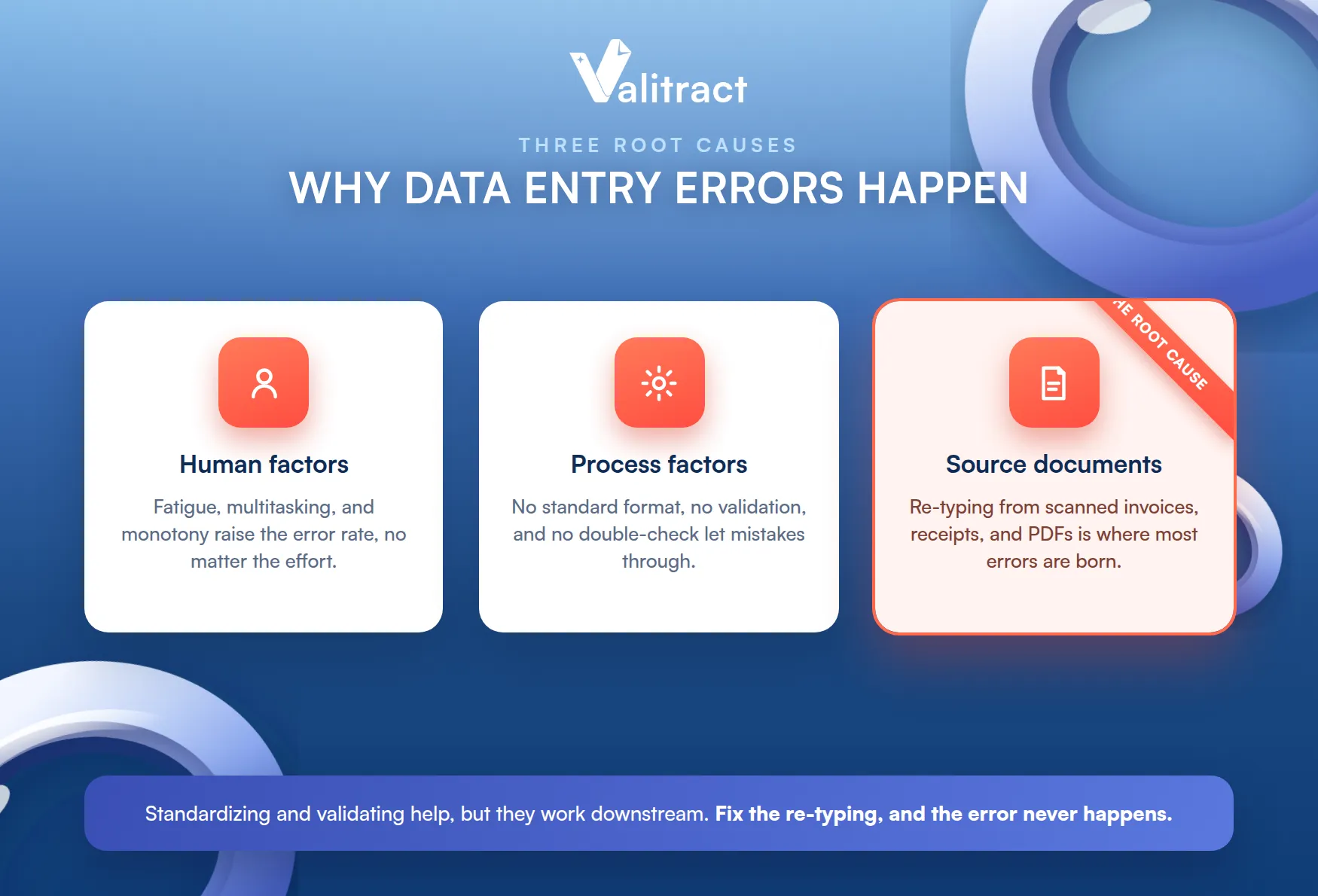
Most advice stops at the first two. The third, the source document, is the one that matters most and gets discussed least.
Human Factors
People are not built for repetitive keying. Fatigue, multitasking, and the monotony of manual entry all raise the error rate, especially late in a long session.
Context-switching adds to it. Every interruption between documents is a chance to lose the thread and mistype a value.
None of this reflects poor effort. Even a careful, skilled operator makes mistakes when the task is repetitive and the volume is high.
Blaming the person misses the point. The task itself is the problem, and no amount of trying harder removes a structural error rate.
Process Factors
A weak process invites errors. No standardized format, no validation rules, and no double-check step all let mistakes through that a better system would catch.
These are fixable with discipline. Much of the best-practice advice below targets exactly these process gaps.
Process fixes are cheap and effective. A validation rule costs almost nothing and stops errors a human reviewer would tire of catching.
Source-Document Factors
The deepest cause is often overlooked: people are re-typing from documents. Keying data from scanned invoices, receipts, PDFs, and handwritten forms is where a large share of errors is born.
This is the root worth fixing. If the data never has to be re-typed, the error never has the chance to happen, a theme we explore in Manual vs. Automated Data Entry.
Every other fix works downstream of this one. Standardizing and validating help, but they still assume a human is typing the numbers in.
The Ceiling of Manual Data Entry
Best practices help, but they cannot beat human limits. Understanding that ceiling is what makes the case for automation.
The ceiling is not a failure of effort. It is a limit of the method, and no method beats its own limits by trying harder.
Even Well-Trained Teams Have an Error Floor
There is a floor you cannot train past. Studies put manual entry error rates at roughly 1% per field even for skilled operators, and higher for average ones.
One percent sounds small until you scale it. Across thousands of fields a day, a 1% rate is a steady stream of errors no amount of care removes.
The floor is structural, not personal. It is a property of manual keying itself, which is why training alone cannot push it to zero.
Manual Best Practices Stop Scaling
Volume is what breaks manual methods. Best practices that work at 50 documents a day quietly fail at 500, because the checks themselves take time you no longer have.
At that point the math changes. Invoices, receipts, claims, and KYC documents pile up faster than a team can carefully key them, which is where automated data entry becomes the only way to hold accuracy steady.
Hiring is not a real fix. More people means more error-prone keying, and the error floor moves up with the headcount, not down.
How Automated Data Entry Removes Errors at the Source
Automation attacks the root cause: it stops the re-typing. Instead of a person reading and keying, software reads the document directly.
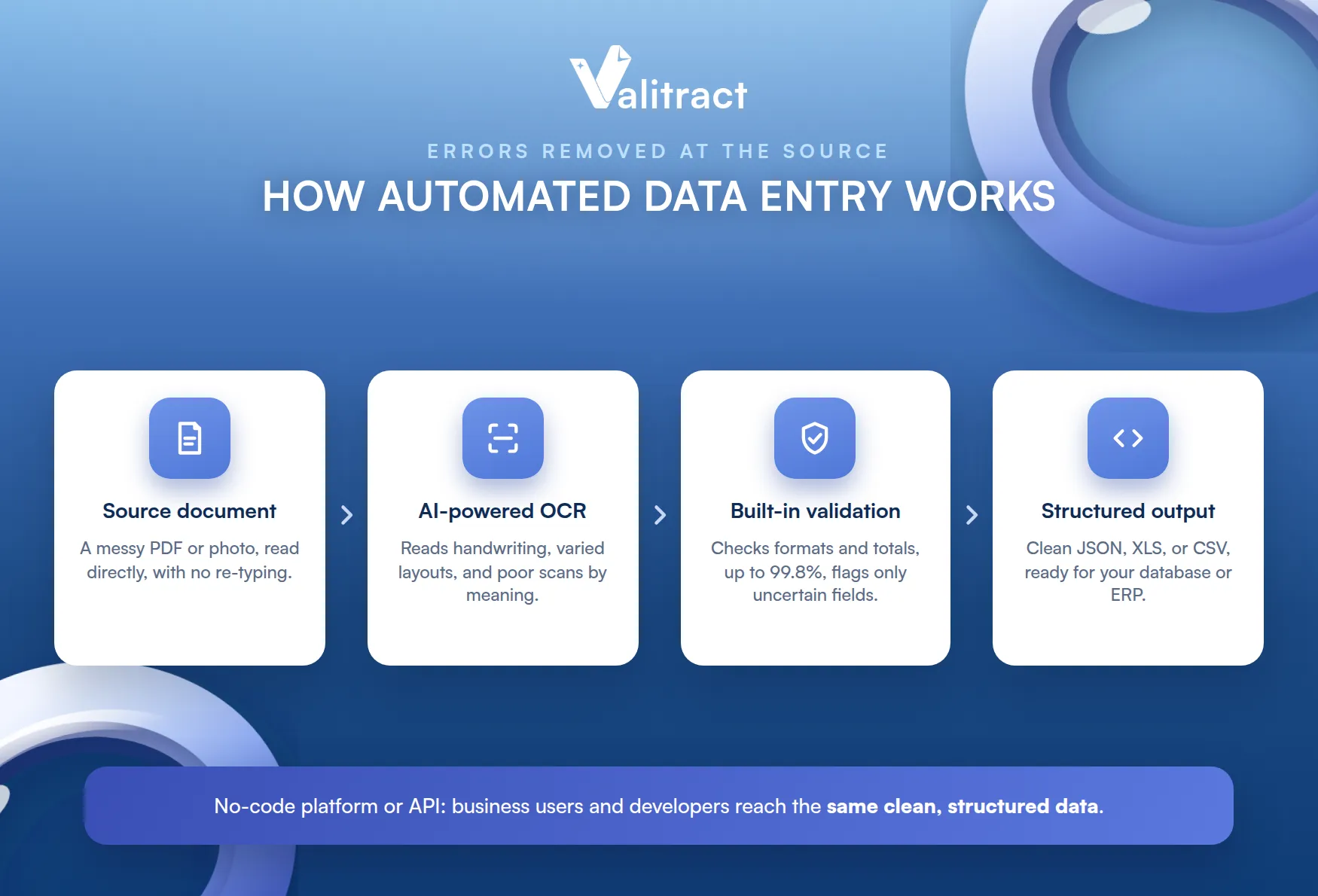
This is a category difference, not a small improvement. Removing the step is not the same as doing the step more carefully.
AI-Powered OCR Versus Manual Retyping
The shift is fundamental. AI-powered OCR reads data straight from the source document, so the transcription step where humans introduce errors simply disappears.
Modern OCR also reads what older tools could not. Handwriting, varied layouts, and low-quality scans are within reach when the model reads by meaning.
That is different from spell-check or a validation rule. Those catch errors after the fact, while reading from the source prevents the error in the first place, as our Valitract AI data extraction software is built to do.
Prevention beats correction every time. It is the difference between not making an error and finding it later, which the 1-10-100 rule prices out clearly.
Built-In Validation Reduces Manual Review
Reading is only half of it. Good automation validates what it reads, reaching up to 99.8% accuracy and checking values against expected formats and totals.
Validation is what makes the accuracy trustworthy. A number that both reads correctly and passes its checks is one you can act on.
Customizable fields make it precise. You define what a valid entry looks like, so the system flags the few uncertain values for review instead of forcing a person to check every one.
This keeps a human in the loop where it counts. People review the handful of flagged fields, not the thousands the system is confident about.
From Unstructured Documents to Structured Output
The output is ready to use. Automation turns a messy PDF or photo into clean, structured data in JSON, XLS, or CSV, ready for your database or ERP.
That removes a second manual step. There is no re-keying the extracted data into another system, because it exports in the format your tools already accept.
Each manual step removed is an error source removed. Fewer hands on the data means fewer chances to corrupt it.
No-Code Platform or API
Flexibility matters for adoption. A no-code platform lets business users run extraction without engineering, while an API lets developers build it into an existing pipeline.
Both paths reach the same result. Whether through a dashboard or our OCR API, the data arrives clean and structured.
That flexibility protects your rollout. A small team can start no-code today and add the API later, without switching tools.
Proven Best Practices to Reduce Data Entry Errors
Automation removes the biggest source of error, but good habits still matter, especially where manual entry remains. These practices lower the error rate on any team.
Use them alongside automation, not instead of it. The two together beat either one alone.
Standardize Formats and Create Clear Guidelines
Consistency prevents a whole class of errors. Agree on date formats, naming conventions, and field definitions, and write them down so everyone enters data the same way.
Start with the fields that vary most. Dates, currencies, and names are where inconsistent formats cause the most downstream mess.
Ambiguity is the enemy. When two people interpret a field differently, the data fragments before anyone makes a typo.
Write the rules down and share them. A guideline that lives only in one person’s head does not standardize anything.
Set Up Validation Rules and Input Restrictions
Let the system catch what people miss. Validation rules, drop-down menus, and input masks stop invalid entries before they are saved.
This shifts error-catching earlier. A field that only accepts a valid date never receives a malformed one.
The best error is one that cannot be entered. Restricting inputs is cheaper than reviewing them afterward.
Use Double-Entry or Peer Review for High-Value Data
Some data is worth checking twice. For high-value or high-risk fields, double-entry or a peer review catches errors that a single pass would miss.
Reserve it for what matters. Checking everything twice is slow, so target the fields where an error is most costly.
A bank account number deserves a second look. A free-text note usually does not.
Batch Workload and Schedule Breaks
Fatigue is a measurable cause, so manage it. Batching similar work and scheduling regular breaks keeps accuracy from sliding late in a shift.
Similar tasks grouped together also reduce switching. Doing one document type at a time is faster and cleaner than jumping between them.
Tired operators make more mistakes. Protecting focus is a legitimate accuracy tactic, not just a wellbeing one.
Run Regular Audits and Track Error Patterns
You cannot fix what you do not measure. Regular audits reveal where errors cluster, and tracking patterns tells you which fields or sources need attention.
Patterns point to root causes. If one vendor’s invoices always cause errors, the document, not the operator, is the problem.
Audits turn anecdotes into evidence. Instead of guessing where errors come from, you see it in the data.
Implement Modern Automation Technology
The highest-leverage practice is to remove manual entry where you can. Modern data entry automation software captures data from documents directly, cutting the error source the other practices only manage.
It complements the rest. Automation handles the volume, while your guidelines and audits govern what remains.
Think of it as removing the load, not the oversight. The team still owns quality; it just stops doing the typing.
Where Automation Makes the Biggest Impact
Automation helps most where documents are high-volume and error-prone. Three workflows stand out.
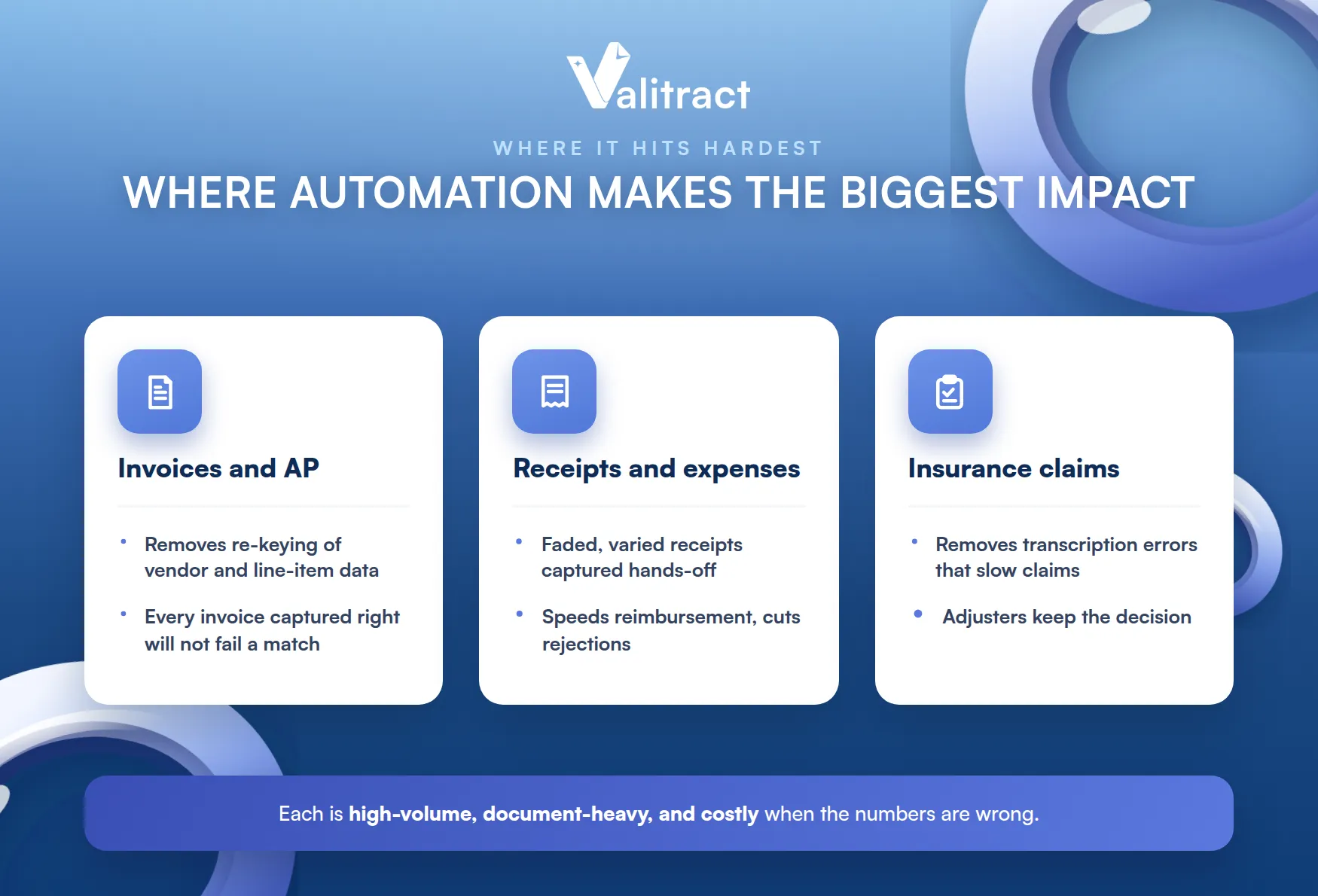
They share a shape. Each is high-volume, document-heavy, and costly when the numbers are wrong.
Invoices and Accounts Payable
AP is a prime target. Automating extraction removes the re-keying of vendor and line-item data, which is where most invoice errors and downstream payment disputes begin.
The volume makes the payback fast. Every invoice captured accurately is one that will not fail a match later. Our invoice data extraction software is built for this.
Line items are where the errors hide. Capturing every line correctly is what lets AP run without a person fixing mismatches.
Receipts and Expense Reporting
Receipts are error magnets. Faded print and varied layouts make manual entry slow and mistake-prone, so automation delivers an outsized accuracy gain here.
The savings compound at volume. See our receipt data entry automation for how this workflow runs hands-off.
Expense reports are a common friction point. Removing the manual keying speeds reimbursement and cuts the errors that trigger rejections.
Insurance Claims Processing
Claims involve dense, varied documents. Automating the data entry removes the transcription errors that slow claims and frustrate policyholders, while adjusters keep the decisions.
Speed here is felt directly by customers. A claim that clears faster is the moment a policyholder decides whether to renew.
The boundary matters here. Automation handles the keying, not the judgment, as we cover in automated data entry for insurance claims.
That split is a feature, not a gap. Clean data speeds the claim, while a human still owns the decision to approve or deny.

Reduce Data Entry Errors With Valitract
Valitract removes the biggest source of data entry errors by reading straight from your documents. It extracts data at up to 99.8% accuracy across invoices, receipts, bank statements, passports, resumes, and ID cards, in 95+ languages.
It fits how you already work. Valitract offers a no-code platform and an API, outputs JSON, XLS, or CSV, and validates what it reads so your team reviews instead of retypes.
It is honest about its role. Valitract is the accurate extraction and validation layer that feeds your systems, not a replacement for the people who review and decide.
To see it on your own documents, get started free or book a demo with the Valitract team.
Frequently Asked Questions About Reducing Data Entry Errors
What is the main cause of data entry errors?
The most common root cause is manual re-typing from source documents like invoices, receipts, and PDFs. Human factors such as fatigue and repetitive work make it worse, but removing the re-typing removes the largest source.
How much do data entry errors cost businesses?
Gartner estimates poor data quality costs organizations an average of $12.9 million a year. The 1-10-100 rule of thumb also shows that an error is far cheaper to prevent at entry than to correct later or after it reaches a decision.
Can automation fully eliminate data entry errors?
No tool eliminates errors completely, but automation removes the largest source by reading from the document instead of re-typing, and validation flags the rest for review. The result is a large, measurable drop in errors, not a claim of perfection.
What is the difference between manual and automated data entry?
Manual data entry has a person read and type data, while automated data entry uses software to read it directly from the source and export it structured. Automation is faster and more accurate at volume, which is why it scales where manual methods cannot.
Is AI OCR accurate enough for financial or legal documents?
Modern AI OCR reaches up to about 99.8% accuracy and pairs extraction with validation and human review of low-confidence fields. That combination makes it suitable for financial and legal documents, where the validation step and a final human check are what provide the assurance.
Conclusion
Knowing how to reduce data entry errors comes down to two moves: apply the best practices that lower the error rate, and remove the manual re-typing that causes most errors in the first place. Standardized formats, validation rules, and audits all help, but they share a ceiling that volume eventually exposes.
Automation is what breaks through that ceiling. By reading data straight from the document and validating it, it removes the largest source of error rather than just managing its symptoms.
To cut your own error rate at the source, book a demo with the Valitract team.
Valitract – Next-gen AI-Powered Data Extraction Platform
- Email: contact@valitract.com
- LinkedIn: https://www.linkedin.com/company/valitract-api-platform
- X: https://x.com/valitract


